Put articles where people look
Wiki Categories and Tags group articles. The dashboard shows category chips with article counts.
Categories + tagsKnowledge base
Pages your team writes, a search that reads the whole text rather than the titles, and a list of every question that came back empty so you know what to write next.
The problem
Your team wrote a good answer last month. Nobody outside that ticket can see it.
Customers give up before they reach the question they came with.
Without feedback, a confusing article looks the same as a clear one.
When a search finds nothing, the customer opens a ticket and you never learn why.
Publish answers as searchable articles, see which ones help, and learn what is missing.
Answer once, found after
A knowledge base is only finished when people stop asking. The way to get there is to watch what they searched for and did not find, which this keeps a list of.
The search screen reads page bodies, not just titles, pages twenty at a time and highlights the matched words in the result.
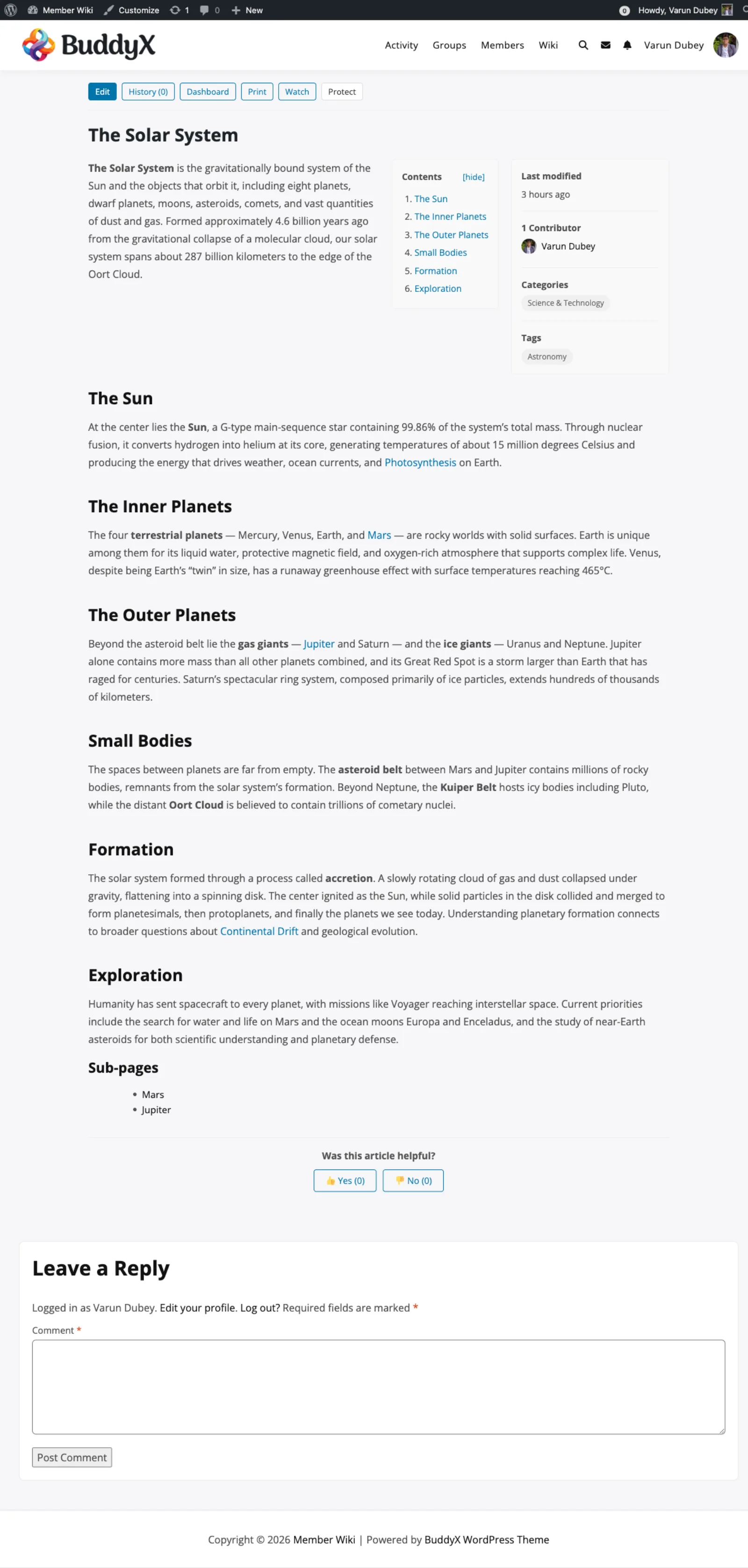
A contents list builds itself on any page with a few headings, and wiki links join related answers so one page answers the next question too.
Every search that returns nothing is recorded. That list is the most useful page in the admin: it is your customers telling you what to write next.
Add the page, link it from the ones that nearly answered, and the same search starts finding it.
The report worth opening weekly
Every search that came back empty is kept and totalled on the admin overview. No guessing at what to write, no survey, no support ticket needed first: the people who wanted an answer already told you what they called it.
Clear the list once you have written the pages, and what comes back next is the next gap.
Two details, so nothing surprises you
The type-ahead that appears while someone is typing matches page titles only. The full results page is the one that reads the whole text, so name your pages the way people ask for them.
SELF-SERVICE CHECKLIST
Six jobs a knowledge base has to do for customers who would rather not write in. Each maps to a feature in WB Member Wiki.
Wiki Categories and Tags group articles. The dashboard shows category chips with article counts.
Categories + tagsSearch suggests matching articles as the customer types, then lists results by relevance.
Search suggestionsArticles with three or more headings get a collapsible table of contents with jump links.
Automatic contents boxEach article can end with Was this article helpful, with Yes and No counts.
Helpful voteSearches of three or more characters that find nothing are logged. The Overview tab lists the top 20.
Zero-result search logOnly the roles you choose can edit. Every save is a revision you can compare and restore.
Permissions + revisionsLong help articles get a contents box built from their headings. At the end, one click records whether the article solved the problem.
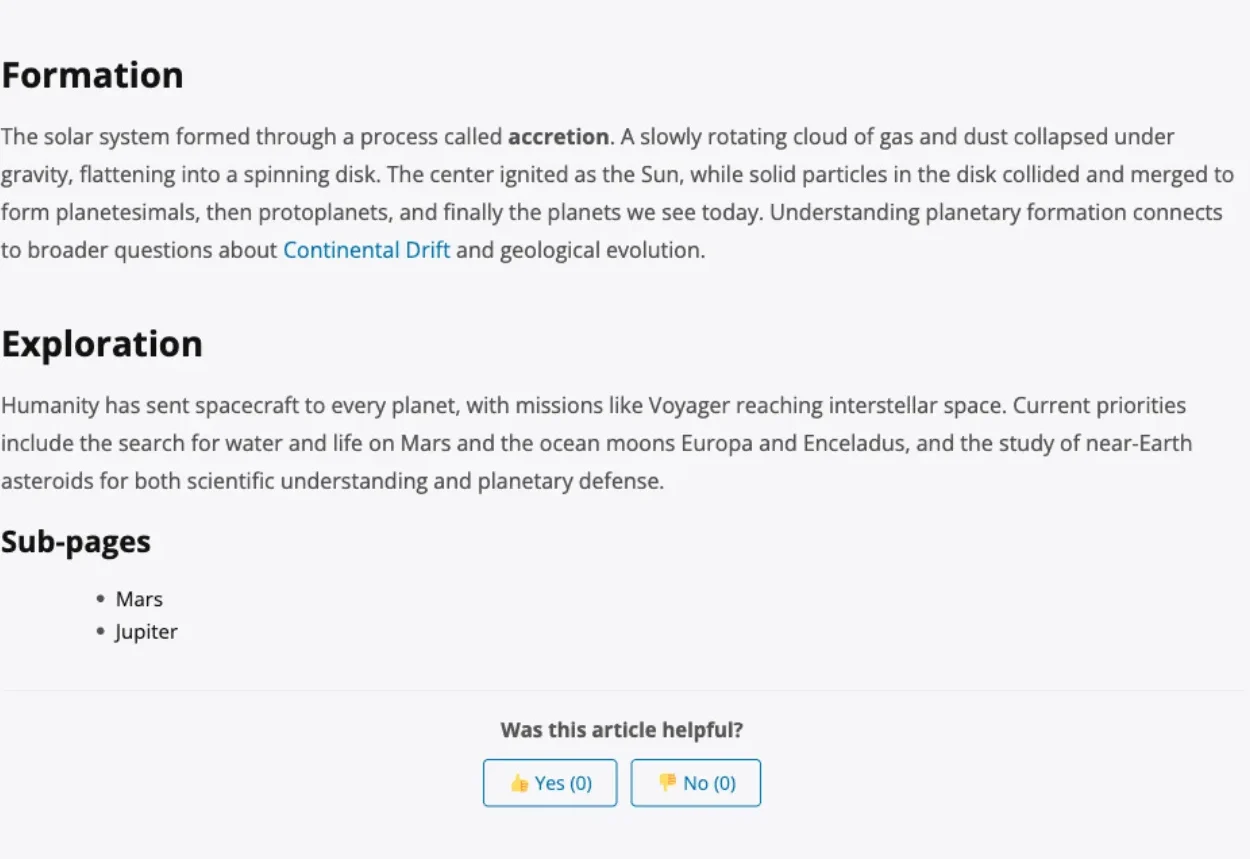
A full article: contents box, sidebar details, linked pages, sub-pages and the helpful vote.
The parts of WB Member Wiki that matter when the goal is fewer repeat questions.
Matching articles appear while the customer types in the search box.
The top unanswered search terms with counts, on the Overview tab. Clear the log after you act on it.
Was this article helpful, with Yes and No counts on each article.
Built from the headings of any article that has three or more.
Group articles by product or topic, and nest detail articles under a parent.
[[Article Title]] links, plus a list of the articles that link to the current one.
A wrong edit to a popular article is one click to undo.
Articles output TechArticle and breadcrumb schema, Open Graph tags and canonical URLs.
A wpml-config.xml marks wiki articles, categories and tags as translatable.
Display settings: turn the contents box, contributors, last modified date, revision count and view count on or off.
The article list with search, category chips and counts, sorted by last update.
A long article with its contents box, category, tags and links to related articles.
Choose which roles can create, edit, delete and protect articles.
Top notch support! I've been frustrated generally by the slow support for most themes and plugins, but they are helpful and quick to reply. Highly recommend!
Woods
Trustpilot Review
I wanted to build a community website and these guys created the perfect plugins for me. To be honest, I want to buy every single one of their plugins.
Sora Seaton
Trustpilot Review
The template from Wbcom Designs is truly great. Modern, flexible, and easy to use. The support is very helpful and friendly. For questions or problems you receive fast, competent assistance.
Barry Bohme
Trustpilot Review
Pay once and own it forever, or pick the annual plan. All features included in every plan, no hidden add-ons.
The plugin keeps working. Updates and support stop until you renew.
Annual licenses include a year of updates and support and renew at 30% off. Lifetime licenses are a one-time payment and never expire.
One licence covers every feature. Tiers differ by how many sites they cover, with a 30-day money-back guarantee.