
Media sharing, free

Give members one place to share photos, video and audio.

Uploads, albums, a lightbox with reactions, nine privacy levels and a moderation queue. Works with any theme, with or without BuddyPress.
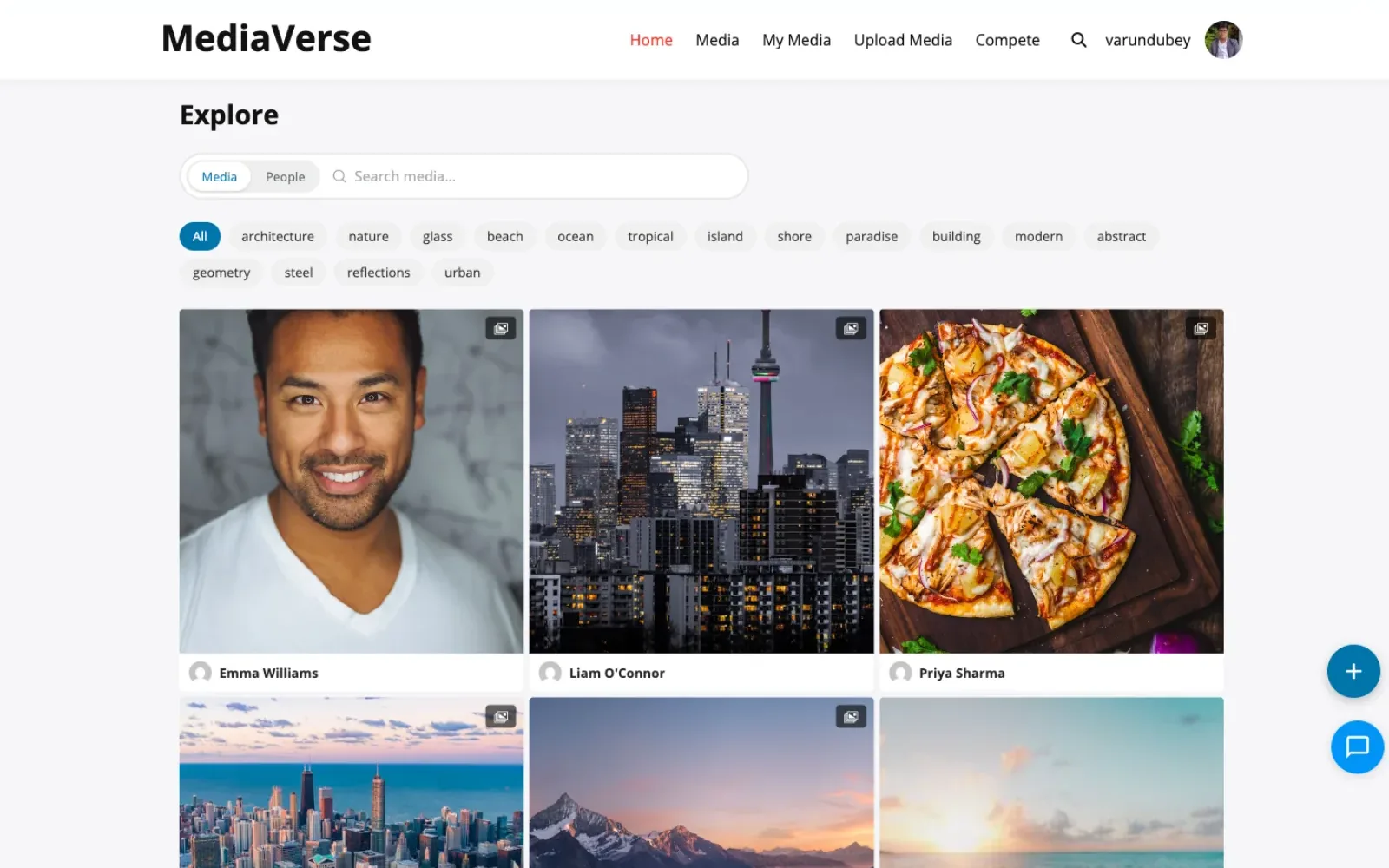
The explore feed: a searchable grid of member photos with tag filters and uploader names
The explore feed, with tag filters and search across the library.

Uploads and who sees them

Three media types, nine privacy levels

Privacy is set per upload, not per site. A member can post one photo publicly and keep the next one to themselves.

  • Photos

    Thumbnails at three sizes, WebP and AVIF siblings, EXIF stripped if you want it gone.

  • Video

    A poster frame from the file’s own cover art, or a frame the uploader picks. No re-encoding.

  • Audio

    Embedded cover art when the file carries it, and a drawn waveform when it does not.

  • Not documents

    PDFs and Office files are refused from the media library on purpose. The member document drive is a Pro feature.

Who can open an item

Public
Anyone, signed in or not
Members
Any signed-in user
Logged in
Any signed-in user
Friends
Members the uploader is friends with
Group
Members of that BuddyPress group
Space
Members of that BuddyNext space
Private
The uploader and site admins
Direct message
The people in that conversation
Custom
The named members you grant

Anything not public is served through a signed URL that expires, and it never goes to a CDN.

On a real site

What members actually use

Screens from the plugin's own documentation, all of them free-plugin surfaces.

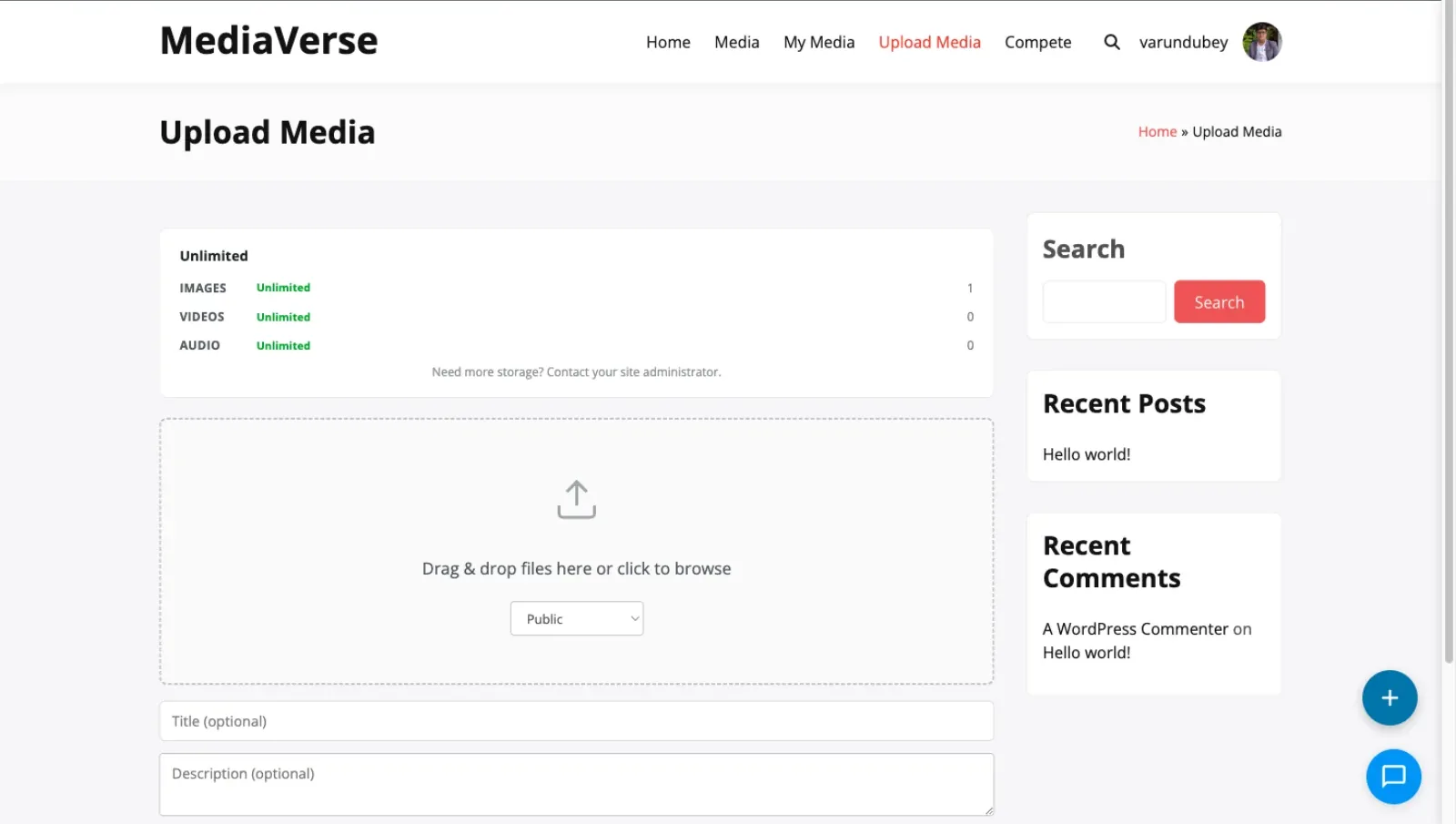
The upload page: a drag and drop area, a privacy select, and title and description fields

Uploading

Drop files, set privacy, publish

The member picks the privacy level on the same screen.
Duplicates
Caught by hash: allow, warn or skip
EXIF
Stripped on upload if you turn it on
Thumbnails
Large, medium and thumb, plus WebP siblings
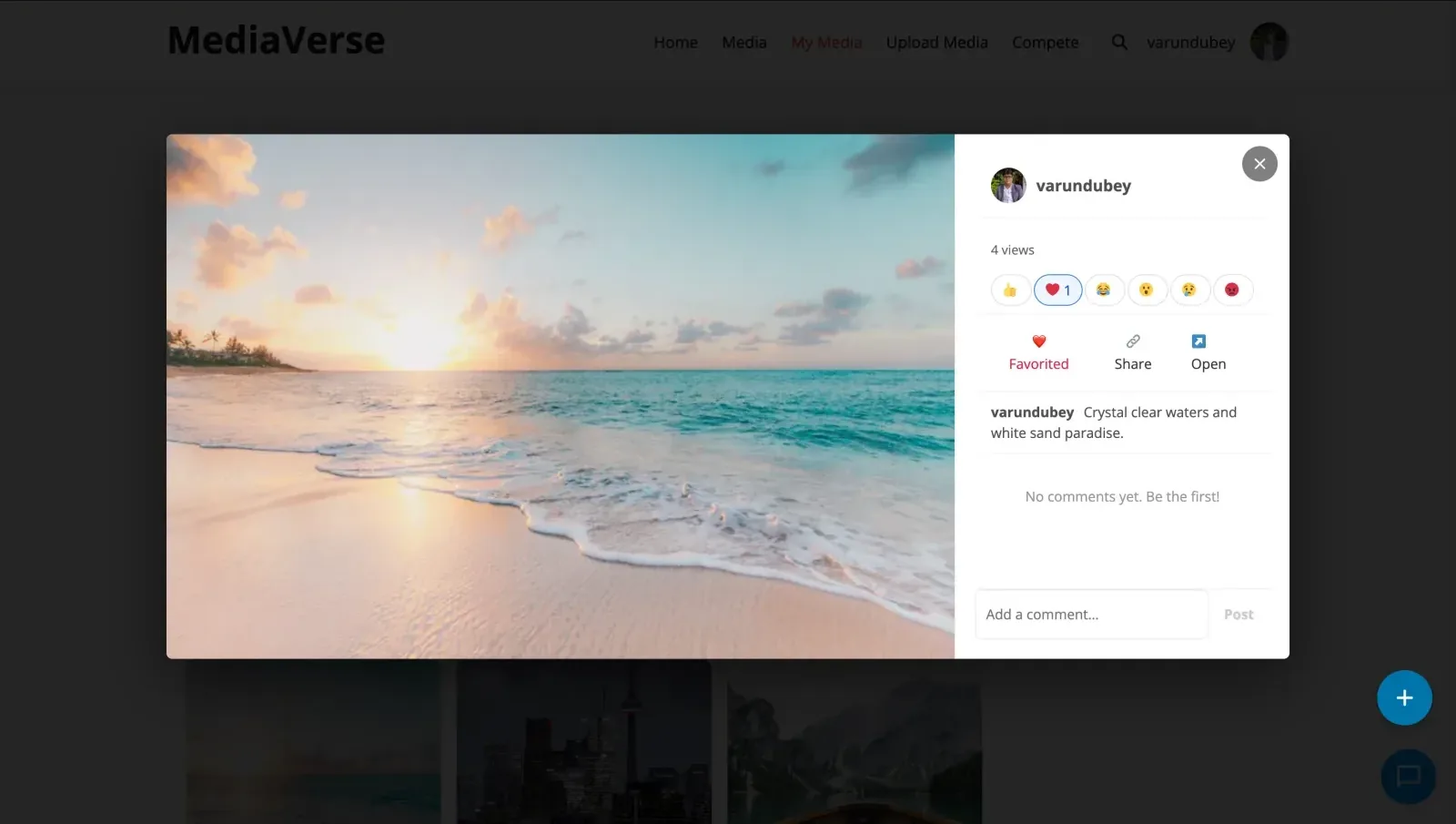
The lightbox: a photo with emoji reactions, favourite and share buttons, and a comment box beside it

Lightbox

Every item opens into a conversation

Reactions, favourites, sharing and comments sit beside the media, with no page reload.
Reactions
Like, love, haha, wow, sad, angry
Comment editing
Fifteen minutes, then it locks
Reports
Hidden automatically after three
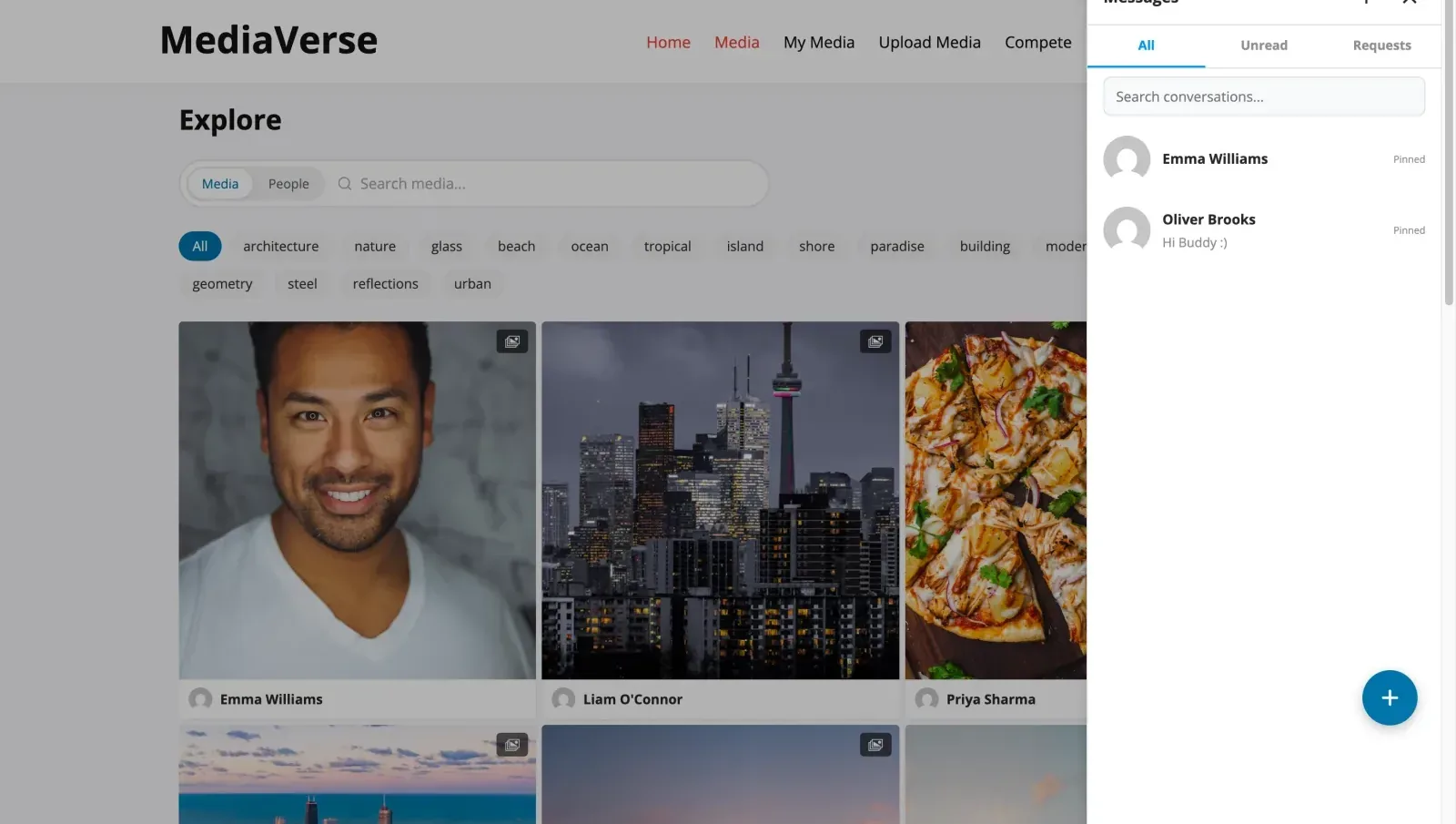
The messages panel over the explore feed, with All, Unread and Requests views and a conversation list

Messages

Private conversations, with media attached

One to one or group, and nothing here shows up in a feed.

Attachments
Photo, video or audio, up to 10 MB
Checked by content
Not by file extension
Also
Voice messages, reactions and unsend

Free and Pro

The library is free. Pro adds the rest.

Free is not a trial: it runs on unlimited sites with no licence key. This is the honest line between the two.

In the free plugin

  • Photo, video and audio uploads, with duplicate detection
  • Albums, rule-based collections, tags and full-text search
  • Nine privacy levels, signed URLs and per-item access grants
  • Reactions, comments, favourites, follows and an activity feed
  • Direct messages with media, voice notes and reactions
  • Moderation queue, member reports with auto-hide, suspensions
  • AI descriptions, tags and screening through OpenAI
  • Nine blocks, fourteen shortcodes, REST API, webhooks and WP-CLI

What Pro adds

Cloud storage
Amazon S3, BunnyCDN, Cloudflare R2 and DigitalOcean Spaces. Free stores on your own disk.
Watermarking
Free resolves the settings and fires the hook; Pro draws the mark and adds the settings screen.
Platform gallery layouts
Instagram, Pinterest, Flickr and Dribbble styles. Free draws grid, masonry, list, square and original.
Member document drive
Folders, sharing, trash and search for documents. Free keeps documents out of the media library.
Competitions
Battles, challenges, tournaments and challenge themes, all under the MediaVerse menu.
More AI providers
Anthropic, Google Vision and Amazon Rekognition alongside OpenAI.
Importers
Bring a library over from rtMedia, MediaPress, BuddyBoss or Flickr.

Start free on unlimited sites. Add Pro later.

Pay once and own it forever, or pick the annual plan. All features included in every plan, no hidden add-ons.

MediaVerse Free
Unlimited sites
Free
  • Unlimited sites, no license key
  • Uploads, albums, collections and explore feed
  • Lightbox, reactions, comments and follows
  • Direct messages with media and voice
  • Moderation queue, reports and OpenAI checks
  • Optional storage limit per member
  • BuddyPress activity, profile and group media
  • 9 blocks, 14 shortcodes and a REST API
  • GDPR export and erasure
  • Forever free, no feature locks
Get MediaVerse Free
Most popular
Pro Personal
1 site
$199 one-time
or $69/year
  • Everything in Free, plus:
  • 1 site license
  • Instagram, Pinterest, Flickr and Dribbble layouts
  • Photo challenges, battles and tournaments
  • Cloud storage on S3, BunnyCDN, R2 or Spaces
  • Member document drive
  • Importers for rtMedia, MediaPress and BuddyBoss
  • Google Vision, Rekognition and Claude
  • Watermarking
  • Updates and support, annual or lifetime
Get Pro Personal
Pro Professional
5 sites
$299 one-time
or $99/year
  • Everything in Pro Personal
  • 5 site licenses
  • Priority support
  • Updates and support, annual or lifetime
Get Pro Professional
Pro Agency
Unlimited sites
$499 one-time
or $199/year
  • Everything in Personal, plus:
  • Unlimited site licenses
  • Priority email support
  • 30-day money-back guarantee
Get Pro Agency

The plugin keeps working. Updates and support stop until you renew.

Free forever. Annual licenses include a year of updates and support and renew at 30% off. Lifetime licenses are a one-time payment and never expire.

Questions before you install MediaVerse

Do I need BuddyPress?
No. MediaVerse runs on its own with uploads, profiles, an explore feed and messages. When BuddyPress is active, activity uploads, profile tabs, group tabs and BuddyPress notifications switch on too.
Will a large media library slow my site down?
Media, albums, reactions and messages live in 23 custom tables, not in wp_posts. Listings paginate, and search uses a FULLTEXT index. Your posts and pages tables do not grow with every upload.
Does it convert or transcode video?
No. MediaVerse plays the file the member uploaded, so there is no ffmpeg to install. A video poster comes from the file's embedded cover or a frame picked at upload.
Do I have to use AI moderation?
No. The moderation queue and member reports work without AI. To screen uploads automatically, add your own OpenAI key and set a monthly budget cap. Pro adds Google Vision, AWS Rekognition and Anthropic Claude.
Can members upload PDFs and Office files?
Not into the media library, which takes photos, video and audio. Documents have their own place. The free plugin lists them, and Pro gives each member a document drive with folders and sharing.
Can I limit how much each member uploads?
Yes. Settings > General has an optional storage limit per member, unlimited by default. Set a different limit on one member's profile. Administrators are never limited.
Can I turn private messages off?
Yes. One Messages switch in Settings > Messages turns private messaging off everywhere. Existing conversations are kept and return when you switch it back on.
Can members turn off the emails?
Yes. A member can switch activity emails off in their profile or use the unsubscribe link in any email. You choose which emails go out in Settings > General > Emails.
What happens to my data if I deactivate or delete the plugin?
Deactivating keeps your media, tables and settings. Deleting the plugin from the Plugins screen removes its tables and settings, so export anything you need first.
Can I move over from rtMedia, MediaPress or BuddyBoss?
Yes, with Pro. It includes importers for all three. The rtMedia importer can run as a dry run first and resume a stopped import.
What does Pro add?
Instagram, Pinterest, Flickr and Dribbble layouts, stories, and photo challenges, battles and tournaments. It also adds cloud storage, watermarks, a member document drive and importers. Every Pro tier includes every feature.

Give your members a place to share their media

Free on unlimited sites, with no licence key.