Wbcom Designs BuddyPress Media Plugin
BuddyPress rtMedia Migration WordPress REST API v1.0.0

rtMedia was built for 2014 BuddyPress. Your community needs a 2026 media plugin.

WPMediaVerse integrates deeply with BuddyPress: profile media tabs, group media tabs, activity feed uploads, and social features. Migrate your existing rtMedia library with one click. Custom database tables replace the wp_posts storage that bogs rtMedia down at scale. AI moderation, direct messaging, and 80+ REST API endpoints included. Free forever.

Download Free Read the Docs Try Live Demo See WPMediaVerse Pro
rtMedia was built for 2014 BuddyPress. Your community needs a 2026 media plugin. — product screenshot
87 Five-Star Reviews on TrustpilotWordPress 6.9 TestedBuddyPress CompatiblertMedia MigrationGPL LicensedCustom DB TablesAI Moderation Included

BuddyPress media plugins have not kept up with the platform.

rtMedia stores everything in wp_posts
Every upload becomes a WordPress attachment in the wp_posts table. The same table as your pages, posts, and products. Past a few thousand uploads, member profile queries slow to a crawl.
rtMedia development has stalled
Infrequent updates, growing compatibility warnings with newer WordPress and BuddyPress versions, and unresolved issues on the support forum. The plugin is being maintained, not improved.
BuddyBoss locks you into their ecosystem
BuddyBoss has capable media features, but they require the BuddyBoss Platform and BuddyBoss Theme. You cannot use their media tools with BuddyPress and your own theme.
MediaPress stopped evolving years ago
BuddyPress-only with limited extensibility. No video transcoding, no AI moderation, no competitions or gamification, no REST API. Development activity is minimal.
WPMediaVerse is the modern BuddyPress media plugin. Custom database tables, AI moderation, direct messaging, REST API, and a one-click rtMedia migration tool.
The only plugin of its kind

The only BuddyPress media plugin with custom tables, AI moderation, and an rtMedia migration path

Migrate from rtMedia without losing a single upload. Get features rtMedia never had.

01

One-click rtMedia migration

The Pro migration importer reads your rtMedia database, maps every upload to its user, album, and privacy setting, and recreates everything in WPMediaVerse's custom tables. No uploads lost, no associations broken.

02

Deep BuddyPress integration

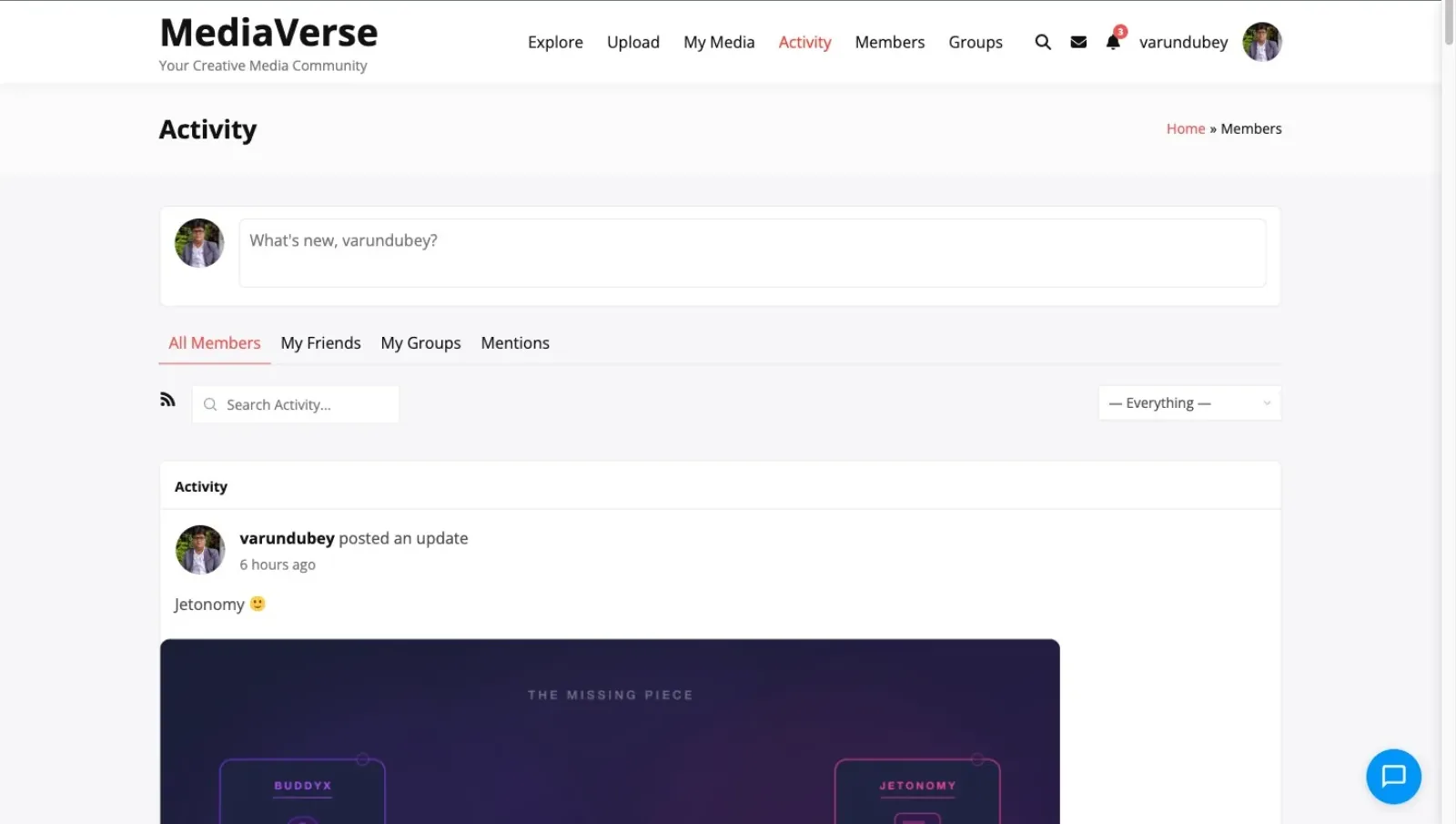
Profile media tabs, group media tabs, activity feed uploads with inline players, and member-to-member media sharing. Activates automatically when BuddyPress is detected. No configuration needed.

03

Custom tables replace wp_posts storage

Three indexed MySQL tables dedicated to media data. Member profile queries no longer compete with your posts and products for database resources. The performance difference is measurable immediately.

Migrate from rtMedia to WPMediaVerse in one afternoon

1
Install WPMediaVerse alongside rtMedia
Activate WPMediaVerse on your BuddyPress site. It detects BuddyPress automatically and sets up profile tabs, group tabs, and activity feed integration. Both plugins can run side by side during migration.
2
Run the one-click migration (Pro)
The Pro migration tool reads your rtMedia database and recreates every upload in WPMediaVerse's custom tables. User ownership, album associations, and privacy settings are preserved. No manual re-uploading.
3
Deactivate rtMedia and enjoy the speed
Once migration is confirmed, deactivate rtMedia. Member profile queries that used to hit wp_posts now run against indexed custom tables. The performance improvement is immediate and measurable.

Who it's for

BuddyPress community admins using rtMedia
Migrate your existing rtMedia library to a modern, actively developed media plugin. Custom database tables solve the performance issues rtMedia creates at scale.
BuddyPress developers building client sites
A documented, extensible media plugin with 80+ REST API endpoints and 13 Gutenberg blocks. No reverse engineering rtMedia's undocumented internals.
BuddyBoss users wanting theme freedom
Get BuddyBoss-level media features without being locked into BuddyBoss Platform and Theme. Use WPMediaVerse with BuddyPress and any theme.
Membership communities with media sharing
Members upload photos, videos, and audio to their profiles and groups. Privacy controls restrict content by role. Activity feeds keep the community engaged.
Online learning platforms with BuddyPress
Students upload multimedia assignments to their profiles. Instructors review in group media tabs. Activity feeds track submissions and feedback.
Agencies maintaining legacy BuddyPress sites
Replace aging rtMedia installations with a modern plugin that has active development, a REST API, and custom database tables. Migration tool makes the switch low-risk.

rtMedia is slowing down. BuddyBoss locks you in. There is a better option.

rtMedia stores uploads in wp_posts and has not evolved significantly in years. BuddyBoss Media requires their proprietary platform and theme. WPMediaVerse works with BuddyPress and any theme, stores data in custom tables, and includes features neither alternative offers.

Capability
WPMediaVerse
WordPress
rtMedia
WordPress
BuddyBoss Media
Platform
Custom database tables
Works with any WordPress theme
Works with BuddyPress (not locked to platform)
Migration tool from rtMedia ProN/A
AI content moderation (free)
Direct messaging built in
Activity feed media uploads
Profile media tabs
Group media tabs
Follow/unfollow system
Full REST API (80+ endpoints)
13 Gutenberg blocks
Works standalone (without BuddyPress)
Active development (2026)

WPMediaVerse is the natural upgrade from rtMedia for any BuddyPress community. Same integration depth, better architecture, more features, and a migration tool that preserves everything. No platform lock-in.

BuddyPress integration

Every BuddyPress media feature rtMedia offered, plus everything it could not

rtMedia established the standard for BuddyPress media: profile tabs, group tabs, and activity feed uploads. WPMediaVerse matches every one of those features and adds AI moderation, direct messaging, a follow system, six privacy levels, 80+ REST API endpoints, and a custom database architecture that does not slow down at scale. The migration tool makes switching painless.

Profile and group media tabs
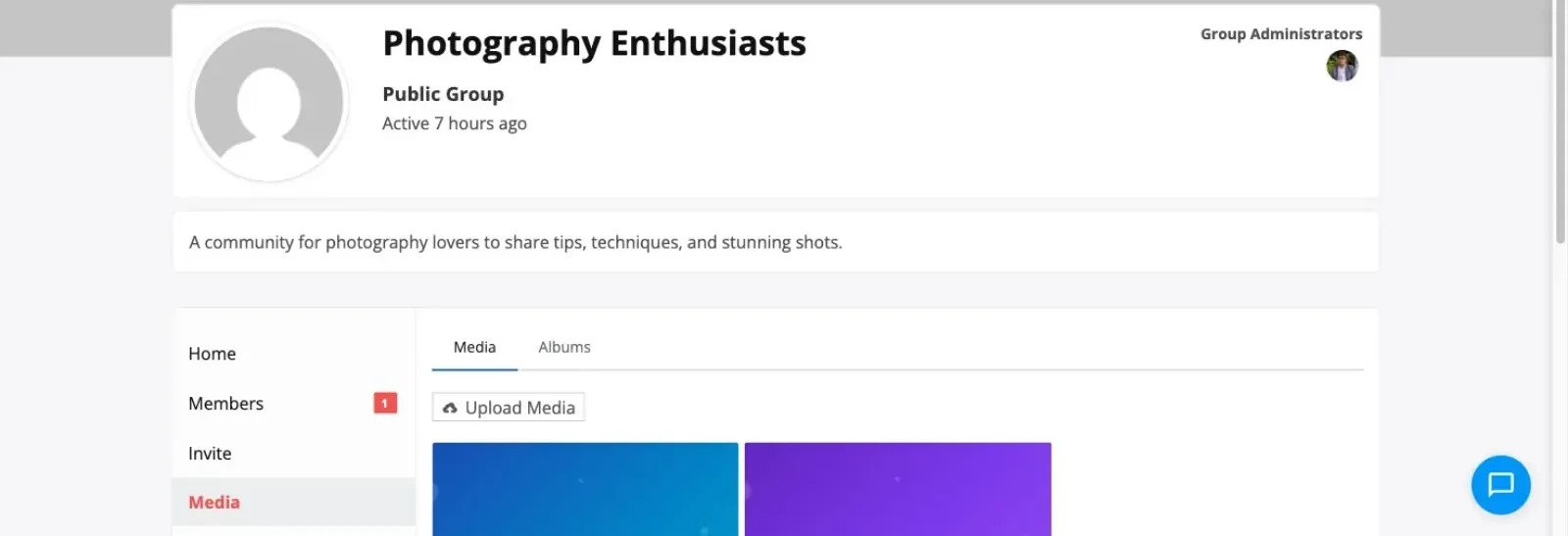
Every BuddyPress member profile gets a media tab showing their uploads in a grid. Every group gets a shared media tab. Both activate automatically when BuddyPress is detected.
Activity feed with inline media
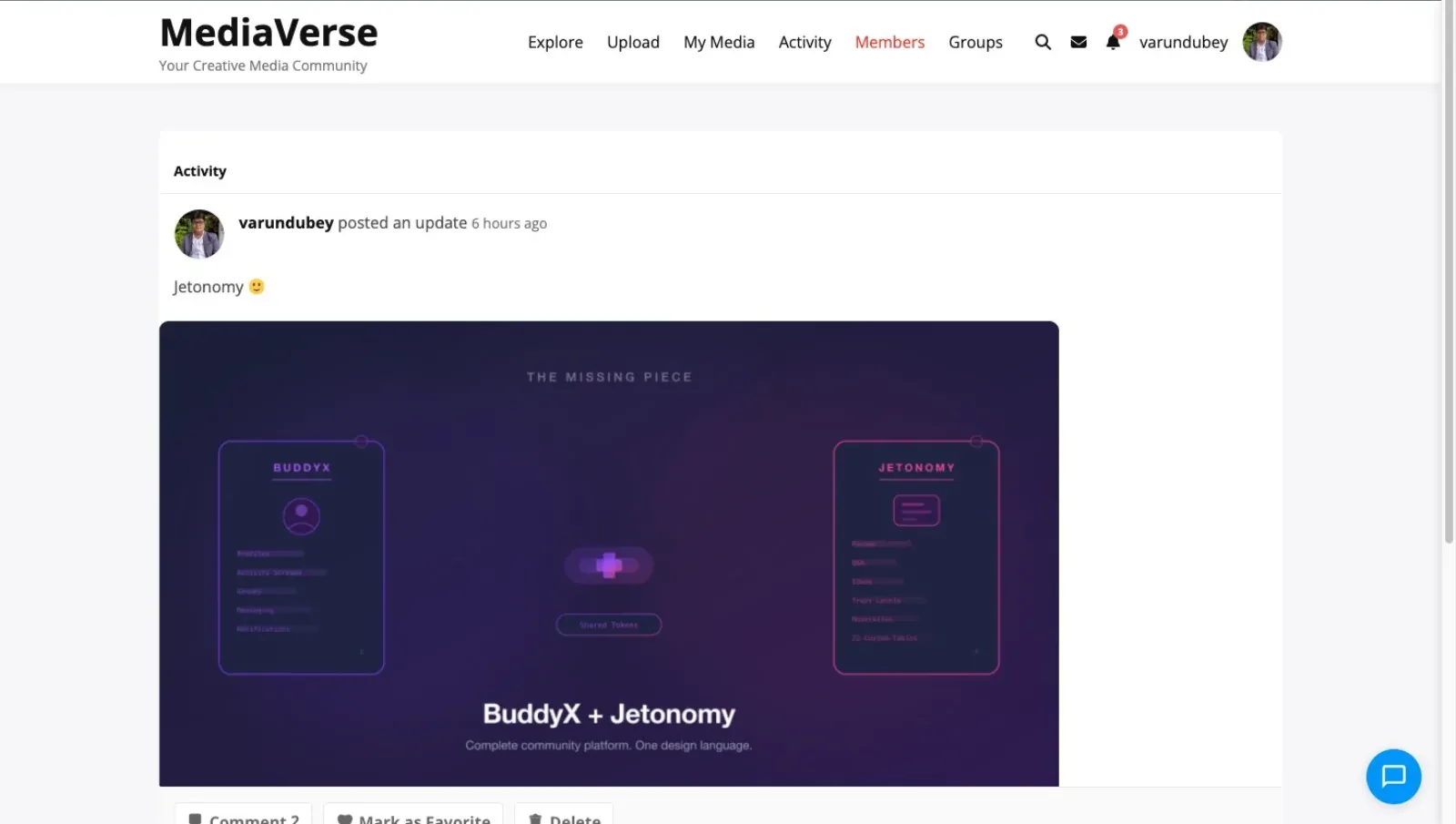
Media uploads appear in the BuddyPress activity feed with inline image previews and video players. Members react and comment directly in the activity stream.
One-click rtMedia data migration
The Pro migration importer maps rtMedia uploads, albums, user associations, and privacy settings to WPMediaVerse's custom tables. Run once, verify, and deactivate rtMedia.
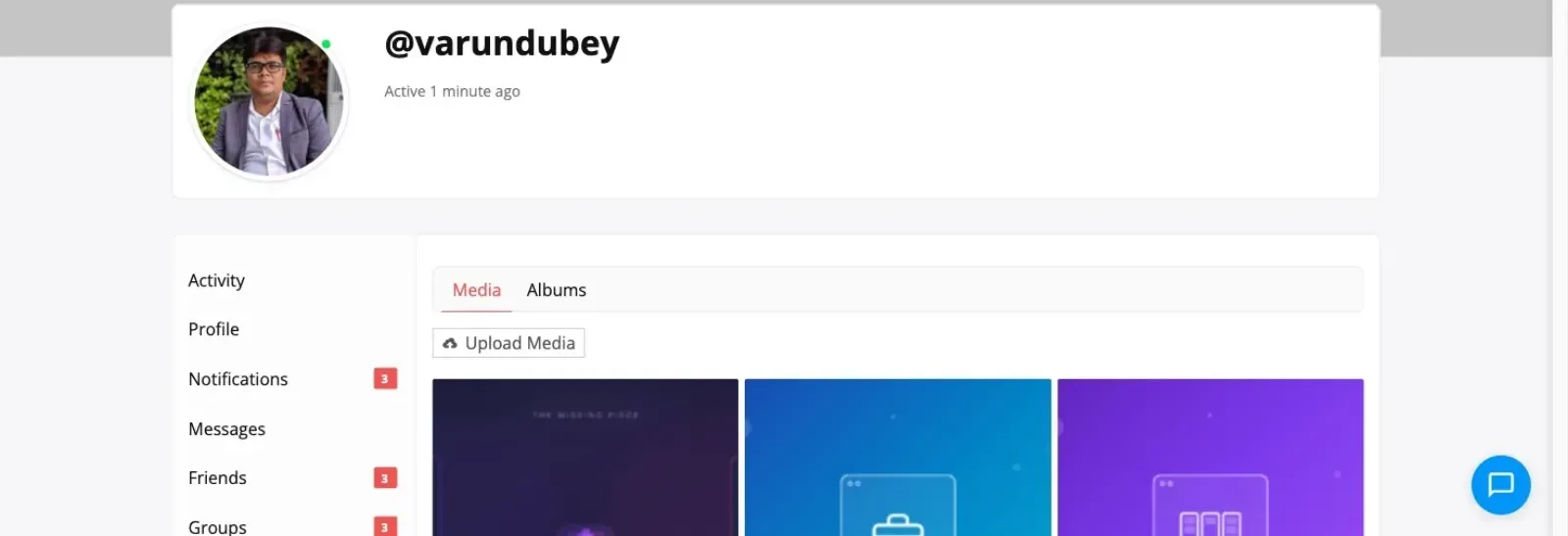
BuddyPress member profile with media tab showing uploaded content

Member profiles show media tabs with uploads, albums, and social stats. Integrates seamlessly with BuddyPress.

Everything your community needs

No extensions to buy. No integrations to configure. It ships with all of this.

BuddyPress profile media tabs

Every member profile gets a media tab showing uploads in a grid. Albums, favorites, and activity appear on the profile automatically. No configuration required.

BuddyPress group media tabs

Groups get shared media tabs where members upload photos, videos, and audio. Group admins moderate content. Shared albums organize group media by topic or event.

Activity feed media uploads

Media uploads appear in the BuddyPress activity feed with inline previews and players. Members react, comment, and share directly from the activity stream.

One-click rtMedia migration (Pro)

The migration importer reads rtMedia's database and recreates uploads, albums, user associations, and privacy settings in WPMediaVerse custom tables. Preserves everything.

AI moderation for community safety

OpenAI Vision scans every upload automatically. Flag or reject inappropriate content before it appears on profiles, groups, or the activity feed. Included free.

Direct messaging between members

Text and media messages between BuddyPress members. Share photos and videos privately. Works alongside BuddyPress messaging or independently.

Albums and smart collections

Members create albums on their profiles. Groups maintain shared albums. Smart collections auto-curate based on tags, media type, or date range.

Six privacy levels per upload

Public, members-only, friends-only, group-restricted, private, or custom rules. Fine-grained privacy that works with BuddyPress friendship and group membership.

Reactions, comments, and favorites

Emoji reactions, threaded comments, and favorites on every upload. Members bookmark content to revisit later. Social engagement drives community activity.

Explore feed for content discovery

A public explore page surfaces media from across the community. Filter by tag, media type, user, or popularity. New members discover content immediately.

80+ REST API endpoints

Full API coverage for uploads, albums, reactions, comments, follows, messages, and BuddyPress integration points. Build mobile apps or custom frontends.

13 Gutenberg blocks

Media grid, upload button, album viewer, explore feed, lightbox, and more. Build media pages within the block editor. No shortcodes needed.

A complete platform, not a simple widget

Member profile media tab with uploads and albums

Explore feed with community uploads and tag filtering

Full-screen lightbox with social reactions and threaded comments

Admin dashboard showing community upload statistics and AI moderation queue

Simple, honest pricing

One-time payment or annual subscription. All features included in every plan — no hidden add-ons.

WPMediaVerse Free
Unlimited sites
Free
  • Unlimited sites, no license key
  • Full BuddyPress integration
  • Profile tabs, group tabs, activity feed
  • Albums, collections, and explore feed
  • AI moderation via OpenAI Vision
  • Social features: reactions, comments, follows, DMs
  • 80+ REST API endpoints
  • 13 Gutenberg blocks
  • Forever free, no feature locks
Get WPMediaVerse Free
Most popular
Pro Personal
1 site
$69/yr
$48 /year 30% off
  • Everything in Free, plus:
  • 1 site license
  • rtMedia migration importer
  • 5 layout modes (Instagram, Pinterest, Dribbble, Flickr)
  • Photo challenges, battles & tournaments
  • Cloud storage (S3 + BunnyCDN)
  • Video transcoding with HLS
  • Auto-captions via Whisper AI
  • 1 year of updates & support
Get Pro Personal
Pro Agency
Unlimited sites
$199/yr
$139 /year 30% off
  • Everything in Personal, plus:
  • Unlimited site licenses
  • Migration importers (rtMedia, MediaPress, BuddyBoss)
  • Google Vision + AWS Rekognition
  • Watermarking
  • Client site deployment
  • Priority email support
  • 30-day money-back guarantee
Get Pro Agency

Annual plans renew automatically. Cancel any time before renewal.

30-day money-back guarantee. No questions asked.

Rated 4.7/5 on Trustpilot from 87 reviews

The theme is beautifully designed, and the plugins are user-friendly. Everything works smoothly. What impressed me most is their outstanding customer support: quick, helpful, and always willing to go the extra mile.

S W Malcolm

Trustpilot - 5 stars

We use BuddyPress with several plugins from Wbcom Designs, and we are extremely satisfied. The plugins add real value for our community, are updated regularly, and integrate seamlessly.

Peter Gibson

Trustpilot - 5 stars

I have learned that if the support is not prompt and effective it is a sign to move on. Tonight, Wbcom has impressed me. Fast, friendly and effective.

Steve Valencia

Trustpilot - 5 stars

Common questions

Can I migrate my existing rtMedia uploads to WPMediaVerse?
Yes. The Pro migration importer reads your rtMedia database and recreates every upload, album, user association, and privacy setting in WPMediaVerse custom tables. Both plugins can run side by side during migration so your community experiences zero downtime.
Does it integrate with BuddyPress the same way rtMedia does?
Yes, and more. WPMediaVerse adds profile media tabs, group media tabs, and activity feed media uploads, just like rtMedia. It also adds features rtMedia lacks: a follow system, direct messaging, AI moderation, an explore page, six privacy levels, and 80+ REST API endpoints.
Do I need BuddyPress to use WPMediaVerse?
No. WPMediaVerse works as a standalone media platform with its own profiles, uploads, albums, and social features. BuddyPress integration activates automatically when BuddyPress is detected, but it is not required.
Why is WPMediaVerse faster than rtMedia?
rtMedia stores every upload as a WordPress attachment in the wp_posts table. As your library grows, queries compete with your posts, pages, and products. WPMediaVerse uses three dedicated MySQL tables with indexed columns. Media queries never touch wp_posts.
How is this different from BuddyBoss media features?
BuddyBoss has strong media features but requires the BuddyBoss Platform and BuddyBoss Theme. You cannot use their media tools with standard BuddyPress and your own theme. WPMediaVerse works with BuddyPress and any WordPress theme.
Does it support images, video, and audio?
Yes. All three media types are first-class citizens. Members upload photos, videos, and audio files to their profiles and groups. The explore feed and activity stream handle all formats with appropriate players.
What happens to my rtMedia data if the migration does not work?
The migration importer reads from rtMedia tables and writes to WPMediaVerse tables. It does not modify or delete rtMedia data. If anything goes wrong, your original rtMedia installation is completely untouched. You can roll back by simply deactivating WPMediaVerse.
Is the free version BuddyPress-compatible or only Pro?
Full BuddyPress integration is included in the free version. Profile tabs, group tabs, activity feed uploads, and social features all work without a Pro license. Pro adds the rtMedia migration importer, additional layout modes, cloud storage, and advanced features.

Ready to upgrade your BuddyPress community's media experience? Start free.

One license. Instant download. Works with any WordPress theme.

Buy BuddyPress Media Plugin Read the docs Try the demo