
Code sharing for members
One place for your members to share code.
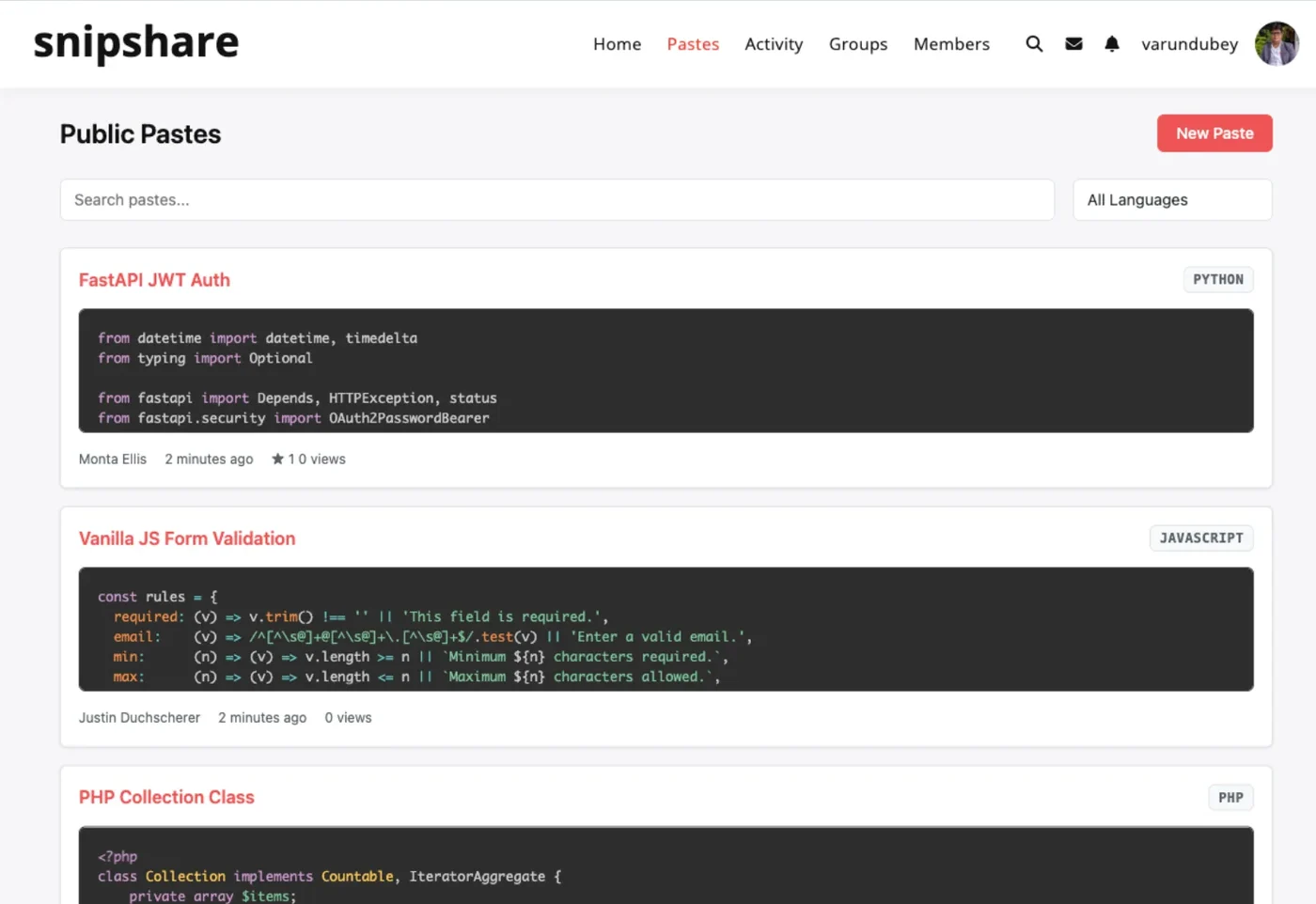
Pastes with syntax highlighting, revisions, forks and expiry, kept in your own database next to everything else your community writes.
- 4.8/5 on Trustpilot
- 30-Day Money-Back Guarantee
- Priority Support
- Works With Any Theme
- GPL Licensed
The problem
Your members already share code.
Just not on your site.
-
In chat and direct messages
Snippets scroll away within minutes, and nobody can search for them later.
-
Pasted into forum replies
Long files lose their formatting and bury the actual question.
-
On Pastebin
The thread keeps only a link. The code, and the next visit, belong to another site.
-
In personal GitHub Gists
Your community's best examples end up in individual accounts, not in your community.
SnipShare gives that code a home on your site: every paste gets a URL, a revision history and an author profile.
What a paste holds
Four decisions per snippet, and one of them surprises people
Everything here lives in your own database on your own server. That is the point of running it yourself, and it also changes what a couple of the words mean.
-
A body, highlighted
Twenty languages are highlighted from a locally bundled Prism, so nothing is fetched from a CDN and nothing breaks when an external service moves.
-
A visibility
Public, private, or unlisted. Unlisted gets a twelve-character address that is not a WordPress permalink and is excluded from every listing, feed and search on the site.
-
An optional password
On top of any visibility, and it is checked on every surface: the page, the raw view, the download and the API, rather than only on the page somebody looks at first.
-
An expiry, if you want one
From ten minutes to a year, or burn after the first read by somebody else. Both hide the paste rather than erasing it, which is worth knowing if the point was to leave no copy.
Three things to know before you rely on it
Said here rather than found later
- Expired is hidden, not deleted
- A paste that expires or burns stops opening and its row stays in your database. Only a paste you trash is eventually removed. If a snippet must genuinely cease to exist, delete it yourself.
- Twenty languages highlight, more are listed
- The picker offers more names than the bundled highlighter covers, so a few, YAML and Markdown among them, display as plain text. The paste is stored and shared correctly either way.
- Several files per paste is an API job today
- A paste can hold more than one file, and the viewer tabs them and the download zips them. Creating one that way means calling the REST API, because the browser editor writes a single file.
From activation to the first shared paste
Communities that keep their code at home
Code sharing that shows up where members already talk
When BuddyPress or bbPress is active, pastes join the activity stream, member profiles and forum replies. Each connection has its own setting.
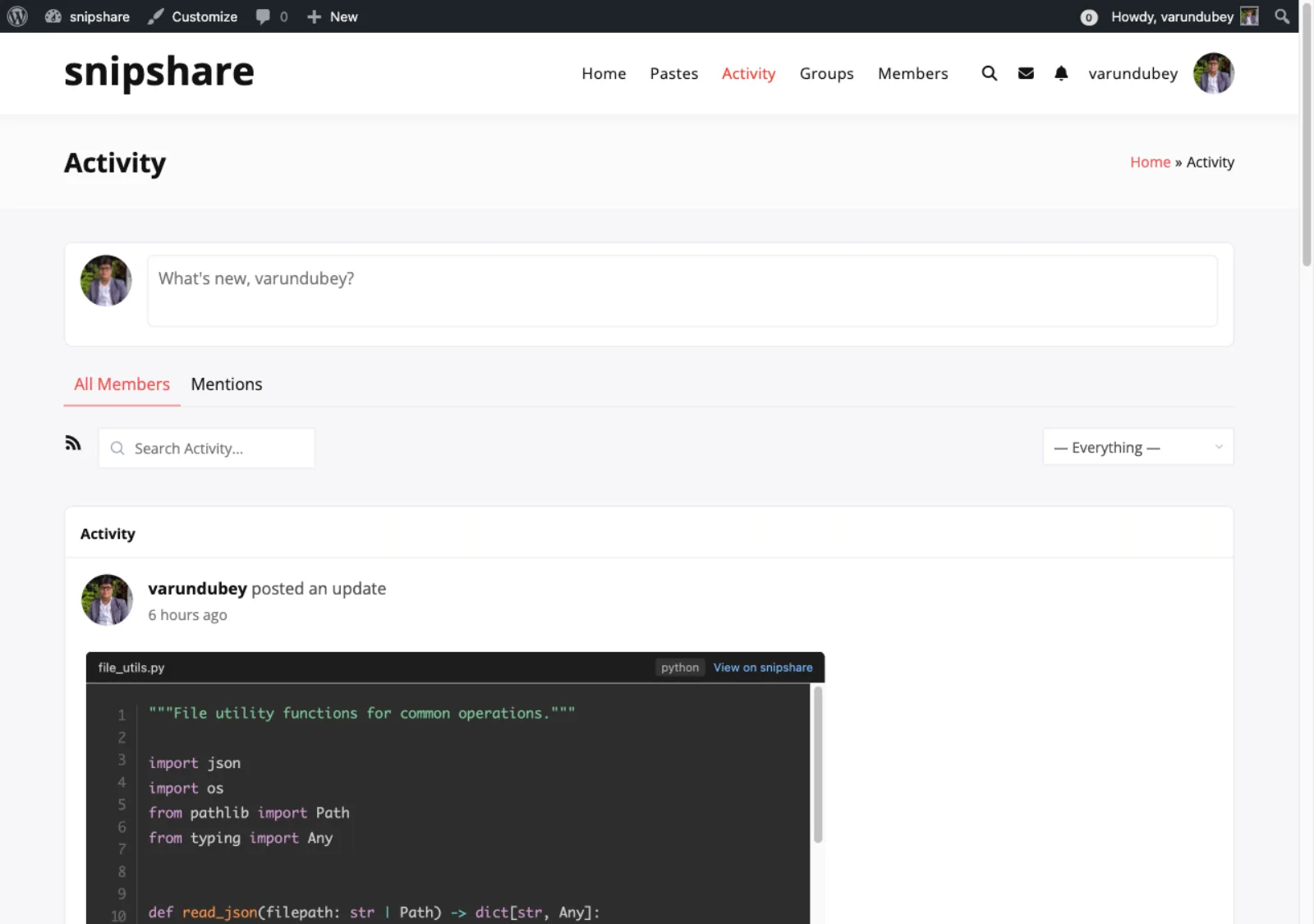
A shared paste embedded in the BuddyPress activity stream, with its code preview inline
What members can do with a paste
Every license includes all of it. Admins can switch most features off in settings.
-
Several files under one link, through the API
A paste can hold more than one file: the viewer tabs them, Raw concatenates them and Download gives you a ZIP. Creating one that way is an API call today, because the browser editor writes a single file.
-
Highlighting for 38 languages
Write in a CodeMirror editor and read with Prism.js, from PHP and Python to YAML and Terraform.
-
Revisions with side-by-side diffs
Every edit keeps a version. Compare any two and step through each change.
-
Fork and star
Copy a public paste into your own account to change it. Star the ones worth keeping.
-
Collections and tags
Group pastes into public or private collections, and browse by tag or language.
-
Visibility, passwords, burn after reading
Public, unlisted or private, plus an optional password or a paste that burns after one view.
-
Expiry from 10 minutes to a year
Let a paste expire after 10 minutes, a day, a month, six months or a year. Or never.
-
Reports and a moderation queue
Members report spam or malicious code. Editors and admins review each report in wp-admin.
-
REST API and embeds
Build on the snipshare/v1 API, or embed a paste, one file or a line range with a shortcode.
Inside a SnipShare community
A member profile: pastes, collections and starred pastes, with a New Paste button
A two-file TypeScript paste with Raw, Download, Revisions and Share
Editing a three-file paste, one tab per file
Version 1 against version 2, with removed and added lines marked
A public collection with its curator, paste count and tags
The Pastes tab on a BuddyPress profile, with My Pastes and Starred
Rated 4.8/5 on Trustpilot from 93 reviews
Top notch support! I've been frustrated generally by the slow support for most themes and plugins, but they are helpful and quick to reply. Highly recommend!
Woods
Trustpilot Review
I wanted to build a community website and these guys created the perfect plugins for me. To be honest, I want to buy every single one of their plugins.
Sora Seaton
Trustpilot Review
The template from Wbcom Designs is truly great. Modern, flexible, and easy to use. The support is very helpful and friendly. For questions or problems you receive fast, competent assistance.
Barry Bohme
Trustpilot Review
Every feature in every license. Pick your site count.
Pay once and own it forever, or pick the annual plan. All features included in every plan, no hidden add-ons.
- 1 site license
- REST API & developer hooks
- White-label ready
- Updates and support, annual or lifetime
- All features included
- BuddyPress + bbPress integration
- REST API access
- 5 site licenses
- Updates and support, annual or lifetime
- Priority support
- Unlimited site licenses
- Updates and support, annual or lifetime
- Priority support
The plugin keeps working. Updates and support stop until you renew.
Annual licenses include a year of updates and support and renew at 30% off. Lifetime licenses are a one-time payment and never expire.
Before you add SnipShare to your site
Does SnipShare need BuddyPress?
Who can create pastes?
Can it replace Pastebin for my community?
Can people download or embed a paste?
Will it match my theme?
What happens to pastes if I delete the plugin?
What if my license lapses?
More plugins for developer communities
- Replacing a public pastebin The Pastebin comparison What changes when the snippets sit on your own domain.
- Building the community The 26-plugin bundle Profiles, groups and messaging around the members sharing code.
- Writing it down properly A member wiki For the answers that outgrow a snippet and need a page.
Give your community's code a home on your own site.
One licence covers every feature. Tiers differ by how many sites they cover, with a 30-day money-back guarantee.