
- Where pastes live
- On Pastebin's servers
- Limits to know
- 512 KB a paste, 20 new pastes a day, 10 unlisted and 10 private
- Privacy
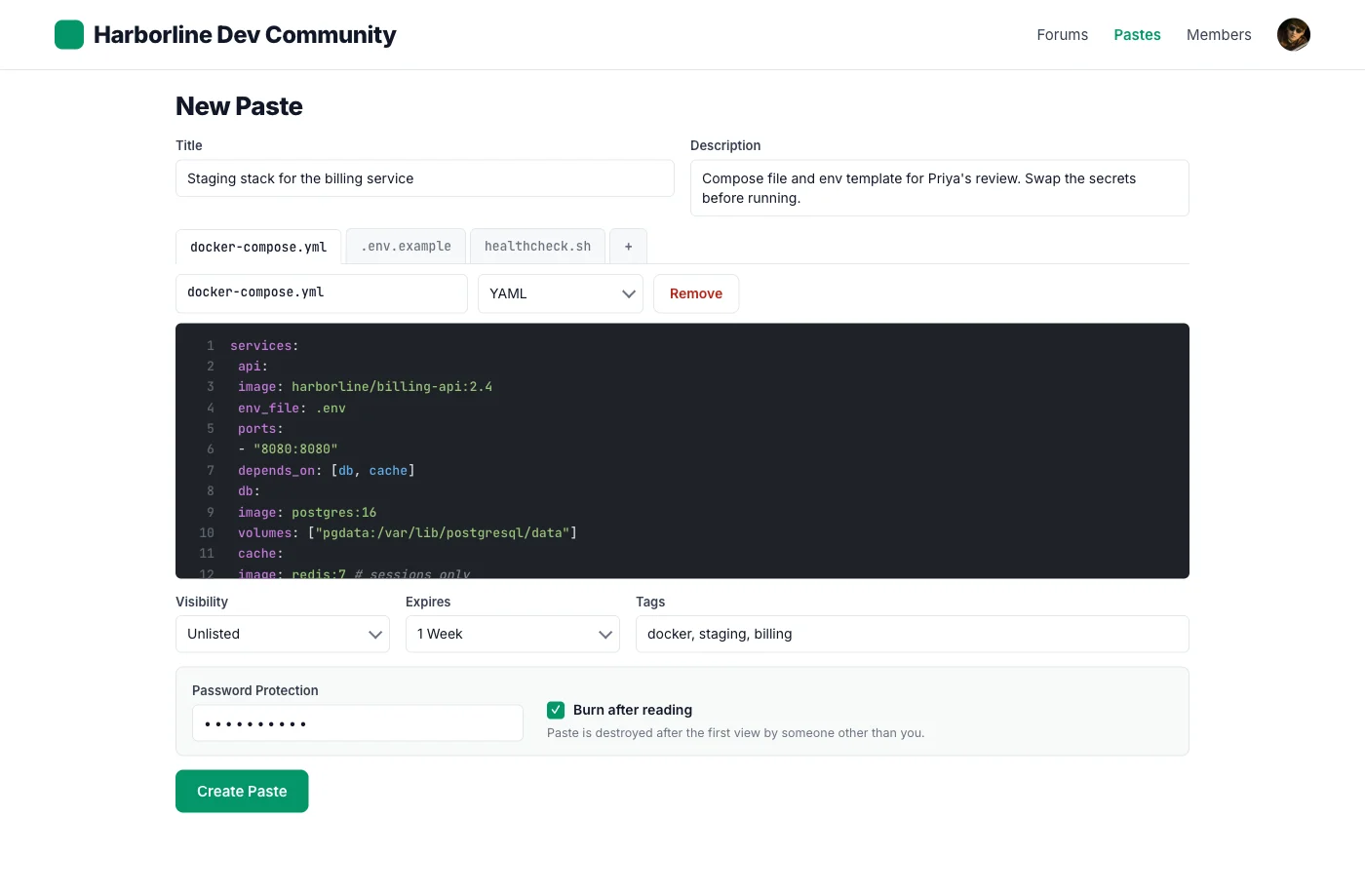
- Public, unlisted or private, plus a password and burn after read
- Worth knowing
- PRO lifts the limits and removes ads. It was listed as sold out on 2026-09-17.
- Community
- Pastes sit apart from your site and its members
Pastebin alternative
Your own pastebin, on your own domain.
Unlisted links, passwords and expiry, with every paste stored in your database rather than a service you do not run. Members post, and anyone you send the link to can read.
- 4.8/5 on Trustpilot
- Self-Hosted
- Passwords and Burn After Reading
- Tested up to WordPress 6.9
- 30-Day Money-Back Guarantee
- GPL Licensed
Runs on Your WordPress site
- Who can post
- Logged-in members
- Visibility
- Public, unlisted, private
- Expiry
- 10 minutes to 1 year, or never
- Files per paste
- 10 by default, up to 50
- Price
- From $49/yr or $149 lifetime
Two different promises
A public pastebin is open to everyone. Yours is open to your members.
That is the trade, and it is worth being plain about which side of it you want before installing anything. One is a place for strangers to drop text. The other is a place your community keeps its snippets.
A public paste service
Anyone can post, including nobody
That is the whole point of a public paste service, and it is why they need captchas, spam filtering and abuse teams.
It lives on their domain
The link, the uptime, the retention policy and the decision to keep the service running are all theirs.
Limits come with the free tier
How many you can keep, how large, and how long, are set by the plan rather than by you.
One you run
Members post, guests read
Creating a paste needs an account on your site. Reading a public or unlisted one does not, so you can still send a link to anybody.
It lives on your domain
The snippet sits in your database next to everything else you run, under your privacy policy, and it is there for as long as you keep the site.
You set the limits
Size, expiry windows and who is allowed are yours. The only fixed rule is a thirty-an-hour ceiling that applies to everybody, administrators included.
Two words that mean something specific here
Unlisted, and burned
Unlisted holds up
An unlisted paste gets a twelve-character address that is not a WordPress permalink, so it is absent from your sitemap, your site search, your feeds, the archive and every listing. Anyone with the link can read it and nobody finds it by looking.
Burned means hidden
A paste that burns after reading, or reaches its expiry, stops opening. The text stays in your database until you trash it. If the requirement is that no copy survives, delete it yourself rather than relying on the timer.
THREE PLACES A PASTE CAN LIVE
Pastebin, GitHub Gist or your own site. Each fits a different job.
- Where pastes live
- On GitHub, linked to the author's account
- Limits to know
- Public gists appear in Discover, where anyone can browse them
- Privacy
- Secret gists are not private. Anyone with the URL can open them.
- Worth knowing
- Every gist is a Git repository, so it can be forked and keeps its history
- Community
- Code lives in individual GitHub accounts
- Where pastes live
- In your WordPress database, on your domain
- Limits to know
- 10 files a paste by default (50 max), 512 KB a file, hourly rate limit
- Privacy
- Public, unlisted, private, password, burn after reading and expiry
- Worth knowing
- Revisions with diffs, forks, stars and collections. Members log in to post.
- Community
- Profiles, tags, BuddyPress activity and bbPress embeds
WHAT CARRIES OVER
The Pastebin habits your members rely on, and where they live in SnipShare
Pastebin details come from its paste form, FAQ and PRO page, read 2026-09-17.
Creating a paste
| On Pastebin | In SnipShare | Worth knowing |
|---|---|---|
| Syntax Highlighting picker |
| Each file in a paste gets its own language. |
| Paste Exposure: Public, Unlisted, Private |
| A private paste is visible only to its author. |
| Paste Expiration, 10 minutes to 1 year |
| An hourly job marks due pastes as expired. They stay in your database. |
| Password toggle |
| Visitors enter the password to open the paste. |
| Burn after read |
| Your own views do not burn it. The first view by someone else does. |
| Folders, for members |
| Collections can be public or private. Each tag has its own archive page. |
Show the remaining 5 rows across 2 more categories Hide the full comparison
Limits
| On Pastebin | In SnipShare | Worth knowing |
|---|---|---|
| 512 KB a paste on a free account |
| Raise the file count to 50 in settings. Your host's limits also apply. |
| 20 new pastes a day for free members |
| Stops one account from flooding the archive. |
| 10 unlisted and 10 private pastes for free members |
| Members choose visibility per paste. |
Around the paste
| On Pastebin | In SnipShare | Worth knowing |
|---|---|---|
| Pastes live on pastebin.com |
| Links read yoursite.com/paste/ and profiles list each member's pastes. |
| A link dropped into your forum |
| The code shows inside the reply, not behind a link. |
A paste on your domain
A paste page that keeps its history attached
Each paste has its own URL on your site. Readers get file tabs and highlighting. Public and unlisted pastes need no account to read.
Raw, Download and Share
Copy the link or embed code, open raw text, or download. A paste holding several files downloads as a ZIP.
Revisions on every paste
Every edit adds a version, and any two versions open in a side-by-side diff.
Report button
Members report spam, malicious code or copyright problems to your moderation queue.
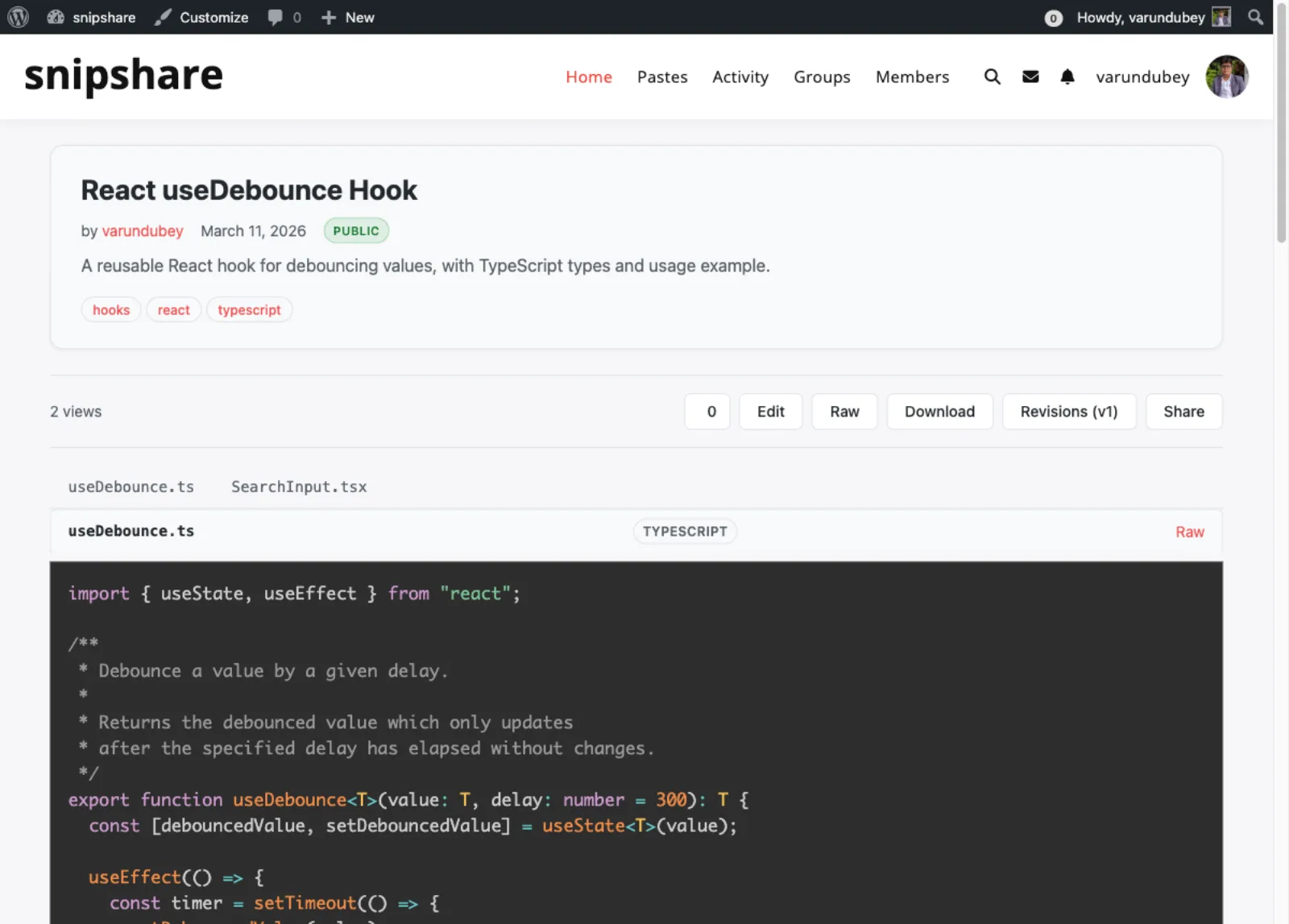
A public TypeScript paste with its file tabs, tags and actions
What a pastebin on your own site adds
These come with every SnipShare license, next to the paste options above.
-
Several files in one paste, through the API
A paste can carry more than one file, tabbed in the viewer and zipped on download. Creating a multi-file paste is an API call today; the browser editor writes one file.
-
Revisions and diffs
Edits never overwrite the past. Compare any two versions side by side.
-
Forks and stars
Members fork a public paste to adapt it, and star the ones they want to find again.
-
Searchable public archive
Search public pastes, filter by language, and browse tag pages.
-
Member profiles
Each member has a page listing their pastes, collections and starred pastes.
-
BuddyPress activity and profile tab
Public pastes post to the activity stream. Authors get star and fork notifications.
-
Insert Paste for bbPress
Forum forms list your recent pastes, and paste URLs embed inside topics and replies.
-
REST API with Application Passwords
Create and read pastes from scripts or other apps through the snipshare/v1 API.
Real screens
The pastebin, screen by screen
Compare two versions of a file, something a single paste link cannot show
One paste, three files, each with its own language
The public archive on your domain, with search and a language filter
Collections do the job folders do, and can be public or private
Set default visibility, default expiry and files per paste for the whole site
Rated 4.8/5 on Trustpilot from 93 reviews
The theme is beautifully designed, and the plugins are user-friendly. Everything works smoothly. What impressed me most is their outstanding customer support: quick, helpful, and always willing to go the extra mile.
S W Malcolm
Trustpilot Review
I wanted to build a community website and these guys created the perfect plugins for me. To be honest, I want to buy every single one of their plugins.
Sora Seaton
Trustpilot Review
I have learned that if the support is not prompt and effective it is a sign to move on. Tonight, Wbcom has impressed me. Fast, friendly and effective.
Steve Valencia
Trustpilot Review
Your own pastebin from $49 a year or $149 once
Pay once and own it forever, or pick the annual plan. All features included in every plan, no hidden add-ons.
Personal
1 site
$149 one-time
or $49/year
- 1 site license
- REST API & developer hooks
- White-label ready
- Updates and support, annual or lifetime
- All features included
- BuddyPress + bbPress integration
- REST API access
Most popular
Developer
5 sites
$199 one-time
or $79/year
- 5 site licenses
- Updates and support, annual or lifetime
- Priority support
Agency
Unlimited sites
$399 one-time
or $149/year
- Unlimited site licenses
- Updates and support, annual or lifetime
- Priority support
The plugin keeps working. Updates and support stop until you renew.
Annual licenses include a year of updates and support and renew at 30% off. Lifetime licenses are a one-time payment and never expire.
Questions before you move off Pastebin
Can guests paste without an account, like on Pastebin?
No. Posting needs a logged-in WordPress account. Anyone can read public pastes, and anyone with the link can read unlisted ones.
Can I import pastes from Pastebin or GitHub Gist?
No, there is no importer. Recreate the snippets you still need as new pastes. Old links keep working on their original service.
How private is a private paste?
Only its author can open it. Unlisted pastes open for anyone with the link, so add a password when that matters.
Is there a size limit?
Each file is checked against 512 KB when a paste is created. A paste holds up to 10 files by default, adjustable to 50.
Does burn after reading delete the paste?
After the first view by someone other than the author, the paste is marked expired and stops opening. The record stays in your database.
Does it need BuddyPress?
No. SnipShare works on any WordPress site. BuddyPress and bbPress add activity posts, a profile tab and forum embeds when active.
What happens if I delete the plugin?
Deactivating keeps your pastes. Deleting the plugin removes every SnipShare table and setting, so back up the database first.
Can I try it without risk?
Every license has a 30-day money-back guarantee, and there is a live demo to try first.
More self-hosted tools for your community
- Just want the plugin The SnipShare page The product itself: what a paste holds and how sharing works.
- Snippets keep needing context A member wiki Pages your members write and revise, for what a paste cannot hold.
- Building the community The 26-plugin bundle Profiles, groups and messaging around the people pasting.
Move your community's pastes onto your own domain.
One licence covers every feature, and nothing is metered by paste count. Tiers differ by site count, with a 30-day money-back guarantee.