Wbcom Designs WP Sell Services Docs
← Back to product Buy Now

Getting Started

Welcome to WP Sell Services

WP Sell Services turns your WordPress site into a fully functional service marketplace -- think Fiverr or Upwork, but on your own website, under your brand, and with you earning commission on every sale.

Who Is This For?

Whether you are an entrepreneur launching a niche marketplace, an agency expanding into a platform model, or someone who sees an opportunity to connect service providers with clients -- WP Sell Services is built for you.

Here are some real-world examples of what people are building:

  • Freelancer marketplace -- Connect designers, writers, and developers with clients
  • Tutoring platform -- Let tutors list subjects and pricing, students book sessions
  • Consulting directory -- Business consultants offer packages, clients purchase directly
  • Coaching site -- Life coaches, fitness coaches, and mentors sell structured programs
  • Agency network -- Multiple agencies list services under one marketplace umbrella
  • Creative services hub -- Photographers, videographers, and musicians offer gig-based work

Why WP Sell Services?

Highlight What It Means for You
No WooCommerce required Your marketplace works out of the box with built-in Stripe, PayPal, and offline payments
3-tier pricing packages Vendors offer Basic, Standard, and Premium options so buyers can choose what fits
Built-in order system Full workflow from payment to delivery, with messaging, revisions, and deadlines
Reviews and ratings 5-star review system builds trust and helps buyers find top vendors
Dispute resolution Structured process with admin mediation when things go wrong
Buyer requests Buyers post what they need, vendors submit proposals -- like a job board
Mobile-ready design Responsive templates that look great on phones, tablets, and desktops
Vendor dashboard Vendors manage everything -- services, orders, earnings, messages -- from the frontend
4 seller levels New Seller, Rising Seller, Top Rated, and Pro Seller -- vendors level up based on performance

Feature Overview: Free vs Pro

Feature Free Pro
Service listings and categories Included Included
Order management and messaging Included Included
Reviews, disputes, and buyer requests Included Included
Vendor dashboard and seller levels Included Included
Built-in checkout (Stripe, PayPal, Offline) Included Included
Commission system with per-vendor rates Included Included
Gallery images per service Up to 4 Unlimited [PRO]
Service add-ons Up to 3 Unlimited [PRO]
FAQs per service Up to 5 Unlimited [PRO]
Video embeds 1 3 [PRO]
WooCommerce, EDD, FluentCart, SureCart -- [PRO]
Razorpay payment gateway -- [PRO]
Wallet integrations (TeraWallet, MyCred, etc.) -- [PRO]
Analytics dashboards with export -- [PRO]
Cloud storage (Amazon S3, Google Cloud, DO) -- [PRO]
AI title suggestions, service templates -- [PRO]
Scheduled publishing -- [PRO]

What You Can Build

  1. A Fiverr-style gig marketplace -- Vendors create service listings with packages, buyers browse and purchase, you earn a percentage on every order
  2. A tutoring platform -- Teachers list subjects with hourly rates, students pick a package and submit their learning goals
  3. A home services directory -- Plumbers, electricians, and cleaners offer fixed-price packages with clear delivery timelines
  4. A content creation marketplace -- Writers, designers, and video editors sell creative services with revision options
  5. A professional consulting hub -- Business advisors offer strategy sessions with tiered pricing (basic review, full audit, ongoing retainer)

Two Ways to Buy: Browse or Request

Your marketplace supports two complete buying modes -- both included in the free version.

Mode 1: Browse and Buy (Fiverr-style)

The classic marketplace flow. Vendors list services, buyers browse and purchase.

  1. Vendors create services -- They use a guided wizard to build professional listings with pricing packages, images, and FAQs
  2. Buyers browse and purchase -- They find services, pick a package (Basic, Standard, or Premium), add optional extras, and pay
  3. Orders flow automatically -- The system handles requirements collection, messaging, delivery, revisions, and reviews
  4. Everyone gets paid -- You earn your commission, vendors receive their earnings after a clearance period

Mode 2: Post a Request and Get Quotes (Upwork-style)

The reverse marketplace flow. Buyers describe what they need, vendors compete with proposals.

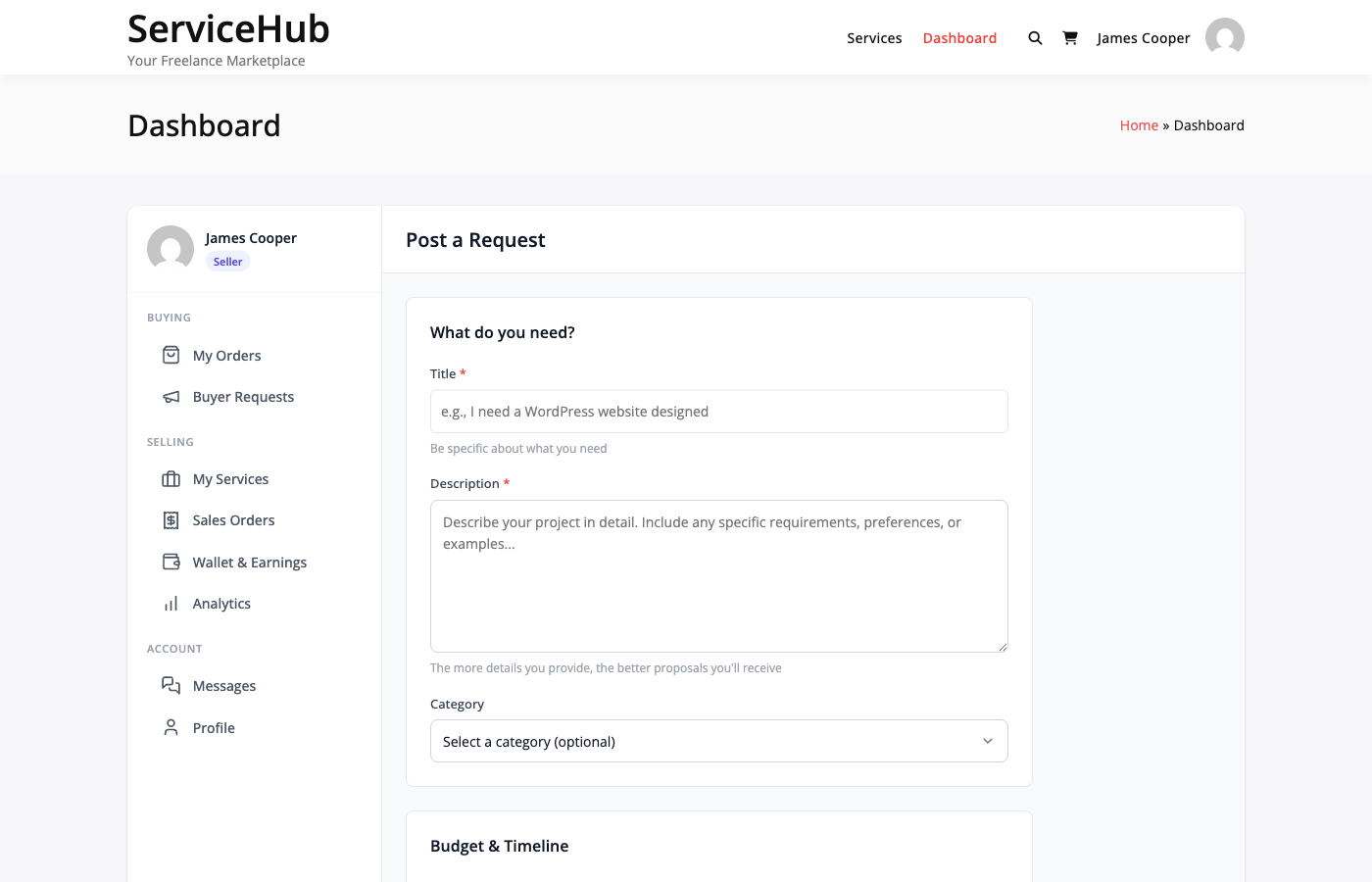
  1. Buyer posts a request -- They describe their project, set a budget range, pick a category, and upload reference files
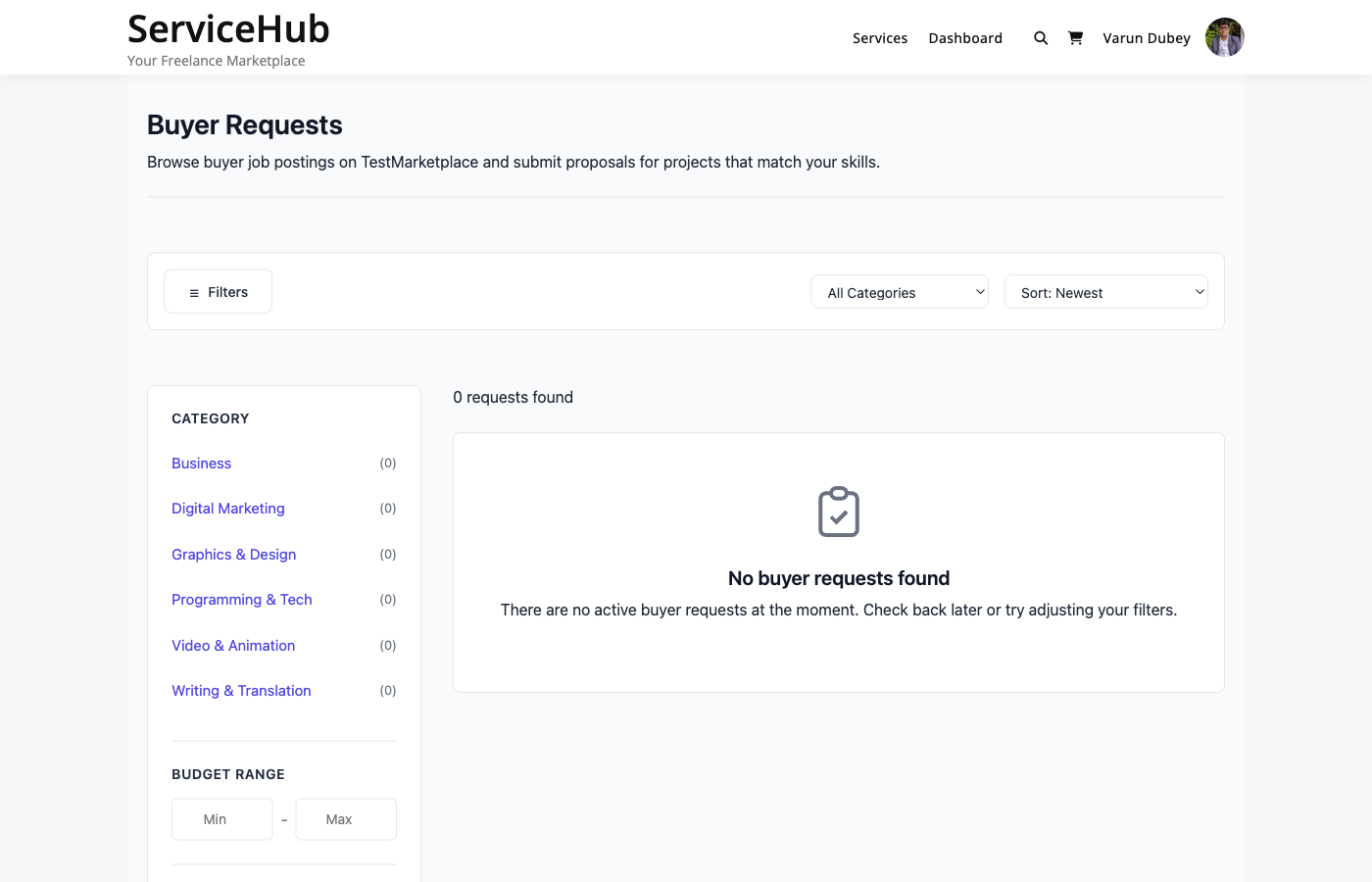
  2. Vendors submit proposals -- Qualified sellers see the request and pitch their services with a price, timeline, and cover letter
  3. Buyer compares and accepts -- They review all proposals side by side, check vendor ratings and portfolios, and accept the best fit
  4. Order is created and payment collected -- Accepting a proposal creates an order automatically, the buyer pays at checkout, and work begins
  5. Same order workflow from here -- Requirements, messaging, delivery, revisions, and reviews all work identically to Mode 1

This is not a light add-on -- it is a fully built-out feature with its own CPT (wpss_request), proposal management, status tracking (Open, In Review, Hired, Expired), automatic expiry after 30 days, email notifications for new proposals, and a dedicated dashboard section for both buyers and vendors.

Why Both Modes Matter

Mode Best For Example
Browse and Buy Standardized services with clear deliverables "I need a logo -- here are the packages"
Post a Request Custom projects where scope needs discussion "I need a website redesign -- what can you do for $2,000?"

Most successful marketplaces use both. Some buyers know exactly what they want (Mode 1). Others need to describe their project and let experts propose solutions (Mode 2). Supporting both means you never lose a potential transaction.

Getting Started

Ready to build your marketplace? Here is the path:

  1. Install the plugin -- Takes about 2 minutes
  2. Run initial setup -- Configure your marketplace name, currency, and commission
  3. Compare Free vs Pro -- See everything both versions offer

Your marketplace can be live today.

Guides by Role

For Buyers

For Vendors

Installing WP Sell Services

Getting WP Sell Services up and running takes just a few minutes. No technical experience required -- if you can install a WordPress plugin, you can do this.

Requirements

Before you install, make sure your hosting meets these minimums:

Requirement Minimum
WordPress 6.0 or higher
PHP 8.1 or higher

Most modern WordPress hosts already meet these requirements. If you are unsure, check with your hosting provider.

Install the Plugin

Option A: Upload from WordPress Admin (Recommended)

  1. Go to Plugins > Add New in your WordPress dashboard
  2. Click Upload Plugin at the top
  3. Choose the wp-sell-services.zip file from your computer
  4. Click Install Now
  5. Click Activate Plugin

Option B: Upload via FTP

  1. Unzip the wp-sell-services.zip file on your computer
  2. Upload the wp-sell-services folder to your site's /wp-content/plugins/ directory
  3. Go to Plugins in your WordPress dashboard
  4. Find WP Sell Services in the list and click Activate

What Happens When You Activate

When you activate the plugin, everything sets up automatically:

  • Your marketplace pages are ready to be created with one click
  • The vendor role is created so people can register and start selling
  • Default settings are applied (10% commission, USD currency, open registration)
  • Automated tasks start running in the background (auto-completing delivered orders, updating vendor stats)

You do not need to touch any database settings or configure anything technical.

Installing the Pro Version [PRO]

The Pro version adds premium features on top of the free plugin. Both run together.

  1. Make sure the free version is installed and active first
  2. Go to Plugins > Add New > Upload Plugin
  3. Upload wp-sell-services-pro.zip
  4. Click Install Now, then Activate Plugin
  5. Go to WP Sell Services > Settings > License
  6. Enter your license key and click Activate License

Pro features become available immediately -- no migration or extra setup needed.

Troubleshooting

Service pages show "Page Not Found"

Go to Settings > Permalinks in your WordPress dashboard and click Save Changes. You do not need to change anything -- just saving refreshes the links.

Plugin will not activate

  • PHP error? Ask your host to upgrade PHP to 8.1 or higher
  • WordPress error? Update WordPress via Dashboard > Updates
  • "Invalid header" error? Make sure you are uploading the .zip file, not an extracted folder

Upload size too large

If the zip file is too big to upload through WordPress, use the FTP method instead (Option B above), or ask your hosting provider to increase the upload limit.

Next Steps

Your plugin is installed and active. Now let's configure your marketplace:

  1. Complete initial setup -- Set your marketplace name, currency, and commission rate
  2. Compare Free vs Pro -- See what each version offers
  3. Create your first service -- Test the vendor experience

Initial Setup Guide

After activating WP Sell Services, a quick setup gets your marketplace ready for vendors and buyers. Most of this takes under 10 minutes.

Setup Wizard

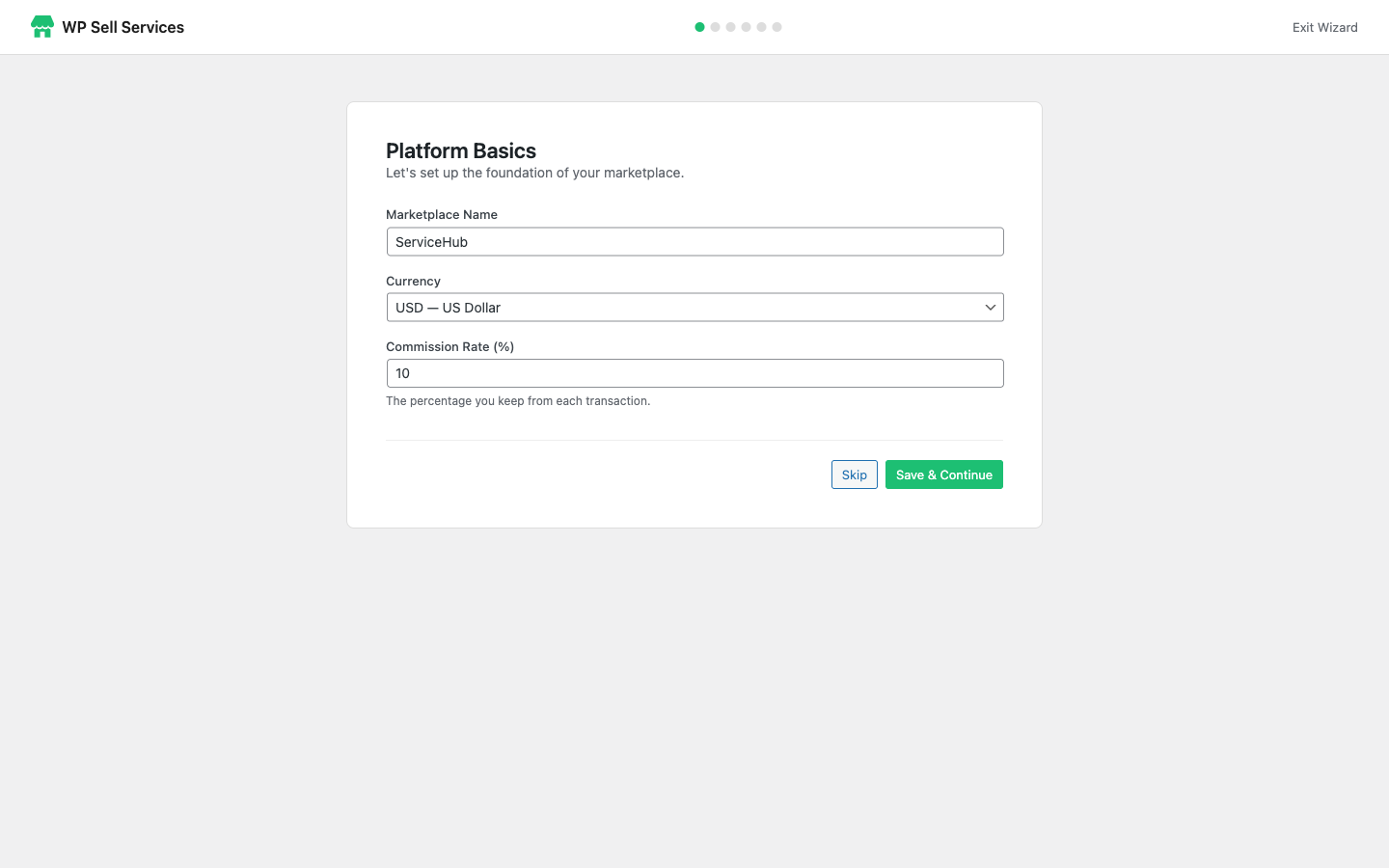
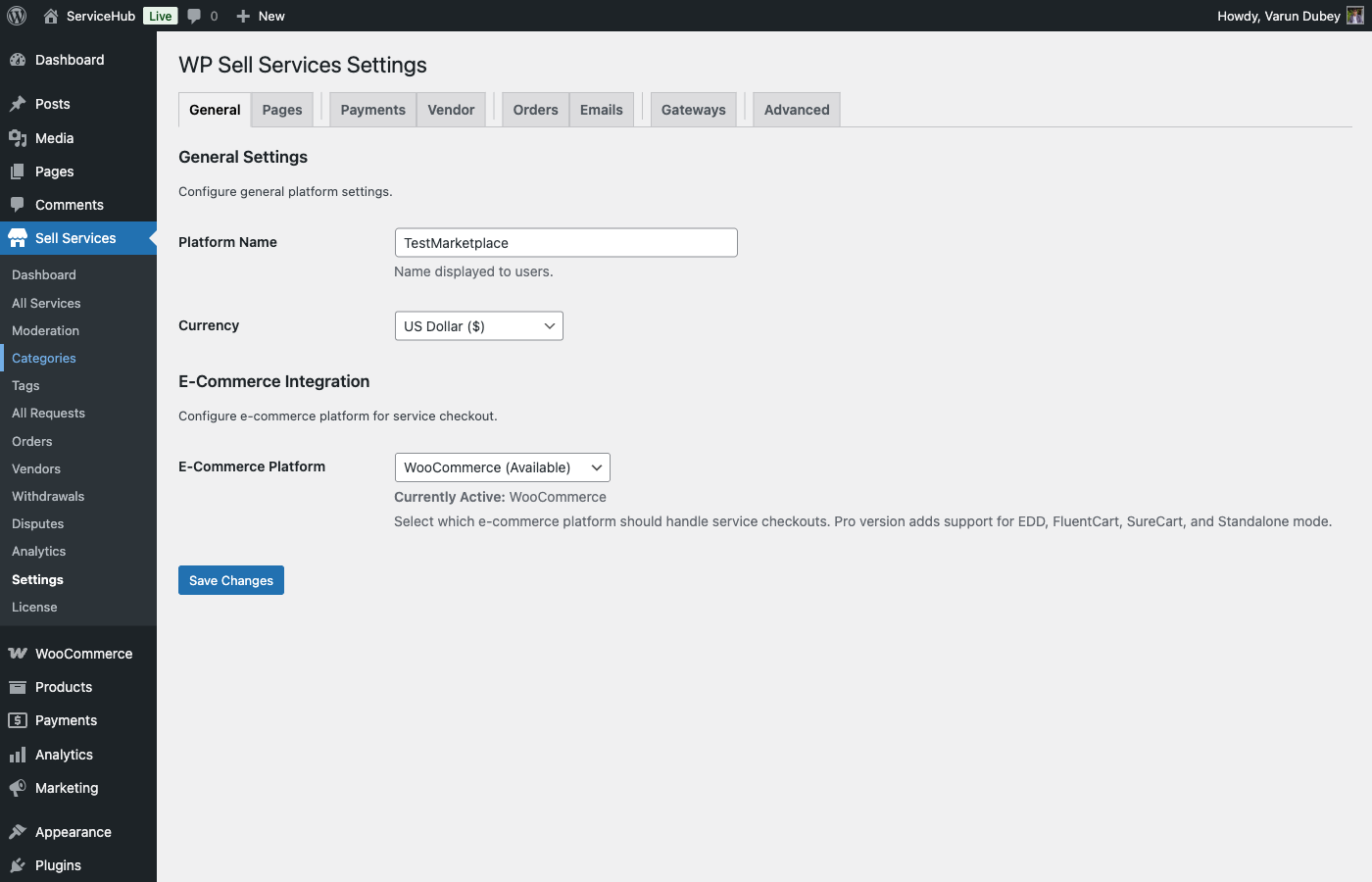
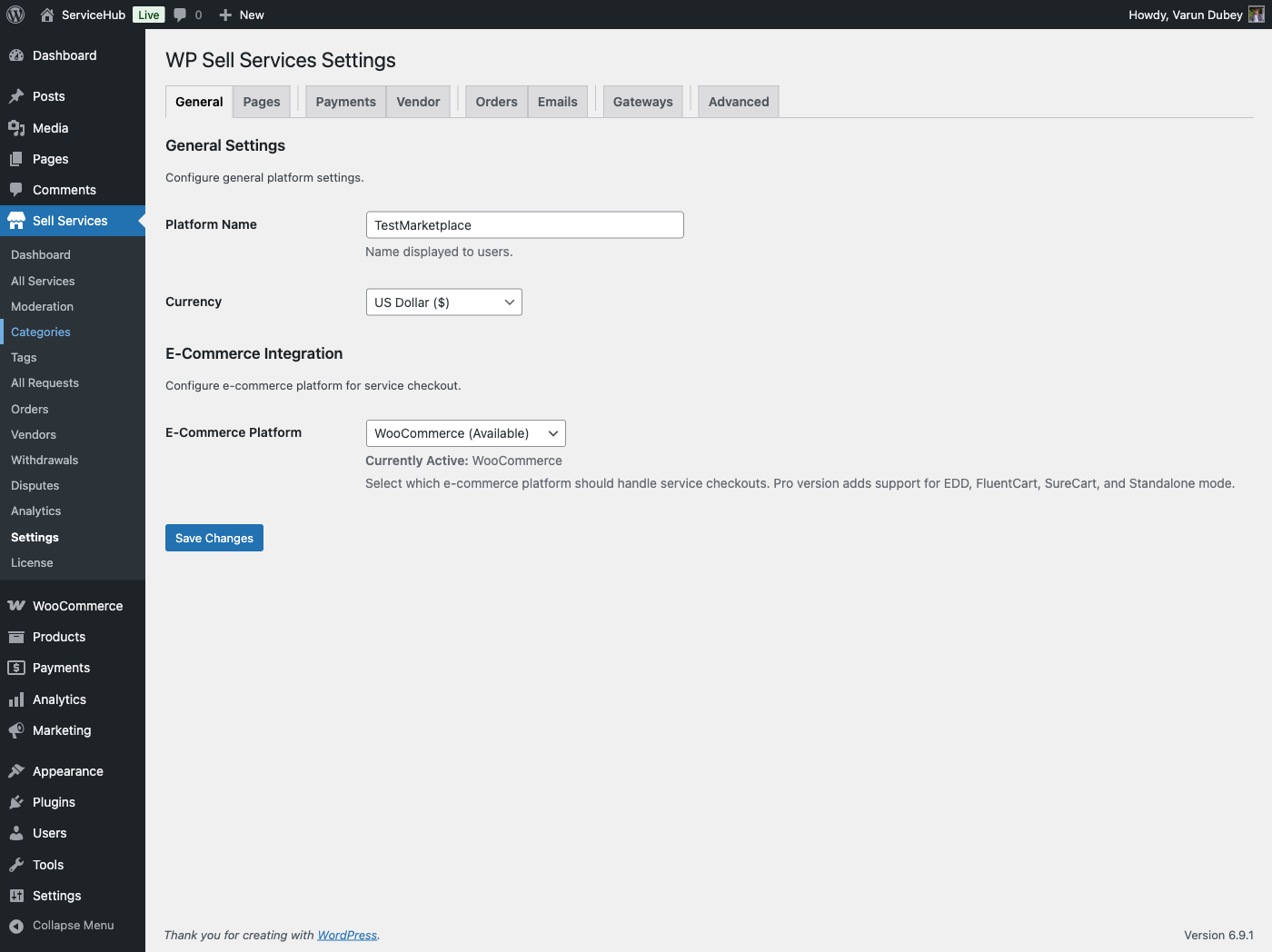
Setup Wizard

When you first activate the plugin, the Setup Wizard walks you through the essentials:

Platform Name

This is the name of your marketplace -- it appears in emails, notifications, and on the frontend. It defaults to your WordPress site name, but you can change it to something like "DesignHub" or "FreelanceMarket."

Currency

Choose the currency for your entire marketplace. All service prices, earnings, and payouts use this currency. Options include USD, EUR, GBP, CAD, AUD, INR, JPY, CNY, BRL, and MXN.

Tip: Set your currency before vendors start listing services. Changing it later can cause pricing confusion.

Commission Rate

This is the percentage you earn on every completed order. The default is 10%, meaning if a vendor sells a $100 service, you keep $10 and the vendor receives $90. You can set this anywhere from 0% to 50%.

Vendor Registration Mode

Choose how vendors join your marketplace:

Mode What Happens
Open Anyone can sign up as a vendor and start selling immediately
Requires Approval People apply to become vendors, and you approve or decline each application
Closed Only you (the admin) can create vendor accounts

Essential Pages

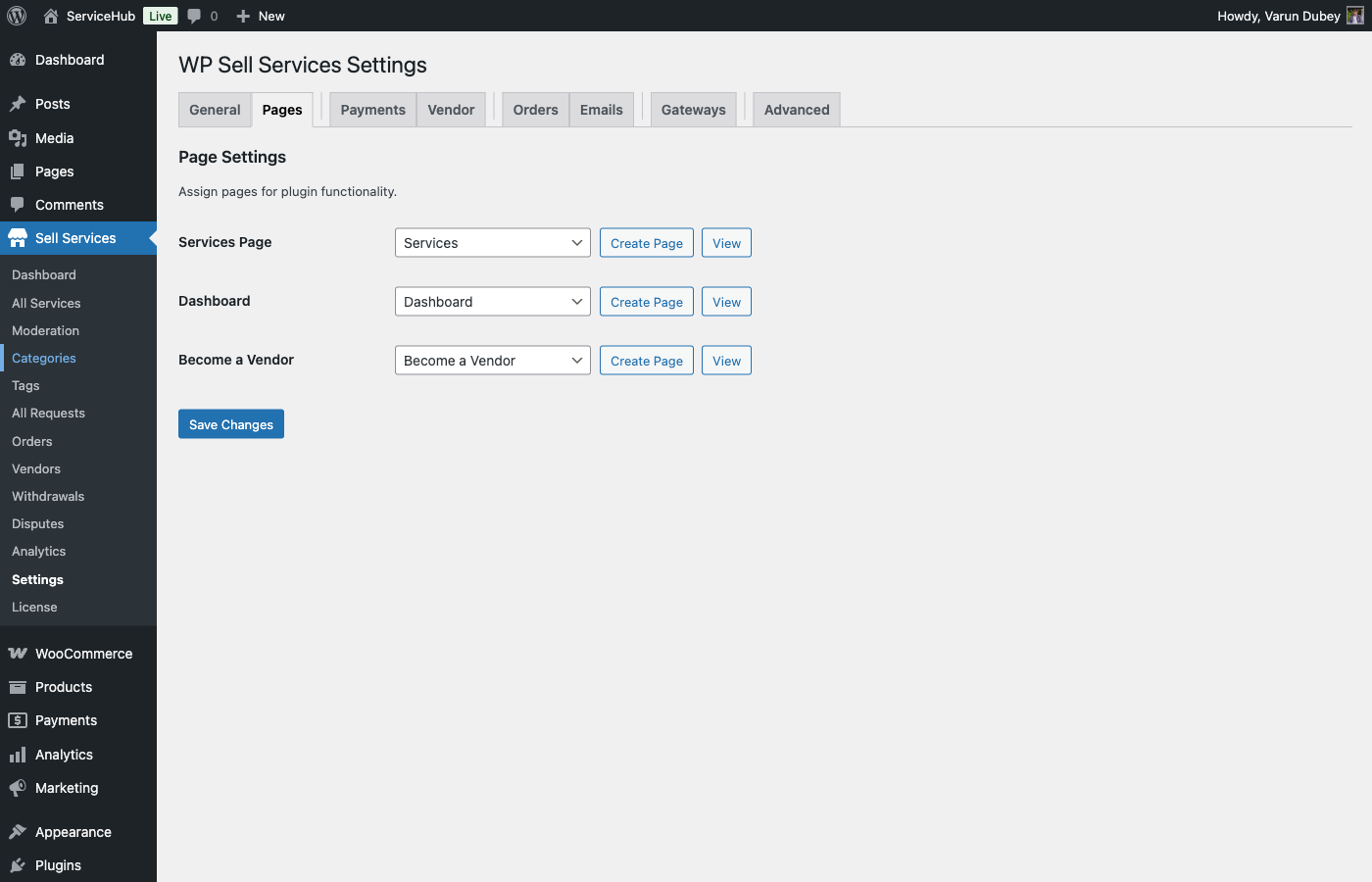
Your marketplace needs 3 pages to function. The plugin can create them for you automatically:

  1. Go to WP Sell Services > Settings > Pages
  2. Click the Create Page button next to each page
Page What It Does
Services The public browsing page where buyers discover and search for services
Dashboard Where both vendors and buyers manage orders, messages, earnings, and services
Become a Vendor The registration page for new vendors

After creating these pages, add the Services and Become a Vendor pages to your site's main menu at Appearance > Menus.

Quick Configuration Checklist

Here is everything you should review before inviting your first vendors:

Commission and Payouts

Go to WP Sell Services > Settings > Payments:

  • Commission rate -- Your platform's cut on each sale (default: 10%)
  • Per-vendor rates -- Turn on if you want to set different rates for specific vendors
  • Minimum withdrawal -- The smallest amount a vendor can cash out (default: $50)
  • Clearance period -- How many days earnings are held after order completion before they become available (default: 14 days)

Vendor Settings

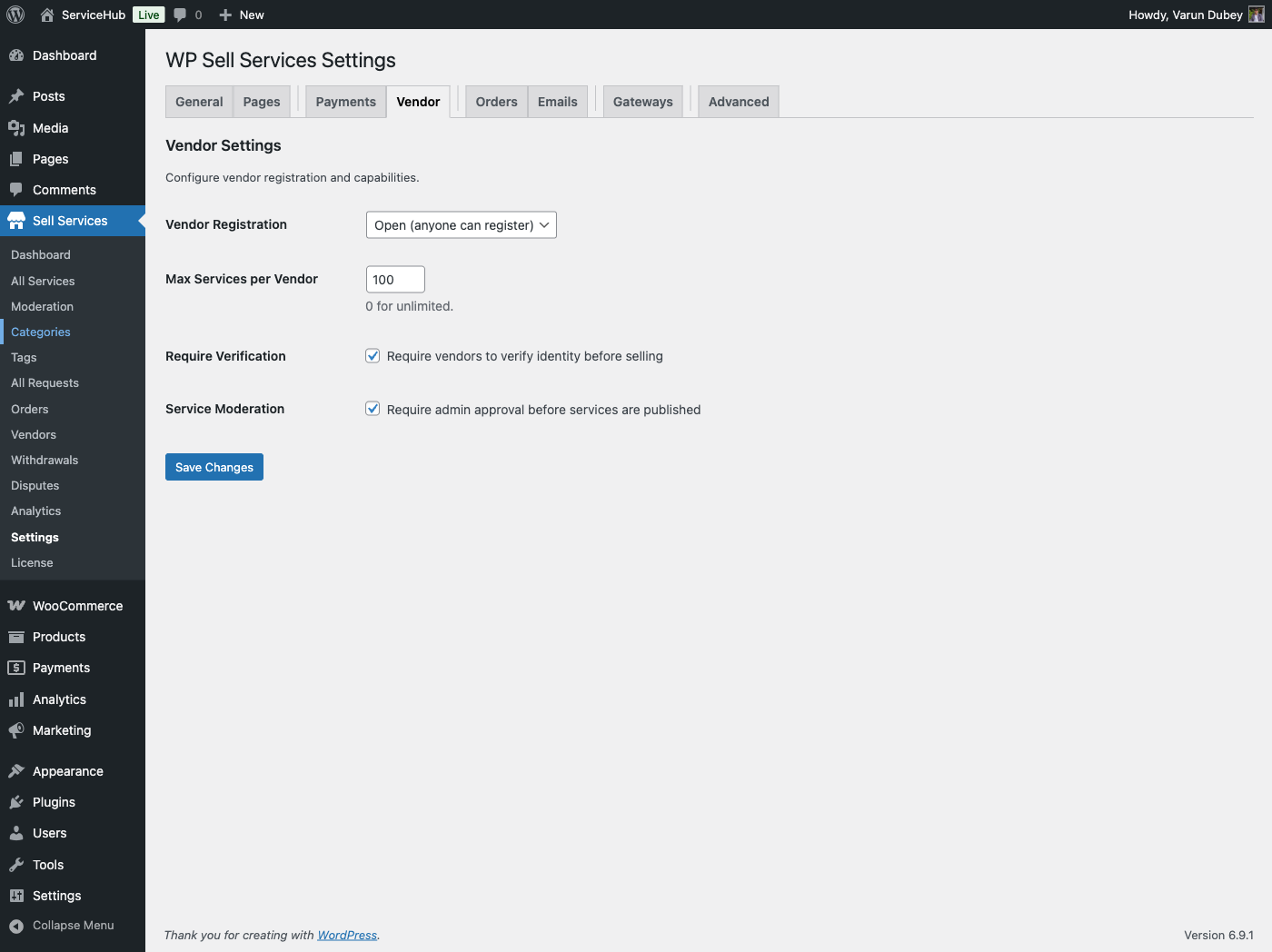
Go to WP Sell Services > Settings > Vendor:

  • Max services per vendor -- How many active services each vendor can have (default: 20)
  • Require verification -- Whether vendors must verify their identity before selling
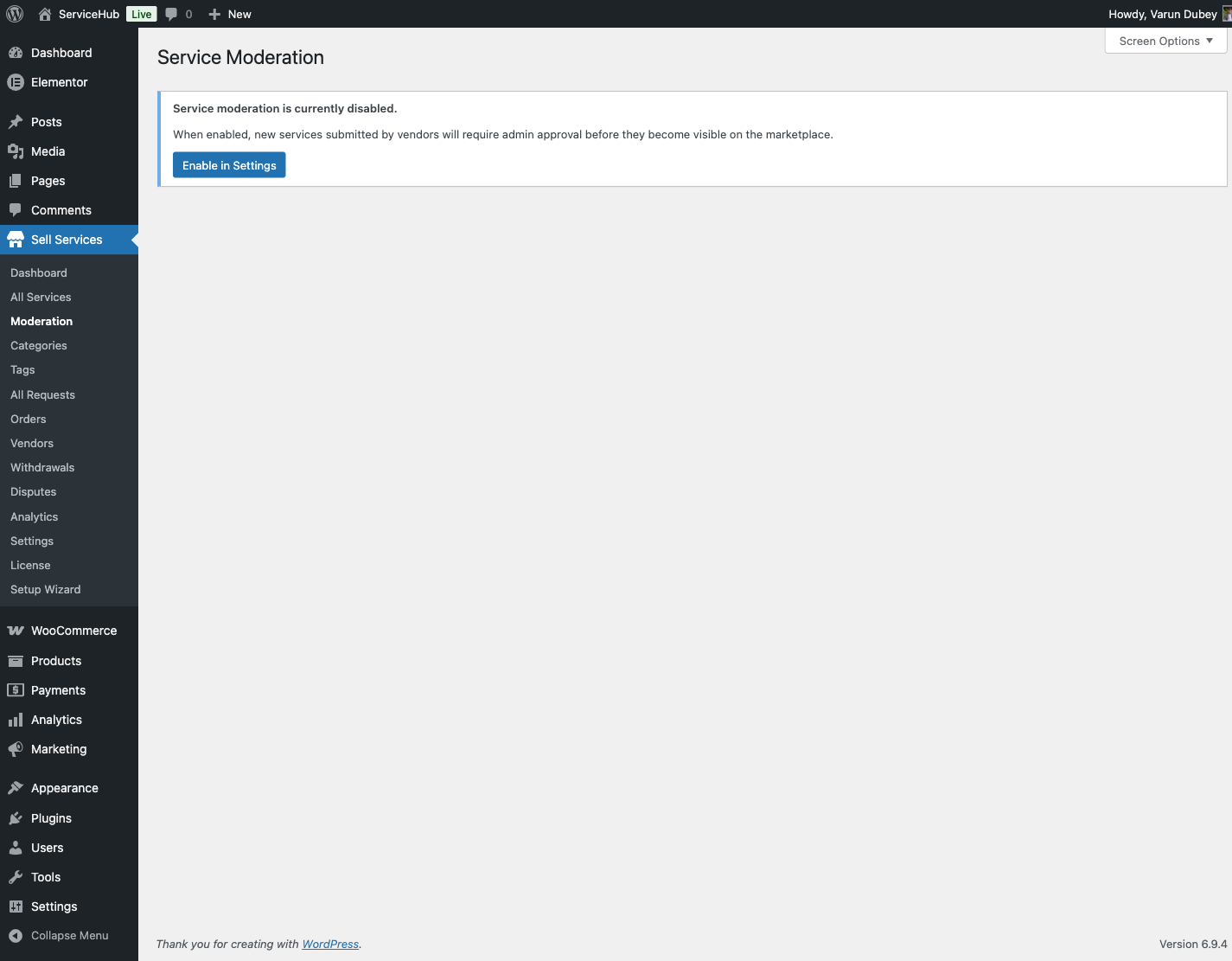
  • Service moderation -- Whether you want to review and approve every new service before it goes live

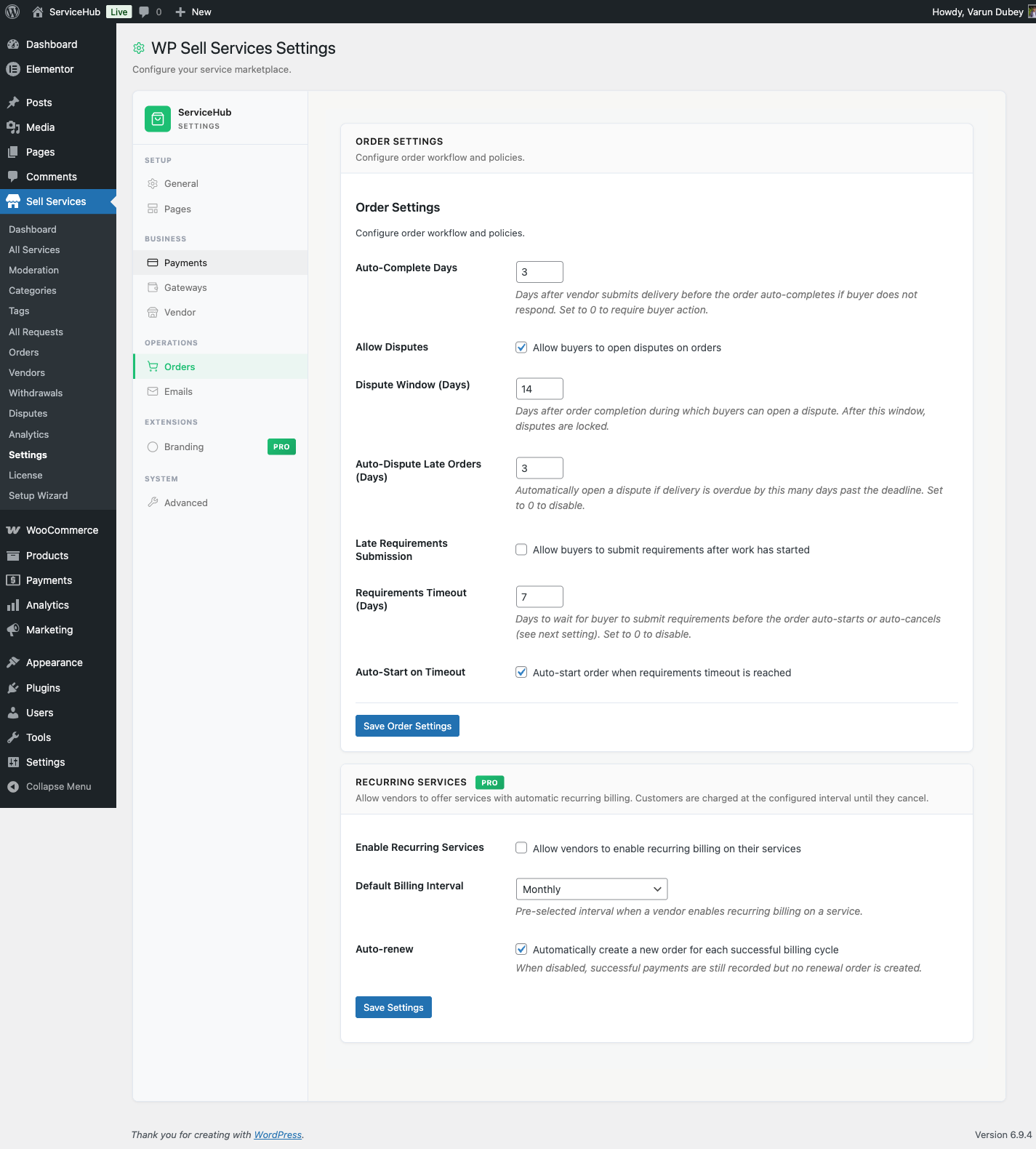
Order Settings

Go to WP Sell Services > Settings > Orders:

  • Auto-complete days -- If a buyer does not respond after delivery, the order auto-completes after this many days (default: 3)
  • Revision limit -- Default number of revisions per order (default: 2)
  • Allow disputes -- Whether buyers can open disputes (default: on)
  • Dispute window -- How many days after completion a buyer can dispute (default: 14)

Email Notifications

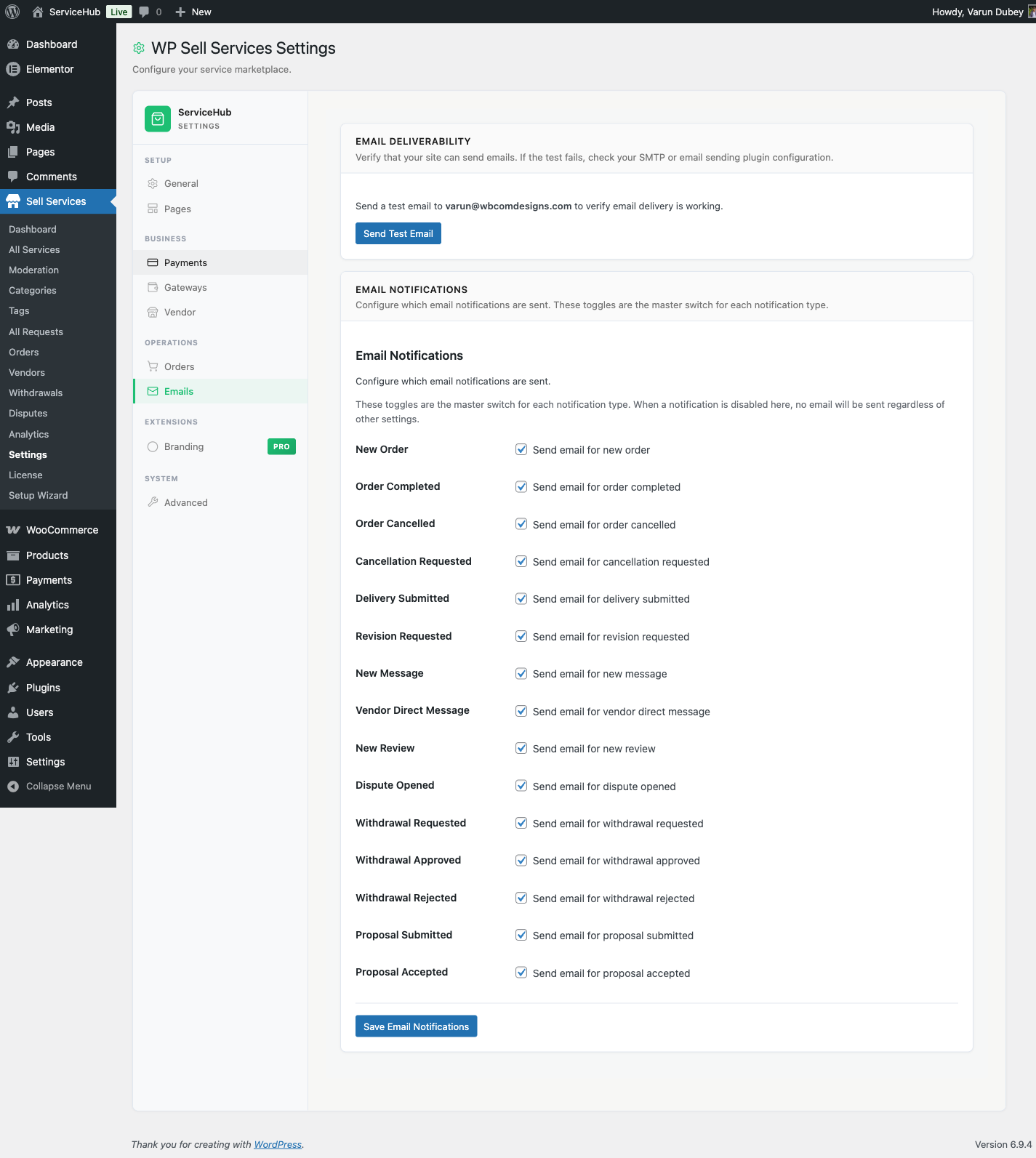
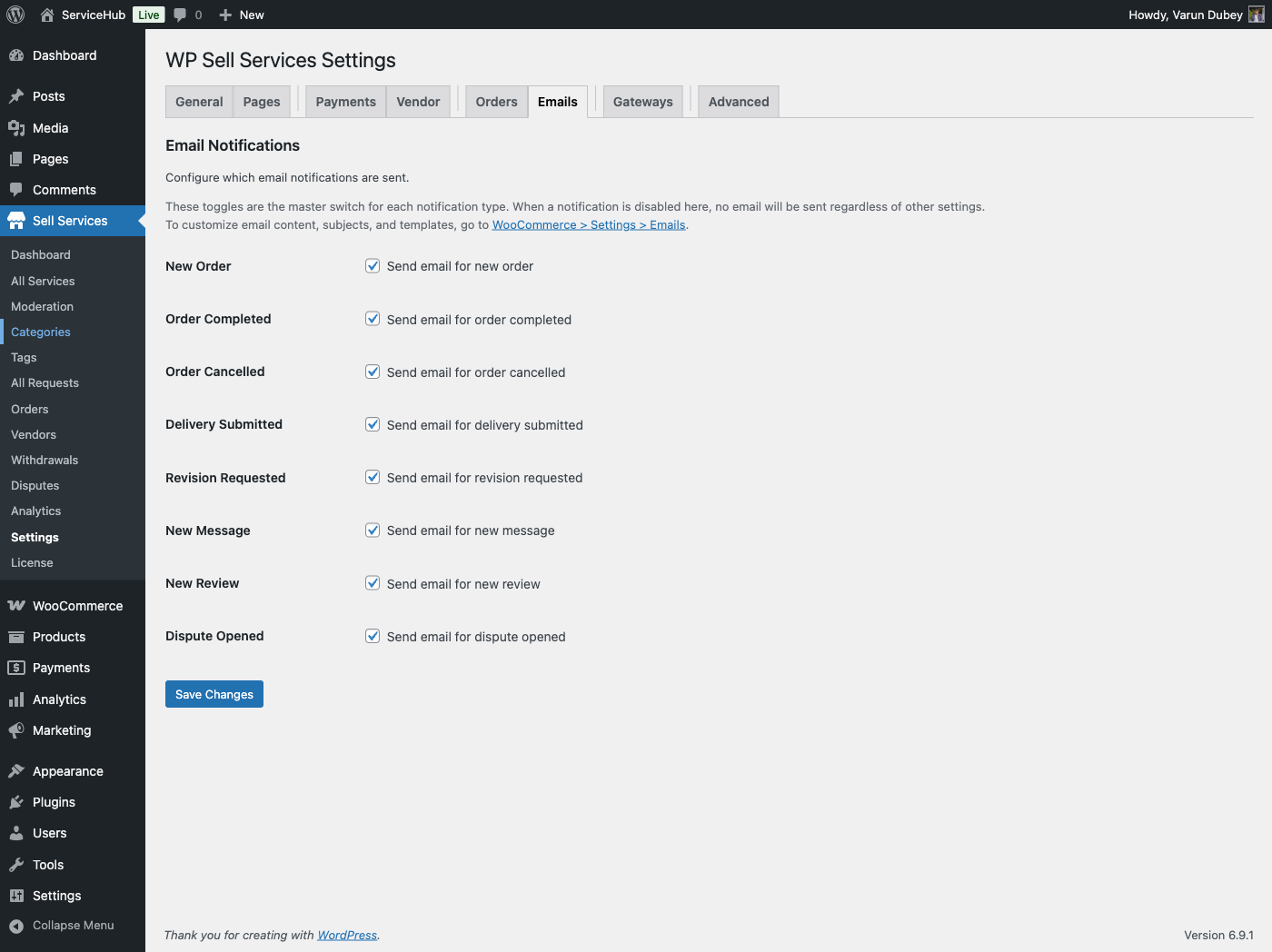
Go to WP Sell Services > Settings > Emails to review which emails are sent. All notification types are enabled by default:

  • New order placed (sent to vendor)
  • Order completed, cancelled (sent to both)
  • Delivery submitted (sent to buyer)
  • Revision requested (sent to vendor)
  • New message (sent to recipient)
  • New review (sent to vendor)
  • Dispute opened (sent to both parties and admin)

Tax Settings (Optional)

If you need to charge tax, go to the Tax section under Payments:

  • Enable tax and set a rate
  • Choose a label (Tax, VAT, GST, etc.)
  • Decide whether your service prices already include tax

Test Your Marketplace

Before going live, run through a quick test:

  1. Create a test vendor account -- Visit the "Become a Vendor" page and register (or use your admin account, which is automatically a vendor)
  2. Create a test service -- Go to the Dashboard and walk through the service creation wizard
  3. Place a test order -- Log in as a different user, find the test service, and purchase it
  4. Complete the order -- Submit a delivery as the vendor, accept it as the buyer, and leave a review

This confirms your entire marketplace workflow is functioning.

Recommended Next Steps

Once your settings are in place:

  • Add service categories at WP Sell Services > Categories (e.g., Design, Writing, Marketing, Development)
  • Customize your homepage using the included blocks (Service Grid, Featured Services, Categories) in the block editor
  • Install an SMTP plugin like WP Mail SMTP or FluentSMTP for reliable email delivery

What's Next

Free vs Pro: Feature Comparison

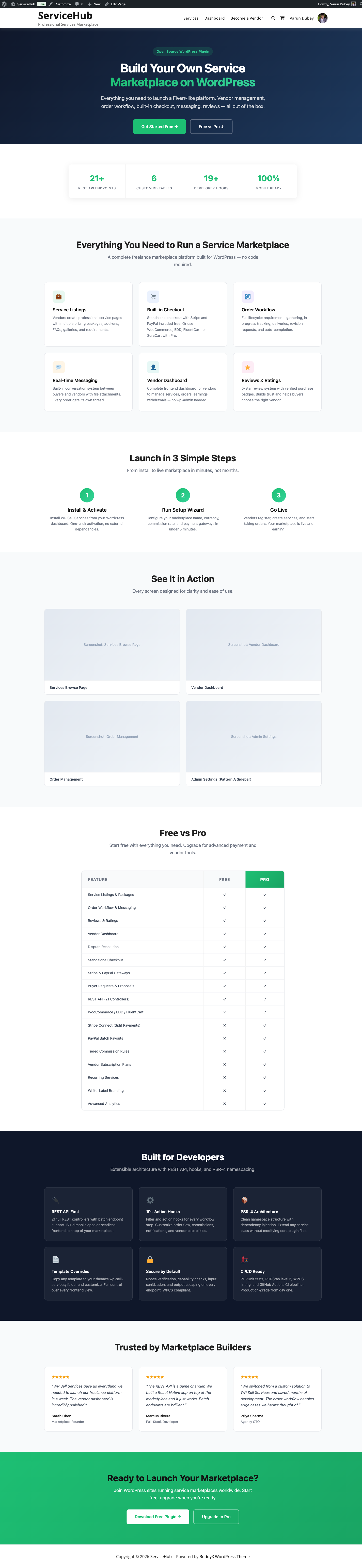
The free version of WP Sell Services is a complete, production-ready marketplace. The Pro version removes limits and adds advanced tools for growing platforms. Here is exactly what you get with each.

Landing Page with Free vs Pro Comparison

At a Glance

Free Pro
Marketplace Complete -- services, orders, messaging, reviews, disputes Everything in Free
Checkout Built-in standalone (no other plugins needed) + WooCommerce, EDD, FluentCart, SureCart
Payment gateways Stripe, PayPal, Offline + Razorpay
Service creation limits Conservative (see below) Unlimited
Analytics Basic stats Full dashboards with export
File storage Your server + Amazon S3, Google Cloud, DigitalOcean Spaces
Wallet integrations Built-in earnings tracking + TeraWallet, WooWallet, MyCred

Complete Feature Comparison

Core Marketplace (Included in Both Free and Pro)

All of these are fully available in both versions -- nothing is held back:

  • Service listings with categories, tags, and search
  • 3-tier pricing packages (Basic, Standard, Premium)
  • Complete order workflow (10+ statuses) with messaging and file attachments
  • Delivery management with revisions and deadline extensions
  • 5-star reviews, dispute resolution, and buyer requests with proposals
  • Vendor and buyer dashboards, 4 seller levels (New Seller, Rising Seller, Top Rated, Pro Seller), portfolios, vacation mode
  • Tipping system, in-app notifications, and 25 email notification types
  • 6 page-building blocks, mobile-responsive templates, and theme customization

Service Creation Limits

Feature Free Pro
Pricing packages per service 3 3
Gallery images 4 Unlimited [PRO]
Video embeds 1 3 [PRO]
Add-ons/extras 3 Unlimited [PRO]
FAQs 5 Unlimited [PRO]
Buyer requirements 5 Unlimited [PRO]
Active services per vendor Configurable (default 20) Configurable (default 20)

Checkout and E-Commerce Platforms

Platform Free Pro
Standalone checkout (built-in, no plugins needed) Yes Yes
WooCommerce -- [PRO]
Easy Digital Downloads (EDD) -- [PRO]
FluentCart -- [PRO]
SureCart -- [PRO]

Payment Gateways

Gateway Free Pro
Stripe (with 3D Secure) Yes Yes
PayPal Yes Yes
Offline payments (bank transfer, cash, with proof upload) Yes Yes
Razorpay -- [PRO]
All WooCommerce-compatible gateways (via WC adapter) -- [PRO]

Commission and Earnings (Included in Both Free and Pro)

The entire commission and payout system is available in both versions: global commission rates (0-50%), per-vendor custom rates, earnings tracking, withdrawal management, minimum withdrawal amounts, clearance periods, automatic withdrawal scheduling, and tips excluded from commission.

Wallet Integrations

Provider Free Pro
Built-in earnings and withdrawals Yes Yes
Internal Wallet -- [PRO]
TeraWallet -- [PRO]
WooWallet -- [PRO]
MyCred -- [PRO]

Analytics and Reporting

Feature Free Pro
Vendor stats (orders, earnings, rating) Yes Yes
Admin stats (total orders, revenue) Yes Yes
Analytics dashboards with widgets -- [PRO]
Revenue and performance charts -- [PRO]
Data export (CSV/PDF) -- [PRO]

Cloud Storage

Provider Free Pro
Local server storage Yes Yes
Amazon S3 -- [PRO]
Google Cloud Storage -- [PRO]
DigitalOcean Spaces -- [PRO]

Service Wizard Enhancements

Feature Free Pro
6-step service creation wizard Yes Yes
AI-powered title suggestions -- [PRO]
Service templates -- [PRO]
Bulk image upload -- [PRO]
Direct video upload -- [PRO]
Custom fields in packages -- [PRO]
Scheduled publishing -- [PRO]

Advanced Pro Features

Feature Free Pro
Recurring Services (subscription billing for services) -- [PRO]
Vendor Subscription Plans (paid vendor tiers) -- [PRO]
PayPal Mass Payouts (batch vendor payouts) -- [PRO]
Stripe Connect (direct vendor payments) -- [PRO]
Tiered Commission Rules (category/volume/level-based rates) -- [PRO]
White-Label Branding (rebrand the marketplace) -- [PRO]

Who Should Use Free?

The free version is a strong choice if you are:

  • Launching a new marketplace and want to test the concept
  • Running a smaller platform where 4 gallery images and 3 add-ons per service are enough
  • Looking for a standalone solution that works without WooCommerce or any other e-commerce plugin
  • On a budget but still need a professional, complete marketplace

Who Should Upgrade to Pro?

Pro makes sense when you need:

  • Unlimited service media and add-ons -- Your vendors need more gallery images, videos, FAQs, or extras
  • WooCommerce or other e-commerce integration -- You already use WooCommerce, EDD, FluentCart, or SureCart
  • Razorpay payments -- Popular for marketplaces in India and Southeast Asia
  • Wallet-based payouts -- Integrate with TeraWallet, WooWallet, or MyCred for vendor balances
  • Detailed analytics -- Revenue charts, performance dashboards, and data export
  • Cloud file storage -- Store deliverables on Amazon S3, Google Cloud, or DigitalOcean Spaces

Upgrading from Free to Pro

Upgrading preserves all your existing data. Nothing is lost.

  1. Keep the free version active (both plugins run together)
  2. Upload and activate the Pro plugin
  3. Enter your license key in WP Sell Services > Settings > License
  4. Pro features are available immediately

Frequently Asked Questions

Can I start with Free and upgrade later? Yes. Install Pro at any time. All existing services, orders, vendors, reviews, and settings stay exactly as they are.

Do I need WooCommerce? No. The free version includes its own checkout with Stripe, PayPal, and offline payment support. WooCommerce is entirely optional and only available as a Pro integration.

What happens if my Pro license expires? Your site keeps working with all Pro features intact. You just will not receive updates or support until you renew.

Is per-vendor commission a Pro feature? No. Per-vendor commission rates are included in the free version. You can set different rates for individual vendors right out of the box.


Next Steps

Buyer Guide

How to Find and Purchase a Service

This guide walks you through the complete buying experience -- from discovering a service to placing your order and getting started with your vendor.

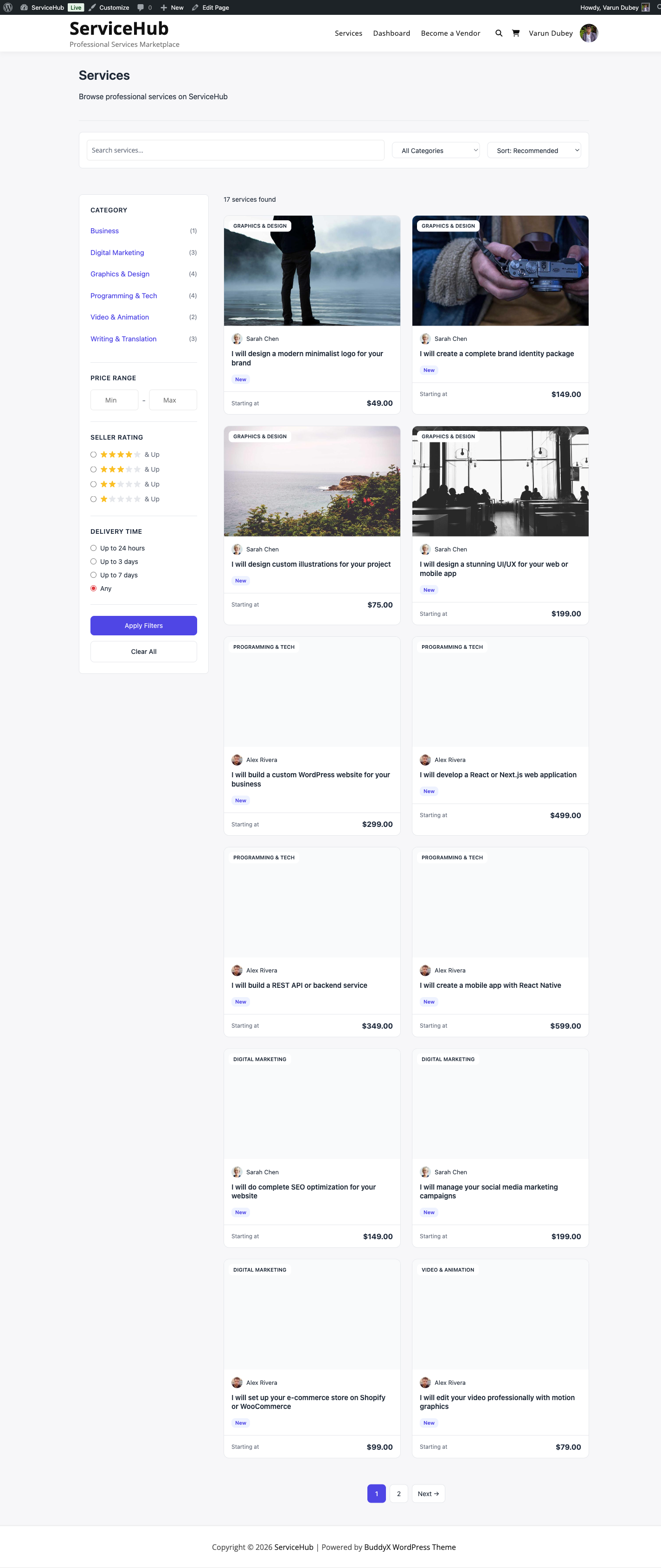
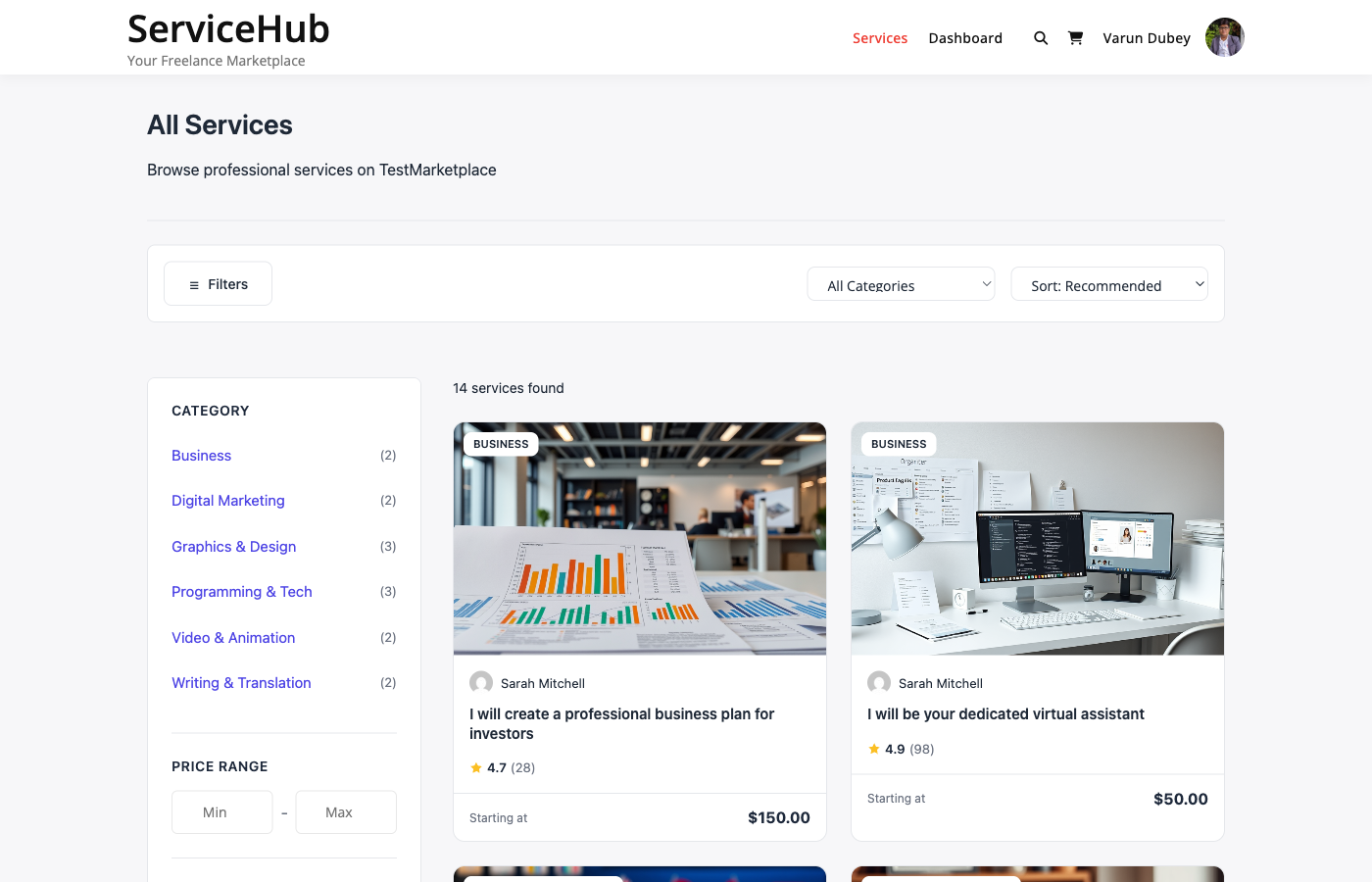
Services catalog with search and filters

Step 1: Browse the Marketplace

Visit the Services page to see all available services. You have several ways to find what you need:

Search by Keyword

Type what you are looking for into the search bar at the top of the page. The search checks service titles, descriptions, and excerpts.

Examples: "logo design," "WordPress development," "SEO audit"

Filter by Category

Use the category dropdown or click a category on the category grid to narrow results. Only categories with published services are shown.

Sort Results

Use the sort dropdown to reorder results:

Sort Option Best For
Newest Discovering fresh services
Price (low to high) Finding affordable options
Price (high to low) Finding premium services
Top Rated Finding proven vendors
Most Popular Finding best sellers

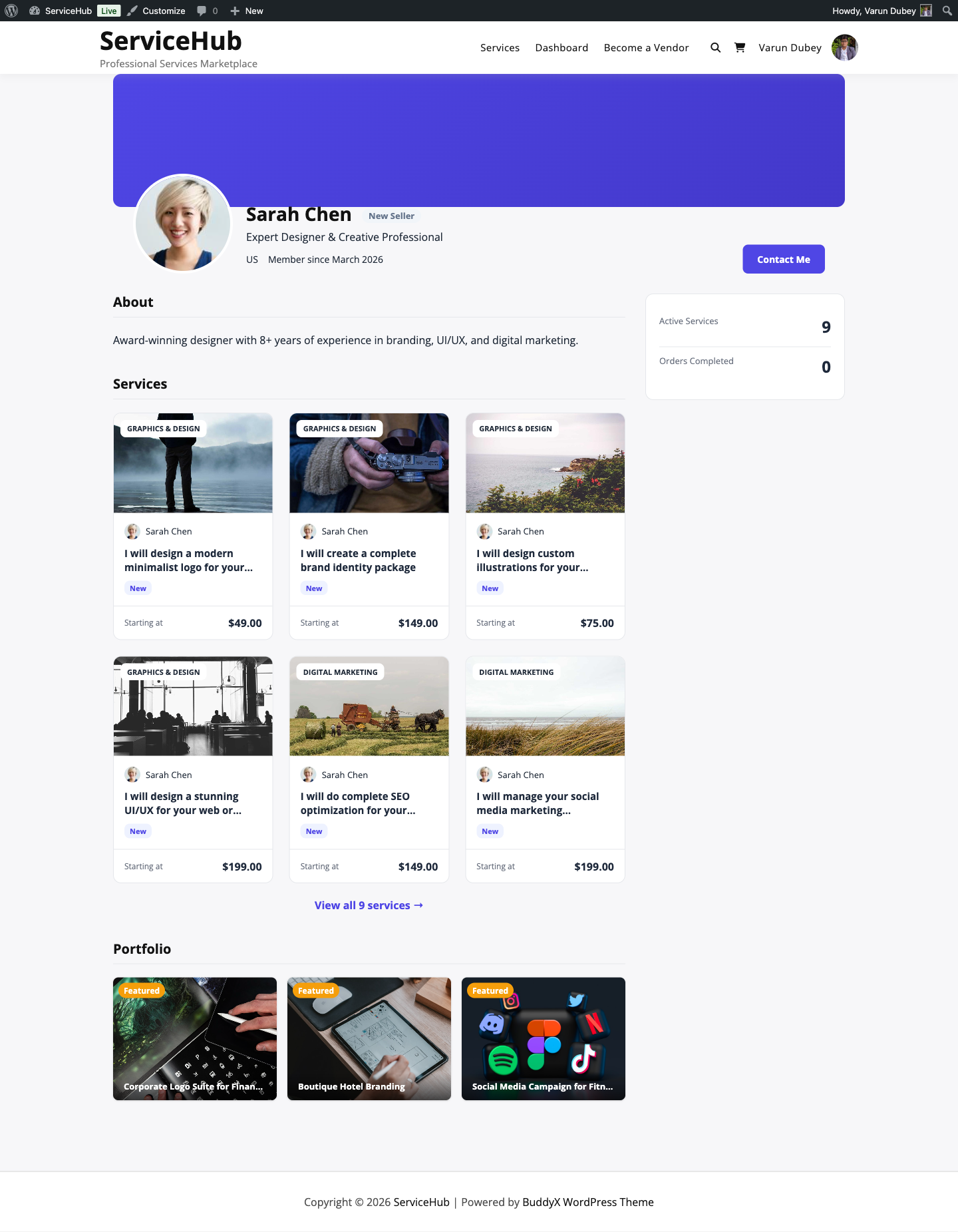
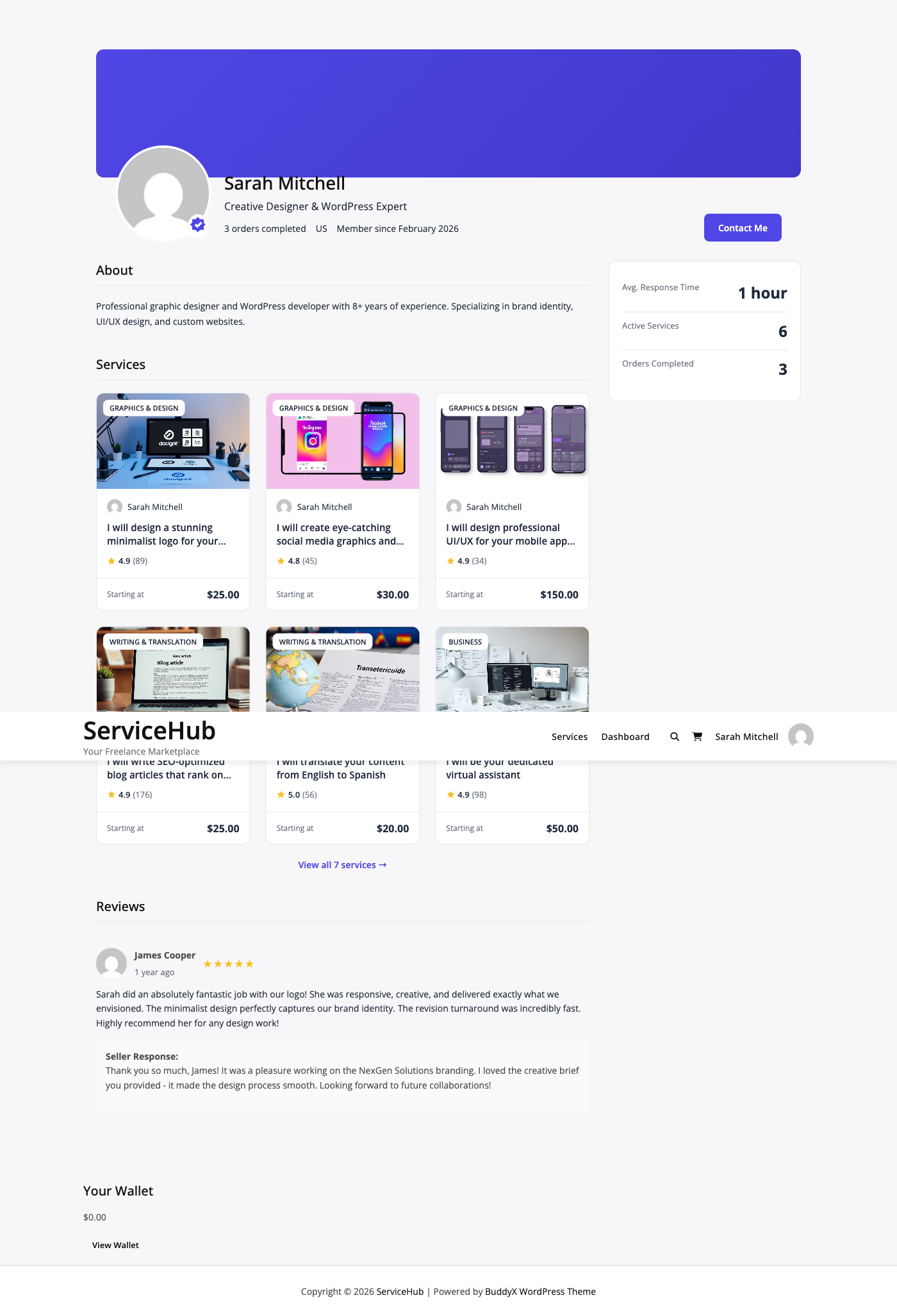
Browse Vendor Profiles

Click on any vendor name or avatar to see their full profile, including their bio, portfolio, ratings, seller level, and all their services.


Step 2: Explore a Service

Click on any service card to open its detail page. Here is what you will find:

Service Gallery

A photo and video gallery showing examples of the vendor's work. Scroll through images to get a visual sense of quality.

Description

The vendor's detailed explanation of what they offer, their process, and what makes their service unique.

Packages

Every service offers up to 3 pricing tiers -- Basic, Standard, and Premium. Each package shows:

  • Price -- clearly displayed at the top
  • Delivery time -- how many days the vendor needs
  • Revisions included -- how many rounds of changes you get
  • Feature checklist -- specific deliverables included or excluded

Use the tabs to switch between packages and compare what each tier includes. See Choosing the Right Package for detailed guidance.

Add-ons

Some services offer optional extras you can add to any package. These appear below the package details with their own prices. Common add-ons include faster delivery, extra revisions, or additional deliverables.

FAQs

Vendors often include answers to common questions about their service. Check this section before messaging -- your question may already be answered.

Reviews

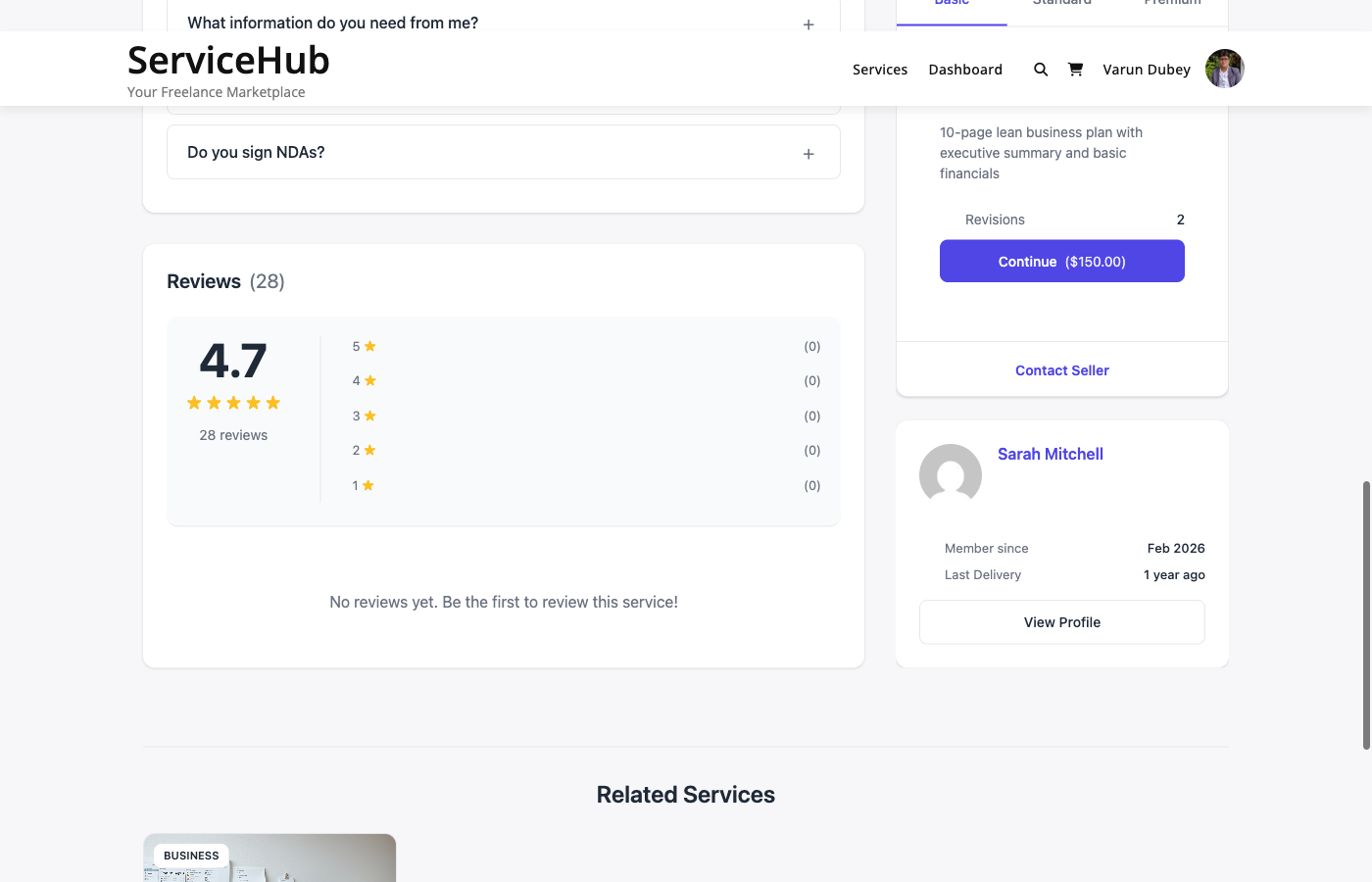
Scroll down to see ratings and reviews from previous buyers. Each review includes a star rating, written feedback, and the buyer's name. Look for the Verified Purchase badge to confirm the reviewer actually bought the service.

Vendor Info

A sidebar card shows the vendor's profile summary -- their avatar, rating, response time, seller level, and total completed orders.


Step 3: Select a Package

Once you have found a service you want:

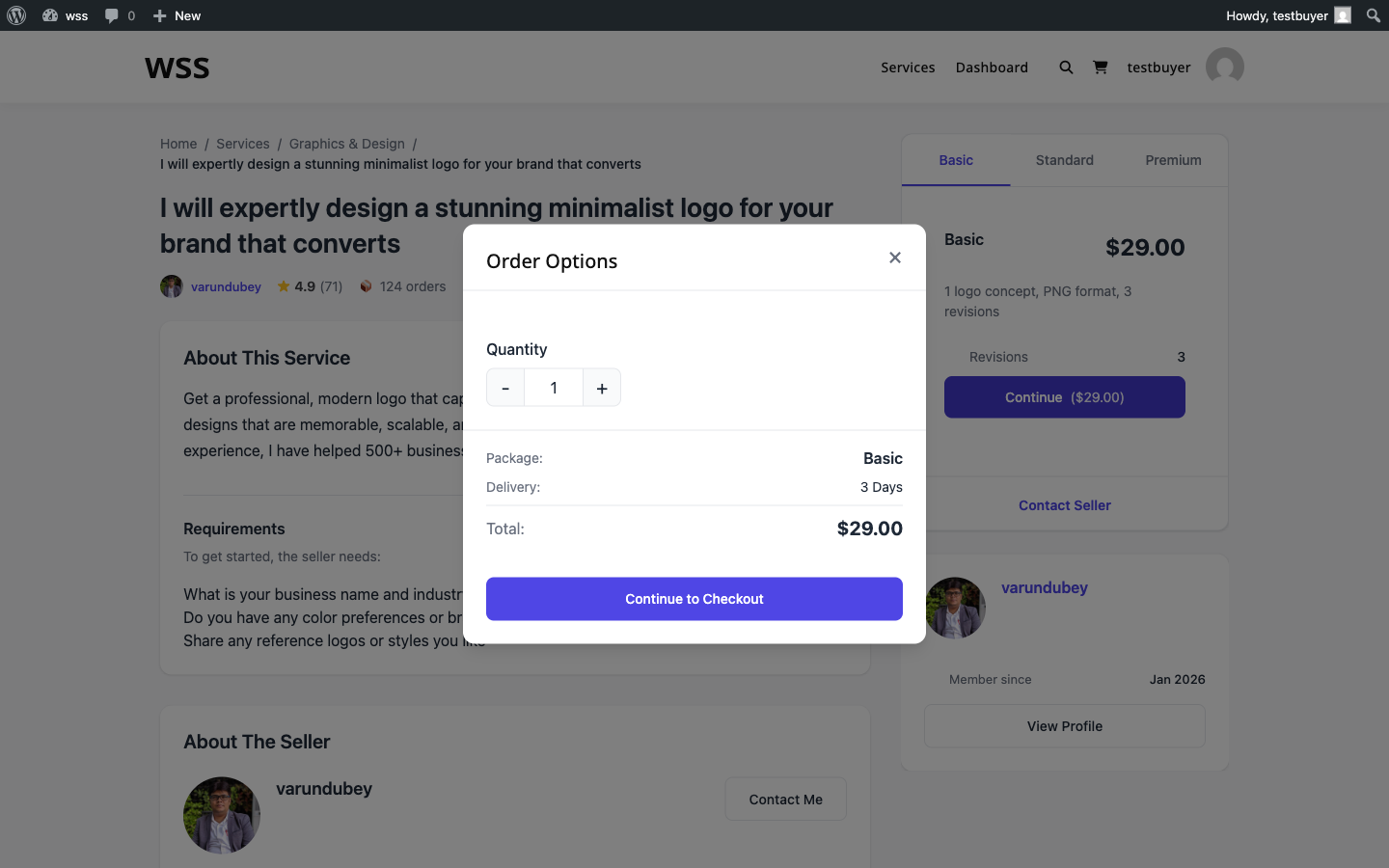
  1. Choose your package -- Click the tab for Basic, Standard, or Premium
  2. Review the details -- Check delivery time, revisions, and features
  3. Add any extras -- Select optional add-ons if offered
  4. Click "Continue" -- This adds the service to your cart

The button shows the total price including your selected package and any add-ons.

Tip: You can add services from multiple vendors to your cart. Each one becomes a separate order with its own delivery tracking.


Step 4: Review Your Cart

The cart page shows everything you are about to purchase:

  • Service name and selected package for each item
  • Add-ons you selected (if any)
  • Individual prices and the order total
  • Tax (if the marketplace charges it)

You can remove items from your cart or go back to add more services before proceeding.


Step 5: Complete Checkout

Click Proceed to Checkout to reach the checkout page.

Billing Details

Fill in your name and email address. The marketplace needs these to create your account (if you do not have one) and send order notifications.

Order Summary

Review your items one final time. The breakdown shows package price, add-ons, tax (if applicable), and the total amount.

Choose Payment Method

Select how you want to pay from the available gateways:

Payment Method How It Works
Stripe Pay with credit/debit card, Apple Pay, or Google Pay
PayPal Pay with your PayPal balance, linked card, or Venmo
Offline / Bank Transfer Transfer funds manually; the marketplace owner confirms receipt
Razorpay [PRO] UPI, cards, net banking, wallets (popular in India)

Place Your Order

Click Place Order to complete payment. You will see a confirmation page with your order number.


Step 6: What Happens Next

After your order is placed:

  1. You receive a confirmation email with your order number and details
  2. The vendor is notified about the new order
  3. You are asked to submit requirements -- project details the vendor needs to start working (budget, preferences, files, etc.)
  4. The vendor begins work once your requirements are submitted
  5. Track progress from your Dashboard under My Orders

If the service has requirements, submit them as soon as possible. The vendor cannot start until they have your project details. The system sends you reminders on day 1, 3, and 5 if you have not submitted yet.


Quick Tips for Buyers

  • Compare packages before choosing -- the Standard tier is often the best value
  • Read reviews to understand what previous buyers experienced
  • Check delivery time to make sure it fits your timeline
  • Submit requirements promptly so the vendor can start right away
  • Use the messaging system to clarify anything before or during the order

Related Guides

Choosing the Right Package

Every service on the marketplace offers up to three pricing tiers -- Basic, Standard, and Premium. This guide helps you understand the differences and pick the package that fits your needs and budget.

Package comparison on a service page

How Packages Work

Vendors structure their services into tiers so you can choose the level of service that matches your project. Think of it like ordering a coffee -- small, medium, or large -- each with progressively more included.

Tier What to Expect
Basic The essentials at the lowest price. Good for simple projects or trying a vendor for the first time.
Standard The most popular choice. Includes more deliverables, faster delivery, or extra revisions. Usually the best value for money.
Premium The full package. Everything included, often with the fastest delivery and unlimited revisions. Best for important or complex projects.

Not every service has all three tiers. Some vendors only offer Basic, or Basic and Standard. The available packages are shown as tabs on the service page.


What to Compare

When switching between package tabs, pay attention to these four things:

1. Price

The price is shown prominently at the top of each package. Consider what you get for the difference in cost. If Standard is only 50% more than Basic but includes twice as many deliverables, that is usually the better deal.

2. Delivery Time

Each package has its own delivery timeline. A Basic package might take 7 days while Premium takes 3. If you are on a tight deadline, a higher tier with faster delivery could save you from needing to request an extension later.

3. Revisions Included

This is the number of times you can ask the vendor to make changes after delivery. Packages with more revisions give you more flexibility to refine the final result.

Revisions What It Means
0 The vendor delivers once. No changes included (you can still communicate during the order).
1-2 One or two rounds of feedback and adjustments. Good for straightforward projects.
3-5 Multiple revision rounds. Better for design work or projects where preferences are subjective.
Unlimited As many revisions as you need. Ideal for brand-critical work.

4. Features Checklist

Each package lists specific deliverables. Features included in the package show a checkmark, and features not included show an X. Scan this list carefully -- the difference between tiers is often a few key features.

Example (Logo Design):

Feature Basic Standard Premium
Logo concepts 1 3 5
Revisions 1 3 Unlimited
Source files -- Included Included
Brand guidelines -- -- Included
Social media kit -- -- Included

Add-ons: Extra Options

Some services offer add-ons -- optional extras you can attach to any package. Common add-ons include:

  • Extra-fast delivery -- Get your order sooner for an additional fee
  • Additional revisions -- More rounds of changes beyond what the package includes
  • Extra deliverables -- More concepts, pages, words, or other units of work
  • Source files -- Raw/editable files (if not included in your chosen package)

Add-ons are listed below the package details. Check the ones you want before clicking "Continue" -- their price is added to the package price to form your total.


How the Total Is Calculated

Your order total is straightforward:

Package price + Add-on prices + Tax (if applicable) = Total

Example:

  • Standard package: $150
  • Extra-fast delivery add-on: $30
  • Tax (10%): $18
  • Total: $198

The total is shown on the "Continue" button and again at checkout before you confirm.


Which Package Should You Choose?

Choose Basic if:

  • You have a simple, well-defined project
  • You want to test a vendor's quality before committing to more
  • Budget is your primary concern
  • You do not need revisions or premium features

Choose Standard if:

  • You want the best balance of quality and price
  • Your project has moderate complexity
  • You want a few revision rounds for comfort
  • You are looking for the "recommended" option (most vendors optimize Standard for value)

Choose Premium if:

  • Your project is complex or high-stakes
  • You need the fastest turnaround
  • You want unlimited revisions or the most comprehensive deliverables
  • This is a brand-critical project where quality matters more than cost

Still Not Sure?

If you cannot decide between packages, try these approaches:

  1. Message the vendor -- Use the contact button on their profile to ask which package fits your project. Good vendors will give you honest advice.
  2. Read reviews -- See what packages other buyers chose and what they thought of the results.
  3. Start with Standard -- When in doubt, the middle tier is designed to be the best value for most buyers.
  4. Post a buyer request -- Describe your project and let vendors come to you with proposals. They will recommend the right scope and pricing.

Related Guides

Buyer Dashboard

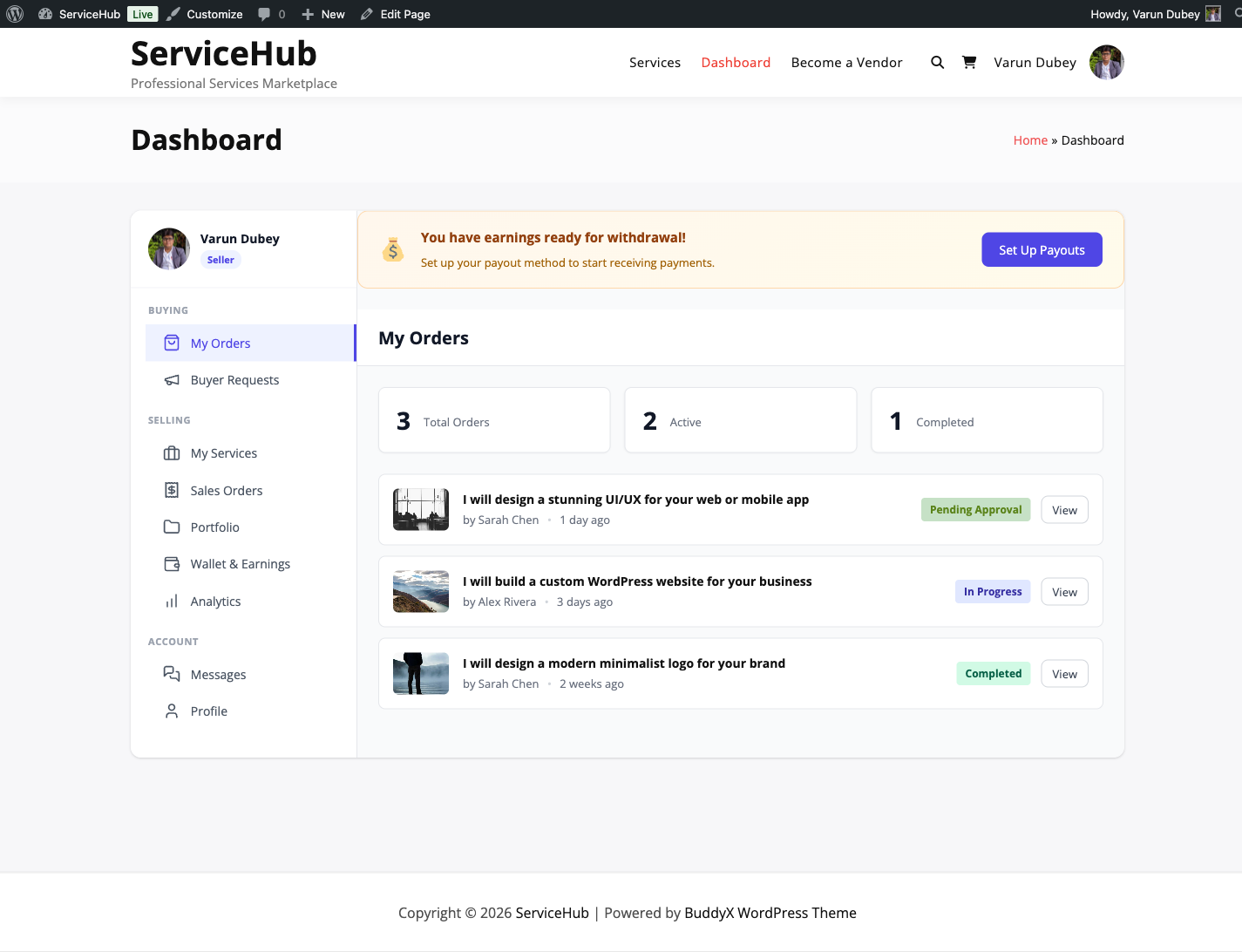
Your dashboard is the central hub for managing everything you do on the marketplace -- tracking orders, communicating with vendors, managing buyer requests, and updating your profile.

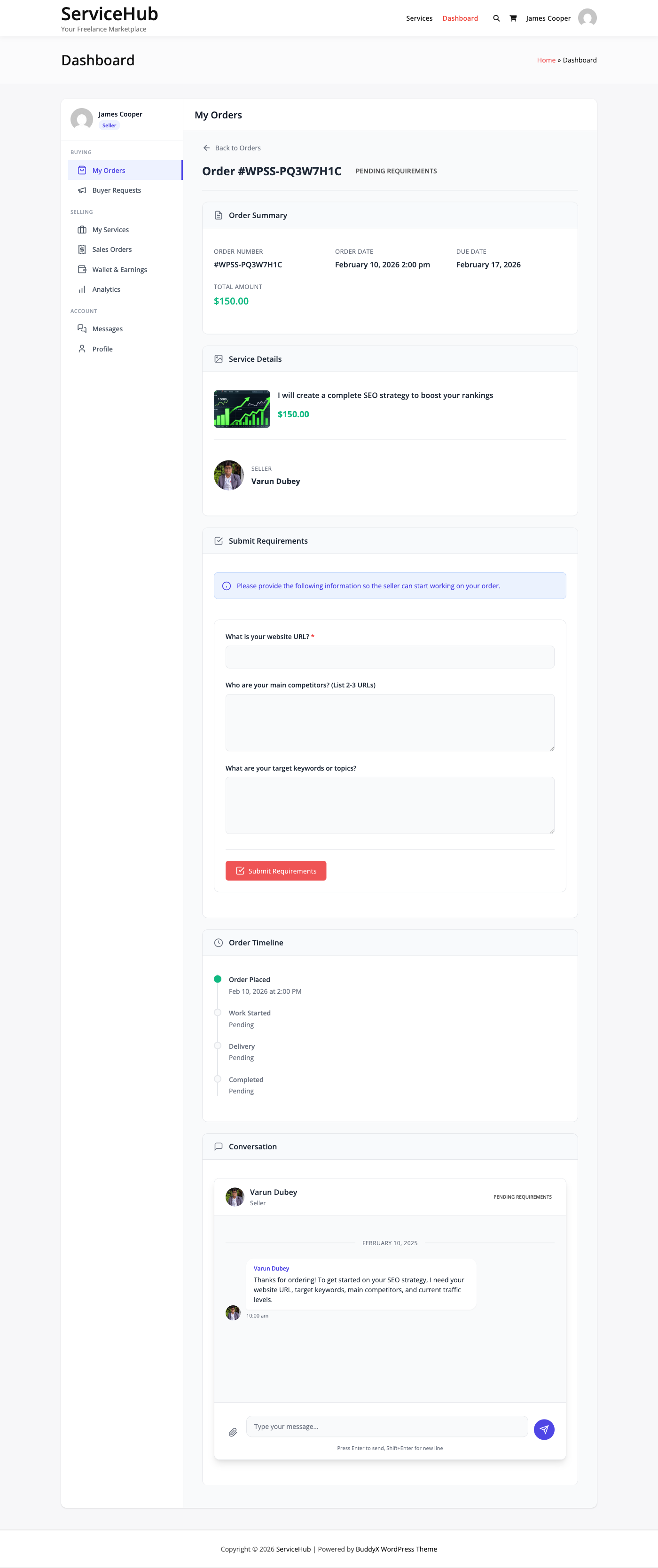
Dashboard overview

Accessing the Dashboard

Click the Dashboard link in your site's navigation menu, or go directly to the dashboard page URL. If you are not logged in, you will be prompted to sign in first.


Dashboard Sections

The sidebar on the left shows your available sections. As a buyer, you will see:

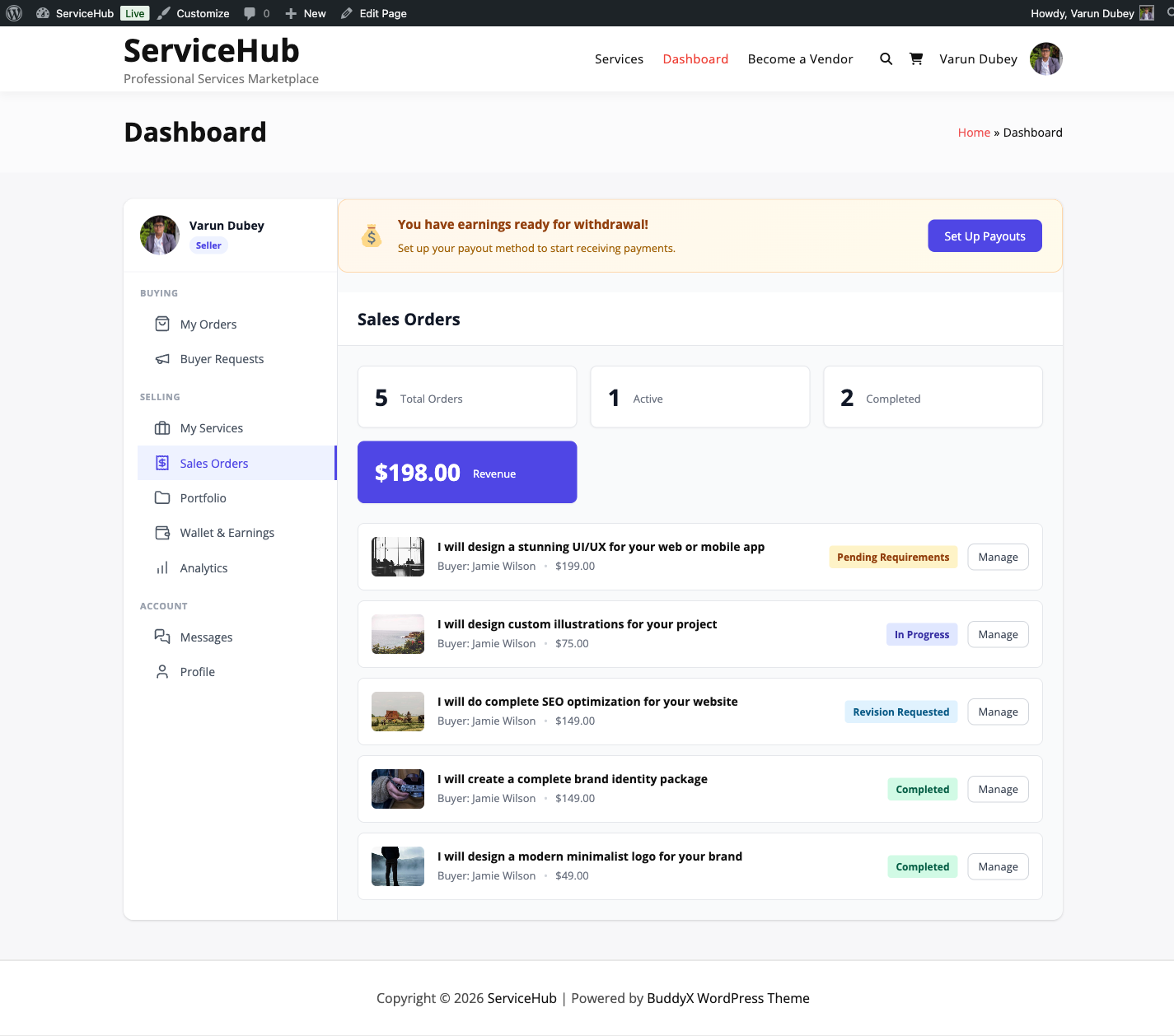
My Orders

This is where you track every service you have purchased. Each order shows:

  • Order number -- A unique identifier (e.g., #1042)
  • Service name -- What you bought
  • Vendor -- Who is doing the work
  • Status -- Where the order is in its lifecycle (see Order Tracking)
  • Total -- How much you paid
  • Date -- When you placed the order

Filter your orders by status to quickly find what you need:

  • Active -- Orders currently in progress
  • Completed -- Finished orders
  • Cancelled -- Orders that were stopped

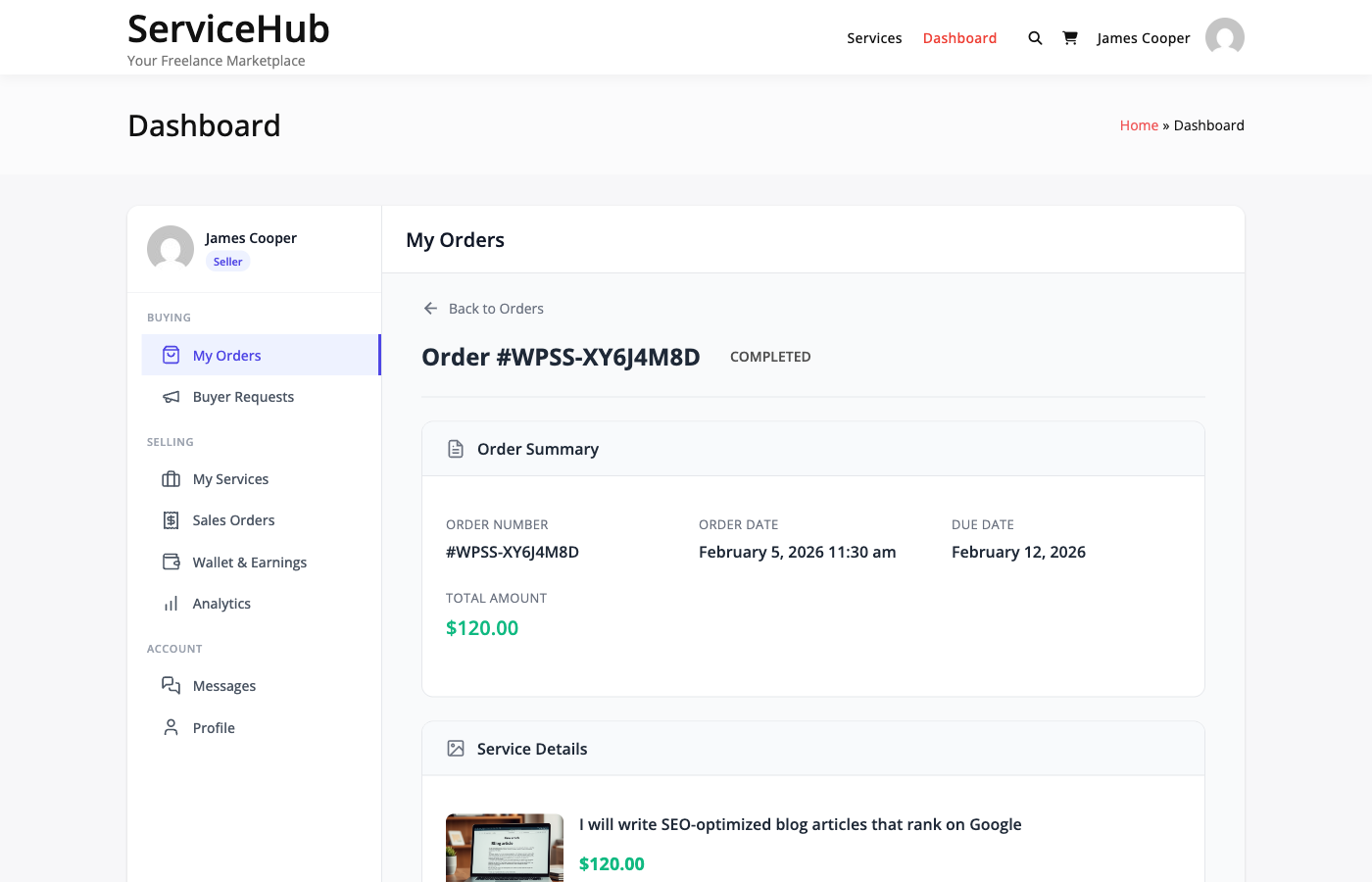
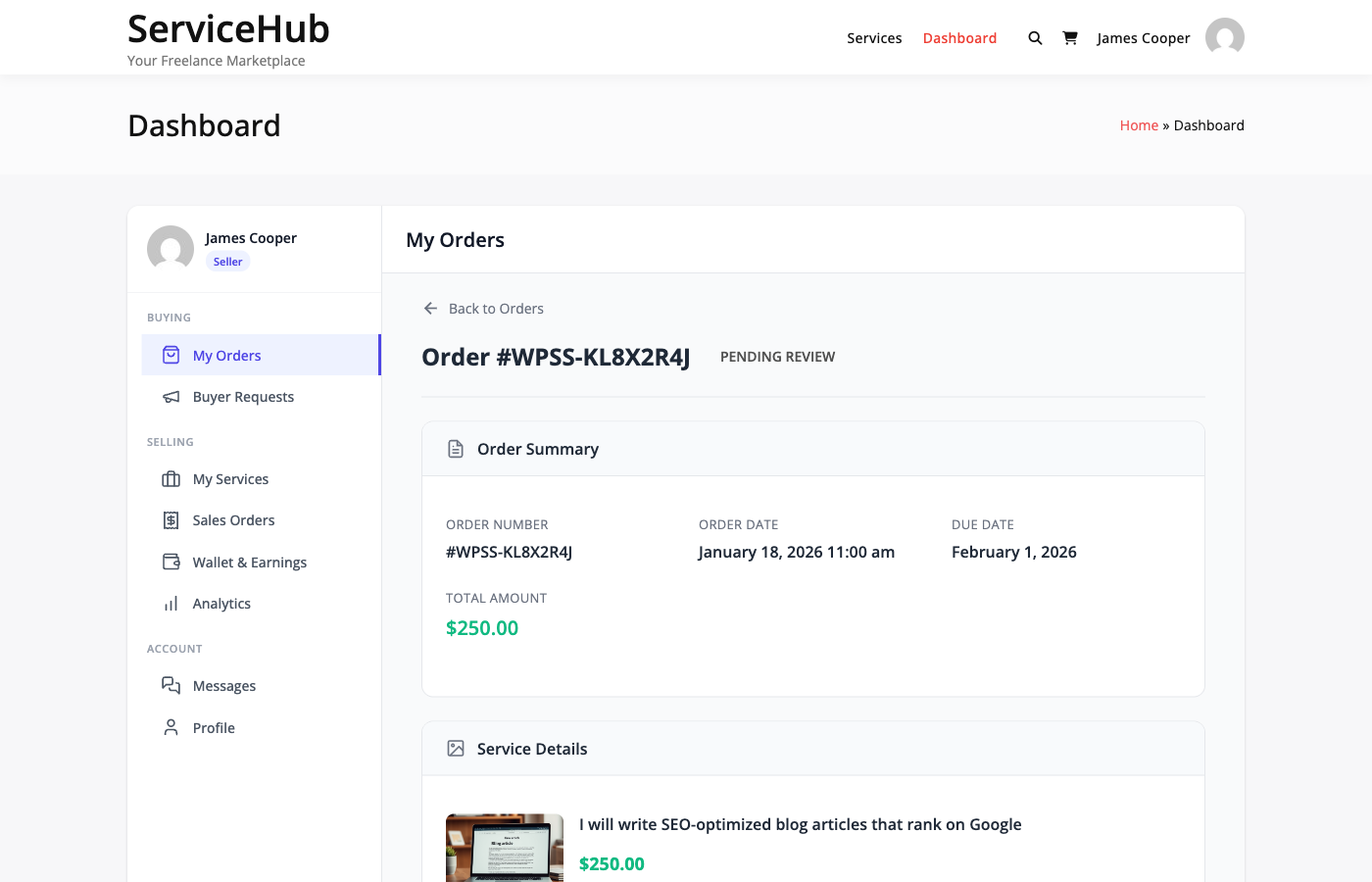
Click any order to open its detail page, where you can view requirements, messages, deliveries, and take actions like accepting a delivery or requesting a revision.

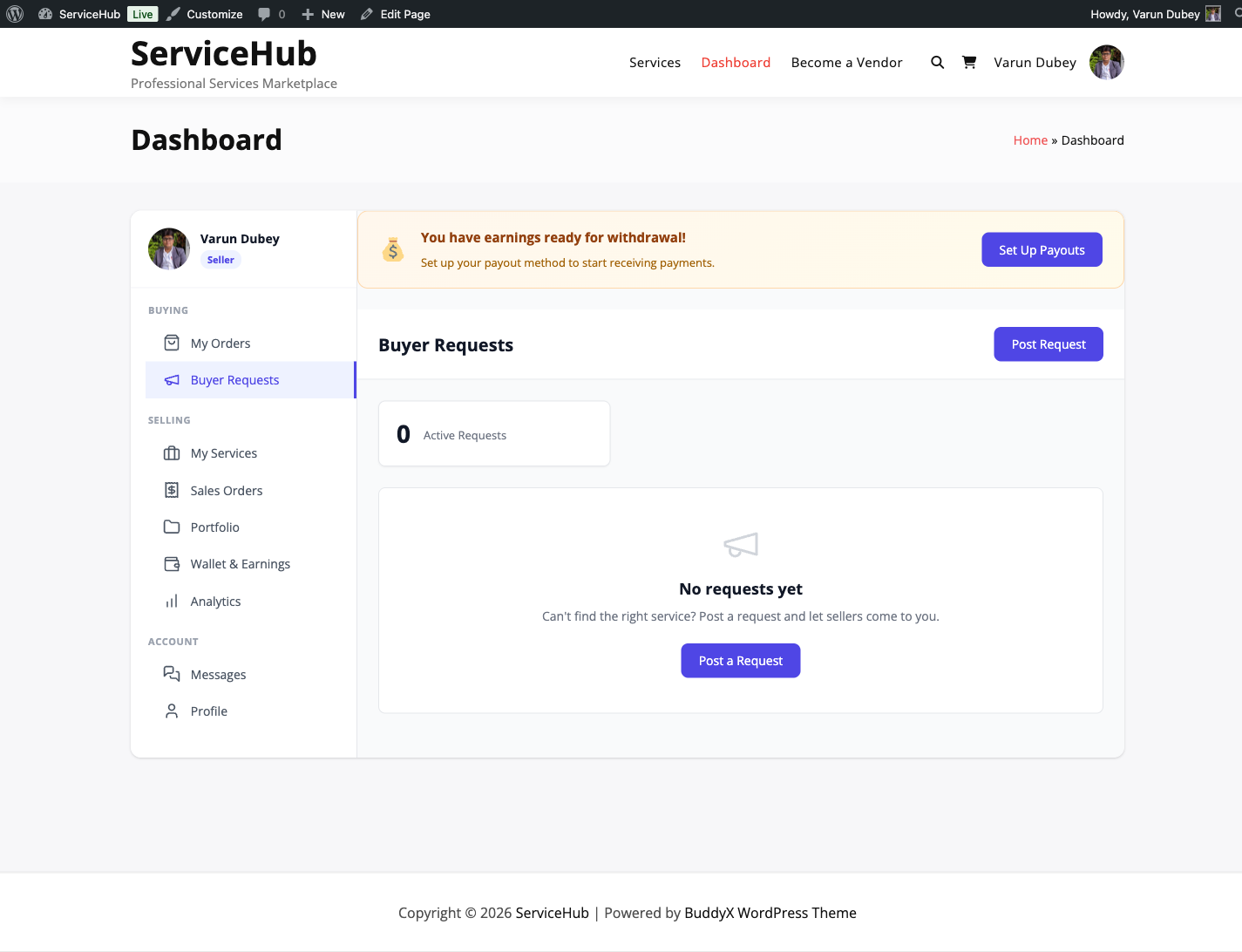
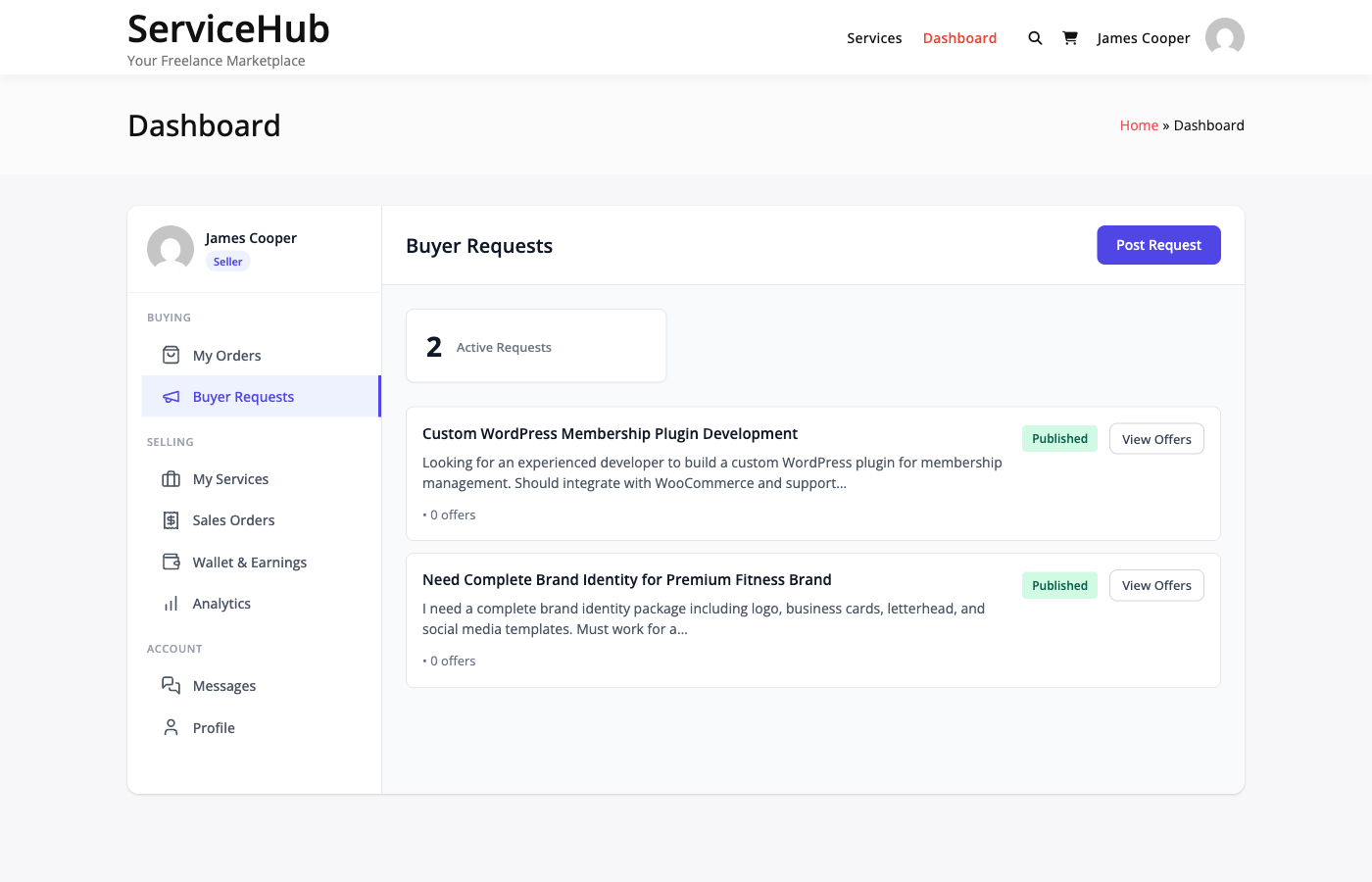
Buyer Requests

Post what you need and let vendors come to you. This section lets you:

  • Post a new request -- Describe your project, set a budget and deadline
  • View your active requests -- See which requests are open and receiving proposals
  • Review proposals -- Compare vendor proposals, see their ratings and pricing, and accept the one you like
  • Manage expired requests -- Repost or close old requests

See Posting a Buyer Request for a step-by-step guide.

Messages

All your order conversations in one place. Each order has its own conversation thread so context stays organized.

From here you can:

  • See which conversations have unread messages
  • Switch between order conversations
  • Send text messages and attach files (images, documents, archives)
  • View the full conversation history for any order

Messages are the primary way to communicate with vendors during an order. Use them to clarify requirements, ask questions, or provide feedback.

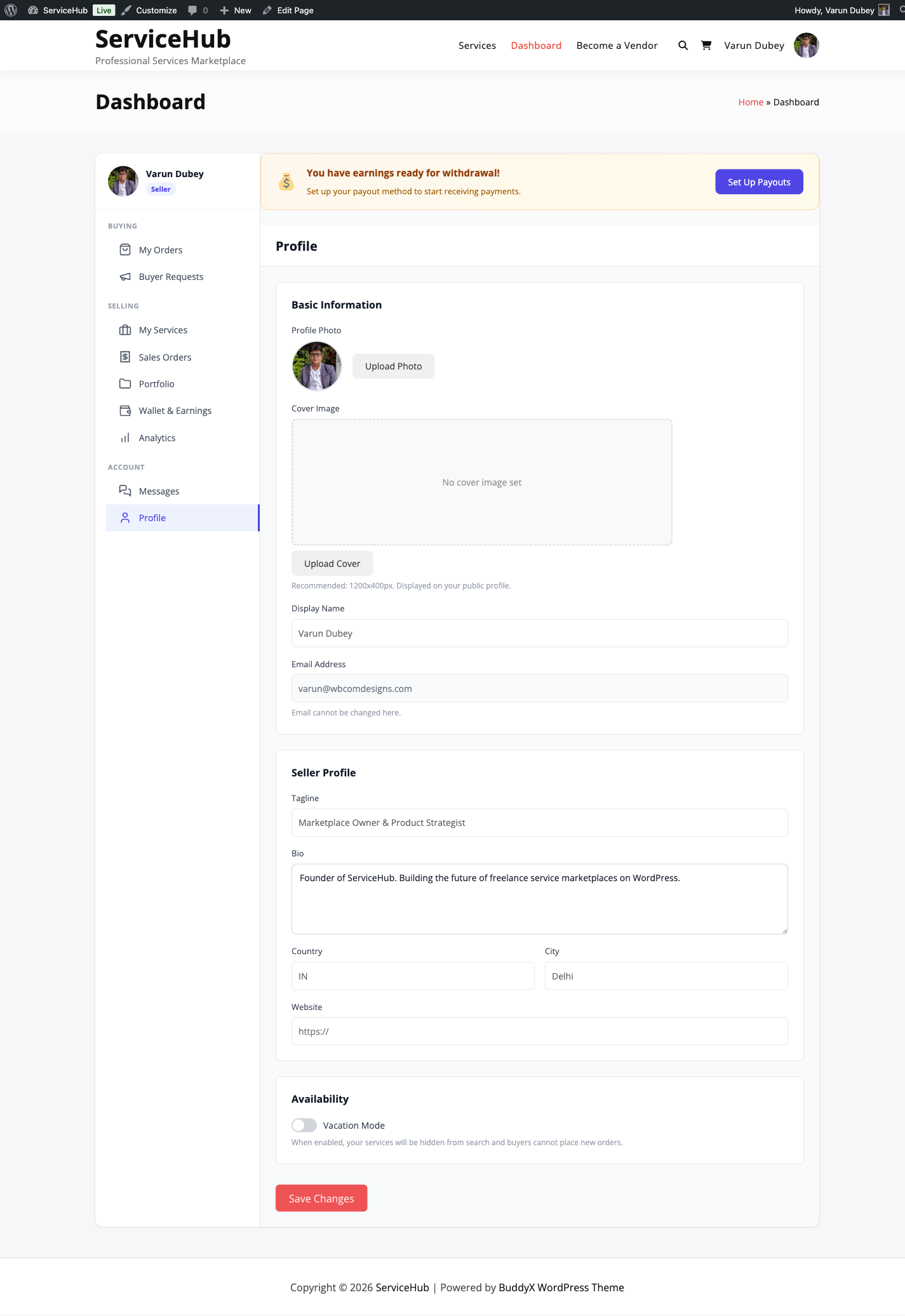
Profile

Update your account information:

  • Display name -- How vendors see you
  • Avatar -- Your profile picture
  • Bio -- A short description about yourself
  • Contact details -- Email and other info

Becoming a Vendor

If you are currently only a buyer and want to start selling services too, look for the Start Selling button in the sidebar. Clicking it registers you as a vendor (subject to the marketplace's registration mode).

Once approved, additional sections appear in your sidebar:

  • My Services -- Create and manage service listings
  • Sales Orders -- Handle incoming orders from buyers
  • Earnings -- Track revenue and request withdrawals
  • Portfolio -- Showcase your work
  • Analytics [PRO] -- Sales performance data

Your buying sections remain unchanged -- you can both buy and sell on the same account.


Sidebar Navigation

The dashboard sidebar groups sections logically:

Group Sections
Buying My Orders, Buyer Requests
Selling (vendors only) My Services, Sales Orders, Earnings, Portfolio
Account Messages, Profile

Your avatar and name appear at the top of the sidebar. If you are a vendor, a "Seller" badge appears next to your name along with your seller level.


Responsive Design

The dashboard adapts to your device:

  • Desktop -- Full sidebar visible alongside content
  • Tablet -- Sidebar slides in and out with a toggle
  • Mobile -- Hamburger menu for compact navigation

Each section has its own URL (e.g., /dashboard/?section=orders), so you can bookmark the ones you use most.


Quick Tips

  • Check your dashboard daily during active orders so you do not miss messages or deliveries
  • Bookmark your orders page for quick access: /dashboard/?section=orders
  • Enable email notifications so you get alerts for new messages, deliveries, and status changes even when you are not on the site
  • Submit requirements promptly after purchasing -- the vendor cannot start until you do

Related Guides

Order Tracking for Buyers

After you purchase a service, your order moves through a series of stages from payment to completion. This guide explains each stage, what to expect, and what actions you can take.

Finding Your Orders

Go to your Dashboard and click My Orders in the sidebar. You will see a list of all your orders with their current status, vendor, amount, and date.

Use the status filters at the top to narrow the list:

  • Active -- Orders that need your attention or are in progress
  • Completed -- Finished orders
  • Cancelled -- Orders that were stopped

Click any order to open its detail page with the full timeline, messages, deliveries, and available actions.


Order Statuses Explained

Here is every status your order can have, what it means, and what you should do.

Pending Payment

What it means: You started checkout but payment has not been confirmed yet.

What to do: Complete payment. If you used offline/bank transfer, send the funds and wait for the marketplace admin to confirm receipt. Orders are automatically cancelled if payment is not confirmed within 24 hours.


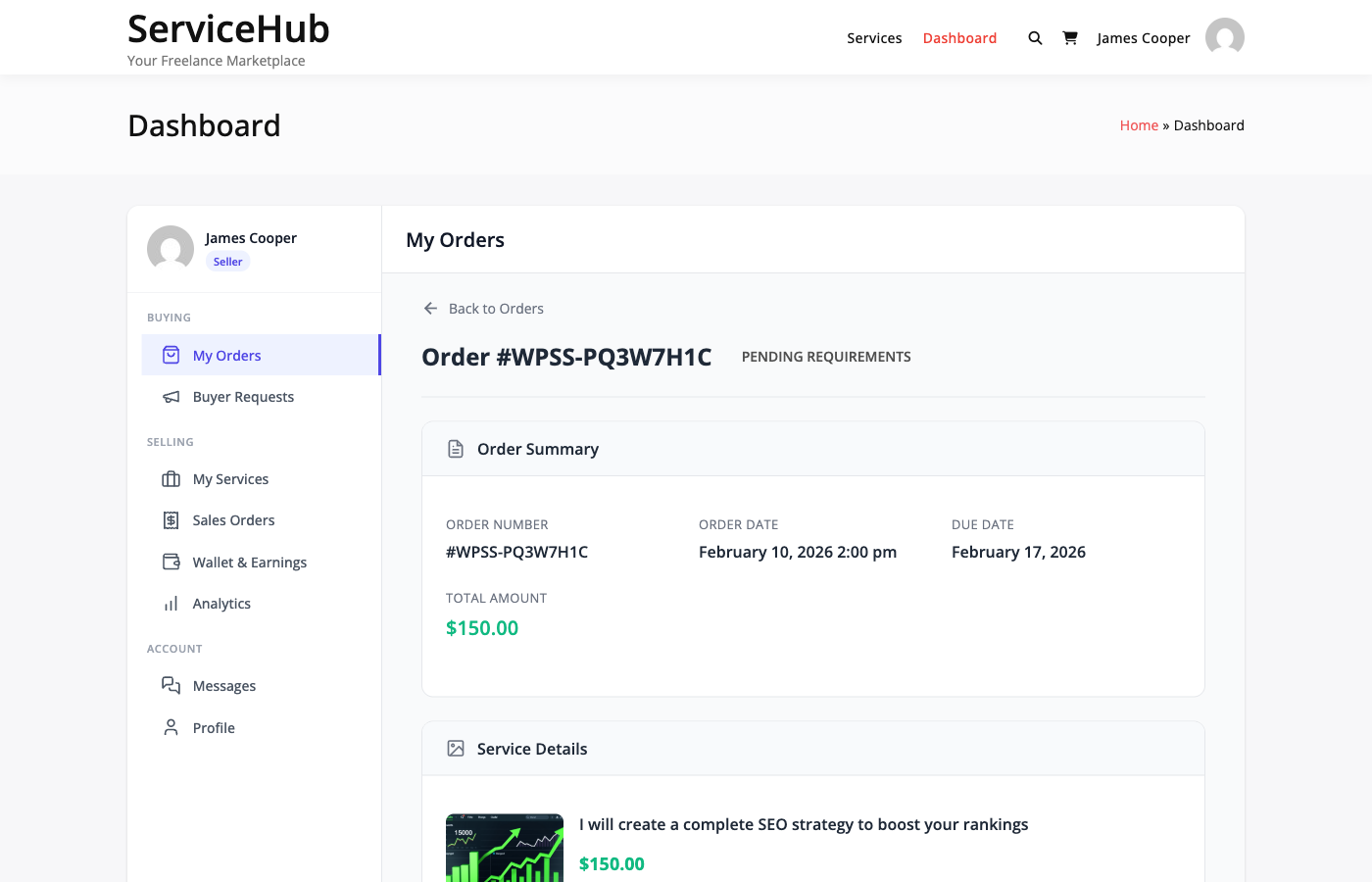
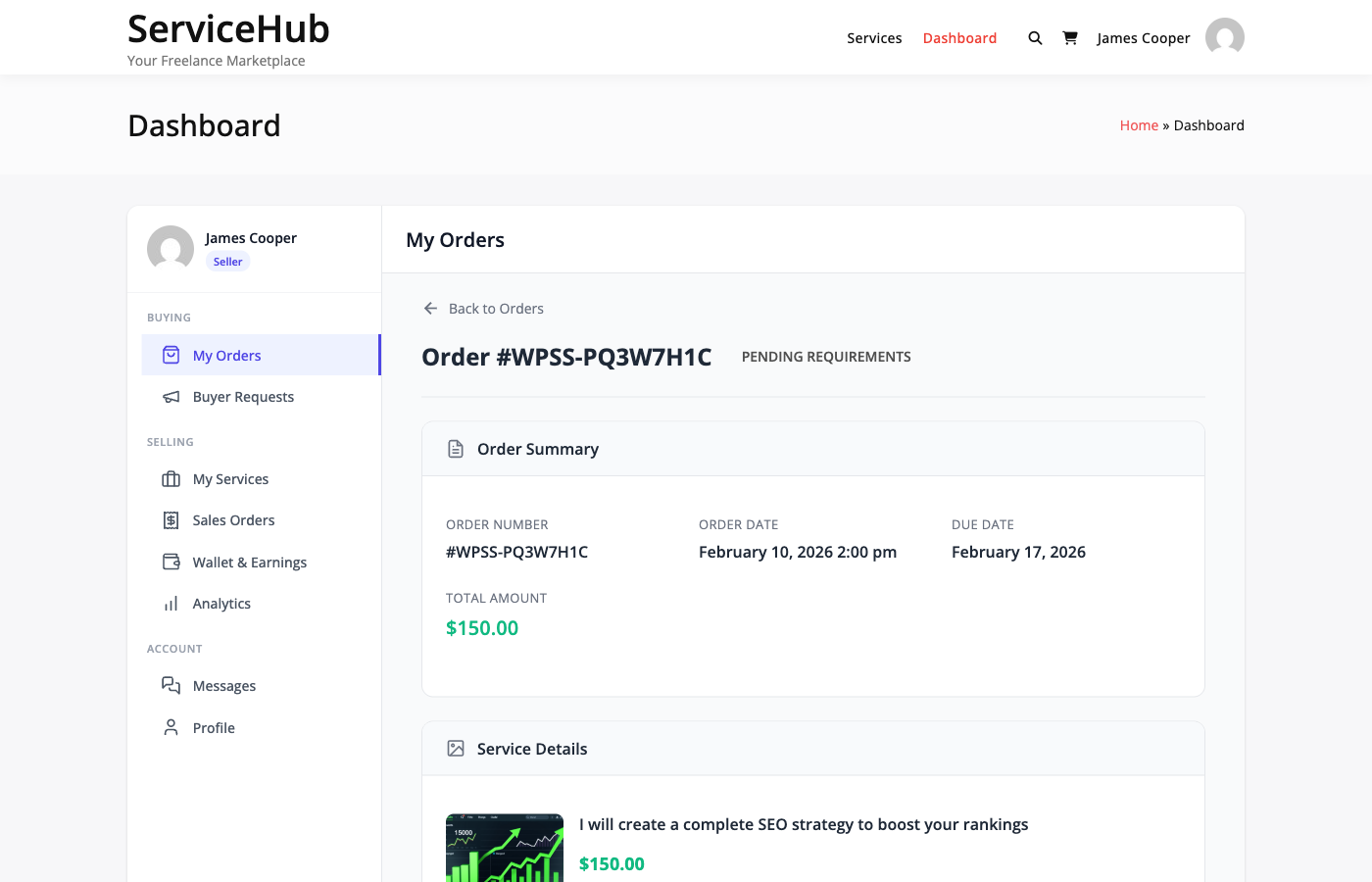
Pending Requirements

What it means: Payment is confirmed. The vendor is waiting for your project details before starting work.

What to do: Fill out the requirements form with the information the vendor needs -- project description, preferences, reference files, and any other details they asked for.

Important: Submit requirements as soon as possible. The vendor cannot start until you do. The system sends you reminders on day 1, 3, and 5 if you have not submitted.

If you take too long (default: 7 days), the marketplace may either auto-start the order without your requirements or cancel it, depending on how the admin configured the timeout.


In Progress

What it means: The vendor is actively working on your order. A delivery deadline has been set based on the package you chose.

What to do: Wait for the vendor to deliver. You can send messages if you need to clarify something or share additional information. The vendor receives a reminder 24 hours before their deadline.


Late

What it means: The delivery deadline has passed and the vendor has not submitted their work yet.

What to do: You will receive a notification that the order is late. The vendor can still deliver, and they may request a deadline extension. If the delay is unreasonable, you can contact the vendor through the messaging system or open a dispute.


Delivery Submitted

What it means: The vendor has submitted their completed work for your review.

What to do: This is the most important step. Review what the vendor delivered and choose one of three options:

Action When to Use
Accept Delivery The work meets your expectations. The order is marked complete.
Request Revision The work needs changes. Provide specific feedback so the vendor knows what to fix. Only available if you have revisions remaining.
Open Dispute Something is seriously wrong -- the delivery does not match what was promised, or there is a significant quality issue.

Auto-complete: If you do not respond within the auto-complete window (default: 3 days), the order automatically completes and the vendor gets paid. Review deliveries promptly to keep control.


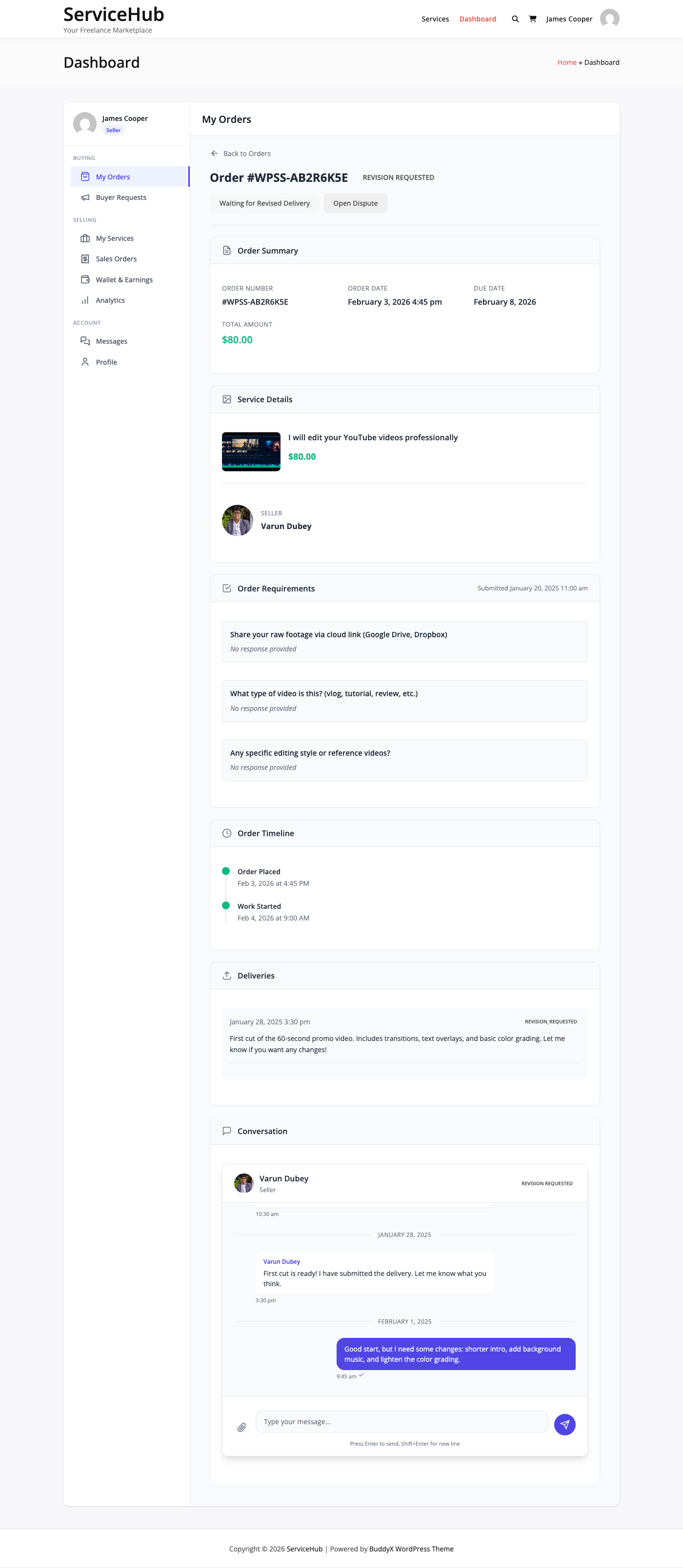
Revision Requested

What it means: You asked the vendor to make changes. They are working on the revision.

What to do: Wait for the vendor to submit their updated delivery. Use the messaging system if you need to clarify your revision feedback.

Revision limits: Each package includes a set number of revisions. You can see how many you have remaining on the order detail page. Once you have used all included revisions, the "Request Revision" option is no longer available.


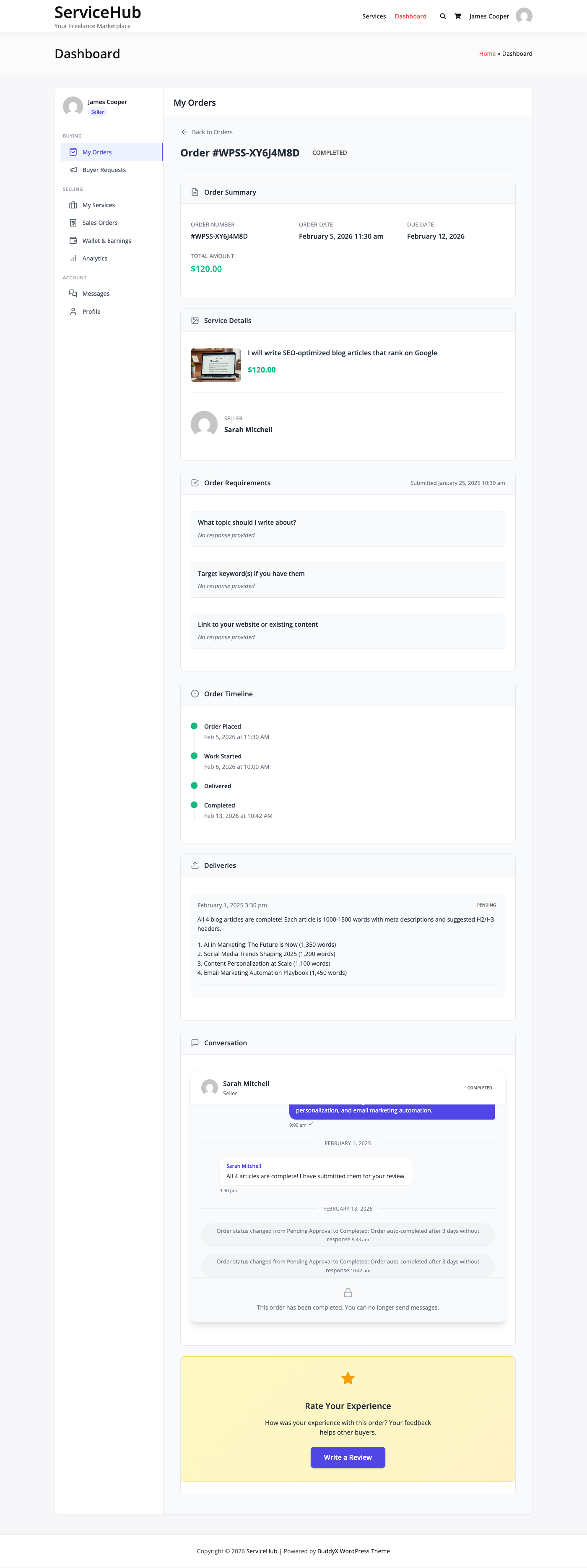
Completed

What it means: The order is finished. You accepted the delivery (or it was auto-completed).

What to do:

  • Leave a review -- Rate the vendor and share your experience. Reviews help other buyers and help good vendors get more business.
  • Download deliverables -- Access any files the vendor sent.
  • Tip the vendor -- If you are especially happy with the work, you can send a tip as a thank-you.
  • Open a dispute (if needed) -- You have a dispute window (default: 14 days) after completion to raise issues if something goes wrong after acceptance.

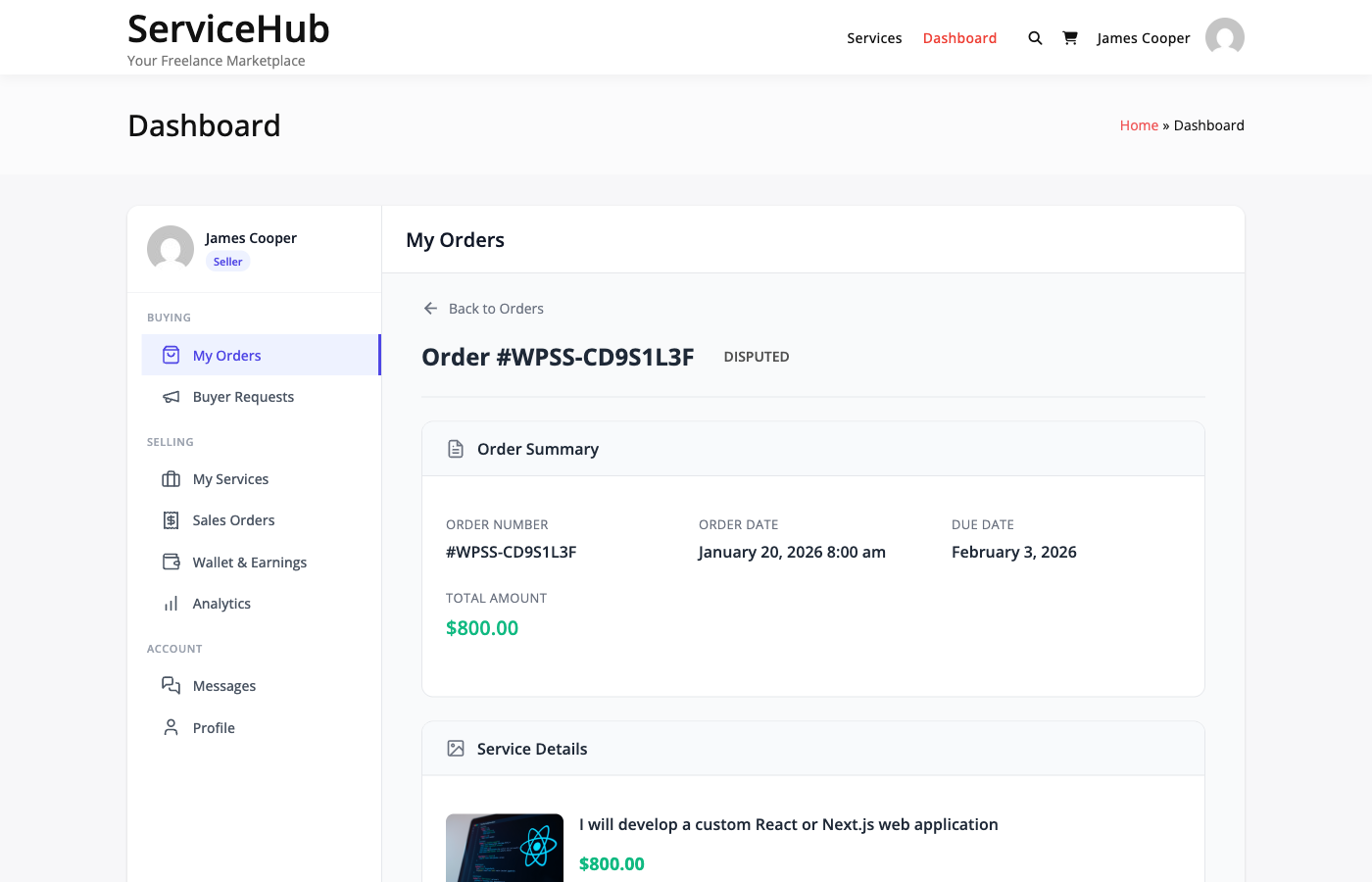
Disputed

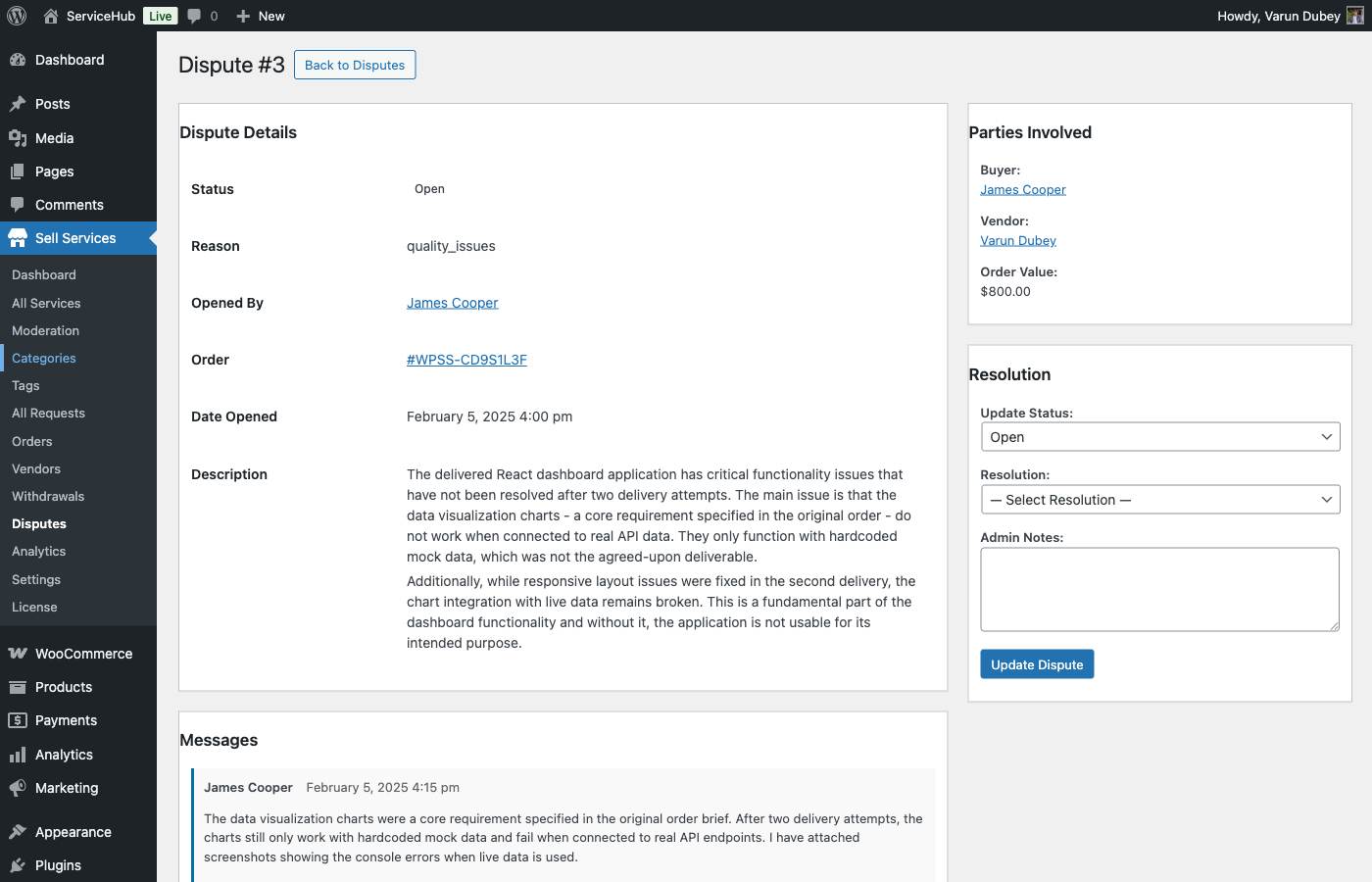
What it means: A formal dispute has been opened. The order is paused while both parties submit evidence and the marketplace admin reviews the case.

What to do: Provide clear evidence supporting your position -- screenshots, messages, the original requirements, and the delivery. The admin will review everything and make a decision. See Opening a Dispute for details.


Cancelled

What it means: The order has been stopped. This can happen because of payment failure, requirement timeout, mutual agreement, or an admin decision.

What to do: If payment was taken, a refund is processed. Cancelled orders cannot be reopened. If you still need the service, place a new order.


On Hold

What it means: An admin has manually paused the order, usually for investigation.

What to do: Wait for the admin to resume or cancel the order. All deadlines are frozen while on hold.


Order Detail Page

When you click into an order, you see:

  • Status timeline -- Visual progress through the order stages
  • Order summary -- Service, package, add-ons, and total
  • Requirements -- What you submitted (or a prompt to submit if pending)
  • Messages -- Full conversation with the vendor
  • Deliveries -- All submissions from the vendor with download links
  • Actions -- Buttons for your available actions based on current status

Email Notifications

You receive email notifications at key moments:

Event When You Get Notified
Order confirmed After successful payment
Vendor starts work When requirements are accepted
Delivery submitted When the vendor sends their work
Revision submitted When the vendor sends updated work
Order completed When you accept or auto-complete triggers
Order cancelled If the order is stopped for any reason
Dispute update When the admin responds to your dispute

Make sure your email address is correct in your profile, and check your spam folder if notifications are not arriving.


Quick Reference: What Can I Do at Each Stage?

Status Your Actions
Pending Payment Complete payment
Pending Requirements Submit project details
In Progress Message vendor
Late Message vendor, open dispute
Delivery Submitted Accept, request revision, or dispute
Revision Requested Wait, message vendor
Completed Leave review, download files, tip vendor
Disputed Submit evidence
Cancelled Place new order if needed
On Hold Wait for admin

Related Guides

Tips for Getting Great Results

Getting the most out of your marketplace experience comes down to clear communication, realistic expectations, and knowing how to use the tools available to you. This guide covers best practices for every stage of the buying process.

Before You Order

Research the Vendor

Before committing to a purchase:

  • Read reviews -- Look for patterns in feedback, not just the overall rating. Multiple reviewers mentioning the same strength (or weakness) is a strong signal.
  • Check their portfolio -- Does their previous work match the style and quality you want?
  • Look at their seller level -- Rising Seller and Top Rated vendors have a proven track record of quality and reliability.
  • Note their response time -- Vendors who respond quickly during the inquiry phase will likely communicate well during your order.

Ask Questions First

If anything about the service is unclear, message the vendor before ordering. Good questions to ask:

  • "My project involves [details]. Which package would you recommend?"
  • "I need this delivered by [date]. Can you meet that timeline?"
  • "I have [specific requirements]. Is that something you handle?"
  • "Can you share an example of similar work you have done?"

A quick conversation upfront prevents misunderstandings later.

Choose the Right Package

Do not default to Basic to save money if your project actually needs Standard or Premium features. Underpaying for a complex project leads to disappointment on both sides. See Choosing the Right Package for detailed guidance.


Writing Great Requirements

The requirements form is your chance to give the vendor everything they need to do their best work. Clear requirements lead to better results and fewer revisions.

Be Specific

Instead of vague instructions, provide concrete details:

Vague Specific
"Make it look modern" "Clean layout, sans-serif fonts, blue and white color scheme, similar to [example URL]"
"Write something engaging" "Conversational tone, target audience is small business owners aged 30-50, include a call-to-action for email signup"
"I need a logo" "Minimalist wordmark logo for a tech startup called 'NovaPay,' colors: navy blue and teal, avoid clipart"

Include Reference Material

Whenever possible, attach:

  • Examples of work you like -- Screenshots or links showing the style you want
  • Brand assets -- Your logo, color codes, fonts, and brand guidelines
  • Content or copy -- Text, data, or other raw materials the vendor will work with
  • Technical specs -- Dimensions, file formats, platform requirements

Set Clear Expectations

State upfront:

  • Your must-have requirements (non-negotiable)
  • Your nice-to-have preferences (flexible)
  • Any hard deadlines beyond the package delivery time
  • How you plan to use the final deliverable

Submit Quickly

The vendor cannot start work until you submit requirements. Every day you delay pushes back the delivery. The system sends reminders on days 1, 3, and 5 -- do not wait for those. Submit as soon as possible after payment.


During the Order

Communicate Proactively

  • Respond to vendor messages promptly -- Delays in your responses slow down the entire order
  • Be available for questions -- The vendor may need clarification on your requirements
  • Share feedback early -- If the vendor shares progress or drafts, provide input right away rather than waiting for the final delivery

Be Respectful

Vendors are professionals. Treat them accordingly:

  • Use clear, polite language
  • Give constructive feedback (what to change and why), not just criticism
  • Respect their working hours and process
  • Remember that good communication makes both parties' experience better

Reviewing Deliveries

When the vendor submits their delivery, you have three options: accept, request revision, or dispute. Here is how to approach each:

When to Accept

Accept when the delivery meets the requirements you specified and the package description. It does not need to be perfect in every way -- it needs to match what was promised and what you asked for.

When to Request a Revision

Request a revision when:

  • Specific elements do not match your requirements
  • There are errors or inconsistencies that need fixing
  • The quality is close but needs refinement

How to write a good revision request:

  1. Be specific -- "Please change the heading font to Montserrat and increase the logo size by 20%" is better than "Make it look better"
  2. Prioritize -- If you have multiple changes, list them in order of importance
  3. Reference your original requirements -- "In my requirements, I asked for X, but the delivery shows Y"
  4. Be reasonable -- Revisions should address things within the scope of what you ordered, not add new requirements

When to Dispute

Disputes are for serious issues, not minor adjustments. Open a dispute when:

  • The delivery is completely different from what was described in the service listing
  • The vendor is unresponsive and has missed their deadline significantly
  • You suspect plagiarized or fraudulent work
  • The vendor refuses to make changes that are clearly within scope

Do not dispute for:

  • Minor style preferences that were not specified in your requirements
  • Changes that go beyond what the package includes
  • Slow responses (message the vendor or wait first)

See Opening a Dispute for the full process.


After Completion

Leave a Thoughtful Review

Reviews help other buyers make informed decisions and help good vendors get recognized. A helpful review:

  • Rates honestly -- Use the full 1-5 scale. Not everything is 5 stars, and not everything is 1 star.
  • Mentions specifics -- "The logo designs were creative, delivery was 1 day early, and the vendor was responsive to my revision request" is more useful than "Great job!"
  • Notes the package -- Mention which tier you bought so future buyers can calibrate expectations.

Tip for Exceptional Work

If a vendor went above and beyond, a tip is a great way to show appreciation. Even a small tip signals to the vendor that their extra effort was noticed and valued.

Reorder From Great Vendors

Found a vendor you love? Bookmark their profile. When you need similar work in the future, ordering from someone you trust saves time and reduces risk.


Troubleshooting Common Issues

Vendor Is Not Responding

  • Check if the vendor has vacation mode enabled (their profile will show this)
  • Send a follow-up message after 24 hours
  • If the order deadline passes with no communication, you can open a dispute

Delivery Does Not Match Expectations

  • First, check your original requirements -- did you specify what you expected?
  • If your requirements were clear and the delivery misses them, request a revision with specific feedback
  • If the vendor refuses to address valid concerns, open a dispute

Running Out of Revisions

  • If you have used all included revisions but still need changes, message the vendor -- many will accommodate reasonable requests
  • For future orders, consider a higher-tier package with more revisions
  • Some services offer an "Extra Revisions" add-on

Order Was Auto-Completed Before You Reviewed

If you did not respond to a delivery within the auto-complete window (usually 3 days), the order completes automatically. You can still leave a review and you have a dispute window (usually 14 days) if there are serious issues.


Related Guides

Service Creation

Creating a Service: The 6-Step Wizard

The service creation wizard walks vendors through building a professional service listing in six clear steps. It saves progress automatically, so vendors can start now and finish later.

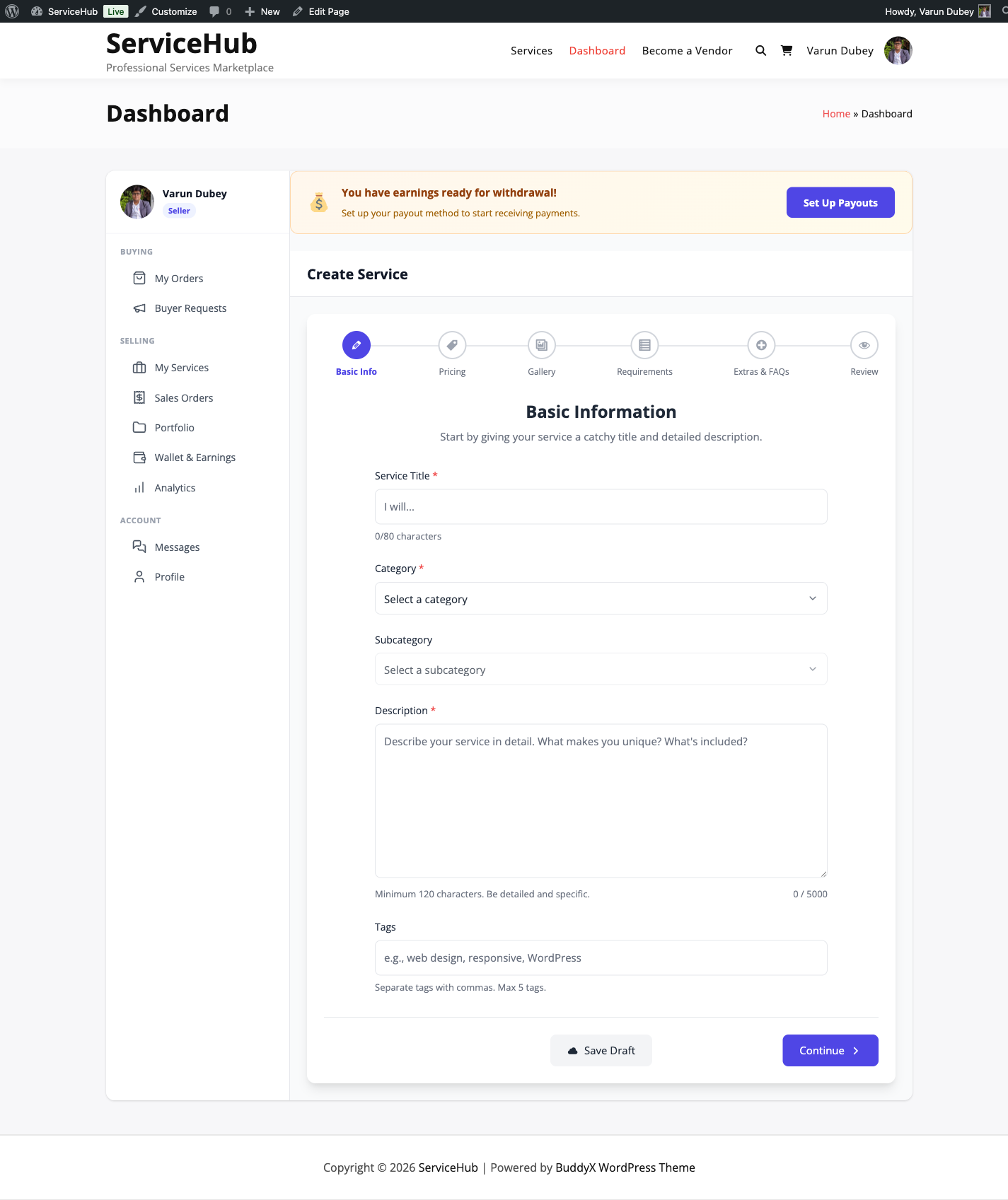
Service Creation Wizard

How It Works

Vendors access the wizard from their Dashboard. The six steps are:

  1. Basic Info -- Title, category, and description
  2. Pricing -- Packages with prices, delivery times, and features
  3. Gallery -- Images and videos to showcase work
  4. Requirements -- Questions buyers answer before work starts
  5. Extras and FAQs -- Optional add-ons and frequently asked questions
  6. Review -- Final check before publishing

Each step can be saved as a draft at any time. A progress bar at the top shows which steps are complete.


Step 1: Basic Info

This is where vendors describe what they are offering.

Service title -- A clear, specific headline for the service. Think "I will design a professional logo for your brand" rather than "Logo design." The title should tell buyers exactly what they will get. Keep it between 10 and 80 characters.

Category -- Choose from the service categories you have created (e.g., Design, Writing, Marketing). Subcategories are supported if your marketplace uses them.

Description -- A detailed explanation of what the vendor delivers, their process, what is included, and what is not. This is where vendors sell their expertise. Up to 5,000 characters.

Tags -- Up to 5 keywords that help buyers find the service through search (e.g., "logo, branding, graphic design, minimalist, business").


Step 2: Pricing Packages

Vendors set up their pricing using a 3-tier structure: Basic, Standard, and Premium. Only the Basic package is required -- Standard and Premium are optional.

Each package includes:

  • Package name -- Defaults to "Basic," "Standard," or "Premium" but can be customized
  • Price -- Starting from $5 minimum for the Basic package
  • Delivery time -- How many days to complete the work (1, 2, 3, 5, 7, 14, 21, or 30 days)
  • Revisions -- How many rounds of changes are included (0 to 5, or unlimited)
  • Features list -- A checklist of what is included in this package

For a deeper look at pricing strategy, see Pricing and Packages.


Step 3: Gallery

This is where vendors show off their work. Strong visuals make a big difference in conversions.

Main image -- Required. This is the primary image buyers see in search results and on the service page. Recommended size: 800x600 pixels.

Additional images -- Showcase more work samples. You can add up to 4 in the free version, or unlimited with [PRO].

Video embeds -- Add YouTube or Vimeo links to demo your work. 1 video in the free version, up to 3 with [PRO].

Supported image formats: JPG, PNG, GIF, and WebP. Maximum 5MB per image.

For tips on creating a great gallery, see Service Media.


Step 4: Requirements

Requirements are questions buyers answer after purchasing, before the vendor starts working. This ensures the vendor has everything they need upfront.

Each requirement has:

  • A question -- What do you need from the buyer?
  • An answer type -- Short text, long text, file upload, or dropdown choices
  • Required or optional -- Mark critical questions as required

You can add up to 5 requirements in the free version, or unlimited with [PRO].

Common examples:

  • "What is your business name?" (short text)
  • "Describe your project in detail" (long text)
  • "Upload your brand guidelines" (file upload)
  • "Choose your preferred style" (dropdown: Modern, Classic, Minimalist)

For more details, see Requirements and FAQs.


Step 5: Extras and FAQs

Service Add-ons (Extras)

Add-ons let vendors offer optional upgrades that increase order value. Buyers select these during checkout.

Types of add-ons:

  • Checkbox -- Simple yes/no (e.g., "Include source files" for $20)
  • Dropdown -- Pick one option (e.g., resolution: 720p, 1080p, 4K)
  • Text input -- Buyer types something (e.g., "Business name for the logo")
  • Quantity -- Select how many (e.g., "Extra revisions" at $10 each)

You can add up to 3 extras in the free version, or unlimited with [PRO].

For more on pricing and types, see Service Add-ons.

FAQs

Frequently Asked Questions help buyers make purchasing decisions. Vendors add common questions and answers that appear on the service page.

Great FAQs cover:

  • What is included and what is not
  • Delivery timeframes
  • Revision process
  • Refund policy

You can add up to 5 FAQs in the free version, or unlimited with [PRO].


Step 6: Review and Publish

The final step shows a summary of the service with a completion checklist. Before publishing, the wizard verifies:

  • Service title is at least 10 characters
  • A category is selected
  • Description is at least 120 characters
  • Basic package has a price and delivery time
  • A main image is uploaded

If anything is missing, the wizard highlights what needs to be fixed.

Publishing options:

  • Save Draft -- Save progress and come back later. Only the vendor and admins can see draft services.
  • Publish Service -- If your marketplace has moderation turned on, the service is submitted for admin review. If moderation is off, it goes live immediately.

Tips for Creating Great Service Listings

  1. Be specific in your title -- "I will design a modern logo with 3 concepts" beats "Logo design services"
  2. Use all available images -- Services with more visuals get more orders
  3. Price strategically -- Make your Standard package the best value so most buyers choose it
  4. Write clear requirements -- The better your intake questions, the smoother the order process
  5. Add FAQs proactively -- Answer the questions buyers would ask before they need to ask them
  6. Keep your description scannable -- Use short paragraphs and highlight key deliverables

Related Guides

Pricing and Packages

Every service uses a 3-tier pricing structure -- Basic, Standard, and Premium -- that lets vendors offer different levels of service at different price points. This gives buyers clear choices and helps vendors increase their average order value.

How It Works

The Basic package is always required. Standard and Premium are optional -- vendors can enable them when they are ready to offer more.

Package Purpose Required?
Basic Your entry-level offering at the lowest price Yes, always
Standard The mid-tier option -- often the most popular choice Optional
Premium The complete solution with everything included Optional

Both the free and Pro versions support 3 packages. This structure is the same for everyone.

Pricing Package Cards

What Each Package Includes

Every package has these fields:

Field What It Is
Name Defaults to "Basic," "Standard," or "Premium" -- but vendors can rename them to anything
Description A brief explanation of what is included in this tier
Price The cost for this package (minimum $5 for Basic)
Delivery time How long the vendor has to complete the work (1 to 30 days)
Revisions How many rounds of changes the buyer gets (0 to 5, or unlimited)
Features list A checklist of specific deliverables included

How Buyers See Packages

On the service page, packages are displayed side by side in a comparison view. Buyers can quickly see the differences between tiers and choose the one that fits their needs and budget.

Each package shows:

  • The price prominently displayed
  • Delivery timeline
  • Number of revisions included
  • Feature checklist with visual indicators

Buyers click "Select" on their chosen package to proceed to checkout.

Pricing Strategy Tips

Set the Right Price Ratios

A good rule of thumb:

  • Basic -- Your base price
  • Standard -- 1.5x to 2x the Basic price
  • Premium -- 2.5x to 3.5x the Basic price

Example:

  • Basic: $100
  • Standard: $150 (1.5x)
  • Premium: $300 (3x)

Make Each Tier Clearly Different

Each package should offer noticeably more value than the one below it. If the differences are too small, buyers will just pick Basic. If they are too large, the jump feels unreasonable.

Good differentiation example (Web Design):

Basic Standard Premium
Pages 5 10 20
Revisions 1 3 Unlimited
Contact form Yes Yes Yes
Blog setup -- Yes Yes
E-commerce -- -- Yes
Delivery 7 days 10 days 14 days

Common Pricing Models

Fixed deliverable -- Same type of work, different quantities:

  • Basic: 1 logo concept
  • Standard: 3 logo concepts
  • Premium: 5 logo concepts + brand guidelines

Feature tiers -- More features at each level:

  • Basic: Blog post (500 words)
  • Standard: Blog post (1,500 words) + SEO optimization
  • Premium: Blog post (3,000 words) + SEO + social media graphics

Speed-based -- Same deliverable, faster turnaround:

  • Basic: 7-day delivery
  • Standard: 3-day delivery
  • Premium: 24-hour delivery

Make Standard the Best Value

Most buyers choose the middle option. Make your Standard package the one with the best value-to-price ratio, and it will naturally become your most popular tier.

Best Practices

  • Use round numbers -- $100 converts better than $97 for services
  • List features in order of importance -- Put the most appealing items first
  • Keep descriptions concise -- Buyers skim, so make every word count
  • Include enough revisions -- Too few revisions lead to disputes; too many can be unsustainable
  • Set realistic delivery times -- Over-promising leads to late orders and bad reviews
  • Test and adjust -- Try different price points and see what converts best for your marketplace

Related Guides

Service Add-ons (Extras)

Add-ons let vendors offer optional upgrades that buyers can select during checkout. They are a proven way to increase order value while giving buyers flexibility to customize their order.

Service Add-ons Interface

What You Can Do with Add-ons

Add-ons are perfect for offering:

  • Rush delivery -- Pay extra for faster turnaround
  • Source files -- Get the original design files (PSD, AI, etc.)
  • Extra revisions -- Add more rounds of changes beyond what the package includes
  • Commercial license -- Use the work for commercial purposes
  • Additional pages or items -- Scale up the deliverable
  • Priority support -- Get faster responses during the project

Add-on Types

There are four types of add-ons, each suited to different situations:

Checkbox (Yes/No)

The most common type. Buyers simply check a box to add it.

Best for: Rush delivery, source files, commercial license, priority support

Example: "Include source files" -- $20 flat fee

Dropdown (Select One Option)

Buyers pick one option from a list. Great when there are multiple tiers of an upgrade.

Best for: Resolution options, format choices, delivery speed tiers

Example: "Video resolution" -- 720p (free), 1080p (+$10), 4K (+$25)

Text Input

Buyers type in custom information. This can be free or carry an additional charge.

Best for: Personalization text, business names, custom inscriptions

Example: "Business name for the logo" -- no extra charge, just information gathering

Quantity (Select How Many)

Buyers choose a number, and the price multiplies accordingly.

Best for: Extra revisions, additional pages, extra hours, extra items

Example: "Additional revisions" -- $10 each, select 1-5

Limits

Free Pro
Add-ons per service 3 Unlimited [PRO]

When the free version limit is reached, the wizard lets vendors know they can upgrade to Pro for unlimited add-ons.

Pricing Options

Flat Rate

A fixed price added to the order total, regardless of which package the buyer selected.

Example: Source files = +$30, whether the buyer chose Basic or Premium.

Quantity-Based

Price multiplied by the number the buyer selects.

Example: Extra pages = $20 each. Buyer selects 3 = $60 total.

How Add-ons Appear to Buyers

After selecting a package, buyers see the available add-ons listed below. Each add-on shows:

  • The add-on name and description
  • The price (or "Free" if no charge)
  • Any impact on delivery time (e.g., rush delivery subtracts days, extra work adds days)

Selected add-ons are added to the order total at checkout.

Delivery Time Impact

Add-ons can change the delivery timeline:

  • Add time -- Extra work like additional pages might add 2 days
  • Reduce time -- Rush delivery might subtract 3 days from the timeline

This is calculated automatically and shown to the buyer before checkout.

Tips for Setting Up Add-ons

  • Price add-ons at 20-40% of your base package price -- This feels like a fair upgrade without being too expensive
  • Keep it to 3-5 add-ons -- Too many options overwhelm buyers and reduce conversions
  • Lead with your most popular add-on -- Rush delivery and source files are typically the most selected
  • Use checkboxes for 90% of add-ons -- They are the simplest and convert best
  • Remove underperforming add-ons -- If an add-on rarely gets selected, replace it with something more appealing

Related Guides

Service Gallery and Media

Your service gallery is one of the first things buyers look at. Strong images and videos can be the difference between a click and a purchase. This guide covers what you can upload, the limits, and how to make your gallery work hard for you.

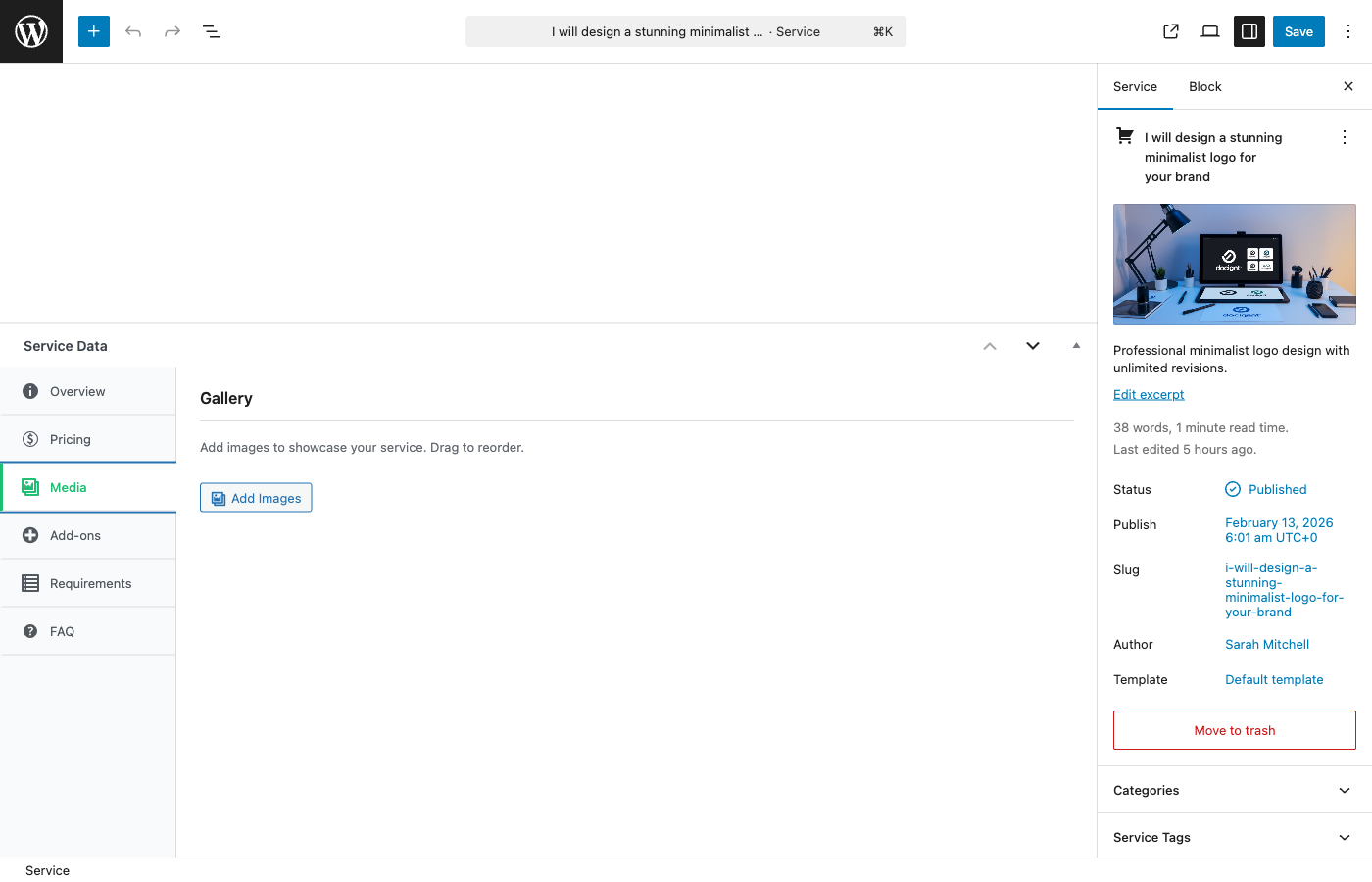
Service Gallery Upload

What You Can Upload

Media Type Free Pro
Main image 1 (required) 1 (required)
Additional images Up to 4 Unlimited [PRO]
Video embeds 1 Up to 3 [PRO]

Main Image

Every service needs a main image. This is the hero image buyers see in search results, category pages, and at the top of the service page. It is required to publish your service.

Recommendations:

  • Size: 800x600 pixels or larger
  • Format: JPG, PNG, or WebP
  • Keep it under 5MB
  • Show your best work or a clear representation of what you deliver

Additional Gallery Images

Gallery images let vendors showcase more of their work. Think of these as a portfolio within the service listing.

What to include:

  • Samples of completed projects
  • Before-and-after comparisons
  • Different angles or variations of your work
  • Process screenshots that show your approach

Supported formats: JPG, JPEG, PNG, GIF, WebP

Maximum file size: 5MB per image

In the free version, you can add up to 4 additional images. With [PRO], there is no limit.

Video Embeds

Videos are a powerful way to showcase work, especially for services like video editing, animation, web development, or any service that benefits from a walkthrough.

Supported platforms:

  • YouTube
  • Vimeo

Simply paste the video URL into the wizard. The video will embed automatically on your service page.

Limits:

  • Free: 1 video
  • [PRO]: Up to 3 videos

Note: Direct video file uploads (MP4, MOV, etc.) are not supported in the wizard. Use YouTube or Vimeo to host your videos and paste the link.

Tips for a Great Gallery

Image Quality

  • Use high-resolution images (1200 pixels wide or more looks best)
  • Show real work samples, not stock photos -- buyers can tell the difference
  • Keep a consistent style across your gallery for a professional look
  • Compress images before uploading for faster page loads (tools like TinyPNG work well)

What to Show

  • Lead with your strongest piece -- The first gallery image matters most after the main image
  • Show variety -- Different styles, projects, or use cases demonstrate versatility
  • Include context -- Show work in its real-world setting (a website design on a laptop screen, a logo on a business card)
  • Remove outdated work -- Keep your gallery current with your best and most recent projects

Gallery Size

  • 3-5 images is the sweet spot -- enough to show range without overwhelming the page
  • Quality always beats quantity
  • Order images by relevance and quality, with the strongest pieces first

Video Tips

  • Keep videos under 3 minutes
  • Show the end result, not just the process
  • Add captions for accessibility
  • Make sure the video is set to public on YouTube/Vimeo

Related Guides

Requirements and FAQs

Requirements collect the information vendors need from buyers before starting work. FAQs answer common buyer questions right on the service page. Together, they smooth out the order process and reduce back-and-forth messages.

Requirements: Collecting Buyer Information

Why Requirements Matter

After a buyer places an order, the vendor needs specific information to get started. Requirements are custom questions the buyer answers before the vendor begins work. Good requirements mean fewer delays, fewer misunderstandings, and smoother orders.

How Requirements Work in the Order Flow

  1. Buyer purchases the service
  2. Order status becomes "Pending Requirements"
  3. Buyer sees a form with the vendor's questions and fills it out
  4. Once submitted, the order status moves to "In Progress"
  5. The vendor receives a notification and starts working

If the buyer does not submit requirements, the vendor cannot begin. This protects both parties by ensuring the vendor has what they need upfront.

Requirement Types

You can choose from four answer types for each question:

Type What Buyers See Best For
Short text A single-line text field Business name, website URL, email address
Long text A multi-line text area Project description, detailed preferences, content briefs
File upload A file upload button Logo files, brand guidelines, reference images, documents
Dropdown A list of predefined options Style preferences, industry type, color scheme

Setting Up Requirements

For each requirement, vendors provide:

  • The question -- Clear, specific questions get better answers. "What is your brand's primary color?" is better than "Tell me about your brand."
  • Answer type -- Choose from the four types above
  • Required or optional -- Mark truly essential information as required; keep nice-to-have questions optional
  • Dropdown options -- If using the dropdown type, provide comma-separated choices (e.g., "Modern, Classic, Minimalist, Vintage")

Limits

Free Pro
Requirements per service 5 Unlimited [PRO]

File Upload Details

When a requirement uses the file upload type, buyers can upload a wide range of file formats:

  • Images: JPG, PNG, GIF, WebP
  • Documents: PDF, DOC, DOCX, TXT, RTF, CSV
  • Spreadsheets: XLS, XLSX
  • Presentations: PPT, PPTX
  • Archives: ZIP, RAR, 7Z
  • Audio: MP3, WAV
  • Video: MP4, MOV, AVI
  • Design files: PSD, AI, EPS, SVG

Maximum file size: 50MB per file. All uploaded files are private and only accessible to the buyer, vendor, and admin.

Tips for Writing Good Requirements

  • Ask only what you need -- Too many questions reduce the chance buyers complete them
  • Be specific -- "What three colors represent your brand?" beats "Tell me about your style"
  • Give examples -- Add helpful context to your question text
  • Put the most important questions first -- If a buyer stops partway through, you still get the essentials
  • Keep optional questions at the end -- Required information first, nice-to-haves second

FAQs: Answering Common Questions

Why FAQs Matter

FAQs appear on the service page and help buyers make a decision without needing to message the vendor. They reduce the number of pre-purchase questions and increase buyer confidence.

Limits

Free Pro
FAQs per service 5 Unlimited [PRO]

What to Include in Your FAQs

Cover the questions buyers ask most often:

  • What do you need from me to start? -- Summarize your requirements
  • How many revisions are included? -- Explain per package
  • What if I need changes after delivery? -- Set expectations on post-delivery edits
  • Do you offer rush delivery? -- Point buyers to the add-on if available
  • What is your refund policy? -- Be upfront about when refunds are or are not available
  • How will we communicate? -- Explain the built-in messaging system

Tips for Great FAQs

  • Keep answers to 2-3 sentences -- Buyers scan, they do not read essays
  • Use plain language -- Write like you are talking to a friend
  • Update based on real questions -- When buyers keep asking the same thing, add it as a FAQ
  • Address objections -- If buyers hesitate for a specific reason, answer it proactively

Related Guides

Publishing and Moderation

After completing the service creation wizard, your service either goes live immediately or enters a review queue -- depending on how the marketplace admin has configured things. This guide explains both paths and how to manage your published services.

How Publishing Works

There are two modes, controlled by the marketplace admin:

Instant Publishing (Moderation Off)

When moderation is turned off, services go live the moment a vendor clicks "Publish Service." Buyers can find and purchase the service right away.

This is the default setting and works well for marketplaces that trust their vendors or want a faster onboarding experience.

Admin Review (Moderation On)

When moderation is turned on, submitting a service sends it to a review queue instead of publishing it immediately. Here is the flow:

  1. Vendor clicks "Publish Service" in the wizard
  2. Service status becomes "Pending Review"
  3. The admin receives an email notification
  4. The admin reviews the service and either approves or rejects it
  5. The vendor receives an email with the decision

If approved: The service goes live on the marketplace and buyers can find it.

If rejected: The service goes back to draft status. The vendor receives the admin's reason for rejection and can edit and resubmit.

Service Statuses

Your service will always be in one of these states:

Status What It Means Who Can See It
Draft Saved but not submitted -- work in progress Only the vendor and admins
Pending Review Submitted and waiting for admin approval Only the vendor and admins
Published Live on the marketplace Everyone

What Admins Look For During Review

If your marketplace uses moderation, admins typically check:

  • Is the title clear and accurate?
  • Is the description detailed enough?
  • Are the images high quality and relevant?
  • Are the prices reasonable?
  • Does the service comply with marketplace guidelines?
  • Are delivery times realistic?

What to Do If Your Service Is Rejected

Rejection is not permanent -- it is feedback. Here is how to handle it:

  1. Read the rejection reason carefully -- The admin explains what needs to change
  2. Fix everything mentioned -- Do not just address one issue if multiple were flagged
  3. Improve beyond the minimum -- Use the feedback as an opportunity to strengthen your listing
  4. Resubmit -- Open your service in the wizard and click "Publish Service" again

The service goes back into the review queue for the admin to check again.

Editing a Published Service

Vendors can update their published services at any time through the Dashboard.

What you can change:

  • Title, description, and tags
  • Pricing and packages
  • Gallery images and videos
  • Requirements and FAQs
  • Add-ons

Important: If moderation is turned on, editing a published service and republishing it sends it back through the review queue. The service is temporarily hidden from the marketplace until the admin re-approves it.

Note: Active orders are not affected by edits. Changes only apply to new orders going forward.

Managing Your Services

Saving as Draft

At any point during service creation, vendors can click "Save Draft" to save their progress without publishing. Draft services are only visible to the vendor and admins. There is no time limit on drafts.

Deleting a Service

Vendors can delete services from their Dashboard. Deleted services are moved to trash and can be restored by an admin if needed. Existing orders linked to a deleted service remain intact in the system.

Email Notifications

The following emails are sent during the publishing process:

Event Who Gets Notified
Service submitted for review Admin
Service approved Vendor
Service rejected (with reason) Vendor

These emails can be enabled or disabled by the admin under WP Sell Services > Settings > Emails.

Tips for Getting Approved on the First Try

  • Write a thorough description -- Explain what you deliver, your process, and what is not included
  • Upload quality images -- Use real work samples at high resolution
  • Set realistic delivery times -- Better to over-deliver than to promise too fast
  • Price fairly -- Research comparable services on your marketplace
  • Complete every field -- A fully filled-out service listing shows professionalism

Related Guides

Managing Your Services: Edit, Pause, and Delete

After publishing a service, you can update it, temporarily hide it, or remove it entirely. This guide covers how each action works and what to expect.

Accessing Your Services

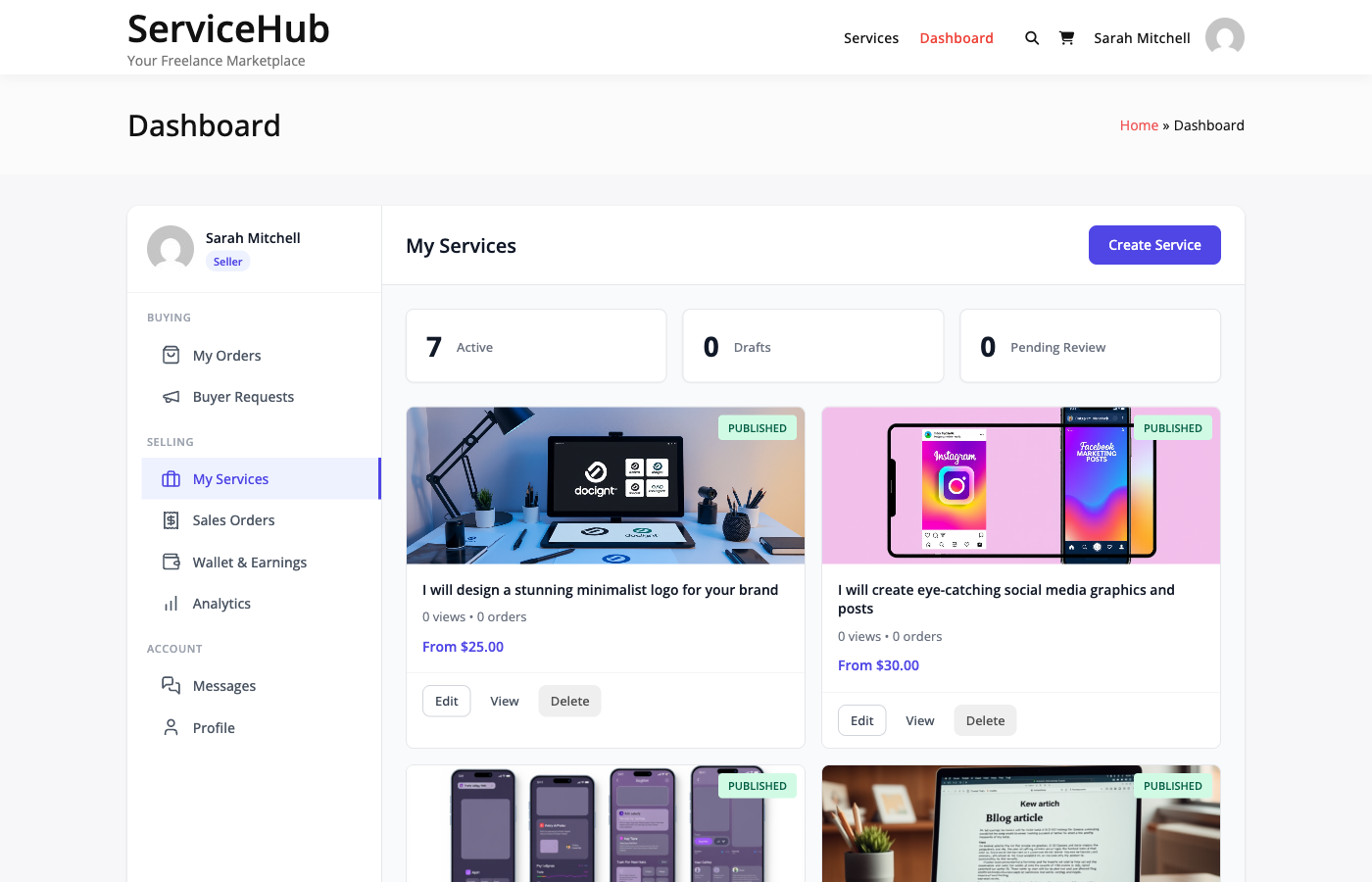
Go to your Dashboard and click My Services in the sidebar. You will see a list of all your services with their:

  • Title and featured image
  • Status -- Published, Draft, Pending, or Suspended
  • Price range -- Starting from the lowest package price
  • Total orders and active orders
  • Average rating

Service management interface


Editing a Service

Click Edit next to any service to open the service editor. You can update:

  • Title and description
  • Category
  • Pricing packages -- Change prices, delivery times, revisions, and features
  • Add-ons -- Add, remove, or reprice extras
  • Gallery images and videos
  • Requirements and FAQs
  • Tags

What Happens After Editing

The behavior depends on whether the marketplace requires service moderation:

Moderation Setting What Happens
Moderation off Changes go live immediately
Moderation on Your service is set to "Pending" and goes back into the approval queue. It is temporarily hidden from the marketplace until an admin approves it.

Tip: If moderation is enabled, avoid making frequent small edits to a published service. Batch your changes and submit them all at once to minimize time spent waiting for re-approval.

Active Orders Are Not Affected

Editing a service does not change any orders already in progress. Existing orders keep their original package terms (price, delivery time, revisions). Only new orders use the updated details.


Pausing a Service

Pausing hides your service from the marketplace without deleting it. Buyers cannot find or purchase a paused service, but it keeps all its settings, reviews, and order history.

How to Pause

  1. Go to Dashboard > My Services
  2. Click the Pause button next to the service
  3. The status changes to Draft and the service is removed from public listings

How to Reactivate

  1. Go to Dashboard > My Services
  2. Find the paused service (status shows "Draft")
  3. Click Activate to republish it

If moderation is enabled, reactivating sends the service back through the approval queue.

When to Pause

  • Taking time off -- Use Vacation Mode instead if you want to pause all services at once
  • Updating content -- Pause while making major changes, then reactivate when ready
  • Seasonal services -- Hide services you only offer at certain times of the year
  • Too many active orders -- Temporarily stop new orders while you catch up on existing work

What Happens to Active Orders

Pausing a service does not affect orders already in progress. Existing buyers can still communicate with you, receive deliveries, and go through the normal order lifecycle. Only new purchases are prevented.


Deleting a Service

Deleting permanently removes a service from the marketplace.

Before You Delete

You cannot delete a service that has active orders. You must first:

  1. Complete or cancel all active orders
  2. Wait for any pending deliveries or disputes to resolve

How to Delete

  1. Go to Dashboard > My Services
  2. Click Delete next to the service
  3. Confirm the deletion

What Gets Removed

  • The service listing and all its content
  • Package definitions and add-ons
  • Gallery images associated with the service
  • FAQs and requirements

What Is Preserved

  • Completed order records -- All past orders, conversations, and deliveries remain in the system
  • Reviews -- Existing reviews are preserved
  • Your earnings -- All commission records stay intact

When to Delete vs Pause

Action Use When
Pause You might offer this service again in the future
Delete You will never offer this service again and want a clean slate

If you are unsure, pause instead. You can always delete later, but you cannot recover a deleted service.


Service Statuses Reference

Status Visible to Buyers Can Be Purchased How to Get Here
Published Yes Yes Approved by admin (or moderation off)
Draft No No New service not yet submitted, or paused by vendor
Pending No No Submitted for moderation, awaiting admin approval
Suspended No No Admin has paused this service (e.g., policy violation)

If Your Service Is Suspended

An admin has paused your service, usually because it violates marketplace policies or needs review. You will typically receive a notification explaining why. Contact the marketplace admin to understand what needs to change before it can be reactivated.


Tips for Managing Services

  • Keep descriptions current -- Outdated descriptions lead to mismatched expectations and revision requests
  • Adjust pricing gradually -- Large sudden price changes can confuse returning buyers
  • Monitor your reviews -- If you see recurring feedback, update your service or packages to address it
  • Use pause strategically -- Better to pause than to take orders you cannot deliver on time
  • Delete sparingly -- A service with strong reviews and order history is an asset; pause it rather than delete it

Related Guides

Buyer Requests & Proposals

Posting a Buyer Request

Buyer requests let you describe exactly what you need and have vendors come to you with offers. Think of it like posting a job listing -- you set the brief, and qualified sellers pitch their services.


What Are Buyer Requests?

Instead of browsing services, you flip the script. Post a description of your project, set your budget, and let vendors compete for your business. You will receive proposals with pricing, timelines, and cover letters explaining why each vendor is the right fit.

How the process works:

  1. You post a request describing your project
  2. Vendors browse open requests and submit proposals
  3. You compare proposals side by side
  4. You accept the best one -- an order is created automatically
  5. The standard order workflow begins

Post a buyer request form


How to Post a Request

Go to Dashboard > Buyer Requests and click Post New Request. Fill out the form with these details:

Title

Give your project a clear, descriptive title. Good titles attract better proposals.

  • "Logo Design for Tech Startup -- Modern and Minimalist" (good)
  • "Need help" (too vague -- vendors will skip it)

Description

Explain what you need in detail. The more specific you are, the better proposals you will get. Include deliverables, technical needs, design preferences, and anything else a vendor should know before quoting.

Category

Pick the service category that best matches your project. This helps the right vendors find your request.

Budget

You can set your budget two ways:

  • Fixed price -- A single amount (e.g., "$500")
  • Price range -- A minimum and maximum (e.g., "$300 to $500")

Price ranges tend to attract more proposals since they give vendors flexibility.

Delivery Timeline

How many days do you need the work completed? This is a guideline -- vendors can propose a different timeline in their response.

Skills Needed

List specific skills or technologies the project requires (e.g., "WordPress", "Logo Design", "React"). This helps vendors decide if they are a good fit.

Attachments

Upload reference files, mockups, design briefs, or any documents that help explain what you need.

Public buyer requests listing


After You Post

Once your request is live:

  • Vendors are notified and can browse your request
  • Proposals arrive with pricing, timelines, and cover letters
  • You get notified by email and in-app each time a new proposal comes in
  • Your request stays open for 30 days by default (admin-configurable)

Request Expiry

Requests automatically expire after 30 days if no proposal is accepted. After expiry, the request is hidden from vendors and no new proposals can be submitted. You can repost with updates if needed.


Reviewing Proposals

Go to Dashboard > Buyer Requests and click on your request to see all proposals. For each one, you will see:

  • Vendor profile and ratings
  • Proposed price and delivery timeline
  • Cover letter explaining their approach

Accepting a Proposal

When you find the right vendor, click Accept Proposal. Here is what happens:

  1. An order is created automatically
  2. All other proposals are declined
  3. Your request is marked as hired
  4. You are redirected to checkout to complete payment
  5. After payment, the vendor starts work

You can only accept one proposal per request. If you need multiple vendors, post separate requests.


Managing Your Requests

Editing

You can edit your request (title, description, budget, attachments) at any time while it is still open and no proposal has been accepted.

Closing

If you no longer need the work, click Close Request. Pending proposals are notified, and the request is removed from vendor listings.

Reopening

If your request expires or you close it early, you can repost it with updates to start receiving proposals again.


Tips for Getting Great Proposals

  • Be specific -- List exact deliverables, file formats, and must-haves
  • Set a realistic budget -- Research market rates for similar work
  • Respond quickly -- Check proposals within a day or two
  • Decline what you will not accept -- Keeps your request tidy and respects vendors' time

Common Questions

Do I pay to post a request? No. Posting requests is free. You only pay when you accept a proposal and complete checkout.

Can I accept multiple proposals? No, only one per request. Accepting one automatically declines the others. Post separate requests if you need multiple vendors.

What if I do not get any proposals? Try increasing your budget, making requirements clearer, or double-checking your category. Give it 3-5 days before reposting.

Can I message vendors before accepting? Not directly through requests, but vendors can include questions in their proposals and you can use the proposal review screen to evaluate fit.

Submitting Proposals

As a vendor, proposals are how you pitch your services to buyers who have posted requests. Browse open requests, find projects that match your skills, and submit a compelling proposal to win the work.


Finding Buyer Requests

Go to Dashboard > Buyer Requests to see all open requests from buyers. You can:

  • Browse all open requests
  • Filter by category
  • Search by keywords
  • Sort by budget or date posted

Click any request to see the full details: project description, budget, desired timeline, required skills, and any attached files.


What Goes Into a Proposal

Each proposal has three required fields and a few optional ones.

Cover Letter (Required)

This is your pitch. Explain why you are the right vendor for the job. A great cover letter:

  • Shows you understand the project
  • Highlights relevant experience
  • Outlines your approach or plan
  • Feels personalized (not copy-pasted)

Buyers can tell the difference between a thoughtful response and a generic template. Take the time to address their specific needs.

Proposed Price (Required)

Your price for completing the project. Review the buyer's stated budget and set a competitive rate that reflects the value of your work.

  • Pricing within the buyer's range gets more attention
  • Prices far below market rate raise red flags
  • If your rate is above their budget, explain why the extra value is worth it

Delivery Time (Required)

How many days you need to complete the work. Be realistic -- it is better to slightly overestimate and deliver early than to promise a tight deadline and miss it. Build in a buffer for revisions.

Attachments (Optional)

Link to portfolio samples, similar past projects, mockups, or anything that strengthens your pitch.

Service Link (Optional)

If you have an existing service listing that matches the request, link it. The buyer will see your service details, reviews, and ratings -- which builds trust.


One Proposal Per Request

You can only submit one proposal per request. If you want to change something after submitting, you can edit your proposal while it is still pending. If you withdraw your proposal, you can submit a new one as long as the request is still open.


Proposal Statuses

Status What It Means
Pending Submitted and waiting for the buyer's decision
Accepted Buyer chose you -- an order is created automatically
Rejected Buyer went with another vendor
Withdrawn You pulled your proposal back

Editing Your Proposal

You can update your cover letter, price, and delivery time at any time while your proposal is still pending. Once the buyer accepts or rejects it, the proposal is locked.

To edit, go to Dashboard > My Proposals, find the proposal, and make your changes.


When Your Proposal Is Accepted

When a buyer accepts your proposal:

  1. An order is created automatically with your proposed price and timeline
  2. All other proposals on that request are declined
  3. You are notified by email and in your dashboard
  4. The buyer completes payment
  5. You start work once payment is confirmed

Withdrawing a Proposal

Changed your mind? Go to Dashboard > My Proposals, find the proposal, and click Withdraw. The buyer is notified, and you can submit a fresh proposal if the request is still open.

Good reasons to withdraw: schedule changed, project scope is unclear, or you found a better opportunity.


Tips for Winning Proposals

Do:

  • Personalize every proposal to the specific request
  • Show relevant examples from your portfolio
  • Be upfront about your timeline and process
  • Proofread before submitting

Avoid:

  • Generic copy-paste responses
  • Pricing far below market rate just to win
  • Promising unrealistic timelines
  • Ignoring the project requirements

If Your Proposal Is Rejected

It happens. Common reasons include budget mismatch, timeline differences, or the buyer choosing someone they have worked with before. Focus on the next opportunity, and use any feedback to improve future proposals.


Common Questions

Can I submit proposals to multiple requests at once? Yes. There is no limit on how many active proposals you can have. Focus on quality over quantity for the best results.

Can I see what other vendors proposed? No. Proposals are private -- only the buyer sees all submissions. You can only see your own.

Do I get notified when the buyer views my proposal? Not currently. You will be notified when your proposal is accepted or rejected.

What if the buyer never responds? Give it 5-7 days. Some buyers take time to review. If there is no response, move on to other requests.

Managing Requests

Once you have posted a buyer request and proposals start coming in, this is where you evaluate vendors, accept the best offer, and manage the lifecycle of your request.


Your Requests Dashboard

Go to Dashboard > My Requests to see all your buyer requests at a glance. Each request card shows:

  • Title and current status
  • Number of proposals received
  • Budget you set
  • Desired delivery timeline
  • Expiration date
  • Category

Buyer's request management

My requests with proposal count


Request Statuses

Status What It Means
Open Accepting proposals from vendors
In Review You are evaluating proposals (still accepts new ones)
Hired You accepted a proposal and an order was created
Expired The request passed its deadline without an accepted proposal
Cancelled You cancelled the request

The most common flow is: Open > In Review > Hired.


Reviewing Proposals

Click on any request to see all the proposals submitted by vendors. For each proposal, you can review:

  • The vendor's profile, rating, and past reviews
  • Their proposed price and delivery timeline
  • Their cover letter explaining their approach

Take your time comparing. The cheapest option is not always the best -- look for vendors who clearly understand your project, have relevant experience, and communicate professionally.


Accepting a Proposal

When you find the right vendor, click Accept Proposal. Here is what happens automatically:

  1. An order is created with the vendor's proposed price and timeline
  2. The accepted proposal is marked as accepted
  3. All other proposals are declined automatically
  4. Your request status changes to "Hired"
  5. The vendor is notified by email and in-app
  6. You are redirected to checkout to complete payment

After payment, the order moves to "In Progress" and the vendor begins work.


Rejecting Proposals

If a proposal is not the right fit, you can reject it individually. The vendor is notified so they can move on to other opportunities. You are not required to reject proposals -- unaccepted ones are automatically declined when you accept a different vendor.


Editing a Request

You can edit your request at any time while it is still open and no proposal has been accepted. Go to Dashboard > My Requests, click Edit, make your changes, and click Update.

What you can change:

  • Title and description
  • Budget
  • Category
  • Attachments

What you cannot change:

  • Requests that already have an accepted proposal
  • Expired requests

Closing a Request

If you no longer need the work done, click Close Request on your request page. The status changes to "Cancelled", vendors with pending proposals are notified, and the request is removed from public listings.

Reasons to close:

  • Found a vendor outside the platform
  • Project cancelled or requirements changed significantly
  • Budget no longer available

Closing does not affect any orders that were already created from accepted proposals.


Request Expiration

Requests expire after 30 days by default (your site admin may configure a different period). When a request expires:

  • Status changes to "Expired"
  • No new proposals can be submitted
  • The request is hidden from vendor listings
  • Existing proposals remain visible to you for reference

If you still need the work done, you can repost the request with updated details.


From Proposal to Order

The transition from buyer request to active order is seamless. When you accept a proposal:

  • The order is created with all the details from your request and the vendor's proposal
  • Requirements from your request description are carried over
  • A conversation thread is created so you and the vendor can communicate
  • The standard order workflow takes over from there

For details on what happens next, see the Order Workflow guide.


Tips for Evaluating Proposals

  1. Vendor experience -- Check their portfolio and past reviews
  2. Proposal quality -- Do they understand your requirements?
  3. Price -- Look for value, not just the lowest number
  4. Timeline -- Is their delivery estimate realistic?
  5. Communication -- Are they responsive and professional?

Common Questions

Can I accept multiple proposals from one request? No. Only one proposal can be accepted per request. If you need multiple vendors, post separate requests.

What if no proposals come in? Try increasing your budget, improving your description, or checking that the category is correct. Give it 3-5 days before making changes.

Can I reopen an expired request? You can repost it with updated details. The original expired request remains in your history for reference.

Order Management

How Orders Work

Every order on your marketplace follows a clear path from purchase to completion. Here is what happens at each stage and who needs to do what.

The Order Flow at a Glance

Payment > Requirements > In Progress > Delivery > Approval > Complete

Each order moves through these stages automatically. Both buyers and vendors get email notifications at every step, so nobody is left guessing.

What Each Status Means

Pending Payment

The buyer has started checkout but payment has not gone through yet. Nothing happens on anyone's end until the payment is confirmed. If the buyer does not complete payment within 24 hours, the order is automatically cancelled.

Pending Requirements

Payment is confirmed. Now the buyer needs to fill in the project details the vendor needs before starting work. The system sends automatic reminders on day 1, day 3, and day 5 if the buyer has not submitted yet.

If you have set a requirements timeout (in Settings > Orders), one of two things happens when time runs out:

  • Auto-start enabled -- The order moves forward without requirements, and the vendor starts work.
  • Auto-start disabled -- The order is cancelled and the buyer gets a refund.

In Progress

The vendor is actively working. A delivery deadline is set based on the service package the buyer chose. The system sends the vendor a reminder 24 hours before the deadline.

Late

The deadline has passed and the vendor has not delivered yet. Both the buyer and vendor are notified. The vendor can still submit their work, and they can also request a deadline extension.

Pending Approval

The vendor has submitted their delivery. The buyer now has three choices:

  1. Accept the delivery -- the order is complete.
  2. Request a revision -- the vendor makes changes and resubmits.
  3. Open a dispute -- if something is seriously wrong.

If the buyer does not respond within the auto-complete window (default: 3 days), the order completes automatically and the vendor gets paid.

Revision Requested

The buyer has asked for changes. The vendor receives the feedback, makes updates, and submits a new delivery. The number of revisions allowed depends on the service package settings.

Completed

The order is finished. The platform commission is calculated, the vendor's earnings are recorded, and both parties can leave reviews. The buyer has a dispute window (default: 14 days) to raise issues after completion.

Cancelled

The order has been stopped. This can happen for several reasons -- payment failure, requirement timeout, mutual agreement, or an admin decision. If payment was received, a refund is processed. Cancelled orders cannot be reopened.

Disputed

A formal dispute has been opened. The order is paused while both parties submit evidence and the admin mediates. See Opening a Dispute for details.

On Hold

An admin has manually paused the order, usually for investigation or fraud checks. All deadlines and automated workflows are frozen until the admin resumes or cancels the order.

Automatic Workflows

Your marketplace runs several background tasks to keep orders moving:

  • Late order checks run every hour, marking overdue orders as late.
  • Auto-complete runs twice daily, completing orders where the buyer has not responded to a delivery.
  • Deadline reminders go out daily, warning vendors about upcoming deadlines.
  • Requirement reminders go out daily on day 1, 3, and 5 to buyers who have not submitted project details.
  • Requirement timeout runs daily, auto-starting or cancelling orders when the waiting period expires.

Admin Order Management

Admins can view and manage all marketplace orders from WP Admin > WP Sell Services > Orders. From there you can:

  • See every order with its current status
  • Filter and search orders
  • View full order details, conversations, and deliveries
  • Manually change order status when needed

Admin orders list showing all marketplace orders

Admin order detail view with full order information

A Typical Order Timeline

Here is what a smooth order looks like:

  • Day 0 -- Buyer places order, payment confirmed, requirements submitted. Vendor starts work with a 5-day deadline.
  • Day 4 -- Vendor gets a deadline reminder (24 hours left).
  • Day 5 -- Vendor delivers the work.
  • Day 8 -- Buyer has not responded, so the order auto-completes. Commission is recorded and earnings are split.

And here is one with a revision:

  • Day 0 -- Order placed, requirements submitted, work begins.
  • Day 5 -- First delivery submitted.
  • Day 6 -- Buyer requests revision with feedback.
  • Day 8 -- Vendor submits updated delivery.
  • Day 9 -- Buyer accepts. Order complete.

Key Settings

You can adjust how orders behave at WP Admin > WP Sell Services > Settings > Orders:

Setting Default What It Does
Auto-Complete Days 3 Days after delivery before auto-completing
Allow Disputes Enabled Whether buyers can open disputes
Dispute Window 14 days Days after completion to allow disputes
Requirements Timeout 7 days Days before taking action on missing requirements
Auto-Start on Timeout Enabled Start order vs cancel when requirements timeout

Tips for Success

For Vendors: Set realistic delivery times, communicate proactively, and deliver before your deadline whenever possible.

For Buyers: Submit your requirements promptly, review deliveries within a few days, and use the messaging system to clarify anything before opening a dispute.

For Admins: Monitor late orders regularly, respond to disputes quickly, and make sure your auto-complete and timeout settings match the pace of your marketplace.

Related Documentation

Buyer Requirements

After a buyer places an order, the vendor often needs specific project details before they can start working. That is what requirements collection is for.

What Are Requirements?

Requirements are the questions a vendor sets up on their service so buyers can provide project details after checkout. Think of it like a brief or intake form -- the vendor defines the questions, and the buyer fills them in.

For example, a logo design vendor might ask:

  • What is your company name?
  • Upload your brand guidelines
  • What colors do you prefer?

Requirements section on the order page

How Buyers Fill Them In

After payment is confirmed, the order moves to "Pending Requirements" status and the buyer gets an email asking them to submit their details.

  1. The buyer clicks the link in the email (or navigates to the order page).
  2. They fill out the form the vendor created.
  3. They upload any requested files.
  4. They click Submit Requirements.

Once submitted, the order moves to "In Progress" and the vendor's delivery deadline starts.

Submit requirements button and form interface

Automatic Reminders

If the buyer does not submit right away, the system sends automatic email reminders:

Day What the buyer receives
Day 1 First reminder: "Please submit your requirements"
Day 3 Second reminder: "Your vendor is waiting"
Day 5 Final warning: "Submit requirements or your order may be affected"

What Vendors Can Ask For

Vendors build their requirements form when creating or editing a service. Four question types are available:

  • Text -- Short answers like a website URL, company name, or social media handle.
  • Textarea -- Longer descriptions like project overview, design preferences, or feature requirements.
  • File Upload -- Reference materials, brand logos, content documents, or design mockups. Supports images, documents, archives, media files, and design files up to 50MB per file.
  • Dropdown -- A single choice from predefined options, like preferred style or package type.

Each question can be marked as required or optional, and vendors can add helpful placeholder text and instructions.

Note: When admins create or edit services from the WordPress admin panel, additional requirement field types are available beyond these four: Number, Checkbox, Radio, Multiple File Upload, and Date. These extra types are only accessible through the admin interface, not the vendor service creation wizard.

Requirements form fields displayed on the order page

Skipping Requirements

Some services do not need upfront details from the buyer. If a vendor does not add any requirement questions to their service, the order skips straight from payment to "In Progress."

Requirement Timeout Settings

You can control what happens if a buyer never submits their requirements. Go to Settings > Orders and adjust these:

Requirements Timeout Days -- How many days to wait before taking action. Set to 0 to disable (the order waits indefinitely).

Auto-Start on Timeout -- What happens when the timeout expires:

  • Enabled -- The order starts without requirements. The vendor begins work and can ask the buyer for details through messaging.
  • Disabled -- The order is cancelled and the buyer gets a refund.

Allow Late Requirements -- When enabled, buyers can still submit requirements even after work has already started. Useful for flexible services.

Viewing Submitted Requirements

Vendors see the submitted requirements in the order detail page under the Requirements tab. Each answer is displayed with its question, and file uploads include download links.

Completed requirements view showing all submitted information

Admins can view requirements from the order detail page in WP Admin > WP Sell Services > Orders.

Tips

For Vendors: Keep your requirements form focused -- only ask for what you truly need. Use clear questions, add helpful placeholder text, and only mark fields as required if you genuinely cannot work without them.

For Buyers: Submit your requirements as soon as possible. The vendor cannot start work without them. Be thorough -- more detail means better results and fewer revisions.

For Admins: If you notice orders getting stuck in "Pending Requirements," consider enabling a timeout. Monitor email deliverability to make sure reminder emails actually reach buyers.

Related Documentation

Built-in Messaging

Every order includes a private conversation between the buyer and vendor. This keeps all project communication in one place and creates a clear record of everything discussed.

How It Works

When an order is placed, a conversation is created automatically. The buyer and vendor can message each other directly from the order page in their dashboard. Admins can view these conversations but cannot participate in them -- this keeps the discussion between the two parties involved.

Order messaging interface

Sending Messages

To send a message:

  1. Go to your Dashboard and open the order.
  2. Click the Messages tab.
  3. Type your message in the text area.
  4. Optionally attach files (documents, images, references).
  5. Click Send Message.

Messages can include text, file attachments, or both. You cannot send an empty message.

Order message thread between buyer and vendor

File Attachments

You can attach files to your messages for sharing reference materials, work-in-progress files, or additional project details.

Supported file types include:

  • Images (JPG, PNG, GIF, WebP)
  • Documents (PDF, Word, Excel, PowerPoint, TXT, CSV)
  • Archives (ZIP, RAR, 7Z)
  • Media (MP3, WAV, MP4, MOV, AVI, WebM)
  • Design files (PSD, AI, EPS, Sketch, Figma)

For security, SVG, HTML, CSS, and JavaScript files are not allowed.

File size limits depend on your WordPress server settings. For best results, use ZIP archives for large files.

Message Notifications

When you receive a new message:

  • An email notification is sent (if enabled in your settings).
  • An unread badge appears on your dashboard.
  • The unread count shows how many messages you have not read yet.

Messages are marked as read when you view the conversation.

When Messaging Is Available

Messaging is active throughout the order -- from the moment it is placed until it is completed. Once an order is completed or cancelled, the conversation becomes read-only. You can still view the full history, but no new messages can be sent.

If you need to communicate after an order is finished, use the dispute system for post-completion issues or reach out to the site admin.

What Appears in the Conversation

Besides your own messages, the conversation thread also shows:

  • Delivery notifications when the vendor submits work.
  • Revision requests when the buyer asks for changes.
  • Status changes as the order moves through each stage.
  • System messages for things like extension requests, deadline reminders, and auto-completion notices.

These system entries help both parties keep track of what is happening without having to check the order status separately.

Admin Access

Admins can view all order conversations from WP Admin > WP Sell Services > Orders by opening any order and clicking the Messages tab. This is useful for dispute investigation and monitoring marketplace quality.

Admins can see all messages, timestamps, and attachments, but they cannot reply directly. Admin involvement should go through the dispute resolution system or direct email contact.

Tips for Good Communication

  • Respond within 24 hours -- Timely responses build trust and keep projects moving.
  • Be clear and specific -- Provide detailed feedback and concrete examples.
  • Stay professional -- Keep all communication courteous and on-topic.
  • Use the platform -- Do not move conversations off-platform. The message history protects both parties if a dispute arises.
  • Attach files when helpful -- A screenshot or reference document can prevent misunderstandings.

Related Documentation

Deliveries & Revisions

When a vendor finishes the work, they submit a delivery. The buyer then reviews it and either accepts the work or requests changes. Here is how the whole process works.

How Vendors Deliver Work

Once an order is in progress (or a revision has been requested), the vendor can submit their delivery:

  1. Go to Dashboard > Sales Orders and open the order.
  2. Click Submit Delivery.
  3. Upload the finished files.
  4. Write a message explaining what is included.
  5. Click Submit.

The order immediately moves to "Pending Approval" and the buyer gets an email notification.

Supported file types include: images, documents, archives, audio, video, design files, and data files. For security, SVG, HTML, CSS, and JavaScript files are not allowed -- use a ZIP archive if you need to deliver those formats.

What the Buyer Sees

When a delivery arrives, the buyer can download the files and review the work. They have three options:

Accept the Delivery

If the work meets expectations, the buyer clicks Accept Delivery. The order is marked as complete, the vendor gets paid, and both parties can leave reviews.

Order confirmation screen after accepting delivery

Request a Revision

If changes are needed, the buyer clicks Request Revision and provides specific feedback about what needs to be fixed. The order goes back to the vendor, who makes the changes and submits a new delivery.

Open a Dispute

If there is a serious problem that cannot be resolved through revisions, the buyer can open a formal dispute. See Opening a Dispute for details.

Delivery review interface where buyer can accept, revise, or dispute

Auto-Complete

If the buyer does not respond to a delivery within the auto-complete window, the order completes automatically. The default is 3 days, but admins can change this in Settings > Orders > Auto-Complete Days. Setting it to 0 disables auto-completion entirely.

This protects vendors from orders that sit in limbo because a buyer never responds.

How Revisions Work

Revisions let the buyer request changes to delivered work. Each service package has its own revision limit set by the vendor (for example, Basic gets 1 revision, Premium gets unlimited).

When a buyer requests a revision:

  1. They describe what needs to change (specific feedback is required).
  2. The vendor gets notified and sees the feedback.
  3. The vendor makes the changes and submits a new delivery.
  4. Each resubmission creates a new version -- both parties can access all previous versions.

When Revisions Run Out

If all included revisions have been used, the buyer can no longer request changes through the system. At that point, their options are:

  • Accept the work as-is.
  • Negotiate an extra paid revision with the vendor.
  • Open a dispute if the work does not meet the original requirements.

The vendor can always offer additional revisions as a goodwill gesture, even after the limit is reached.

Delivery File Access

Delivery files are private and secure:

  • Only the buyer, vendor, and admin can access them.
  • Files require login to download.
  • All versions are kept -- nothing is deleted when a new delivery is submitted.

Settings That Affect Deliveries

Go to Settings > Orders to configure:

Setting Default What It Does
Auto-Complete Days 3 Days after delivery before auto-completing if buyer does not respond. 0 to disable.

Tips

For Vendors:

  • Test all files before delivering -- make sure everything opens and works correctly.
  • Include all promised deliverables in one submission.
  • When resubmitting after a revision, clearly explain what you changed.
  • Try to deliver before your deadline.

For Buyers:

  • Review deliveries within 2-3 days to avoid auto-completion.
  • When requesting revisions, be as specific as possible about what needs to change.
  • Compare the delivery against your original requirements.
  • Accept promptly once you are satisfied.

Related Documentation

Project Milestones

For large projects, milestones let you break the work into smaller phases. Each milestone has its own delivery, approval step, and payment -- so both the buyer and vendor stay aligned throughout the project.

Order Detail View

Why Use Milestones?

Instead of waiting until the very end to see results, milestones give buyers visibility into progress at every stage. Vendors get paid as they complete each phase, which reduces risk on both sides.
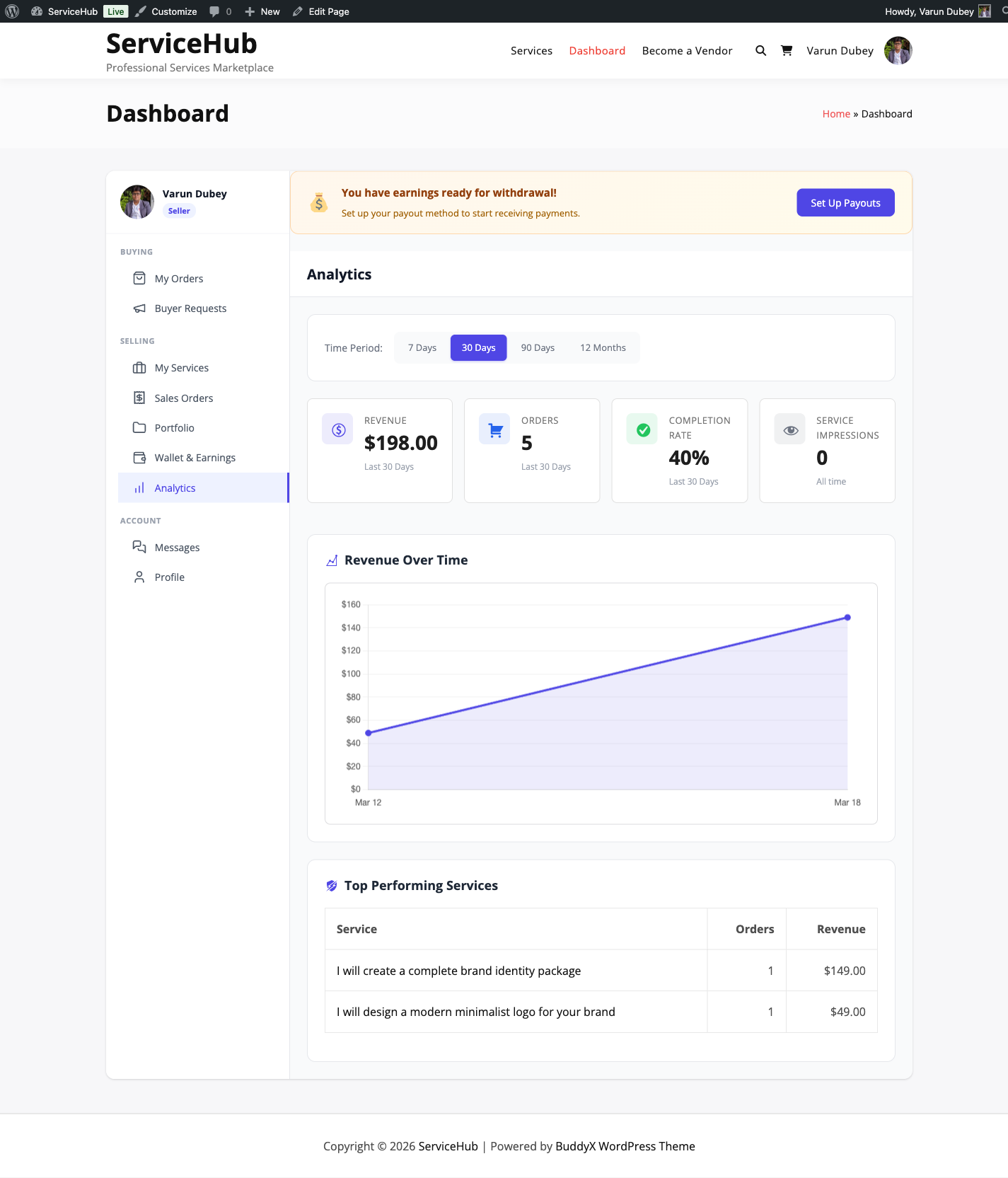
Example: Website Design Project ($2,000 total)

Milestone Due Payment
Wireframes & Mockups Day 7 $500 (25%)
Homepage Development Day 14 $600 (30%)
Inner Pages Day 21 $600 (30%)
Final Launch Day 30 $300 (15%)

Each milestone is delivered, reviewed, and paid independently.

How Milestones Work

Creating Milestones

The vendor sets up milestones for an order after it begins. For each milestone, they define:

  • Title -- A clear name for this phase (e.g., "Homepage Design Mockup").
  • Description -- What will be delivered in this phase.
  • Amount -- The payment for this milestone (a portion of the total order).
  • Due Date -- When this phase should be completed.

Vendors can create, edit, or delete milestones that have not been started yet.

The Milestone Workflow

Each milestone follows its own mini delivery cycle:

  1. Pending -- The milestone is created and waiting to be started.
  2. In Progress -- The vendor is actively working on it.
  3. Submitted -- The vendor has delivered the work for this milestone and is waiting for the buyer to review it.
  4. Approved -- The buyer has accepted the work. Payment for this milestone is released to the vendor.
  5. Rejected -- The buyer has requested changes. The vendor revises and resubmits.

A rejected milestone does not count against the order's revision limit. The vendor can resubmit a milestone as many times as needed until the buyer is satisfied.

Buyer Review

When a vendor submits a milestone, the buyer receives a notification. The buyer reviews the delivered work and either:

  • Approves -- Payment is released and the vendor moves to the next milestone.
  • Rejects with feedback -- The vendor gets specific notes about what needs to change, then revises and resubmits.

Progressive Payment

This is the key benefit of milestones. Instead of the vendor waiting for the entire project to be done before receiving any payment, they get paid as each milestone is approved. This keeps cash flowing and motivation high.
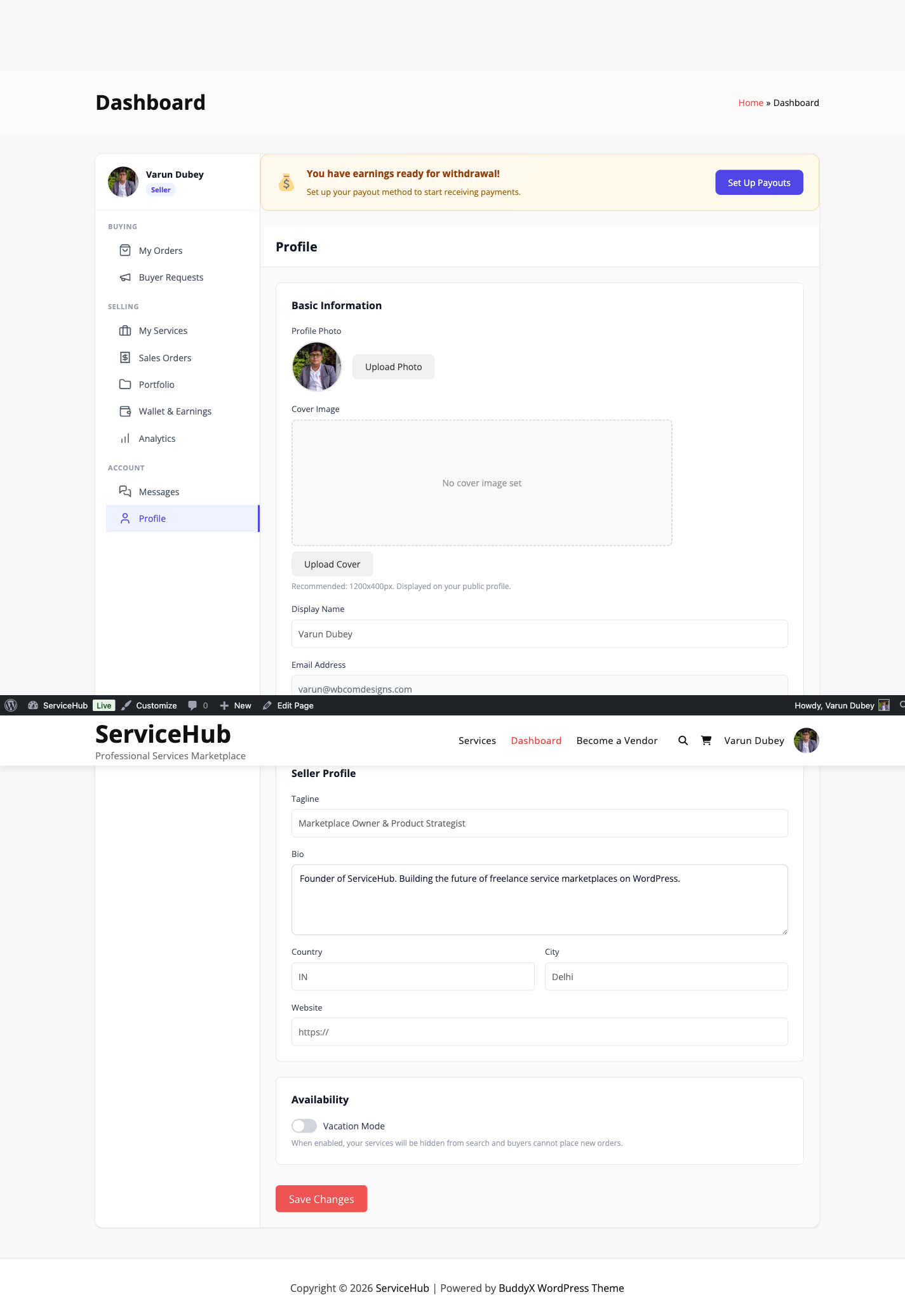
Tracking Progress

Both the vendor and buyer can see an overview of milestone progress on the order page:

  • How many milestones are completed vs. remaining.
  • Total amount released vs. pending.
  • Overall completion percentage.

This makes it easy to see at a glance how far along a project is.

Milestones vs. Standard Delivery

Feature Standard Delivery Milestones
Delivery One final delivery Multiple deliveries per phase
Payment Full payment at end Progressive payment per phase
Visibility Buyer waits until end Buyer sees progress throughout
Best for Quick, simple projects Large, multi-phase projects

Tips

For Vendors:

  • Plan your milestones before starting work. Three to five milestones works well for most projects.
  • Make each milestone independently valuable -- the buyer should see clear progress at every step.
  • Submit milestones only when they are fully complete, with all deliverables included.

For Buyers:

  • Review submitted milestones within 2-3 days to keep the project moving.
  • If rejecting a milestone, be specific about what needs to change.
  • Approve milestones promptly once you are satisfied with the work.

For Admins:

  • Monitor milestone approval rates. If milestones are frequently stuck, reach out to the parties involved.
  • Consider setting a minimum order value for milestone-based projects.

Related Documentation

Tips & Deadline Extensions

Buyers can show appreciation with a tip after an order is completed, and vendors can request extra time if they need it. Both features help keep your marketplace flexible and fair.

Order Actions

Tipping

How Tipping Works

After an order is completed, the buyer can send a tip to the vendor as a thank-you for great work. Tips go directly to the vendor's wallet -- the platform does not take any commission on tips.

To send a tip:

  1. Open a completed order from your dashboard.
  2. Click Send Tip.
  3. Enter the amount you would like to tip.
  4. Optionally add a short message.
  5. Confirm the payment.

The tip is credited to the vendor's wallet immediately and is available for withdrawal right away.

Tipping Rules

  • Tips are only available on completed orders.
  • One tip per order -- you cannot tip the same order twice.
  • The tip amount must be greater than zero. There is no maximum.
  • Only the buyer on the order can send a tip.
  • There is no time limit -- you can tip an old order any time after completion.

Why Tips Matter

Tips reward vendors who go above and beyond. They are a great way for buyers to encourage excellent service, and for vendors, tips provide extra income with no platform fee deducted.


Deadline Extensions

When Vendors Need More Time

Sometimes a project takes longer than expected. Instead of delivering late, vendors can request a deadline extension. The buyer decides whether to approve it.

How Extensions Work

Vendor requests an extension:

  1. Open the order from the dashboard.
  2. Click Request Extension.
  3. Enter the number of extra days needed (up to 14 by default).
  4. Provide a reason (explaining why more time is needed).
  5. Submit the request.

Buyer responds:

The buyer receives a notification and can either approve or deny the request. If the buyer does not respond within 48 hours, the request is automatically denied.

  • Approved -- The delivery deadline is extended by the requested number of days. If the order was already marked as late, it moves back to "In Progress" with the new deadline.
  • Denied -- The original deadline stays in place. The vendor should deliver as soon as possible.

Extension Rules

  • Vendors can request extensions when an order is in progress, late, or has a revision requested.
  • Only one extension request can be pending at a time. If you need more time after an approved extension, you can submit a new request.
  • The reason must be at least 10 characters long.
  • The maximum extra days is 14 by default (your admin may have configured a different limit).

Tips for Requesting Extensions

  • Ask early -- Do not wait until the deadline has already passed. Give the buyer time to respond.
  • Be honest -- Explain what happened and how much extra time you realistically need.
  • Keep it reasonable -- A 1-3 day extension is easier for buyers to accept than a 14-day one.

How Extension Approval Helps Late Orders

If an order is already marked as late and the buyer approves an extension, the late status is removed. The order goes back to "In Progress" with a new deadline, giving the vendor a clean slate to finish the work.

Related Documentation

Order Settings

Control how orders behave on your marketplace -- from auto-completion timing to revision limits and dispute windows. All of these settings are found at WP Admin > WP Sell Services > Settings > Orders.

Order settings tab in WP Sell Services settings panel

Auto-Complete Days

Default: 3 days

After a vendor delivers their work, the buyer has this many days to review it. If the buyer does not respond (no accept, no revision request, no dispute), the order auto-completes and the vendor gets paid.

  • Set to 1-2 days for fast-paced marketplaces with quick turnaround services.
  • Set to 5-7 days for high-value services where buyers need more review time.
  • Set to 0 to disable auto-completion entirely -- buyers must manually accept every delivery.

Allow Disputes

Default: Enabled

When enabled, buyers can open formal disputes on orders. When disabled, the dispute button is hidden and buyers must resolve issues through messaging or by contacting you directly.

Keeping disputes enabled is recommended -- it protects both buyers and vendors and gives you a structured way to mediate problems.

Dispute Window

Default: 14 days

After an order is completed, the buyer has this many days to open a dispute. Once the window closes, the order is fully finalized and cannot be disputed.

  • Set to 7 days if you want faster finalization.
  • Set to 30-60 days for high-value services where issues might surface later.
  • Set to 90 days for maximum buyer protection.

Requirements Timeout

Default: 7 days

After payment, the buyer needs to submit project requirements before work can begin. This setting controls how long to wait before taking action if the buyer never submits them.

When set to 0, the order waits indefinitely.

When set to a number of days (e.g., 7), the system takes action when the timeout expires. What action it takes depends on the next setting.

Auto-Start on Timeout

Default: Enabled

This controls what happens when the requirements timeout expires:

  • Enabled -- The order starts without requirements. The vendor begins work and can request details through messaging. This is useful for flexible services.
  • Disabled -- The order is cancelled and the buyer receives a refund. This is better for services that truly cannot begin without project details.

Allow Late Requirements

Default: Disabled

When enabled, buyers can submit their project requirements even after the order has already started (useful if auto-start on timeout moved the order forward). When disabled, requirements can only be submitted while the order is in "Pending Requirements" status.

Auto-Dispute Late Orders

Default: 3 days

When an order is overdue by this many days, the system automatically opens a dispute. This protects buyers from orders that remain undelivered well past the deadline.

  • Set to 0 to disable automatic dispute creation for late orders.
  • Set to 1-3 days for strict marketplaces.
  • Set higher for marketplaces where delays are more common or tolerated.

All Settings at a Glance

Setting Default Range What It Does
Auto-Complete Days 3 0-30 Days after delivery to auto-complete
Allow Disputes Enabled On/Off Enable the dispute system
Dispute Window 14 days 1-90 Days after completion to allow disputes
Allow Late Requirements Disabled On/Off Submit requirements after work started
Requirements Timeout 7 days 0-30 Days to wait for requirements
Auto-Start on Timeout Enabled On/Off Start order or cancel when timeout expires
Auto-Dispute Late Orders 3 days 0-30 Days overdue before auto-opening a dispute

Recommended Configurations

Standard Marketplace

For most service marketplaces, the defaults work well:

  • Auto-Complete: 3 days
  • Dispute Window: 14 days
  • Requirements Timeout: 7 days, auto-start enabled

High-Value Services

For expensive, complex services like web development or consulting:

  • Auto-Complete: 7 days (more review time)
  • Dispute Window: 30-60 days
  • Requirements Timeout: 7 days, auto-start disabled (require requirements)

Quick Turnaround

For fast services like logo tweaks, quick edits, or social media graphics:

  • Auto-Complete: 1 day
  • Dispute Window: 7 days
  • Requirements Timeout: 1 day, auto-start enabled

Related Documentation

Vendor System

Becoming a Vendor

Anyone on your marketplace can apply to become a vendor and start selling services. How the registration process works depends on which mode you have chosen as the site owner.

Three Registration Modes

You control how vendors join your marketplace from Settings > Vendor > Vendor Registration:

Open Registration

Anyone can sign up and start selling immediately. Their account is activated right away and they can create their first service within minutes. This is the best option for growing marketplaces where you want to attract as many sellers as possible.

Requires Approval

Users can submit a vendor application, but their account stays in "Pending" status until you review and approve it. This gives you quality control over who sells on your marketplace. You will receive a notification when new applications come in.

To review applications: Go to WP Admin > WP Sell Services > Vendors, filter by "Pending" status, and approve or reject each application. The applicant receives an email letting them know the outcome.

Closed Registration

The registration form is hidden from the public. Only you (the admin) can create vendor accounts manually. This is ideal for invite-only or exclusive marketplaces.

To add a vendor manually: Go to Users > Add New, create a WordPress account, and assign the vendor role.

The Registration Form

When registration is open or requires approval, users see a registration form on your "Become a Vendor" page. They fill in:

  • Display Name -- Their public vendor name.
  • Professional Tagline -- A one-line description of what they do.
  • About You -- Their background and experience.
  • Skills -- A list of their areas of expertise.
  • Terms Agreement -- They must accept your marketplace terms.

If a user already has a buyer account, they can upgrade to a vendor account from this page without creating a new account.

Vendor registration and profile editor form

What Happens After Registration

Open mode: The vendor can immediately access their dashboard, set up their profile, and create services.

Approval mode: The vendor sees a "Pending Approval" message and waits for your review. Typical review time is 1-3 business days. Once approved, they receive an email and can start selling right away.

Closed mode: The vendor is created by you, so they are active from the start.

What Vendors Can Do

Once active, vendors have access to:

Feature Description
Vendor Dashboard Their central hub for managing everything
Create Services List services with pricing, packages, and descriptions
Receive Orders Accept and fulfill buyer orders
Portfolio Showcase previous work to attract buyers
Buyer Requests Browse and respond to service requests posted by buyers
Messages Communicate with buyers about orders
Earnings Track income and request withdrawals

Tips for Getting Approved

If your marketplace requires approval, here are tips for applicants:

  • Use a professional email address.
  • Fill in every field completely -- sparse applications get rejected more often.
  • Clearly describe the services you plan to offer.
  • List relevant skills and experience.
  • Be responsive if the admin reaches out with questions.

Next Steps After Registration

  1. Set up your vendor profile -- Add your photo, bio, and portfolio.
  2. Explore the vendor dashboard -- Learn where everything is.
  3. Create your first service -- Start selling.
  4. Learn about seller levels -- Understand how to advance.

Related Documentation

The Vendor Dashboard

The dashboard is where vendors and buyers manage everything -- orders, services, messages, earnings, and profile settings. It adapts based on your role, showing buying features to everyone and selling features to vendors.

Vendor dashboard overview

Dashboard Sections

My Orders (Buyer View)

Track the services you have purchased. You can see each order's status, the vendor, the total amount, and the date. Filter by active, completed, or cancelled to find what you need quickly.

Sales Orders (Vendor View)

This is where vendors manage incoming orders from buyers. Each entry shows the order number, buyer name, service purchased, your earnings, delivery deadline, and current status.

From here you can:

  • View order details
  • Submit a delivery
  • Message the buyer
  • Request a deadline extension

Vendor sales orders list

My Services (Vendor View)

Create and manage your service listings. You can see each service's title, status (Published, Draft, or Paused), price range, total orders, average rating, and active order count.

Available actions:

  • Create a new service using the button in the header.
  • Edit an existing service to update pricing or details.
  • Pause or activate a service to control its availability.
  • Delete a service (only if there are no active orders).

Service management interface

Buyer Requests

Browse service requests posted by buyers looking for help. Vendors can submit proposals to these requests, and buyers choose which vendor to hire. This section is available to both buyers (for posting) and vendors (for responding).

Earnings

Your financial dashboard showing:

  • Total Earnings -- Lifetime gross income.
  • Pending Earnings -- Income still in the clearance period.
  • Available for Withdrawal -- What you can withdraw right now.
  • Withdrawn Amount -- What you have already taken out.

Each completed order shows the buyer's total, the platform commission deducted, and your net earnings.

Messages

All order conversations in one place. You can see which messages are unread, switch between conversations, and send replies with file attachments. Messages are organized by order, so everything stays in context.

Profile

Edit your public vendor profile -- your display name, tagline, bio, avatar, cover image, location, website, and social links. Buyers see this information on your public profile and service pages.

How to Navigate

The dashboard uses a sidebar with grouped navigation:

  • Buying section: My Orders, Buyer Requests
  • Selling section: My Services, Sales Orders, Earnings, Portfolio
  • Account section: Messages, Profile

Your profile avatar and name appear at the top of the sidebar, along with a "Seller" badge if you are a vendor. Click any section to switch views -- the active section is highlighted.

Start Selling Button

If you are logged in but not yet a vendor, you will see a "Start Selling" button in the sidebar. Clicking it registers you as a vendor (subject to the registration mode your admin has set), and the vendor sections appear immediately.

Works on Every Device

The dashboard is fully responsive:

  • Desktop -- Full sidebar navigation with all sections visible.
  • Tablet -- Collapsible sidebar that slides in and out.
  • Mobile -- Hamburger menu for compact navigation.

Quick Tips

  • Check your dashboard daily to stay on top of new orders and messages.
  • Use the status filters in Orders and Sales to find what you need quickly.
  • Bookmark specific sections (each one has its own URL) for fast access.
  • Enable email notifications so you never miss an important update.

Related Resources

Vendor Profile & Portfolio

Your vendor profile is your marketplace identity. A complete, professional profile builds trust with buyers and helps you stand out. The portfolio section lets you showcase your best work.

Setting Up Your Profile

Go to Dashboard > Profile to edit your information.

Vendor profile editor

What to Fill In

  • Display Name -- Your public vendor name. This appears on your services, in search results, and on your profile page.
  • Tagline -- A one-line description of what you do (e.g., "WordPress Developer & Theme Customizer").
  • Bio -- Tell buyers about your background, experience, and what makes you great at what you do.
  • Avatar -- Your profile photo. Use a high-quality image (400x400px minimum).
  • Cover Image -- A banner image that appears at the top of your profile page.
  • Country and City -- Helps buyers find local vendors and understand your timezone.
  • Timezone -- Lets buyers know your working hours.
  • Website -- Link to your portfolio site or business website.
  • Social Links -- Add your LinkedIn, Twitter, GitHub, or other professional profiles.

Your Stats (Automatic)

These numbers appear on your profile and update automatically as you complete orders:

  • Total orders received
  • Successfully completed orders
  • Average star rating
  • Number of reviews
  • Average response time
  • On-time delivery rate
  • Verification tier (Basic, Verified, or Pro)

Building Your Portfolio

Your portfolio showcases previous work to potential buyers. Think of it as your visual resume.

Adding Portfolio Items

  1. Go to Dashboard > Portfolio.

  2. Click Add Portfolio Item.

  3. Fill in the details:

    • Title -- The project name.
    • Description -- What you did and why it matters.
    • Images/Media -- Upload screenshots, photos, or samples of the work.
    • External URL -- Link to the live project (if applicable).
    • Tags -- Keywords describing the work.
    • Related Service -- Optionally link this item to one of your services.
  4. Toggle Featured to highlight your best pieces.

  5. Save the item.

Portfolio Limits

  • You can have up to 50 portfolio items (your admin may have set a different limit).
  • Up to 6 items can be marked as featured. Featured items appear first and are shown prominently on your profile.

Organizing Your Work

Drag and drop to reorder your portfolio items. Put your strongest work first -- featured items are displayed prominently on your vendor profile and in vendor cards across the marketplace.

How Buyers See Your Profile

Your profile appears in several places:

Vendor Profile Page

This is your full public page, showing your cover image, avatar, bio, location, social links, all your services, portfolio gallery, reviews, and statistics.

Public vendor profile page

Vendor profile reviews section

Service Pages

A summary of your profile appears in the sidebar of each service page -- your avatar, name, rating, response time, and a link to your full profile.

Vendor sidebar on service page

Search Results

Your avatar, name, tagline, rating, and review count appear on vendor cards in marketplace search results and listing pages.

Verification Status

Your verification tier is displayed as a badge on your profile and services:

  • Basic -- All new vendors start here.
  • Verified -- Your email or identity has been verified.
  • Pro -- Premium verification status.

Higher verification tiers help build buyer confidence. See Seller Levels for details on how to advance.

Tips for a Strong Profile

  1. Use a professional photo -- A clear, friendly headshot works best.
  2. Write a compelling bio -- Focus on your expertise and what buyers can expect.
  3. Fill in your location -- Many buyers prefer working with vendors in specific regions or timezones.
  4. Showcase 5-10 portfolio items -- Quality over quantity. Feature your very best work.
  5. Keep it updated -- Add new portfolio pieces as you complete projects. Remove outdated work.
  6. Link your professional profiles -- Active social links add credibility.

Related Resources

Seller Levels & Badges

WP Sell Services uses a three-tier auto-calculated level system plus one admin-only tier. As vendors complete more orders and earn better ratings, they advance through the levels and earn visible badges.

Vendor Analytics Dashboard

The Seller Levels

New Seller

Every vendor starts here. There are no requirements -- just register and you are in. You can create services, receive orders, and access the full vendor dashboard.

Rising Seller

You have proven yourself as a reliable vendor.

What You Need Minimum
Completed Orders 5
Average Rating 4.0 stars
Total Reviews 3
Response Rate 80%
On-Time Delivery Rate 80%
Days Active 30

Typical timeline: 2-4 weeks of active selling.

Top Rated

You have built a strong track record of quality and consistency.

What You Need Minimum
Completed Orders 25
Average Rating 4.7 stars
Total Reviews 10
Response Rate 90%
On-Time Delivery Rate 90%
Days Active 90

Typical timeline: 2-4 months of active selling.

Pro Seller (Admin-Granted Only)

This level cannot be earned through automatic calculation. It is granted exclusively by an admin to recognize exceptional vendors. Pro Seller status persists until the admin removes it.

How Levels Are Calculated

The system checks every vendor's stats daily and compares them against the criteria for New Seller, Rising Seller, and Top Rated. You must meet all requirements for a level to advance -- not just some of them. Pro Seller is not part of the automatic calculation -- it is assigned by an admin.

Here is what each metric measures:

  • Completed Orders -- The total number of orders you have successfully delivered.
  • Average Rating -- The average star rating across all your approved reviews.
  • Total Reviews -- How many reviews buyers have left for you.
  • Response Rate -- How consistently you reply to buyer messages.
  • On-Time Delivery Rate -- The percentage of orders you delivered before the deadline.
  • Days Active -- How many days since you registered as a vendor.

Automatic Upgrades

You do not need to apply or request a level-up. The system runs a daily check and upgrades your level automatically when you meet all the criteria for New Seller, Rising Seller, or Top Rated. You will receive an email notification when your level changes, and your badge updates across the entire marketplace. Pro Seller cannot be earned automatically -- only an admin can grant it.

What Higher Levels Get You

As you climb the levels, you unlock real benefits:

  • Visible badge -- Your seller level badge appears on your profile, your services, and in search results. Buyers see it everywhere.
  • Better search ranking -- Higher-level sellers appear more prominently in search results.
  • Increased buyer trust -- Badges signal reliability and quality, leading to higher conversion rates.
  • Lower commission rates -- With the Tiered Commission feature [PRO], admins can set lower platform fees for higher-level sellers.

Tracking Your Progress

Your current seller level and progress are displayed on your public vendor profile. For each requirement, you can see:

  • Your current value
  • The target threshold
  • Your progress percentage
  • Whether you have met it or not

This makes it easy to identify what you need to work on to reach the next level.

Staying at Your Level

Your level is recalculated daily. If your stats drop below the requirements (for example, your rating falls below the threshold), your level may be adjusted downward. The best way to maintain your level is to keep delivering quality work, responding promptly, and meeting deadlines.

Tips for Advancing

To reach Rising Seller: Focus on completing your first 5 orders with great quality. Respond to messages quickly and deliver on time. Ask satisfied buyers to leave reviews.

To reach Top Rated: Scale up while maintaining quality. Check messages multiple times a day to keep your response rate above 90%. Be meticulous about deadlines. Aim for 5-star ratings, near-instant responses, and flawless on-time delivery.

Admin Level Management

Admins can manually adjust a vendor's seller level from WP Admin > WP Sell Services > Vendors. This is also the only way to grant or remove Pro Seller status. For the auto-calculated levels (New Seller, Rising Seller, Top Rated), manual changes persist until the next daily automatic assessment.

Related Resources

Vacation Mode

Need a break? Vacation mode lets you temporarily stop accepting new orders while keeping your profile, services, and seller level intact.

Vacation Mode Toggle

How to Turn It On

  1. Go to Dashboard > Profile (or Settings).
  2. Toggle Vacation Mode to ON.
  3. Enter an optional vacation message for buyers.
  4. Save changes.

That is it. Your services are now paused.

What Happens When Vacation Mode Is Active

For buyers visiting your profile:

  • A vacation notice is displayed on your profile and services.
  • Order buttons are disabled -- nobody can purchase your services.
  • Your custom vacation message is shown (if you wrote one).
  • Buyers can still view your services and send you messages.

For your services:

  • They remain published and searchable, so you do not lose your SEO position or presence in search results.
  • They display an "On Vacation" indicator.
  • They stay in buyers' favorites lists.

For your existing orders:

  • Orders placed before vacation mode are not affected. You are still expected to complete them.
  • You can still deliver work, communicate with buyers, and manage active orders from your dashboard.
  • Deadlines are not automatically extended. If you need more time, request an extension from the buyer.

Your Vacation Message

Write a short, friendly message so buyers know what is going on. For example:

Thanks for visiting! I am currently on a break and not accepting new orders. I will be back soon. Feel free to message me and I will respond when I return.

Keep it brief, professional, and optionally mention when you plan to return.

Turning Vacation Mode Off

When you are ready to accept orders again:

  1. Go to Dashboard > Profile (or Settings).
  2. Toggle Vacation Mode to OFF.
  3. Save changes.

Your services become available instantly. Order buttons reappear and your vacation message is removed.

Impact on Your Account

Seller level: Vacation mode does not directly affect your seller level. Your ratings, review history, and statistics all remain the same. However, extended inactivity may indirectly impact your level if you stop completing orders and responding to messages.

Search visibility: Your services stay in search results during vacation, though some marketplace searches may filter out vendors on vacation. Your SEO position is maintained.

Important Limitations

  • Manual toggle only -- You must turn vacation mode on and off yourself. There is no scheduled start date, end date, or automatic return.
  • No deadline pausing -- Existing order deadlines keep running. Request extensions if needed.
  • No duration limit -- You can stay on vacation as long as you want, but a very long absence may reduce buyer confidence and return traffic.

Set a personal reminder on your calendar so you do not forget to turn vacation mode off when you are ready.

Alternatives to Full Vacation Mode

If you do not want to pause everything:

  • Pause individual services -- Go to Dashboard > My Services and pause specific listings while keeping others active.
  • Extend delivery times -- Edit your services to add extra delivery days temporarily.
  • Set services to draft -- Hides them from the marketplace entirely. Switch back to "Published" when you return.

Tips

Before going on vacation:

  • Finish and deliver as much active work as possible.
  • Let current buyers know about your upcoming break through order messages.
  • Request deadline extensions if you need them.
  • Write a clear vacation message.

When you return:

  • Turn off vacation mode.
  • Check your messages for any inquiries that came in while you were away.
  • Review pending orders and address any issues.
  • Update your services if delivery times need adjusting.

Related Resources

Vendor Settings (Admin)

These settings control how vendors join your marketplace, how many services they can create, and whether their services need your approval before going live. Find them at WP Admin > WP Sell Services > Settings > Vendor.

Vendor Settings Tab

Vendor Registration Mode

Default: Open

Choose how vendors can join your marketplace:

Mode What Happens Best For
Open Anyone can register and start selling immediately Growing marketplaces, community platforms
Requires Approval Users submit applications; you approve or reject them Curated marketplaces, quality control
Closed Only you can create vendor accounts Invite-only platforms, soft launches

How Approval Works

When set to "Requires Approval":

  1. A user submits the vendor registration form.
  2. You receive a notification.
  3. Go to WP Sell Services > Vendors and filter by "Pending" status.
  4. Review the application and click Approve or Reject.
  5. The applicant gets an email with the result.

Try to respond within 24-48 hours. Slow approvals can discourage quality vendors from joining.

Manual Vendor Creation (Closed Mode)

When registration is closed, you create vendor accounts manually:

  1. Go to Users > Add New and create a WordPress user account.
  2. Assign the vendor role.
  3. The user can now access vendor features immediately.

Max Services Per Vendor

Default: 20

This limits how many active services each vendor can create. Set it to 0 for unlimited.

Keeping a reasonable limit encourages vendors to focus on quality over quantity. You can always increase it for top performers.

Require Verification

Default: Disabled

When enabled, new vendors start with "Pending" status and cannot create services until you verify their identity. You review their information and manually activate their account.

This adds an extra quality gate -- vendors must be verified before they can list anything on your marketplace.

Require Service Moderation

Default: Enabled

When enabled, every new service a vendor creates goes into "Pending Review" status instead of being published immediately. You review each service and approve or reject it.

To review pending services, go to WP Sell Services > Services and filter by status.

This is useful for maintaining marketplace quality, especially in the early days. As you build trust with your top vendors, you might consider disabling this to speed things up.

Full vendor settings panel

Registration Form Fields

The vendor registration form collects:

  • Display Name -- Their public vendor name.
  • Tagline -- A professional one-liner.
  • Bio -- Their background and experience.
  • Skills -- Areas of expertise.
  • Terms Agreement -- They must accept your marketplace terms.

Admin Vendor Management

From WP Sell Services > Vendors, you can manage all vendors on your marketplace:

  • View Profiles -- See complete vendor information and statistics.
  • Approve or Reject -- For pending applications.
  • Suspend -- Temporarily disable a vendor's account.
  • Delete -- Remove a vendor account entirely.
  • Set Custom Commission -- Override the global commission rate for specific vendors.

Recommended Approaches

For a brand-new marketplace: Start with "Requires Approval" and "Require Service Moderation" both enabled. This lets you control quality as you build your initial vendor base. Once you have a solid group of trusted vendors, you can relax these settings.

For a growing marketplace: Switch to "Open" registration and disable service moderation to reduce friction. Use seller levels to naturally incentivize quality.

For a premium marketplace: Keep approval required but disable service moderation for Top Rated and Pro Seller vendors (the seller level system handles quality control at that point).

Related Documentation

Reviews & Ratings

Reviews & Ratings

Reviews are the backbone of trust on your marketplace. After a buyer completes an order, they can rate the experience and leave feedback. This helps future buyers make informed decisions and motivates vendors to deliver their best work.

How Reviews Work

  • Only buyers can leave reviews, and only on orders they have completed.
  • Each order gets one review.
  • Reviews include an overall star rating (1-5) plus optional sub-ratings.
  • Vendors can reply to reviews publicly.
  • Buyers must submit their review within the review window (default: 30 days after completion).

Review display with ratings

What Buyers Rate

Overall Rating (Required)

Every review includes a star rating from 1 to 5:

  • 5 stars -- Excellent, exceeded expectations
  • 4 stars -- Good, met expectations
  • 3 stars -- Satisfactory, acceptable
  • 2 stars -- Below expectations
  • 1 star -- Poor experience

Sub-Ratings (Optional)

Buyers can also rate three specific areas:

Category What It Measures
Communication How responsive and clear the vendor was
Quality The quality and attention to detail in the delivered work
Value Whether the service was worth the price paid

Sub-ratings are displayed for buyer information but do not change the overall rating calculation. Only the main star rating counts toward the vendor's average.

Written Review (Required)

Buyers must also write a review (minimum 10 characters). The best reviews are specific and constructive -- mentioning what went well, what could improve, and whether they would hire the vendor again.

Leaving a Review

After an order is completed, the buyer can leave a review in two ways:

  1. From the order page -- Go to Dashboard > My Orders, open the completed order, and click Leave Review.
  2. From the email reminder -- The system sends a review invitation a few days after completion. Click the link to go directly to the review form.

Once submitted, the review is published immediately (unless the admin has turned on review moderation -- see below).

Verified Purchase Badge

Every review on the marketplace comes from a real, completed order with confirmed payment. A "Verified Purchase" badge appears next to the reviewer's name, so buyers know the feedback is authentic.

Vendor Replies

Vendors can respond to any review on their services:

  1. Go to Dashboard > Reviews.
  2. Find the review.
  3. Click Reply.
  4. Write a response and submit.

Replies are public and visible to everyone. Vendors get one reply per review. A professional, gracious reply -- whether the review is positive or negative -- shows future buyers that the vendor cares about their customers.

"Mark as Helpful" Feature

Buyers browsing reviews can mark a review as helpful. The most helpful reviews surface higher in the list, making it easier for potential buyers to find the most useful feedback.

Review Moderation

By default, reviews are published immediately after submission. If you want to review them before they go live, you can turn on moderation.

Enabling Moderation

Go to Settings > General and enable Moderate Reviews. Once enabled:

  • New reviews go into "Pending" status instead of publishing immediately.
  • You review them from WP Admin > WP Sell Services > Reviews.
  • Click Approve to publish or Reject to hide a review.
  • The vendor is notified once an approved review goes live.

When to Use Moderation

Moderation is useful for new marketplaces where you want to ensure review quality, or if you have had problems with spam or abusive reviews. For established marketplaces with a trusted user base, auto-approval keeps the feedback loop fast.

How Ratings Are Calculated

Service rating: The average of all approved review ratings for that specific service.

Vendor rating: The average of all approved review ratings across all of the vendor's services, weighted by the number of reviews per service.

Ratings update automatically whenever a review is added, edited, or its status changes.

Where Reviews Appear

  • Service pages -- All approved reviews for that service, sorted by newest first.
  • Vendor profile -- All reviews across all of the vendor's services.
  • Search results -- Star rating and review count on each service card.
  • Vendor cards -- Average rating displayed alongside the vendor's name.

Reviews can be sorted by most recent, highest rated, lowest rated, or most helpful.

Review Impact on Sellers

Good reviews directly boost a vendor's visibility in search results and contribute to advancing through seller levels. Vendors need minimum ratings and review counts to reach Rising Seller (4.0 stars, 3 reviews) and Top Rated (4.7 stars, 10 reviews).

Consistently low ratings can reduce a vendor's search visibility and may trigger an admin review of their account.

Tips

For Buyers:

  • Leave honest, constructive feedback. Specific examples help both the vendor and future buyers.
  • Review within the time window so your experience is captured.
  • If the vendor fixed an issue, update your review to reflect the resolution.

For Vendors:

  • Reply to every review -- positive or negative. It shows you care.
  • Address negative feedback professionally. Acknowledge the issue, explain what happened, and describe how you will improve.
  • Never offer refunds in exchange for review changes or ask buyers to remove reviews.

For Admins:

  • If moderation is enabled, review pending submissions within 24 hours.
  • Do not reject reviews just because they are negative -- only reject spam, personal attacks, or policy violations.
  • Watch for sudden rating drops on vendor accounts and reach out to investigate.

Related Documentation

Reputation & Moderation

Vendor reputation is built one review at a time. This guide explains how ratings shape a vendor's standing on your marketplace and how you can manage reviews as an admin.

How Reputation Works

A vendor's reputation is simply the average of all their approved review ratings. Every completed order that receives a review contributes equally to the overall score -- there is no special weighting for recent or older reviews.

Example:

A vendor with three services might look like this:

  • WordPress Plugin Development: 4.8 stars (20 reviews)
  • Theme Setup: 4.5 stars (10 reviews)
  • Site Migration: 4.9 stars (8 reviews)

Their overall vendor rating: 4.71 stars (across 38 reviews)

Each service also has its own individual rating, which appears on that service's page. The vendor's overall rating appears on their profile and vendor cards.

What Ratings Affect

Search Visibility

Higher-rated vendors and services appear more prominently in marketplace search results. Ratings above 4.5 stars tend to get excellent placement, while ratings below 3.5 may be shown less frequently.

Seller Levels

Ratings and review counts are key requirements for advancing through seller levels:

Level Minimum Rating Minimum Reviews
New Seller None None
Rising Seller 4.0 stars 3 reviews
Top Rated 4.7 stars 10 reviews
Pro Seller Admin-granted Admin-granted

Buyer Confidence

Buyers rely heavily on ratings when choosing a vendor. A strong rating with many reviews signals reliability, while a low rating may steer buyers elsewhere.

Sub-Ratings Are Informational Only

Buyers can optionally rate three areas -- Communication, Quality, and Value -- in addition to the overall star rating. These sub-ratings are displayed on the review for buyer information, but they do not factor into the overall vendor or service rating calculation. Only the main star rating counts.

Review Moderation

When Reviews Auto-Approve (Default)

By default, every review is published as soon as the buyer submits it. The vendor is notified immediately and ratings update in real time.

Turning On Moderation

If you want to review submissions before they go public:

  1. Go to Settings > General.
  2. Enable Moderate Reviews.
  3. Save changes.

With moderation enabled, new reviews go into "Pending" status. They are hidden from the public until you approve them.

Approving and Rejecting Reviews

Go to WP Admin > WP Sell Services > Reviews to manage pending reviews.

To approve: Click Approve. The review goes live instantly, the vendor is notified, and ratings are updated.

To reject: Click Reject. The review stays hidden permanently. Only reject reviews that contain spam, personal attacks, harassment, prohibited content, or content unrelated to the actual service.

You can also bulk-approve multiple reviews at once to save time.

When to Enable Moderation

  • New marketplaces where you want hands-on quality control.
  • After spam issues where you need to filter junk reviews.
  • For compliance if your industry requires content oversight.

For established marketplaces with a trusted user base, auto-approval is usually the better choice -- it keeps the feedback loop fast and reduces admin overhead.

Admin Review Management

From the Reviews page in your admin panel, you can:

  • Filter by status (Pending, Approved, Rejected), service, vendor, or rating.
  • Sort by date, rating, or service.
  • Edit a review's rating or text if needed (for example, to remove personal information or fix formatting).
  • Change status between pending, approved, and rejected.

Editing reviews should be rare and done only for clear policy reasons -- not to change the sentiment.

Reputation Recovery for Vendors

Vendors with low ratings cannot delete old reviews. The only path forward is to deliver excellent work consistently and accumulate new positive reviews over time.

Example: A vendor at 3.8 stars with 20 reviews would need roughly 30 consecutive 5-star reviews to reach a 4.5 average. That can take 3-6 months of consistent excellence.

As an admin, if you notice a vendor struggling, reach out to offer guidance. Sometimes a conversation about service quality or communication habits can turn things around.

Tips

For Admins:

  • Review pending submissions within 24 hours if moderation is enabled.
  • Be consistent in your approval criteria. Negative reviews that are factual and constructive should be approved.
  • Watch for vendors whose ratings suddenly drop -- it may signal a quality problem worth investigating.
  • Document your rejection reasons internally for consistency.

For Vendors:

  • Deliver quality work, communicate proactively, and meet deadlines. These are the foundations of a strong reputation.
  • Reply to every review professionally -- even negative ones. It shows buyers you take feedback seriously.
  • Do not ask buyers to remove negative reviews or offer incentives for positive ones.
  • Use negative feedback as a learning opportunity. If multiple reviews mention the same issue, fix it.

Related Documentation

Disputes & Resolution

Opening a Dispute

When something goes wrong with an order and you cannot resolve it through direct communication, you can open a formal dispute. The marketplace admin will step in to mediate and find a fair resolution.

What Is a Dispute?

A dispute is a formal complaint about an order. It pauses the order, notifies the admin, and starts a structured resolution process where both the buyer and vendor can present their side.

Disputes are a last resort. Before opening one, always try to work things out directly with the other party through the order messaging system.

When to Open a Dispute

Good reasons to dispute:

  • The vendor never delivered and the deadline has passed.
  • The delivered work is significantly different from the service description.
  • The work quality is far below what was promised.
  • The vendor is unresponsive for 48+ hours despite multiple messages.
  • A serious issue cannot be resolved through revisions.

Not the right time for a dispute:

  • Minor revision requests -- use the revision system instead.
  • The vendor is slow to respond but has been communicating (give them 48 hours).
  • Subjective style preferences that were not specified in the requirements.
  • The vendor is actively working on fixes.

Before You File

Step 1: Try Direct Communication

Message the vendor through the order conversation. Clearly explain the issue, provide specific examples, and give them 24-48 hours to respond. Most problems can be solved at this stage.

Step 2: Use Revisions if Applicable

If the work was delivered but needs changes, request a revision first. Describe what needs to be fixed and give the vendor a chance to make it right.

Step 3: Gather Your Evidence

Before opening the dispute, collect everything that supports your case:

  • The original order requirements (what was agreed).
  • The delivered files (what was actually received).
  • Screenshots showing the issues.
  • Message history showing your attempts to resolve things.
  • Side-by-side comparisons of what was promised vs. delivered.

How to Open a Dispute

  1. Go to Dashboard > My Orders and open the order.
  2. Click the Open Dispute button.
  3. Select a reason from the list:
    • Not Delivered
    • Not as Described
    • Poor Quality
    • Late Delivery
    • Communication Issues
    • Other
  4. Write a detailed description of the problem. Be factual, include a timeline, and explain what you have already tried to resolve it.
  5. Add evidence -- text descriptions, links to screenshots, or uploaded files.
  6. Click Submit Dispute.

Dispute status on order

What Happens After You Submit

Immediately:

  • The order status changes to "Disputed."
  • The vendor receives a notification about the dispute.
  • The admin is alerted that a new dispute needs attention.
  • A dispute number is generated for tracking.

Over the next few days:

  • The vendor has an opportunity to respond, provide their side, and submit evidence.
  • The admin reviews everything and investigates.
  • Both parties may be asked clarifying questions.

Adding More Evidence

After the dispute is open, you can continue adding evidence as long as the dispute has not been closed. Go to the dispute page and click Add Evidence to submit additional information.

The Vendor's Response

After you open a dispute, the vendor can:

  • Provide the missing deliverables.
  • Offer a revision or correction.
  • Propose a partial refund.
  • Submit their own evidence and counter your claims.
  • Accept responsibility and agree to a refund.

If the vendor resolves the issue to your satisfaction, you can ask the admin to close the dispute.

Expected Timeline

Stage Typical Duration
Vendor response period 1-3 days
Admin review begins 1-3 business days
Resolution decided 7-14 days total

Clear-cut cases (like non-delivery) may be resolved in 1-3 days. Complex disputes can take up to 3 weeks.

Possible Outcomes

The admin will choose one of these resolutions:

  • Full Refund -- The buyer gets all their money back. The order is cancelled.
  • Partial Refund -- A percentage is refunded to the buyer, and the vendor receives the rest.
  • Complete Order (Vendor Wins) -- No refund. The vendor is paid in full.
  • Favor Buyer -- Similar to full refund, decided in the buyer's favor.
  • Mutual Agreement -- A custom solution both parties agree to.

Tips for a Strong Dispute

  • Be factual, not emotional. Stick to what happened, with dates and specifics.
  • Reference your requirements. Show exactly what was promised vs. what was delivered.
  • Include evidence. Screenshots, files, and message history make your case much stronger.
  • Show you tried to resolve it. Demonstrating good faith communication works in your favor.
  • Respond promptly to admin questions. Quick responses keep the process moving.

One Dispute Per Order

You can only open one dispute per order. If new issues come up, add them as evidence to the existing dispute rather than trying to open a second one.

Related Documentation

The Dispute Process

Once a dispute is opened, it moves through a series of stages until the admin reaches a resolution. Here is what to expect at each step and what you can do along the way.

Dispute Stages

Every dispute follows this path:

Open > Pending Review > (Escalated) > Resolved > Closed

Not every dispute goes through escalation -- that stage is only for complex cases.

Dispute detail with messages

Stage 1: Open

The dispute has just been submitted. The other party (buyer or vendor) is notified and has a chance to respond. Both sides can add evidence, send messages, and make their case.

What you should do: Make sure all your evidence is submitted. Respond to anything the other party raises. This stage typically lasts 1-3 days.

Stage 2: Pending Review

Both parties have had their say and the admin is now reviewing everything. The dispute is queued for investigation.

What you should do: Wait for the admin to begin their review. You may be asked clarifying questions -- respond to those promptly.

Stage 3: Escalated (If Needed)

Some disputes are more complex and need extra attention. The admin may escalate a dispute when:

  • The order value is high.
  • The evidence is conflicting.
  • A policy interpretation is needed.
  • Standard resolution options do not fit the situation.

What you should do: Be patient -- thorough investigation takes time. Respond quickly if the admin asks for additional information.

Stage 4: Resolved

The admin has made a decision. The resolution is being applied -- refunds are processed, order status is updated, and both parties are notified of the outcome.

Stage 5: Closed

Everything is finalized. The dispute is closed and no further action is possible. The resolution has been implemented and the order status reflects the outcome.

Response Times

Who Action Timeframe
Other party Respond to initial dispute 48 hours
Both parties Submit all evidence Before admin review begins
Admin Begin review 1-3 business days
Admin Complete investigation 3-7 business days
Both parties Respond to admin questions 48 hours

These are typical timelines. Complex disputes may take longer.

What You Can Do at Each Stage

While the dispute is Open:

  • Add evidence (text, screenshots, links, files).
  • Send messages in the dispute thread.
  • View all evidence from both sides.
  • Respond to the other party's claims.

During Pending Review and Escalation:

  • View everything that has been submitted.
  • Respond to any questions from the admin.
  • You generally cannot add new evidence at this point.

After Resolution:

  • View the admin's decision and reasoning.
  • Confirm receipt of any refund.
  • Leave a review if you have not already.

After Closure:

  • The dispute is final. It cannot be reopened.

Communication During Disputes

Disputes have their own message thread, separate from the regular order messages. Both the buyer, vendor, and admin can see everything posted here.

Good communication practices:

  • Stay professional and factual.
  • Focus on the specific issue at hand.
  • Respond promptly when the admin asks questions.
  • Avoid aggressive language or personal attacks.

How the Order Is Updated

When the admin resolves a dispute, the order status is updated automatically:

Resolution Order Becomes
Full Refund or Favor Buyer Refunded
Partial Refund Partially Refunded
Favor Vendor or Mutual Agreement Completed

Important Things to Know

  • One dispute per order. You cannot open a second dispute on the same order, but you can add evidence to the existing one.
  • Both sides can open disputes. Either the buyer or the vendor can initiate the process.
  • No auto-resolution. An admin must make the final decision -- disputes never resolve on their own.
  • Evidence is permanent. Once evidence is added, it becomes part of the dispute record and cannot be removed.
  • Disputes can be filed at any time while the order is active, though filing sooner is always better.

What Happens After

Once a dispute is resolved and closed:

  • Any refunds are processed (the admin may need to handle this separately through the payment system).
  • The vendor's dispute history is tracked. Multiple disputes can affect a vendor's standing on the marketplace.
  • Both parties can leave reviews (if they have not already).
  • Life goes on. Learn from the experience and move forward.

Related Documentation

Resolving Disputes (Admin Guide)

As a marketplace admin, you are the neutral mediator when buyers and vendors cannot agree. This guide walks you through how to investigate, decide, and resolve disputes fairly.

Your Role

When a dispute is opened, it lands on your desk. Your job is to:

  • Review the evidence from both sides.
  • Investigate the order history and communication.
  • Make a fair, well-reasoned decision.
  • Apply the resolution (refund, payment release, etc.).
  • Communicate the outcome clearly to both parties.

Stay impartial. Base every decision on evidence, not assumptions. Apply your marketplace policies consistently.

Disputes list

Accessing Disputes

Go to WP Admin > WP Sell Services > Disputes to see all disputes on your marketplace. The list shows each dispute's status, order reference, the parties involved, and the date it was opened.

Click any dispute to view the full details: the reason, description, all submitted evidence, the message thread, and the complete order history.

The Investigation Process

Step 1: Read the Order Details

Understand what was purchased. Check the service description, the package the buyer chose, and the price paid.

Step 2: Review the Requirements

Look at what the buyer submitted as project requirements. This is the agreed-upon scope of work.

Step 3: Examine the Deliverables

Download and review what the vendor actually delivered. Compare it against the requirements and service description.

Step 4: Read the Messages

Go through the full conversation between buyer and vendor. Look for evidence of communication attempts, revision requests, and any agreements or promises made.

Step 5: Evaluate the Evidence

Review all evidence both parties have submitted. Consider:

  • Is the evidence relevant to the claim?
  • Does the timeline add up?
  • Is the evidence consistent with other facts in the order?
  • Which party has the stronger case?

Dispute evidence view

The Five Resolution Types

When you are ready to resolve the dispute, choose one of these outcomes:

Full Refund

The buyer receives their full payment back. The vendor gets nothing.

Use when:

  • The vendor never delivered.
  • The delivered work is completely unusable.
  • The vendor seriously violated the service terms.
  • The work is so far from what was described that it has no value.

Order status becomes: Refunded

Partial Refund

The buyer gets back a portion of the payment, and the vendor keeps the rest.

Use when:

  • Some work was completed but it is incomplete.
  • The quality is below what was promised but the work is partially usable.
  • Both parties share some fault.
  • A compromise is the fairest outcome.

Order status becomes: Partially Refunded

Complete Order (Favor Vendor)

No refund is issued. The vendor receives the full payment.

Use when:

  • The vendor met all requirements.
  • The buyer's complaint is unreasonable or outside the original scope.
  • The delivered work matches the service description.
  • The evidence clearly supports the vendor.

Order status becomes: Completed

In Favor of Buyer

The buyer receives their full payment back and the resolution explicitly sides with the buyer. Similar to a full refund, but the decision is recorded as a buyer-favored outcome for vendor tracking purposes.

Use when:

  • The evidence clearly supports the buyer's claim.
  • The vendor failed to meet obligations despite clear requirements.
  • You want the resolution to count toward the vendor's dispute record as a buyer-favored decision.

Order status becomes: Refunded

Mutual Agreement

Both parties have negotiated a solution that works for them. You formalize and enforce whatever they agreed to.

Use when:

  • The buyer and vendor have already worked out a compromise.
  • A custom arrangement fits better than the standard resolution types.
  • Neither full refund nor full payment is appropriate.

Order status becomes: Completed (or Refunded, depending on the agreement)

How to Resolve a Dispute

  1. Open the dispute from WP Sell Services > Disputes.
  2. Complete your investigation (steps above).
  3. Choose a resolution type.
  4. Write clear resolution notes explaining your reasoning.
  5. If a refund is involved, specify the amount.
  6. Submit the resolution.

Both parties are notified of the outcome by email.

Important: For refunds, you may also need to process the actual payment refund through your payment gateway (WooCommerce, Stripe, PayPal, etc.) separately. The dispute resolution updates the order status and records, but the money transfer may require manual action depending on your setup.

Writing Good Resolution Notes

Your resolution notes should explain your reasoning so both parties understand the decision. Here is an example:

After reviewing the evidence, I am issuing a 50% partial refund.

The logo design delivered matches the service description. However, the source files promised in the Premium package were not provided, and the delivery was 3 days late. The vendor completed 2 of 3 included revisions.

Resolution: Buyer receives $50 refund (50%). Vendor receives $50 (50%). Order marked as completed.

Compare that with a poor note like "50% refund seems fair" -- which tells neither party anything useful.

Managing Dispute Status

As you work through a dispute, you can update its status:

Status When to Use
Open Just submitted, waiting for the other party to respond
Pending Review Both sides have had their say, you are investigating
Escalated Complex case requiring deeper investigation
Resolved You have made your decision
Closed Everything is finalized

Add a note each time you change the status to keep a clear paper trail.

Impact on Vendors

A vendor's dispute history is tracked. Here is how dispute volume typically plays out:

  • 1-2 disputes -- Normal. Most come from misunderstandings.
  • 3-5 disputes -- Worth monitoring. Consider reaching out to the vendor about patterns.
  • 5-10 disputes -- Formal account review recommended.
  • 10+ disputes -- Suspension should be considered.

Multiple disputes that result in buyer-favored resolutions are a strong signal that a vendor may need coaching or removal.

Tips for Fair Mediation

  • Review all evidence before deciding. Do not rush to judgment.
  • Stay neutral. No favorites, no bias.
  • Document everything. Clear resolution notes protect you and your marketplace.
  • Be consistent. Apply the same standards to every dispute.
  • Communicate clearly. Both parties should understand exactly what happened and why.
  • Respond in a timely manner. Aim to resolve disputes within 7-14 days. Letting them linger frustrates everyone.

Related Documentation

Payments & Checkout

WooCommerce Checkout Integration [PRO]

If you already use WooCommerce, WP Sell Services Pro can plug right into it -- giving your marketplace access to WooCommerce's payment gateways, checkout, and order system.

Why Use WooCommerce Mode?

Benefit Details
100+ payment gateways Use any WooCommerce payment extension
Familiar admin experience Manage service orders alongside product orders
Extension ecosystem Compatible with WooCommerce Subscriptions, Bookings, and more
HPOS compatible Works with WooCommerce's High-Performance Order Storage
Zero product catalog bloat One hidden carrier product handles all services

How It Works: The Virtual Carrier Approach

This is one of the smartest design decisions in the plugin. Instead of creating one WooCommerce product for every service listing (which would flood your product catalog with thousands of items), the plugin uses a single virtual carrier product that acts as a bridge between your services and WooCommerce's cart/checkout system.

What the Carrier Product Is

When you activate WooCommerce mode, the plugin creates one hidden WooCommerce product called "Service Order". This product:

  • Is a Simple, Virtual product (no shipping, no inventory)
  • Has a base price of $0 (the actual price is set dynamically per cart item)
  • Is hidden from the shop catalog -- buyers never see it on your WooCommerce shop page
  • Is not searchable -- it will not appear in WooCommerce product searches
  • Redirects to the homepage if someone accesses its URL directly

Every service purchase on your marketplace flows through this single carrier product. Whether you have 10 services or 10,000, there is still only one WooCommerce product.

Why This Matters

Approach Products in WC Catalog Clutter Sync Required Performance
1 product per service (how others do it) 10,000 Massive -- services mixed with real products Constant -- every title/price change must sync Slow -- WC product queries include service products
Virtual carrier (how WPSS does it) 1 Zero -- carrier is hidden None -- service data stays in WPSS Fast -- WC only manages the carrier

This means:

  • Your WooCommerce product catalog stays clean. If you sell physical products alongside services, buyers browsing your shop only see real products.
  • No sync headaches. When a vendor updates their service title, price, or description, nothing needs to change in WooCommerce. The service data is read directly from WPSS at cart/checkout time.
  • Better performance. WooCommerce product queries, exports, and admin listings are not bloated with thousands of service products.

How Service Data Gets to WooCommerce

When a buyer clicks "Add to Cart" on a service, the plugin does not add the carrier product as-is. Instead, it attaches the service details as cart item metadata:

Cart Item
├── Product: "Service Order" (carrier)
├── Meta: wpss_service_id = 1234
├── Meta: wpss_package_id = 1 (Standard)
├── Meta: wpss_addons = [0, 2] (Extra Fast Delivery, Source Files)
└── Price: $180 (calculated from package $150 + addon $20 + addon $10)

WooCommerce's cart and checkout pages then display:

  • Product name: The actual service title (e.g., "Professional Logo Design") -- not "Service Order"
  • Product image: The service's featured image
  • Package info: The selected tier (e.g., "Standard")
  • Price: The package price plus any selected add-ons, calculated dynamically

The buyer sees a completely normal WooCommerce cart. They have no idea a carrier product is involved.


Setting It Up

  1. Install and activate WooCommerce (if you have not already)
  2. Complete the WooCommerce setup wizard
  3. Go to WP Sell Services > Settings > General
  4. The plugin auto-detects WooCommerce -- no manual selection needed
  5. The hidden carrier product is created automatically

That is it. Services are now purchasable through WooCommerce checkout.

Important: Do not delete the "Service Order" product from your Products list. If it disappears, just save your WP Sell Services settings again to recreate it.


Cart and Checkout Experience

When buyers add services to their cart:

  • The cart shows the service title, package name (Basic, Standard, or Premium), vendor name, and selected add-ons
  • Pricing is calculated dynamically from the service data -- not stored on the WooCommerce product
  • Buyers can purchase services from multiple vendors in a single checkout
  • Tax is calculated based on your WooCommerce tax settings
  • All WooCommerce payment gateways work as expected

After payment, the plugin splits the WooCommerce order into separate marketplace orders.


Multi-Vendor Order Splitting

This is the second key piece of the architecture. When a buyer purchases services from multiple vendors in a single WooCommerce checkout:

1 WooCommerce order → N marketplace orders (one per service/vendor)

For example, if a buyer purchases a logo design from Vendor A and a website audit from Vendor B in one checkout:

WooCommerce Order #1042 ($450)
├── WPSS Order #WPSS-1042 → Vendor A (Logo Design, $200)
│   ├── Commission: $20 (10%)
│   ├── Vendor earnings: $180
│   ├── Delivery deadline: 5 days
│   └── Own conversation, requirements, delivery tracking
│
└── WPSS Order #WPSS-1043 → Vendor B (Website Audit, $250)
    ├── Commission: $25 (10%)
    ├── Vendor earnings: $225
    ├── Delivery deadline: 7 days
    └── Own conversation, requirements, delivery tracking

Each marketplace order is completely independent:

  • Separate vendor assignment -- each vendor only sees their own order
  • Separate delivery deadline -- based on the package the buyer selected
  • Independent requirements gathering -- each vendor asks for their own project details
  • Private conversation -- buyer and vendor communicate without the other vendor seeing
  • Individual disputes -- a problem with one order does not affect the other
  • Independent commission -- per-vendor rates are supported

Commission Calculation

Commission is calculated at order creation time and recorded immediately:

  • The platform's global commission rate is applied (e.g., 10%)
  • If the vendor has a custom commission rate (set in vendor management), that overrides the global rate
  • Commission is calculated on the subtotal + add-ons (pre-tax)
  • The vendor's earnings are: total - platform fee

Order Status Sync

Orders stay connected between WooCommerce and your marketplace with bidirectional sync:

WooCommerce → Marketplace

WC Status WPSS Status What Happens
Processing Pending Payment Awaiting payment confirmation
Completed Pending Requirements Payment confirmed, buyer needs to submit details
Cancelled Cancelled Order stopped, refund processed
Failed Cancelled Payment failed
Refunded Cancelled Full refund processed
On Hold On Hold Order paused pending investigation

Marketplace → WooCommerce

When all marketplace sub-orders from a single WooCommerce order are cancelled or refunded, the WooCommerce order is automatically cancelled too. This prevents a scenario where the WC order shows "completed" but all linked service orders are cancelled.

The sync includes infinite-loop prevention -- a status change triggered by the sync does not re-trigger the sync in the opposite direction.


What Buyers and Vendors See

Buyers see their service orders in two places:

  • WooCommerce My Account > Orders -- The WooCommerce order with payment details
  • Service Orders tab -- A dedicated tab with delivery tracking, messaging, requirements, and file downloads for each marketplace order

Vendors see their dashboard with:

  • Incoming orders and delivery management
  • Earnings overview with commission breakdown
  • Withdrawal requests
  • Service listings and messaging

Vendors never interact with WooCommerce directly. Their entire experience happens through the marketplace dashboard.


Existing WooCommerce Store Compatibility

If you already sell physical products on WooCommerce, services integrate seamlessly:

  • Mixed carts work. A buyer can have both a physical product and a service in the same cart. WooCommerce handles the physical product normally, and the plugin handles the service order.
  • Shipping is not affected. The carrier product is virtual, so services never trigger shipping calculations.
  • Tax settings carry over. Your existing WooCommerce tax configuration applies to service purchases.
  • Payment gateways work as-is. No additional gateway configuration needed -- services use whatever gateways you already have enabled.

When to Choose WooCommerce vs Standalone

Choose WooCommerce if you... Choose Standalone if you...
Already run a WooCommerce store Want a lightweight setup with no extra plugins
Need a specific WooCommerce payment gateway Only need Stripe, PayPal, or bank transfer
Want to sell physical products alongside services Run a pure service marketplace
Use WooCommerce extensions (Subscriptions, etc.) Want the fastest possible checkout
Need WooCommerce reporting and analytics Prefer a simpler admin experience

Technical Reference (Developers)

For developers building custom integrations or debugging the WC integration:

Key Classes

Class Purpose
WCServiceCarrier Creates and manages the virtual carrier product
WCProductProvider Implements ProductProviderInterface for WC
WCCheckoutProvider Handles cart item data, dynamic pricing, checkout processing
WCOrderProvider Splits WC orders into WPSS orders, handles status sync
WooCommerceAdapter Main adapter class, registers all WC hooks

Cart Item Meta Keys

Key Purpose
_wpss_service_id Links cart/order item to the service CPT
_wpss_package_id Index of the selected package (0, 1, or 2)
_wpss_addons Array of selected add-on indices

WooCommerce Hooks Used

The adapter hooks into these WooCommerce hooks:

  • woocommerce_add_cart_item_data -- Attaches service metadata to cart item
  • woocommerce_get_item_data -- Displays package name in cart
  • woocommerce_cart_item_name -- Replaces carrier title with service title
  • woocommerce_cart_item_thumbnail -- Replaces carrier image with service image
  • woocommerce_before_calculate_totals -- Sets dynamic price from package + addons
  • woocommerce_checkout_create_order_line_item -- Persists meta to order item
  • woocommerce_checkout_order_processed -- Triggers WPSS order creation
  • woocommerce_order_status_{status} -- Drives WC → WPSS status sync

Carrier Product Option

The carrier product ID is stored as wpss_wc_carrier_product_id in wp_options. If this option is missing or the product is deleted, it is recreated automatically when settings are saved.

See Building Custom Integrations for the full adapter interface documentation.


Related Docs

Alternative E-commerce Platforms [PRO]

WP Sell Services Pro supports several e-commerce platforms beyond WooCommerce, so you can pick the one that best fits your site.

Supported Platforms at a Glance

Platform Best For Included In
WooCommerce Full-featured stores with 100+ payment gateways Pro
Easy Digital Downloads Lightweight digital-focused marketplaces Pro
FluentCart Fast, modern single-page checkouts Pro
SureCart Subscription services with built-in tax automation Pro
Standalone Pure service marketplaces, no extra plugins needed Free + Pro

Easy Digital Downloads (EDD) [PRO]

EDD is a popular choice if your site focuses on digital products and services. It is lighter than WooCommerce and great for marketplaces that do not need physical product features.

How to set it up:

  1. Install and activate Easy Digital Downloads
  2. Configure your payment gateways in Downloads > Settings
  3. Go to WP Sell Services > Settings > General
  4. Select Easy Digital Downloads as your e-commerce platform
  5. Click Save Changes

Once connected, services map to EDD downloads and packages become EDD price variations. Checkout and payments are handled entirely by EDD.

Payment gateways available: PayPal (built into EDD), Stripe (via EDD Stripe extension), plus other EDD gateway extensions.

FluentCart [PRO]

FluentCart is a newer, lightweight checkout plugin that focuses on speed and simplicity. It is a good fit if you want a fast, modern checkout without the overhead of a full e-commerce platform.

How to set it up:

  1. Install and activate FluentCart
  2. Configure Stripe or PayPal in FluentCart > Settings
  3. Go to WP Sell Services > Settings > General
  4. Select FluentCart as your e-commerce platform
  5. Click Save Changes

FluentCart provides a single-page checkout experience with Stripe and PayPal built in.

SureCart [PRO]

SureCart is ideal if you need subscription billing or automated tax calculation. It has a modern interface and handles tax compliance through its TaxJar integration.

How to set it up:

  1. Install SureCart and create a free account at SureCart.com
  2. Connect your Stripe account through SureCart settings
  3. Go to WP Sell Services > Settings > General
  4. Select SureCart as your e-commerce platform
  5. Click Save Changes

SureCart includes Apple Pay, Google Pay, and automatic tax calculation out of the box.

Which Platform Should You Choose?

Here is a practical guide:

  • Already using WooCommerce? Stick with WooCommerce. You get 100+ gateways and full extension support.
  • Want the simplest setup? Use standalone mode. No extra plugins, no dependencies.
  • Selling only digital services? EDD is purpose-built for this.
  • Need the fastest checkout? FluentCart or standalone mode are your best bets.
  • Need subscription billing or tax automation? SureCart handles both beautifully.

Switching Between Platforms

You can change platforms at any time:

  1. Finish all active orders on your current platform first
  2. Go to WP Sell Services > Settings > General
  3. Select your new platform and save
  4. Reconfigure payment gateways in the new platform
  5. Test checkout thoroughly

Existing orders remain accessible -- they stay in the system they were created in. Only new orders use the new platform.

Platform Comparison

Feature WooCommerce EDD FluentCart SureCart Standalone
Payment gateways 100+ 20+ Stripe, PayPal Stripe, PayPal 4 built-in
Performance impact Medium Low Low Low Minimal
Tax automation Via extensions Basic No Yes (TaxJar) Basic
Physical products Yes No No Yes No
Setup effort Medium Medium Easy Easy Easiest

Related Docs

Standalone Checkout Mode

WP Sell Services includes its own built-in checkout system, so you can run a fully independent marketplace without WooCommerce or any other e-commerce plugin.

Standalone Checkout

What Is Standalone Mode?

Standalone mode means your marketplace handles everything on its own -- cart, checkout, payments, and orders. No extra plugins needed. It is the default for the free version and the fastest way to get started.

When Should You Use Standalone Mode?

Choose standalone mode if:

  • You only sell services (no physical products)
  • You want a lightweight, fast checkout experience
  • You do not need WooCommerce extensions
  • You want fewer plugins on your site

Choose WooCommerce mode if you need access to 100+ payment gateways, WooCommerce extensions like Subscriptions or Bookings, or already run a WooCommerce store.

How It Works for Buyers

  1. Buyer browses services and clicks Add to Cart
  2. Cart page shows selected services, packages, and add-ons
  3. Buyer proceeds to checkout and enters billing details
  4. Buyer picks a payment method (Stripe, PayPal, bank transfer, etc.)
  5. Buyer clicks Place Order and receives an order confirmation
  6. Vendor is notified and work begins

Buyers can purchase services from multiple vendors in a single checkout. Each service becomes its own separate order with independent delivery tracking.

Setting Up Standalone Mode

  1. Go to WP Sell Services > Settings > General
  2. Under E-commerce Platform, select Standalone Mode
  3. Click Save Changes
  4. Go to Settings > Gateways and enable at least one payment gateway
  5. Test the full checkout with a sample service

Available Payment Gateways

The free plugin ships with Stripe, PayPal, and Offline (bank transfer) built in. Razorpay is available with Pro.

Gateway Included In What It Supports
Stripe Free Credit/debit cards, Apple Pay, Google Pay
PayPal Free PayPal balance, cards, Venmo
Offline/Bank Transfer Free Manual payments you confirm yourself
Razorpay [PRO] Pro UPI, cards, net banking, wallets (India)

See Stripe Payments and Other Payment Gateways for setup details, including sandbox and test mode instructions for each gateway.

Test Gateway (Development Only)

When WP_DEBUG is enabled in wp-config.php, a Test Gateway option appears at checkout. It completes payments instantly with no external credentials -- useful for testing the full order lifecycle during development or QA. It is automatically hidden on production sites where WP_DEBUG is false.

See Other Payment Gateways for full details.

What the Checkout Page Includes

  • Billing details -- name, email, address
  • Order review -- services, prices, and totals
  • Payment method selector -- choose from your enabled gateways
  • Terms and conditions checkbox (optional)
  • Place Order button

Standalone vs WooCommerce: Quick Comparison

Standalone WooCommerce [PRO]
Extra plugins needed None WooCommerce required
Payment gateways 3 built-in + Razorpay [PRO] 100+ via WooCommerce extensions
Checkout speed Fastest Good
Physical products No Yes
Best for Pure service marketplaces Stores that also sell products

Switching Between Modes

You can switch at any time from Settings > General. A few things to keep in mind:

  • Finish active orders first. Existing orders stay in the system they were created in.
  • Reconfigure payment gateways after switching, since each mode uses its own gateways.
  • Test checkout thoroughly after any switch.

What Buyers and Vendors See

Vendors get a dashboard with:

  • Incoming orders and delivery management
  • Service listings and editing
  • Earnings tracking and withdrawal requests
  • Messaging with buyers

Buyers get:

  • Order history and active order tracking
  • Messaging with vendors
  • Profile and account settings

Related Docs

Stripe Payments

Accept credit cards, debit cards, Apple Pay, and Google Pay on your marketplace using Stripe -- the most popular online payment processor.

Stripe Gateway Settings

What You Need

  • A free Stripe account at stripe.com
  • An SSL certificate on your site (HTTPS)
  • WP Sell Services with standalone mode enabled

Setting Up Stripe

Sandbox vs Live Mode

Always start with Stripe's Test Mode before processing real payments. Test mode uses separate API keys and never charges real cards.

Test Mode Live Mode
API keys start with pk_test_ / sk_test_ pk_live_ / sk_live_
Real charges No Yes
Webhook events Test events only Real events
Dashboard URL Same dashboard, toggle "Test mode" Same dashboard

To switch: Toggle "Test mode" in your Stripe Dashboard (top right), copy the new keys, and update them in WP Sell Services settings. Remember to update the webhook endpoint secret too -- test and live webhooks have separate secrets.

Get Your API Keys

Stripe gives you two sets of keys -- test keys for trying things out, and live keys for real payments.

  1. Log in to Stripe Dashboard
  2. Toggle Test mode (top right) to start with test keys
  3. Go to Developers > API keys
  4. Copy your Publishable key and Secret key

Test keys start with pk_test_ and sk_test_. Live keys start with pk_live_ and sk_live_.

Add Keys to Your Site

  1. Go to WP Sell Services > Settings > Gateways
  2. Click the Stripe tab
  3. Check Enable Stripe
  4. Paste your Publishable Key and Secret Key
  5. Turn on Test Mode while you are setting up
  6. Set a display title like "Credit Card" (this is what buyers see)
  7. Click Save Changes

Set Up Webhooks

Webhooks let Stripe tell your site when a payment succeeds or fails.

  1. In your Stripe Dashboard, go to Developers > Webhooks
  2. Click Add endpoint
  3. Paste your webhook URL: https://yoursite.com/wpss-payment/stripe/callback
  4. Select these events: payment_intent.succeeded, payment_intent.payment_failed, charge.refunded
  5. Click Add endpoint
  6. Copy the Signing secret that appears
  7. Paste it into WP Sell Services > Settings > Gateways > Stripe > Webhook Secret
  8. Click Save Changes

How Checkout Works with Stripe

When a buyer chooses to pay by card:

  1. Secure card fields appear right on your checkout page
  2. Stripe validates the card details in real time
  3. If 3D Secure authentication is needed, a verification popup appears
  4. Payment processes securely -- card data never touches your server
  5. Order is created instantly on success
  6. Buyer sees an order confirmation page

Testing Before Going Live

Use Stripe's test card numbers to try out checkout without charging real money:

Card Number What Happens
4242 4242 4242 4242 Payment succeeds
4000 0025 0000 3155 3D Secure verification required
4000 0000 0000 9995 Declined (insufficient funds)

Use any future expiry date and any 3-digit CVC. When everything works, switch to live keys and turn off Test Mode.

3D Secure and Strong Customer Authentication

Stripe automatically handles 3D Secure (SCA), which is required for European transactions. No extra setup from you -- buyers see a quick verification step when their bank requires it.

Supported Payment Methods

Cards: Visa, Mastercard, American Express, Discover, Diners Club, JCB

Digital wallets: Apple Pay shows automatically on Safari/iOS, and Google Pay shows on Chrome/Android. No additional configuration needed.

Supported Currencies

Stripe supports 135+ currencies. Your marketplace currency is set in Settings > General. Stripe will process payments in whatever currency you configure.

Stripe Connect for Direct Vendor Payments [PRO]

With WP Sell Services Pro, you can enable Stripe Connect so payments go directly to each vendor's Stripe account, with your platform commission deducted automatically. This means funds reach vendors faster and you avoid handling payouts manually.

Refunds

To refund an order:

  1. Go to WP Sell Services > Orders and open the order
  2. Click Refund
  3. Choose full or partial refund
  4. Click Process Refund

Refunds appear in the buyer's account within 5-10 business days. Stripe refunds the percentage fee but keeps the fixed fee (typically $0.30 per transaction).

Transaction Fees

Stripe charges per transaction (rates vary by country):

  • Domestic cards (US): 2.9% + $0.30
  • International cards: 3.9% + $0.30

For example, on a $100 service, Stripe keeps about $3.20 and you receive $96.80.

Security

Your site never stores or processes card data. Stripe handles all PCI compliance through their secure payment form. Card details go directly to Stripe's servers, and your site only receives a secure payment token.

Troubleshooting

Problem Solution
"Payment failed" on every attempt Check that your keys match the mode (test keys for test mode, live keys for live mode)
Webhooks not received Verify the webhook URL is exactly https://yoursite.com/wpss-payment/stripe/callback (no trailing parameters). Check your site uses HTTPS.
3D Secure popup not appearing Ensure your site is not blocking iframes. Some security plugins block the Stripe verification popup.
"No such payment_intent" error You are mixing test and live keys. Ensure both publishable and secret keys are from the same mode.
Webhook signature verification failed The webhook signing secret must match the specific endpoint. Re-copy it from Stripe Dashboard > Developers > Webhooks > your endpoint > Signing secret.
Apple Pay / Google Pay not showing These require HTTPS and domain verification in Stripe Dashboard > Settings > Payment methods.

Related Docs

PayPal, Razorpay, and Offline Payments

Beyond Stripe, WP Sell Services supports PayPal, Razorpay, and offline bank transfers so you can offer the payment methods your buyers prefer.

PayPal

PayPal lets buyers pay with their PayPal balance, linked bank account, or credit/debit card -- even without a PayPal account.

Setting Up PayPal

  1. Create a PayPal Business account at paypal.com/business (if you do not have one)
  2. Go to the PayPal Developer Dashboard
  3. Create an app to get your Client ID and Secret
  4. In WordPress, go to WP Sell Services > Settings > Gateways > PayPal
  5. Check Enable PayPal and paste your credentials
  6. Click Save Changes

Sandbox (Test) Mode

PayPal provides a full sandbox environment for testing without real money.

  1. Go to PayPal Developer Dashboard
  2. Under Sandbox, click Accounts -- PayPal auto-creates a sandbox business and personal account
  3. Click Apps & Credentials and make sure Sandbox tab is selected (not Live)
  4. Create a sandbox app or use the default one
  5. Copy the Client ID and Secret from the sandbox app
  6. In WP Sell Services settings, check Sandbox Mode and paste the sandbox credentials
  7. Use the sandbox personal account email to test buyer checkout

Sandbox test credentials:

  • Login: Use the sandbox personal account from Developer Dashboard
  • Any sandbox credit card will work for testing

To go live: Switch to the Live tab in PayPal Developer Dashboard, create a live app, copy the live credentials, and uncheck Sandbox Mode in WP Sell Services.

Setting Up PayPal Webhooks

  1. In PayPal Developer Dashboard, go to Webhooks
  2. Add your endpoint: https://yoursite.com/wpss-payment/paypal/callback
  3. Select events: PAYMENT.CAPTURE.COMPLETED and PAYMENT.CAPTURE.REFUNDED
  4. Save and copy the Webhook ID to your WP Sell Services settings

How Checkout Works

Buyers see a PayPal button on your checkout page. They can:

  • Pay with their PayPal balance
  • Use a credit or debit card (no PayPal account needed)
  • Pay with Venmo (US buyers only)

PayPal's Smart Payment Buttons automatically show the most relevant options for each buyer.

PayPal Transaction Fees

Type Fee
Domestic (US) 2.9% + $0.30
International 4.4% + fixed fee (varies by country)

Razorpay [PRO]

Razorpay is the go-to payment gateway for marketplaces serving buyers in India. It supports UPI, cards, net banking, and mobile wallets.

Setting Up Razorpay

  1. Create a Razorpay account at razorpay.com
  2. Complete the KYC process (PAN, GSTIN, bank details)
  3. Get your API keys from Settings > API Keys in the Razorpay Dashboard
  4. In WordPress, go to WP Sell Services > Settings > Gateways > Razorpay
  5. Check Enable Razorpay and enter your Key ID and Key Secret
  6. Click Save Changes

Test Mode

Razorpay provides test mode keys for development.

  1. In Razorpay Dashboard, go to Settings > API Keys
  2. Switch to Test Mode using the toggle
  3. Generate test API keys -- they start with rzp_test_
  4. In WP Sell Services settings, check Test Mode and paste the test credentials

Test payment methods:

  • UPI: Use success@razorpay for successful payments, failure@razorpay for failures
  • Cards: Use Razorpay's test card numbers
  • Net Banking: Any test bank option works in test mode

To go live: Generate live API keys (start with rzp_live_), complete KYC verification, and uncheck Test Mode.

Razorpay Webhooks

  1. In Razorpay Dashboard, go to Webhooks
  2. Add endpoint: https://yoursite.com/wpss-payment/razorpay/callback
  3. Select events: payment.authorized, payment.captured, payment.failed, refund.created
  4. Copy the Webhook Secret to your WP Sell Services settings

Payment Methods Available

  • UPI: Google Pay, PhonePe, Paytm, BHIM
  • Cards: Visa, Mastercard, Amex, RuPay
  • Net Banking: 50+ Indian banks
  • Wallets: Paytm, PhonePe, Mobikwik

Razorpay Transaction Fees

Method Fee
UPI Free (promotional)
Domestic cards 2%
International cards 3% + GST
Net banking Around 3-10 INR per transaction

Offline / Bank Transfer Payments

Offline payments let you accept bank transfers, checks, or any manual payment method. This is useful for high-trust relationships or regions where online payment adoption is low.

Setting Up Offline Payments

  1. Go to WP Sell Services > Settings > Gateways > Offline
  2. Check Enable Offline Payments
  3. Set a title like "Bank Transfer" or "Pay by Check"
  4. In the Instructions field, add your payment details (bank name, account number, routing number, etc.)
  5. Click Save Changes

How It Works

  1. Buyer selects offline payment at checkout
  2. Order is created with Pending Payment status
  3. Buyer sees your payment instructions and sends money
  4. You check your bank statement and verify the payment
  5. In the order, click Confirm Payment
  6. Order moves to In Progress and the vendor is notified to begin work

When to Use Offline Payments

  • Buyers who prefer direct bank transfers
  • Phone orders or special arrangements
  • Markets where online payment is less common
  • High-value orders where buyers want wire transfers

Using Multiple Gateways at Once

You can enable as many gateways as you like. Buyers will see all enabled options at checkout and choose the one they prefer. There is no limit on how many gateways you run simultaneously.

Gateway Comparison

PayPal Razorpay [PRO] Offline
Instant payment Yes Yes No (manual confirmation)
Auto-confirmation Yes Yes No
Refunds Automatic Automatic Manual
Best for Global buyers India High-trust / manual
Transaction fees 2.9-4.4% 0-3% None

Test Gateway (Development Only)

WP Sell Services includes a built-in Test Gateway for developers. It auto-completes payments instantly -- no external accounts, API keys, or webhooks needed.

Enabling the Test Gateway

The Test Gateway only appears when WP_DEBUG is enabled in wp-config.php:

define( 'WP_DEBUG', true );

Once enabled, "Test Gateway" appears as a payment option at checkout with a "Development Mode" banner.

How It Works

  1. Buyer selects "Test Gateway" at checkout
  2. Clicks "Pay" -- no card details needed
  3. Payment is instantly marked as successful
  4. Order is created and moved to "Pending Requirements"
  5. A test transaction ID is generated (test_ prefix)

When to Use It

  • Plugin development -- test the full order lifecycle without setting up Stripe/PayPal
  • Theme development -- test checkout page styling and flow
  • QA testing -- rapid order creation for testing requirements, delivery, disputes
  • Demo sites -- showcase the marketplace without real payment credentials

Important: The Test Gateway is NOT available on production sites where WP_DEBUG is false. It cannot be enabled via settings -- only via wp-config.php.

Troubleshooting

Problem Solution
PayPal button not appearing Ensure your PayPal Client ID is correct and the app is approved. Check browser console for JavaScript errors.
PayPal webhook not received Verify webhook URL is https://yoursite.com/wpss-payment/paypal/callback. PayPal requires HTTPS for webhooks.
Razorpay "Bad Request" error Check that Key ID and Key Secret match the same mode (test or live).
Razorpay webhook failing Verify the Webhook Secret matches. Razorpay webhooks require the exact URL with no trailing slash changes.
Offline payment order stuck at "Pending" Admin must manually confirm payment in WP Sell Services > Orders > click "Confirm Payment".
Test Gateway not showing Enable WP_DEBUG in wp-config.php. The Test Gateway is hidden on production sites.
Gateway not appearing at checkout Go to Settings > Gateways and verify the gateway is checked as "Enabled".
Currency not supported Check your gateway's supported currencies. Some gateways (Razorpay) only support certain currencies.

Related Docs

Currency and Tax Settings

Set your marketplace currency and configure tax collection so prices display correctly and comply with your local requirements.

Payment Settings

Setting Your Currency

Your currency applies everywhere -- service prices, order totals, vendor earnings, and withdrawal amounts.

  1. Go to WP Sell Services > Settings > General
  2. Select your Currency from the dropdown
  3. Click Save Changes

Supported Currencies

Currency Code Symbol
US Dollar USD $
Euro EUR E
British Pound GBP L
Canadian Dollar CAD C$
Australian Dollar AUD A$
Indian Rupee INR R
Japanese Yen JPY Y
Chinese Yuan CNY Y
Brazilian Real BRL R$
Mexican Peso MXN $

Good to know: Changing currency after you already have orders does not convert existing amounts. Only new orders will use the new currency.

Enabling Tax

If you need to collect tax on services, the plugin has a built-in tax system that works with any checkout mode.

How to Turn On Tax

  1. Go to WP Sell Services > Settings > Payments
  2. Scroll to the Tax Configuration section
  3. Check Enable Tax
  4. Fill in the settings below
  5. Click Save Tax Settings

Tax Settings Explained

Setting What It Does
Tax Label The name buyers see (e.g., "VAT", "GST", "Sales Tax")
Tax Rate (%) The percentage applied to service prices (e.g., 20 for 20%)
Prices Include Tax Whether your displayed prices already include tax or not
Tax on Commission How tax interacts with your platform commission

Prices Include Tax vs. Exclude Tax

Prices exclude tax (common in the US): A $100 service with 7% tax charges $107 at checkout. The buyer sees the tax added separately.

Prices include tax (common in the EU): A E120 service with 20% VAT shows E120 at checkout. The tax (E20) is already baked into the displayed price, so the buyer pays what they see.

Tax on Commission

This setting controls how tax interacts with your platform fee:

  • None: No special tax treatment on commission
  • Platform: Platform collects tax on the full service amount
  • Vendor: Vendors are responsible for their own tax obligations

How Tax Looks at Checkout

Example with tax excluded (US-style):

  • Service price: $100.00
  • Sales Tax (7%): $7.00
  • Total charged: $107.00

Example with tax included (EU-style VAT):

  • Service price: E120.00 (includes 20% VAT)
  • VAT amount: E20.00
  • Total charged: E120.00 (no change at checkout)

Tax and Commission Together

Tax is calculated on the service price. Commission is also calculated on the service price (before tax). They work independently:

  • Service price: $100.00
  • Tax (7%): $7.00
  • Commission (15% of $100): $15.00
  • Vendor receives: $85.00
  • Platform receives: $15.00 commission
  • Tax collected: $7.00 (handled per your tax settings)

Tips for Getting It Right

  • Set currency before creating services. It is easier than converting later.
  • Check local tax requirements. Many regions require you to collect and remit tax on digital services.
  • Test checkout after changing tax settings to make sure prices display correctly.
  • Keep it simple. If you only serve one region, a single flat tax rate works fine.

Related Docs

Earnings & Wallet

How Commissions Work

The commission system controls how revenue is split between your platform and your vendors on every completed order.

The Basic Idea

When a buyer pays for a service, you (the platform owner) keep a percentage as commission, and the vendor receives the rest. For example, with a 10% commission rate on a $100 order:

  • Platform keeps: $10.00 (10%)
  • Vendor earns: $90.00 (90%)

This happens automatically when an order is marked as completed. You do not need to calculate anything manually.

Setting Your Global Commission Rate

  1. Go to WP Sell Services > Settings > Payments
  2. Find the Commission Settings section
  3. Enter your Commission Rate (%) -- this can be anything from 0% to 50%
  4. Click Save Commission Settings

The default rate is 10%. This applies to all vendors unless you set a custom rate for specific vendors.

Per-Vendor Custom Rates

Want to reward your top performers or offer promotional rates to new vendors? You can override the global rate for individual vendors.

  1. Go to WP Sell Services > Vendors
  2. Click on a vendor's name
  3. Find Commission Settings
  4. Enter a custom commission rate
  5. Click Update

Use cases for custom rates:

  • Lower commission for high-performing vendors (loyalty reward)
  • Promotional rates for new vendors (to attract talent)
  • Higher rates for vendors who get extra platform support
  • Special rates for partnership agreements

When a vendor has a custom rate, it always takes priority over the global rate.

When Is Commission Calculated?

Commission is only calculated when an order reaches Completed status. Here is the typical flow:

  1. Buyer places order and pays
  2. Vendor delivers the work
  3. Buyer reviews and accepts the delivery
  4. Order status changes to Completed
  5. Commission is calculated and vendor earnings are credited

Until the order is completed, no money changes hands between the platform and vendor.

Commission on Add-ons and Tips

Add-ons: Commission applies to the full order total, including any add-ons the buyer selected.

Tips: Tips are commission-free. 100% of any tip goes directly to the vendor. For example:

  • Order total: $100.00
  • Tip: $10.00
  • Commission (10% of $100): $10.00
  • Vendor receives: $90.00 + $10.00 tip = $100.00

Tiered Commission Rules [PRO]

With WP Sell Services Pro, you can set up tiered commission rules that automatically adjust rates based on criteria like order volume, vendor level, or category. This lets you create more sophisticated commission structures without manually setting rates for each vendor.

What You See in Order Details

When you open any completed order in the admin panel, you will see a clear financial breakdown:

  • Order Total: Full amount the buyer paid
  • Commission Rate: Percentage applied
  • Platform Fee: Your commission in dollars
  • Vendor Earnings: Net amount the vendor receives

Vendors see a simplified view showing the order total and their earnings.

Refunds and Commission

When an order is refunded, commission reverses automatically:

Full refund: Both the platform fee and vendor earnings are reversed completely.

Partial refund: Commission reverses proportionally. For example, a 50% refund on a $100 order reverses $5 of a $10 commission.

Clearance Period

After an order is completed, vendor earnings do not become available for withdrawal immediately. There is a clearance period (default: 14 days) to allow time for disputes or issues. You can adjust this in Settings > Payments > Payout Settings.

Related Docs

Vendor Earnings Dashboard

The earnings dashboard gives every vendor a clear view of their income -- what they have earned, what is available to withdraw, and what is still being processed.

Vendor Earnings Dashboard

What Vendors See

When a vendor goes to Dashboard > Earnings, they see these key numbers at a glance:

Metric What It Means
Total Earned Lifetime earnings from all completed orders (after commission)
Available Balance Money ready to withdraw right now
Pending Clearance Earnings from recent orders still in the clearance period
Withdrawn Total amount successfully paid out over time
Pending Withdrawal Amount currently in a withdrawal request awaiting admin approval

There is also a count of Completed Orders so vendors can see their overall activity.

Understanding the Numbers

Available Balance

This is the amount a vendor can actually withdraw. For earnings to appear here, three things must be true:

  1. The order is completed (buyer accepted delivery)
  2. The clearance period has passed (default: 14 days after completion)
  3. The amount is not already in a pending withdrawal request

Pending Clearance

These are earnings from completed orders that have not yet passed the clearance period. Think of it as a safety buffer -- it gives buyers time to report issues before funds are released.

For example, if an order completed on January 15 and the clearance period is 14 days, those earnings become available on January 29.

Tips

Tips from buyers are tracked separately. They are:

  • 100% commission-free (the vendor keeps everything)
  • Available immediately (no clearance period)
  • Shown as a separate line in the dashboard

Earnings History

Below the summary, vendors see a detailed transaction history showing every completed order and their earnings from it:

  • Order number and service name
  • Order total (what the buyer paid)
  • Vendor earnings (after platform commission)
  • Commission rate applied and platform fee deducted
  • Date the order was completed

Vendors can filter their history by date range and service, making it easy to track income over specific periods.

Earnings by Period

Vendors can view their earnings grouped by:

  • Daily -- last 30 days
  • Weekly -- last 12 weeks
  • Monthly -- last 12 months
  • Yearly -- all-time

Each period shows the number of orders completed, total earnings, and average per order. This helps vendors spot income trends and plan ahead.

Requesting a Withdrawal

From the earnings dashboard, vendors can click Request Withdrawal to start a payout. They will need to:

  1. Enter the amount they want to withdraw (must meet the minimum threshold)
  2. Select a payment method (bank transfer or PayPal)
  3. Provide payment details
  4. Submit the request for admin review

See Withdrawals for the full withdrawal process.

Clearance Period

The clearance period is set by the marketplace admin. The default is 14 days, but it can be adjusted from 0 to 90 days in Settings > Payments > Payout Settings.

A clearance period protects both buyers and the platform by allowing time for:

  • Buyers to report quality issues after delivery
  • Disputes to be filed and resolved
  • Chargebacks to be processed

Related Docs

Vendor Withdrawals

When vendors are ready to get paid, they submit a withdrawal request from their dashboard. Here is how the entire process works -- from request to payment.

Withdrawal Request

How Withdrawals Work

  1. Vendor earns money -- orders are completed and earnings pass the clearance period
  2. Vendor requests withdrawal -- picks an amount and payment method
  3. Admin reviews -- approves or rejects the request
  4. Admin sends payment -- processes payment via bank transfer or PayPal
  5. Vendor gets paid -- funds arrive in their account

Minimum Withdrawal Amount

Vendors must have a minimum balance before they can request a withdrawal. The default minimum is $25, but you can change this in Settings > Payments > Payout Settings.

If a vendor's available balance is below the minimum, the withdrawal button is disabled and they see how much more they need to earn.

Withdrawal Methods

Vendors choose how they want to be paid when they submit a request:

Bank Transfer

  • Vendor provides: bank name, account holder, account number, routing/sort code
  • Processing time: 3-7 business days
  • Usually free for domestic transfers
  • Best for regular, larger withdrawals

PayPal

  • Vendor provides: their PayPal email address
  • Processing time: 1-3 business days
  • Best for international vendors or quick payouts

How Vendors Request a Withdrawal

From the vendor dashboard:

  1. Go to Earnings section
  2. Check the available balance (must meet minimum threshold)
  3. Click Request Withdrawal
  4. Enter the amount (or click Withdraw All for the full balance)
  5. Select payment method: Bank Transfer or PayPal
  6. Enter payment details
  7. Review and click Submit Request

The vendor sees a confirmation with a request ID and status. They also receive an email confirming the submission.

Withdrawal Statuses

Status What It Means
Pending Request submitted, waiting for admin review
Approved Admin approved it, payment is being processed
Completed Payment has been sent to the vendor
Rejected Request denied -- funds return to vendor's available balance

The typical flow is: Pending > Approved > Completed

If rejected, the funds go right back to the vendor's balance so they are not lost.

What Admins Do

See the full admin workflow in Withdrawal Approvals. In short:

  1. Go to WP Sell Services > Withdrawals
  2. Review pending requests (vendor info, amount, payment details)
  3. Approve the request
  4. Process payment externally (send the bank transfer or PayPal payment)
  5. Return to the request and click Mark as Completed

Admins can also Reject a request with a reason if something is wrong (incomplete payment details, outstanding disputes, etc.).

Withdrawal History

Vendors can see all their past withdrawal requests in Dashboard > Earnings > Withdrawals, including:

  • Request ID and amount
  • Payment method used
  • Current status
  • Date requested and date processed
  • Any admin notes

Clearance Period

Earnings do not become available for withdrawal immediately. After an order is completed, there is a clearance period (default: 14 days) before those earnings can be withdrawn. This protects against:

  • Late buyer disputes
  • Chargebacks from payment processors
  • Quality issues discovered after delivery

Admins can adjust the clearance period (0-90 days) in Settings > Payments > Payout Settings.

Common Questions

"Why can't I withdraw?" Check that your available balance meets the minimum threshold and that you do not already have a pending withdrawal request.

"My request was rejected -- what now?" Check the rejection reason (visible in your withdrawal history), fix the issue (usually incomplete payment details), and submit a new request.

"How long until I receive payment?" After admin approval, bank transfers typically take 3-7 business days and PayPal takes 1-3 business days.

Related Docs

Wallet System [PRO]

WP Sell Services Pro can integrate with popular WordPress wallet plugins, giving your marketplace an internal wallet system for faster payouts and more flexible payment options.

Do You Need a Wallet?

The built-in earnings system handles everything most marketplaces need -- vendors earn from orders, wait for the clearance period, and request withdrawals. No extra plugins required.

A wallet plugin adds advanced features on top of that. Consider one if you want:

  • Buyer wallets -- let buyers pre-load funds and pay from their balance
  • Instant vendor payouts -- credits appear in vendor wallets immediately after clearance
  • Cashback and loyalty programs -- reward buyers with wallet credits
  • Partial wallet payments -- buyers pay part from wallet, part from card
  • User-to-user transfers -- let users send wallet funds to each other

If you just need vendors to earn and withdraw, the built-in system is simpler and faster.

Supported Wallet Plugins

TeraWallet

A popular free wallet plugin for WooCommerce that adds a "Wallet" payment method.

  • Buyers can top up their wallet and pay for services from their balance
  • Vendor earnings can be credited directly to their wallet
  • Supports partial payments (wallet + another method)
  • Includes a transaction history for every user

WooWallet

Another WooCommerce wallet plugin with similar functionality.

  • Wallet balance shown on the My Account page
  • Supports cashback promotions
  • Admin can credit or debit any user's wallet
  • Full transaction logs

MyCred

A points-based loyalty system that works with or without WooCommerce.

  • Points can represent money (1 point = $1) or be a separate loyalty currency
  • Supports ranks, badges, and gamification
  • Built-in reward hooks for actions like purchases and referrals
  • Good for marketplaces that want a loyalty program alongside regular payments

How Wallet Integration Works

When you connect a wallet plugin:

  1. Vendor earnings are credited to their wallet after the clearance period
  2. Vendors can use wallet funds to shop on your marketplace or withdraw
  3. Buyers can top up their wallets and pay from their balance at checkout
  4. All transactions are logged in the wallet plugin's history

The specific features depend on which wallet plugin you choose.

Built-in System vs. Wallet Plugin

Built-in Earnings System Wallet Plugin
Extra plugins needed None Yes (wallet plugin required)
Vendor payouts Withdrawal requests to bank/PayPal Wallet credits + optional withdrawal
Buyer wallets No Yes
Cashback / loyalty No Yes (plugin dependent)
Partial payments No Yes
Complexity Simple More moving parts
Best for Straightforward marketplaces Feature-rich platforms with loyalty programs

Our Recommendation

For most service marketplaces, the built-in earnings system is the right choice. It is simpler, has fewer dependencies, and covers the core need: vendors earn money and get paid.

Add a wallet plugin when you specifically need buyer wallets, loyalty programs, or instant vendor credits. Make sure the wallet plugin you choose is compatible with your e-commerce platform (most require WooCommerce).

Related Docs

Automated Payouts [PRO]

This feature requires WP Sell Services Pro.

Instead of waiting for vendors to request withdrawals manually, you can set up automatic payouts that run on a schedule -- saving time for both you and your vendors.

How Auto-Payouts Work

Once enabled, the system checks vendor balances on a regular schedule (weekly or monthly). If a vendor's available balance meets the threshold you set, a withdrawal request is created automatically. You then review and process the payment as usual.

Here is the flow:

  1. You enable auto-withdrawals and set a threshold (e.g., $500)
  2. On the scheduled day, the system checks every vendor's balance
  3. Vendors with a balance at or above the threshold get an automatic withdrawal request
  4. Both the vendor and you receive email notifications
  5. You review and process the payment

Setting Up Auto-Payouts

  1. Go to WP Sell Services > Settings > Payments
  2. Scroll to the Automatic Withdrawals section
  3. Check Enable Auto-Withdrawal
  4. Set the Threshold Amount -- the minimum balance that triggers an auto-payout (default: $500)
  5. Choose the Schedule: Weekly (every Monday), Bi-weekly (1st and 15th), or Monthly (1st of the month)
  6. Click Save Payout Settings

Threshold Amount

This is the minimum available balance a vendor must have for an auto-payout to trigger. You can set it anywhere from $100 to $10,000.

Example:

  • Threshold: $500
  • Vendor A has $750 available -- auto-payout created for $750
  • Vendor B has $450 available -- skipped (below threshold)

Schedule Options

Schedule Runs On Example
Weekly Every Monday at 2 AM Jan 6, Jan 13, Jan 20, Jan 27
Bi-weekly 1st and 15th of each month at 2 AM Jan 1, Jan 15, Feb 1, Feb 15
Monthly 1st of each month at 2 AM Feb 1, Mar 1, Apr 1, May 1

Processing runs automatically in the background using WordPress cron.

What Vendors Need to Do

For auto-payouts to work, vendors must have their payment method set up in their profile:

  • PayPal: Their PayPal email address saved
  • Bank Transfer: Bank name, account number, and routing details saved

If a vendor has not set up a payment method, the auto-payout skips them and moves on to the next vendor.

What Happens on Payout Day

On the scheduled day, the system:

  1. Finds all vendors with a balance at or above the threshold
  2. Checks that each vendor has a payment method configured
  3. Checks that they do not already have a pending auto-withdrawal
  4. Creates withdrawal requests for eligible vendors
  5. Sends notifications to both vendors and admin

Auto-withdrawal requests are flagged with an "Auto" badge in the admin panel so you can easily distinguish them from manual requests.

Processing Auto-Payouts

Auto-payouts still need admin approval and payment processing, just like manual withdrawals:

  1. Go to WP Sell Services > Withdrawals
  2. You will see new auto-withdrawal requests (marked with "Auto" badge)
  3. Review the request and click Approve
  4. Send the payment via PayPal or bank transfer
  5. Return and click Mark as Completed

This keeps you in control of when money actually leaves your account while automating the request part.

Duplicate Prevention

The system prevents duplicate auto-withdrawals. If a vendor already has a pending or approved auto-withdrawal request, they will not get another one until the existing request is processed.

PayPal Mass Payouts [PRO]

With WP Sell Services Pro, you can process PayPal payouts in bulk instead of one by one. This is especially useful if you have many vendors and want to send all approved payments at once.

Disabling Auto-Payouts

To turn off automatic payouts:

  1. Go to Settings > Payments > Automatic Withdrawals
  2. Uncheck Enable Auto-Withdrawal
  3. Click Save Payout Settings

Existing pending requests remain in the queue and still need processing. No new auto-withdrawals will be created.

When Should You Use Auto-Payouts?

Auto-payouts are a good fit if:

  • You have many active vendors and want to reduce manual withdrawal requests
  • You want to give vendors a predictable payment schedule
  • You prefer batch processing payouts on specific days

If you have just a few vendors or prefer full manual control, you can leave auto-payouts disabled and let vendors request withdrawals on their own.

Related Docs

Analytics & Reporting

Vendor Analytics [PRO]

Vendors get their own analytics dashboard to track personal performance, earnings trends, and service statistics. Everything they need to grow their business on your marketplace.

Vendor analytics dashboard


Revenue Tracking

Vendors can see their earnings at a glance and drill down by time period:

Period Chart View
Day Today's earnings
Week Daily breakdown for the past 7 days
Month Daily breakdown for the past 30 days
Year Monthly breakdown for the past 12 months
All time Total lifetime earnings

For each period, vendors see:

  • Total revenue -- Gross sales before commission
  • Net earnings -- What they take home after commission
  • Platform fees -- Commission paid to the marketplace
  • Order count -- Number of orders in the period

Order Performance

The dashboard shows key order metrics:

  • Total orders received (all time or filtered by period)
  • Completed orders -- Successfully delivered and accepted
  • Active orders -- Currently in progress
  • Response rate -- How often the vendor responds to buyer messages
  • Active services -- Number of published service listings

Top Performing Services

Vendors see their top 5 services ranked by revenue, including:

  • Service name
  • Total views
  • Number of orders
  • Revenue generated

This helps vendors understand which services are driving their business and where to focus their efforts.


Average Order Value

The dashboard calculates the vendor's average order value across completed orders. This is a useful metric for pricing strategy -- vendors can see if their services are priced effectively.


Service Views and Conversion

Each service tracks how many times it has been viewed and how many orders it has received. The conversion rate (orders divided by views) helps vendors understand which listings are most effective at turning browsers into buyers.


Response Rate

The response rate shows what percentage of buyer messages the vendor has responded to. A high response rate builds trust and can influence the vendor's seller level ranking.


Recent Activity Feed

A timeline showing the vendor's most recent events: new orders, completed orders, reviews received, and messages. Quick access to jump into any item that needs attention.


Data Export

Vendors can export their earnings data as a CSV file for accounting and tax purposes. The export includes order dates, service names, amounts, commission rates, and net earnings.

[PRO] PDF formatted reports are also available with the Pro version.

See Data Export for details.


What Is Included in the Free Version

The free version provides basic stats: total orders, earnings totals, top services, and response rate. The full analytics dashboard with charts, trend lines, time period comparisons, and advanced metrics is a Pro feature.


Related Guides

Admin Analytics [PRO]

Get a bird's-eye view of your entire marketplace with the admin analytics dashboard. Track revenue, monitor vendor performance, and spot trends -- all from one screen.

Admin analytics dashboard


What You Can See

The analytics dashboard gives you a real-time overview of your marketplace health:

Revenue Overview

  • Total revenue across all completed orders
  • Revenue charts showing trends over 7 days, 30 days, 90 days, or 12 months
  • Commission earned by the platform

Order Statistics

  • Total orders and their status breakdown (pending, in progress, completed, cancelled)
  • Recent orders list with quick access to details
  • Order volume trends over time

Top Performers

  • Top services ranked by revenue, orders, or ratings
  • Top vendors ranked by rating, earnings, or order count
  • Top categories showing where the most activity is concentrated

Marketplace Counts

  • Total registered vendors
  • Total published services
  • Total orders processed
  • Active buyer count

Time Period Filters

Switch between different time ranges to analyze trends:

Period What It Shows
7 days Daily breakdown for the past week
30 days Daily breakdown for the past month
90 days Weekly trends for the past quarter
12 months Monthly trends for the past year

Dashboard Overview

The dashboard is designed for quick scanning. At the top, you see the headline numbers (total revenue, orders, vendors, services). Below that, charts visualize trends. At the bottom, tables list your top services, top vendors, and recent orders.

Everything updates as new orders are completed, so the data you see reflects the current state of your marketplace.


What Is Included in the Free Version

The free version provides basic marketplace counts: total vendors, services, orders, and revenue. The full analytics dashboard with charts, time filters, trend analysis, and detailed breakdowns is a Pro feature.


Related Guides

Data Export [PRO]

Export your marketplace data for accounting, reporting, and analysis. Download order histories, revenue reports, and vendor performance data in formats you can use with spreadsheets and other tools.


What You Can Export

Orders

Export your complete order history with all the details: order number, date, buyer, vendor, service, amount, commission, and status. Filter by date range, status, or vendor before exporting.

Revenue Reports

Download revenue summaries broken down by period, showing gross sales, commission earned, vendor payouts, and net platform income. Perfect for monthly accounting.

Vendor Performance

Export vendor metrics including total orders, completion rate, average rating, and earnings. Useful for identifying top performers and managing your vendor base.


Export Formats

  • CSV -- Opens in Excel, Google Sheets, or any spreadsheet tool
  • PDF -- Formatted reports ready for printing or sharing

Custom Date Ranges

Filter your export to any date range: last 7 days, last 30 days, a specific month, a custom start and end date, or all time. Only the data matching your filters is included in the download.


Current Alternatives (Free Version)

The free version does not include a built-in export feature. However, you can still get your data out:

WordPress Privacy Export

WordPress has a built-in personal data export tool at Tools > Export Personal Data. It generates a ZIP file containing a user's orders, messages, reviews, and profile data. This is useful for GDPR compliance and individual user requests.

Database Tools

If you have access to phpMyAdmin or a similar database tool through your hosting panel, you can run queries directly against the marketplace tables and export results as CSV.

Third-Party Plugins

Plugins like WP All Export Pro can export custom post types and custom tables. They require some configuration to work with WP Sell Services data, but offer powerful filtering and scheduling features.


GDPR Compliance

WP Sell Services integrates with the WordPress privacy tools. When a user requests their data (under GDPR or similar regulations), the export includes their marketplace activity: orders, messages, reviews, and profile information.

Use Tools > Export Personal Data to generate the export, or Tools > Erase Personal Data for deletion requests.


Related Guides

Notifications & Emails

Email Notifications

WP Sell Services sends 27 email notifications to keep buyers, vendors, and admins informed at every stage. Each email can be individually enabled or disabled from your settings. Every email has both an HTML and a plain text version.

Email Notification Settings


Emails Vendors Receive

These keep your sellers informed about their business activity.

Email When It Is Sent
New Order A buyer places an order for the vendor's service
Requirements Submitted The buyer submits project requirements for an order
Revision Requested The buyer requests changes to a submitted delivery
New Message A new message arrives in an order conversation
Cancellation Requested The buyer or admin requests to cancel an order
Dispute Opened A dispute is filed on one of the vendor's orders
Withdrawal Approved The admin approves a payout withdrawal request
Withdrawal Rejected The admin declines a payout withdrawal request
Proposal Accepted A buyer accepts the vendor's proposal on a request
Vendor Contact Someone sends a message through the vendor's contact form
Level Promotion The vendor reaches a new seller level
Moderation Approved A submitted service passes admin review and goes live
Moderation Rejected A submitted service is declined during admin review
Auto-Withdrawal Processed An automatic withdrawal runs and processes a payout for the vendor
Service Pending Moderation The vendor submits a service for admin review
Moderation Response The vendor responds to moderation feedback on a submitted service

Emails Buyers Receive

These keep your customers updated on their purchases and activity.

Email When It Is Sent
Order In Progress The vendor starts working on the buyer's order
Delivery Ready The vendor submits completed work for review
Order Completed The order is marked complete (manual or automatic)
Order Cancelled An order is cancelled by any party
Proposal Submitted A vendor submits a proposal on the buyer's request
Requirements Reminder The buyer has not yet submitted requirements for their order
Cancellation Requested A cancellation request has been filed on the buyer's order

Emails Admins Receive

These alert you to actions that need your attention.

Email When It Is Sent
Withdrawal Requested A vendor requests a payout from their earnings
Dispute Opened A dispute is filed on any order in the marketplace
Dispute Escalated A dispute is escalated to admin for further investigation

Enabling and Disabling Emails

Every email type can be turned on or off individually.

  1. Go to WP Sell Services > Settings > Emails
  2. You will see a list of all notification types with checkboxes
  3. Uncheck any email you do not want sent
  4. Click Save Changes

When you disable an email type, no emails of that type are sent to anyone. In-app notifications are still created regardless of email settings, so users will still see alerts in their dashboard.

All email types are enabled by default when you first activate the plugin.


What Every Email Includes

Each email is professionally designed with:

  • Your marketplace name in the header
  • A clear subject line describing the event
  • The relevant details (order number, service name, vendor/buyer name, amounts)
  • A call-to-action button linking to the relevant page (e.g., "View Order")
  • Your site footer with branding

Emails are responsive and display well on both desktop and mobile email clients.


How Emails Are Delivered

Emails are sent through WordPress's built-in email system. This works with any SMTP plugin you may already have installed (WP Mail SMTP, FluentSMTP, Post SMTP, etc.).

If you are not using an SMTP plugin, emails are sent via your server's default mail function. For better deliverability and to avoid spam folders, we recommend installing an SMTP plugin and connecting it to a proper email service.


Email Templates

Every email is rendered from an HTML template file in templates/emails/. Each template is theme-overridable -- copy it to yourtheme/wp-sell-services/emails/ to customize the design.

There are also plain text variants in templates/emails/plain/ for email clients that do not support HTML.

All emails share a common header (email-header.php) and footer (email-footer.php) that you can override to match your brand.


Customizing Email Content

For developers who want to modify email content, sender details, or headers without overriding template files, see the Email Customization Guide. It covers:

  • Changing the "From" name and email address
  • Filtering email content for specific notification types
  • Customizing the email header variables and branding
  • Using plain text vs HTML variants

Related Guides

In-App Notifications

Every important event in your marketplace triggers an in-app notification so users never miss an update, even if they do not check their email.


How It Works

A notification bell appears in the dashboard with an unread count badge. When something happens -- a new order, a message, a delivery, a review -- a notification is created instantly. Users click the bell to see their alerts and navigate directly to the relevant page.


What Triggers Notifications

Notifications are created for all major marketplace events:

  • New order placed
  • Order status changes (in progress, delivered, completed, cancelled)
  • New message received in an order conversation
  • Delivery submitted by vendor
  • Delivery accepted by buyer
  • Revision requested by buyer
  • Review received from a buyer
  • Dispute opened or resolved

These in-app notifications are always created, regardless of whether email notifications are enabled or disabled. They are independent systems.


Viewing Notifications

From the dashboard, click the notification bell to see your notifications list. Each notification shows:

  • An icon indicating the type of event
  • A brief message describing what happened
  • A relative timestamp (e.g., "2 minutes ago")
  • A link to the relevant order, message, or page

You can filter to see only unread notifications or browse by notification type.


Managing Notifications

Mark as Read

Click on any notification or use the "Mark as Read" link to clear it from your unread count.

Mark All as Read

Click the Mark All as Read button at the top of the notification list to clear all unread notifications at once.

Automatic Cleanup

Read notifications are automatically deleted after 90 days to keep things tidy. Unread notifications are kept until you read or dismiss them. Important notifications (disputes, order completions) are preserved longer.


The Unread Badge

The notification bell shows a number badge indicating how many unread notifications you have. This count updates as new events occur and decreases as you read or dismiss notifications.


Notifications vs. Email

In-app notifications and email notifications work independently:

Feature In-App Email
Always created Yes Only if admin enables the type
Requires login to see Yes No -- delivered to inbox
Can be marked as read Yes No
Stored in dashboard Yes No -- lives in email inbox
Links directly to relevant page Yes Yes

Disabling an email notification type does not affect in-app notifications. Users will still see the alert in their dashboard.


Tips

  • Check notifications regularly. The dashboard bell is the quickest way to stay on top of orders, messages, and reviews.
  • Use email for time-sensitive items. If you need to respond quickly (like a new order or message), make sure those email types are enabled so vendors and buyers get immediate alerts.
  • Do not ignore the unread badge. A growing badge count usually means there are actions that need your attention.

Email Configuration

Set up how your marketplace sends email notifications, test deliverability, and optionally customize branding.


Accessing Email Settings

  1. Go to WP Sell Services > Settings > Emails
  2. You will see toggles for each email notification type and delivery options

Email settings tab

Full email settings


Notification Toggles

Each email notification type has its own on/off switch. When you disable a notification type, no emails of that kind are sent to any user. In-app notifications are unaffected.

All toggles are enabled by default. Changes take effect immediately after saving.


Send Test Email

Use the test email feature to verify that your site can successfully send emails.

  1. Go to the Emails settings tab
  2. Click Send Test Email
  3. Check your inbox (and spam folder)

If the test email does not arrive, your server's email configuration needs attention. See the SMTP section below.


Setting Up SMTP (Recommended)

By default, WordPress sends emails through your server's built-in mail function. This works, but emails often end up in spam folders or are not delivered at all -- especially on shared hosting.

For reliable email delivery, install an SMTP plugin and connect it to a proper email service.

Recommended SMTP Plugins

  • WP Mail SMTP -- The most popular option, supports all major providers
  • FluentSMTP -- Clean interface, Amazon SES support
  • Post SMTP -- Advanced features with detailed delivery logging

Why SMTP Matters

  • Emails are authenticated (SPF, DKIM) so they pass spam filters
  • Delivery tracking lets you see if emails were sent successfully
  • Works with services like Gmail, SendGrid, Mailgun, Amazon SES, and more
  • Dramatically improves the chance that buyers and vendors actually see your notifications

Once you install and configure an SMTP plugin, all WP Sell Services emails automatically route through it. No additional setup needed on the marketplace side.


WooCommerce Email Integration

If you are using WooCommerce as your e-commerce platform (Pro feature), marketplace emails can integrate with WooCommerce's email system:

  • Marketplace emails inherit your WooCommerce email template and branding
  • Configure subject lines and content at WooCommerce > Settings > Emails
  • Works with WooCommerce email customizer plugins
  • Provides a consistent look across all your store and marketplace emails

The settings page will show a notice about WooCommerce email integration when WooCommerce is active.


White-Label Email Branding [PRO]

With the Pro version, you can fully customize the email appearance to match your brand:

  • Replace the default header with your logo and brand colors
  • Customize the footer text and links
  • Set a custom "From" name and address
  • Create a consistent branded experience across all marketplace communications

Troubleshooting

Emails not arriving at all?

  • Send a test email from the settings page
  • Test WordPress email separately (try resetting a password)
  • Install an SMTP plugin -- this fixes most delivery problems
  • Check your spam/junk folder

Emails going to spam?

  • Use an SMTP plugin with proper authentication (SPF, DKIM, DMARC)
  • Send from your own domain email address (not Gmail or Yahoo)
  • Test your email score at mail-tester.com

Getting duplicate emails?

  • Check if another notification plugin is also sending emails for the same events
  • Verify each notification type is only enabled once in settings

Related Guides

Cloud Storage

Cloud Storage [PRO]

Offload delivery files from your WordPress server to a dedicated cloud storage provider for better performance, unlimited scalability, and faster downloads worldwide.


Why Use Cloud Storage?

By default, all delivery files (the work vendors upload for buyers) are stored on your WordPress server. This works fine for smaller marketplaces, but as your platform grows, file storage can become a bottleneck:

  • Disk space fills up -- Large or frequent deliveries eat into your hosting storage
  • Downloads slow down -- Your web server handles both page requests and file downloads
  • Bandwidth costs rise -- Every file download counts against your hosting plan

Cloud storage solves all of these by moving files to a specialized service designed for exactly this purpose.


What Changes With Cloud Storage

Without Cloud With Cloud Storage
Files stored on your WordPress server Files stored in a cloud bucket (S3, GCS, or DO Spaces)
Downloads served by your web server Downloads served by a global CDN
Limited by your hosting storage plan Virtually unlimited storage
Bandwidth counts against hosting Separate, affordable bandwidth

The upload experience stays the same for vendors -- they upload through the familiar WordPress interface. The plugin automatically transfers files to your cloud provider behind the scenes.


Supported Providers

Amazon S3

The industry standard for cloud storage. Proven reliability (99.999999999% durability), global datacenter coverage, and integration with Amazon CloudFront CDN for fast worldwide downloads.

Google Cloud Storage

Google's cloud storage with strong performance, multi-regional redundancy, and Google Cloud CDN integration. Particularly strong for marketplaces with significant Asia-Pacific traffic.

DigitalOcean Spaces

S3-compatible storage with simple, predictable pricing: $5/month for 250GB storage and 1TB transfer. Includes a built-in CDN. The easiest option for small to medium marketplaces.


How File Delivery Works

When cloud storage is enabled:

  1. A vendor uploads their delivery files through the order page (same as usual)
  2. The plugin transfers the files to your cloud storage bucket
  3. When the buyer downloads, the file is served from the cloud provider (with CDN acceleration)
  4. Access is controlled through secure, time-limited download links -- only the buyer with the right order can download

If your cloud storage is ever misconfigured or unreachable, the plugin falls back to local storage automatically.


Current File Storage (Without Cloud)

Until you enable cloud storage, files are stored locally:

  • Delivery files go to wp-content/uploads/wpss/deliveries/
  • Files are protected so only authorized buyers can download them
  • Storage is limited by your hosting plan

Tips for managing local storage:

  • Set reasonable file size limits in Settings > Advanced
  • Monitor your disk usage through your hosting panel
  • Consider upgrading your hosting storage if it fills up

Related Guides

Setting Up Cloud Storage [PRO]

Connect your marketplace to Amazon S3, Google Cloud Storage, or DigitalOcean Spaces for scalable, fast file delivery.


Before You Start

You will need:

  • WP Sell Services Pro active and licensed
  • An account with your chosen cloud provider
  • Access credentials (API keys or service account) from the provider

Amazon S3

Step 1: Create an S3 Bucket

  1. Sign in to the AWS Console
  2. Go to S3 and click Create Bucket
  3. Choose a bucket name (e.g., "yoursite-deliveries") and region
  4. Keep the default security settings (block public access)
  5. Click Create Bucket

Step 2: Create Access Keys

  1. Go to IAM > Users > Add User
  2. Create a user with programmatic access
  3. Attach the AmazonS3FullAccess policy (or a custom policy limited to your bucket)
  4. Save the Access Key ID and Secret Access Key

Step 3: Configure in WP Sell Services

  1. Go to WP Sell Services > Settings > Cloud Storage
  2. Select Amazon S3 as the provider
  3. Enter your Access Key ID, Secret Access Key, bucket name, and region
  4. Click Test Connection to verify
  5. Save Changes

Google Cloud Storage

Step 1: Create a Storage Bucket

  1. Sign in to the Google Cloud Console
  2. Go to Cloud Storage > Buckets > Create
  3. Choose a bucket name and location
  4. Set access control to "Uniform"
  5. Click Create

Step 2: Create a Service Account

  1. Go to IAM & Admin > Service Accounts > Create Service Account
  2. Give it a name like "wpss-storage"
  3. Grant the Storage Object Admin role
  4. Create a JSON key and download it

Step 3: Configure in WP Sell Services

  1. Go to WP Sell Services > Settings > Cloud Storage
  2. Select Google Cloud Storage as the provider
  3. Upload or paste your service account JSON key
  4. Enter your bucket name
  5. Click Test Connection to verify
  6. Save Changes

DigitalOcean Spaces

Step 1: Create a Space

  1. Sign in to the DigitalOcean Control Panel
  2. Go to Spaces and click Create a Space
  3. Choose a datacenter region
  4. Give it a name (e.g., "yoursite-deliveries")
  5. Click Create a Space

Step 2: Generate API Keys

  1. Go to API > Spaces Keys > Generate New Key
  2. Save the Key and Secret

Step 3: Configure in WP Sell Services

  1. Go to WP Sell Services > Settings > Cloud Storage
  2. Select DigitalOcean Spaces as the provider
  3. Enter your Key, Secret, Space name, and region
  4. Click Test Connection to verify
  5. Save Changes

After Setup

Once connected, new delivery uploads are automatically sent to your cloud provider. Existing files on your server continue to work -- they are served locally until you optionally migrate them.

Test It

  1. Create a test order
  2. Upload a delivery file as a vendor
  3. Download it as the buyer
  4. Confirm the file downloads quickly from the cloud

Fallback Behavior

If your cloud storage credentials become invalid or the service is temporarily unavailable, the plugin automatically falls back to local storage. Files upload to your server instead, and you will see a warning in the admin dashboard. Fix the credentials and new uploads will resume going to the cloud.


Choosing a Provider

Factor Amazon S3 Google Cloud DigitalOcean Spaces
Pricing Pay per use Pay per use $5/month flat start
Ease of setup Moderate Moderate Simple
CDN included Extra (CloudFront) Extra (Cloud CDN) Included
Best for Large, global marketplaces Asia-Pacific focus Small to medium marketplaces
S3-compatible Yes (native) No Yes

Troubleshooting

"Connection failed" when testing? Double-check your credentials (access key, secret, bucket name, region). Make sure the bucket exists and the credentials have permission to read and write to it.

Files not uploading to cloud? Check that cloud storage is selected as the active provider in settings. Also verify your server can make outbound HTTPS connections (some hosting providers block them).

Slow downloads? Enable the CDN option for your provider. S3 uses CloudFront, GCS uses Cloud CDN, and DigitalOcean Spaces includes a CDN by default.

Marketplace Display & SEO

Displaying Your Marketplace

WP Sell Services gives you 20 ready-made page elements to build every part of your marketplace. Add a services catalog, vendor directory, user dashboard, buyer requests board, and more -- all by placing elements on your WordPress pages.


How It Works

Each page element is a building block you can place on any page using either the block editor or a simple tag. The plugin also auto-creates the most important pages during setup, so you may already have everything in place.

You do not need to write any code. Just add the element to a page, publish, and it works.


Marketplace Pages

These elements power the public-facing browsing experience.

Services Catalog

Displays a grid of all published services with thumbnails, prices, ratings, and vendor info. This is the main browsing page of your marketplace -- the equivalent of a product catalog. Supports filtering by category, tag, or vendor, and can be sorted by date, price, rating, or sales.

Service Search Bar

A search form with a keyword field and category dropdown. Place it on your homepage or at the top of your services page so visitors can quickly find what they need.

Service Categories

Shows your service categories in a visual grid with icons and service counts. Great for your homepage or a dedicated "Browse by Category" section. Visitors click a category to see all services within it.

Featured Services

Highlights services you have marked as featured. Perfect for homepage spotlights, promotional sections, or "Editor's Picks" areas. Only shows services with the featured flag enabled.

Buyer Requests Board

Lists all open buyer requests so vendors can browse projects and submit proposals. You can filter by category and budget range.

Post a Request Form

The form buyers use to submit a new request. Place it on a dedicated "Post a Request" page or alongside the requests board. Requires the user to be logged in.


User Pages

These elements power the logged-in user experience.

Unified Dashboard

The single most important page element. It creates a full-featured dashboard that automatically adapts to the user's role:

  • Buyers see their orders, requests, messages, favorites, and profile settings
  • Vendors see their services, sales orders, earnings, analytics, messages, and portfolio
  • Dual-role users see both buyer and vendor sections

One page, one element, serves everyone.

My Orders

Shows the user's order list. Can be configured to show buyer orders (services purchased) or vendor orders (services sold). Includes status filtering and pagination.

Order Details

Displays the full details of a specific order. Used on a dedicated page -- the order ID comes from the URL automatically. Only the buyer, vendor, or admin involved in the order can view it.

Login Form

A simple login form using WordPress authentication. Shows an "already logged in" message for authenticated users. You can set a custom redirect URL for after login.

Registration Form

A user registration form with username, email, and password fields. Requires WordPress registration to be enabled in Settings > General.

Vendor Registration

The registration form specifically for users who want to become vendors. This is different from the general registration form -- use this on your "Become a Vendor" or "Start Selling" page.

Shopping Cart

Displays the shopping cart where buyers can review selected services, packages, and add-ons before proceeding to checkout. Shows item details, quantities, prices, and a total. Buyers can remove items or proceed to the checkout page.

Service Checkout

The checkout flow for standalone mode. Displays billing details, order review, payment method selection, and the Place Order button. This is the page where buyers complete their purchase when using the built-in checkout system (not WooCommerce).

My Account

An account management page for standalone mode. Shows the logged-in user's profile information, saved addresses, and account settings. This is separate from the vendor dashboard and focuses on personal account details.

Service Creation Wizard

The multi-step service creation form available to vendors. Guides vendors through creating a new service with steps for title, description, category, pricing packages, add-ons, requirements, media uploads, and FAQs. Only visible to users with the vendor role.


Widget Elements

Smaller, focused elements perfect for sidebars, footers, or supplementary sections.

Vendor Directory

A grid of vendor profiles showing names, avatars, ratings, and review counts. Sort by rating, join date, name, or sales volume. Use it for a dedicated "Our Vendors" page or a sidebar widget.

Top Vendors

Highlights the highest-rated vendors on your marketplace. Great for homepage sections like "Our Best Sellers" or sidebar widgets that showcase top talent.

Vendor Profile

Displays a specific vendor's full profile page. Typically used on a dedicated profile page where the vendor ID comes from the URL. Can also be set to show a specific vendor by ID.

Buyer Request Listing

A compact listing of active buyer requests with budget and category info. Useful for sidebar placements or "Latest Opportunities" sections on vendor-facing pages.


Where to Use What

Goal Recommended Element
Main marketplace browsing page Services Catalog + Service Search Bar
Homepage Featured Services + Service Categories + Top Vendors
User account area Unified Dashboard
Vendor recruitment page Vendor Registration
Buyer request marketplace Buyer Requests Board + Post a Request Form
Vendor directory page Vendor Directory
Sidebar Service Search Bar, Top Vendors, or Buyer Request Listing

Tips

  • Start with auto-created pages. During setup, the plugin creates the essential pages for you. Customize from there.
  • Combine multiple elements on a single page for richer layouts. For example, put the search bar above the service categories, then the service grid below.
  • All elements work in widgets too. Add them to sidebars or footer areas for compact displays.
  • Elements also work as Gutenberg blocks. See Block Editor Elements for the drag-and-drop alternative.

Troubleshooting

Element not showing anything? Make sure there is content to display -- published services, registered vendors, or open requests. An empty marketplace will show empty grids.

Page showing raw text instead of the element? Check that the plugin is active, the page is published (not draft), and clear your site cache.

Styling looks off? Some themes may need minor CSS adjustments. Check Customizing the Look for details on template customization.

Block Editor Elements

WP Sell Services includes 6 drag-and-drop blocks for the WordPress block editor. Build your marketplace pages visually -- no shortcode syntax needed.


Available Blocks

All blocks appear under the WP Sell Services category in the block inserter. Click the + button in the editor, search for any block by name, and drop it onto your page.


Service Grid

Display a grid of services with visual controls for layout, filtering, and sorting.

What you can configure:

  • Number of services to show
  • Grid columns (1 to 4)
  • Filter by category or tag
  • Sort by date, price, rating, or sales

Best for: Service showcase pages, category-specific displays, homepage service sections.


Service Search Bar

Add a search form with keyword input and category dropdown.

What you can configure:

  • Placeholder text
  • Show or hide category filter
  • Button text
  • Custom results page URL

Best for: Homepage hero sections, top of service directory pages, sidebar widgets.


Service Categories

Show your service categories in a visual grid with icons and service counts.

What you can configure:

  • Grid columns
  • Show or hide service count
  • Filter by parent category
  • Hide empty categories
  • Maximum categories to display

Best for: Homepage category sections, browse-by-category pages, landing pages.


Featured Services

Highlight services you have marked as featured in a grid layout.

What you can configure:

  • Number of featured services
  • Grid columns
  • Category filter
  • Sort order

Best for: Homepage spotlights, promotional sections, editor's picks.


Seller Card

Display a vendor's profile information -- name, avatar, rating, and bio.

What you can configure:

  • Select a specific vendor by ID
  • Or auto-detect from the page context (URL parameter)

Best for: Vendor spotlight pages, team profiles, featured vendor sections.


Buyer Requests

Show active buyer requests with filtering options.

What you can configure:

  • Number of requests to display
  • Category filter
  • Budget range filters

Best for: Buyer request marketplace pages, vendor opportunity sections, project listing pages.


How to Add a Block

  1. Edit any page or post in the WordPress block editor
  2. Click the + button to open the block inserter
  3. Search for "WP Sell Services" or the specific block name (e.g., "Service Grid")
  4. Click the block to insert it
  5. Use the sidebar panel to configure settings
  6. Preview your page to see the result

Blocks vs Page Elements

Blocks and the page elements described in the shortcodes reference produce the same output. The difference is how you add them:

  • Blocks give you a visual editing experience with a settings panel in the sidebar. Great for content editors and non-technical users.
  • Page element tags are faster to type for experienced users and work in widgets, the classic editor, and template files.

You can mix both on the same site -- use blocks on some pages and tags on others.


Troubleshooting

Block not appearing in the inserter? Make sure the plugin is active and you are using the block editor (not the Classic Editor plugin). Try clearing your browser cache and refreshing the page.

Block shows nothing on the frontend? Check that matching content exists (published services, registered vendors, etc.) and that all block settings are filled in. Clear your site cache.

Block settings not saving? Update to the latest plugin version, disable other plugins temporarily to check for conflicts, and check the browser console for JavaScript errors.

Search and Filtering

WP Sell Services includes built-in search and filtering so your visitors can quickly find the right service. No extra plugins or configuration needed.

Services grid view

Full catalog with filters


Search Bar

The search bar lets visitors type keywords to find services by title or description. It can be placed on any page and includes an optional category dropdown for more targeted results.

What it searches:

  • Service titles
  • Service descriptions
  • Service excerpts

You can customize the placeholder text, button label, and whether the category dropdown appears.


Category Filtering

Visitors can filter services by category using the dropdown in the search bar or by clicking a category on the category grid. Only categories that contain published services are shown.

Category archives have their own pages, so when a visitor selects "Logo Design," they land on a dedicated page showing only logo design services.


Sort Options

On the services catalog page, visitors can sort results by:

Sort Option What It Does
Newest Most recently published services first
Price (low to high) Starting from the most affordable
Price (high to low) Starting from the premium options
Top Rated Highest average rating first
Most Popular Most sales first

Pagination

When there are more services than fit on one page, pagination appears automatically. Visitors can click through pages of results, and the current search and filter selections are preserved as they navigate.


Where to Place Search

The search bar works well in several locations:

  • Homepage -- As a prominent hero search so visitors can start browsing immediately
  • Services catalog page -- At the top, above the service grid
  • Sidebar -- A compact search in your sidebar widget area
  • Header or navigation -- Some themes support widget areas in the header

To add search to a sidebar widget area, go to Appearance > Widgets, add a Custom HTML or Shortcode widget, and place the search element there.


Tips

  • Put search front and center. The easier it is to find services, the more likely visitors are to browse and buy.
  • Keep categories organized. Well-structured categories make filtering more useful. Avoid too many top-level categories -- use subcategories for specificity.
  • Combine search with category grids. A homepage with a search bar followed by a category grid gives visitors two ways to start browsing.

Troubleshooting

Search returns no results? Make sure services are published (not drafts) and that the search term matches words in the title or description. Clear your site cache if results seem stale.

Category dropdown is empty? Categories only appear if they contain at least one published service. Create categories under Services > Categories and assign them to your services.

Results page looks wrong? The search form submits to your services archive page by default. If you changed your permalink structure, go to Settings > Permalinks and click Save to refresh.

Customizing the Look

Want to change how service cards, vendor profiles, or other marketplace elements look? WP Sell Services uses a template system that lets you customize the design through your theme -- without touching the plugin files.


How It Works

The plugin comes with default template files that control how things look on the frontend. You can override any of these by copying them into your theme. Your custom version takes priority, and your changes survive plugin updates.

The priority order:

  1. Your child theme's wp-sell-services/ folder (checked first)
  2. Your parent theme's wp-sell-services/ folder
  3. The plugin's default templates (fallback)

What You Can Customize

Template What It Controls
Service card How services appear in grid listings (thumbnail, price, rating, vendor name)
Single service page The full service detail page layout
Service archive The services catalog/browse page
Vendor profile The public vendor profile page
Order details The order detail view

How to Customize a Template

Step 1: Create the folder

In your theme directory, create a folder called wp-sell-services/. If you are using a child theme (recommended), put it there.

your-theme/
  wp-sell-services/

Step 2: Copy the template

Find the template you want to customize in the plugin's templates/ folder and copy it into your theme's wp-sell-services/ folder. Keep the same file name and subfolder structure.

Example: To customize service cards, copy:

wp-content/plugins/wp-sell-services/templates/content-service-card.php

To:

wp-content/themes/your-theme/wp-sell-services/content-service-card.php

Step 3: Edit your copy

Open the file in your theme and make your design changes. Your customized version will be used automatically.

Step 4: Test

Clear all caches (site cache, browser cache), then visit the relevant page to confirm your changes appear. Test on both desktop and mobile.


Important Tips

Always use a child theme. If you put overrides in a parent theme, they will be lost when the theme updates. Child themes are safe from updates.

Copy the entire file. Do not create a partial template -- copy the full file and then modify the parts you want to change.

Keep templates updated. After major plugin updates, check if the default templates changed. If they did, you may need to update your overrides to match any new features or structure.

Use hooks when possible. For small additions (like adding a badge or extra text), the plugin provides action hooks that let you insert content at specific points without overriding the entire template. This is less maintenance than a full template override.


What Not to Do

  • Do not edit plugin files directly. Your changes will be lost on the next plugin update.
  • Do not remove essential functionality. Keep the core output intact and add or restyle around it.
  • Do not forget to test. Always check your changes on different screen sizes and browsers.

Troubleshooting

Changes not appearing?

  • Verify the file path is exactly your-theme/wp-sell-services/{template-name}.php
  • File names are case-sensitive -- they must match exactly
  • Clear all caches (object cache, page cache, CDN, browser)
  • Check file permissions (644 for files, 755 for directories)

Layout broken after plugin update? The plugin's default template structure may have changed. Compare your override with the new default and merge any structural changes.

Styling conflicts with your theme? Some themes apply global styles that affect marketplace elements. Use your theme's custom CSS area or a child theme stylesheet to adjust.

SEO Features

WP Sell Services automatically adds structured data and SEO enhancements to your marketplace so your services can appear as rich results in Google. No setup or configuration required -- it works out of the box.


What This Does for You

When someone searches Google for services like yours, structured data helps your listings stand out with extra information right in the search results:

  • Star ratings displayed below your listing
  • Pricing information visible before anyone clicks
  • Vendor name and business details shown
  • Breadcrumb navigation that helps Google understand your site structure

This means better visibility, higher click-through rates, and more qualified traffic to your marketplace.


What Gets Added Automatically

Service Listings

Every published service page gets structured data that tells Google:

  • Service name and description
  • Starting price and currency
  • Average rating and number of reviews
  • Vendor/provider information
  • Service category
  • Delivery timeframe
  • Availability status

Google may use this information to display your services as rich results with star ratings and prices directly in search.

Vendor Profiles

Vendor profile pages include structured data with:

  • Vendor name and bio
  • Profile photo
  • Job title or tagline
  • Average rating and review count

Category Pages

Category archive pages include structured data that lists the services within them, helping Google understand the relationship between your categories and service listings.

Breadcrumbs

Service and category pages include breadcrumb data (e.g., Home > Services > Graphic Design > Logo Design) that can appear in Google search results as a navigational path.

Your Marketplace

The homepage includes organization data with your site name, URL, description, and logo -- helping Google identify your marketplace as a business entity.


Social Sharing

When someone shares a service page on Facebook, Twitter, or other platforms, the plugin automatically adds Open Graph and Twitter Card tags so the shared link shows:

  • Service title and description
  • Featured image
  • Price information
  • Your site name

This only applies if you are not already using a dedicated SEO plugin (like Yoast or Rank Math), which handles social tags on their own.


Works With Your SEO Plugin

If you use Yoast SEO, Rank Math, or All in One SEO, WP Sell Services plays nicely with them:

  • The plugin automatically detects your SEO plugin
  • Meta descriptions and social tags are deferred to your SEO plugin
  • Structured data from WP Sell Services still applies (unless your SEO plugin provides its own)
  • Service pages appear in your SEO plugin's sitemap

You do not need to configure anything special -- the integration is automatic.


XML Sitemap

All published, active services are automatically included in the WordPress XML sitemap. This helps search engines discover and index your service listings. Paused or unpublished services are excluded.


How to Verify It Is Working

You can confirm structured data is in place using free tools:

  1. Google Rich Results Test -- Go to search.google.com/test/rich-results, paste a service page URL, and check for detected schemas
  2. Schema.org Validator -- Go to validator.schema.org, paste a service URL, and review the detected data

Both tools will show you exactly what Google sees for each page.


No Setup Needed

This is one of those features that just works. The plugin handles all the structured data, social sharing tags, and sitemap entries automatically. Focus on creating great services and building your marketplace -- the SEO foundations are already in place.

Admin Tools & Moderation

Service Moderation

Keep your marketplace quality high by reviewing vendor services before they go live. When moderation is enabled, every new service submission needs your approval.

Service Moderation Queue

Turning On Moderation

  1. Go to WP Sell Services > Settings > Vendor
  2. Check Require Service Moderation
  3. Click Save Changes

When moderation is on: New services are submitted as "Pending" and stay hidden until you approve them. Vendors are notified when their service is approved or rejected.

When moderation is off: Services go live immediately when a vendor publishes them. No review step needed.

The Moderation Workflow

Here is what happens from submission to publication:

  1. Vendor submits a service -- clicks "Publish" on their new listing
  2. Service enters the queue -- status is set to "Pending" and it is hidden from buyers
  3. You review it -- check the title, description, pricing, and images
  4. You approve or reject -- approved services go live; rejected ones return to draft
  5. Vendor gets notified -- they receive an email with the outcome

If you reject a service, the vendor can edit it and resubmit. The resubmitted service goes back into your moderation queue.

Reviewing Pending Services

Go to WP Sell Services > Moderation to see all services waiting for your review. The moderation menu shows a badge with the pending count so you never miss new submissions.

What You See in the Queue

Each service in the queue shows:

  • Thumbnail -- the service image
  • Service title -- click to preview the full listing
  • Vendor name -- who submitted it
  • Category -- what type of service
  • Price -- starting price (basic package)
  • Submitted date -- when it was submitted
  • Approve / Reject buttons -- take action right from the list

You can filter the queue by status: Pending, Approved, or Rejected.

What to Look For

When reviewing a service, check for:

  • Clear, honest title -- no misleading claims or ALL CAPS
  • Detailed description -- explains what the buyer gets, how it works, and expected turnaround
  • Reasonable pricing -- packages make sense for the scope of work
  • Quality images -- relevant portfolio samples, not stock photos or stolen work
  • Policy compliance -- no prohibited services or copyright violations

Approving a Service

Click Approve next to the service. The service immediately:

  • Becomes visible on your marketplace
  • Appears in search results and the vendor's profile
  • Can start receiving orders

The vendor gets an email confirming their service is live, with a link to view it.

Bulk approval: Check multiple services and select Approve from the bulk actions dropdown to approve several at once.

Rejecting a Service

Click Reject and enter a clear reason explaining what needs to change. Be specific so the vendor knows exactly what to fix.

Good rejection feedback: "Your description is too brief. Please add details about what you will deliver, your typical process, and expected turnaround time. Also, please upload at least 2 portfolio samples showing your actual work."

Unhelpful rejection feedback: "Needs improvement."

When rejected:

  • The service returns to draft status
  • The vendor sees the rejection reason in their dashboard
  • The vendor can edit and resubmit
  • Resubmissions enter the moderation queue again

Common Rejection Reasons

  • Thin description -- needs more detail about deliverables and process
  • Irrelevant images -- portfolio samples do not match the service offered
  • Stolen or stock images -- portfolio must be original work
  • Unrealistic pricing -- price does not match the scope of work promised
  • Prohibited service -- violates marketplace policies
  • Duplicate listing -- vendor already has a similar service

What Vendors See

Pending service: Yellow "Pending Review" badge with a message that the service is awaiting approval.

Rejected service: Red "Rejected" badge with the rejection reason displayed and an "Edit Service" button.

Approved service: Green "Live" badge with order statistics and full editing capabilities.

Who Bypasses Moderation?

Admins and shop managers always bypass the moderation queue. Services they create publish immediately.

Notifications

When moderation is enabled, email notifications go out automatically:

  • To admins: When a new service is submitted or resubmitted
  • To vendors: When their service is approved or rejected

Configure which emails are active in Settings > Emails.

Related Docs

Managing Vendors

The vendor management page gives you a bird's-eye view of everyone selling on your marketplace -- their activity, earnings, ratings, and account status.

Vendor Management

Where to Find It

Go to WP Sell Services > Vendors in your WordPress admin. You will see a dashboard with key stats at the top and a searchable list of all vendors below.

Dashboard Stats

At the top of the page, four cards summarize your vendor base:

Card What It Shows
Total Vendors Everyone who has signed up as a vendor
Active Vendors currently able to sell and receive orders
Pending Vendors waiting for your approval (if approval is required)
Suspended Vendors whose accounts are temporarily restricted

You also see the average vendor rating and total vendor earnings across your marketplace.

The Vendor List

The main table shows every vendor with these details:

  • Name and email -- click a name to view their full profile
  • Services -- number of published service listings
  • Orders -- total orders completed
  • Earnings -- lifetime earnings on the platform
  • Rating -- average customer rating
  • Level -- seller level badge (based on activity and performance)
  • Status -- active, pending, or suspended
  • Joined -- registration date

You can sort by name, rating, orders, earnings, or join date. Use the search box to find vendors by name or email.

Filtering by Status

Click the tabs above the table to filter:

  • All -- every vendor
  • Active -- currently operating
  • Pending -- awaiting approval
  • Suspended -- temporarily restricted

Vendor Approval

If you want to screen vendors before they can sell, enable vendor verification:

  1. Go to WP Sell Services > Settings > Vendor
  2. Check Require Verification
  3. Click Save Changes

When enabled: New vendors start with "Pending" status and cannot create services until you approve them.

When disabled: New vendors are active immediately after registration.

Approving a Vendor

  1. Go to WP Sell Services > Vendors
  2. Click the Pending tab
  3. Click the vendor's name to review their profile
  4. Click Approve to activate their account

The vendor receives a notification that they can now start selling.

Custom Commission Per Vendor

By default, all vendors share the same global commission rate. But you can override it for any individual vendor:

  1. Click a vendor's name to open their profile
  2. Find the Commission Settings section
  3. Enter a custom commission rate
  4. Click Update

This is useful for rewarding top performers with lower commission, offering promotional rates, or setting up partnership agreements.

Suspending a Vendor

If a vendor violates your policies or you need to temporarily restrict their account:

  1. Click the vendor's name
  2. Change their status to Suspended

Suspended vendors cannot receive new orders, but their existing active orders continue to completion. You can reactivate them at any time by setting their status back to Active.

Vendor Verification Tiers

Vendors can have one of three verification tiers:

Tier Meaning
Basic Default tier for all new vendors
Verified Identity or business verified by admin
Pro Top-tier vendors with proven track records

These tiers appear as badges on vendor profiles, helping buyers identify trusted sellers.

Vendor Detail View

Click any vendor's name to see their complete profile, including:

  • Bio, location, and contact information
  • All published services
  • Order history and performance metrics
  • Earnings and withdrawal history
  • Review scores and buyer feedback

Related Docs

Processing Withdrawals

When vendors request payouts, their requests land in your withdrawal queue. Here is how to review, approve, and complete them.

Withdrawal Approvals

Where to Find Withdrawal Requests

Go to WP Sell Services > Withdrawals in your WordPress admin. You will see summary cards at the top and a list of all withdrawal requests below.

Summary Cards

Card What It Shows
Pending Requests waiting for your review, with total amount
Approved Requests you have approved but not yet marked complete
Completed Successfully paid out, with total amount
Rejected Requests you denied

The Withdrawal Queue

Each request in the list shows:

  • Vendor name and email -- who is requesting the payout
  • Amount -- how much they want to withdraw
  • Method -- bank transfer or PayPal, plus their account details
  • Status -- pending, approved, completed, or rejected
  • Date -- when the request was submitted (and processed date, if applicable)
  • Action buttons -- approve, reject, or mark complete depending on current status

Filtering

Click the status tabs above the table to view only pending, approved, completed, or rejected requests. This makes it easy to focus on what needs your attention.

The Approval Workflow

Step 1: Review the Request

Click Approve on a pending withdrawal. A confirmation popup shows the vendor name, amount, and payment method. You can add an optional admin note.

Before approving, verify:

  • The vendor has sufficient available balance
  • Payment details look complete and correct
  • There are no unresolved disputes on recent orders

Step 2: Approve

Click Confirm in the popup. The request status changes to Approved and the vendor receives a notification.

Step 3: Send Payment

Process the payment outside of WordPress -- send the bank transfer or PayPal payment using the vendor's account details shown in the request.

Step 4: Mark as Completed

After you have sent the payment, return to the withdrawal request and click Mark Completed. Add a note with the transaction reference (e.g., PayPal transaction ID or bank transfer reference). The vendor receives a completion notification.

Rejecting a Withdrawal

Click Reject on any pending or approved request. Enter a reason explaining why (e.g., "Payment details are incomplete -- please update your bank account number and resubmit").

When rejected:

  • The funds return to the vendor's available balance (nothing is lost)
  • The vendor receives a notification with your reason
  • The vendor can fix the issue and submit a new request

Bulk Processing

For marketplaces with many vendors, the typical weekly workflow looks like this:

  1. Filter by Pending to see all new requests
  2. Review and Approve each valid request
  3. Process all approved payments in one batch (via PayPal or bank)
  4. Return and Mark Completed for each one, noting the transaction reference

Auto-Withdrawal Requests

If you have automated payouts enabled, system-generated withdrawal requests appear in the same queue with an "Auto" badge. Process them the same way as manual requests.

Admin Notes

Use the admin notes field to keep a record of:

  • Payment transaction IDs or reference numbers
  • Special circumstances or exceptions
  • Rejection reasons (visible to the vendor)
  • Internal notes for your team

Best Practices

  • Process withdrawals promptly -- aim for 1-3 business days after submission
  • Always add transaction references when marking complete -- this protects both you and the vendor
  • Check for disputes before approving -- if a vendor has active disputes, consider waiting until they are resolved
  • Keep rejection reasons clear -- tell the vendor exactly what to fix so they can resubmit successfully
  • Review withdrawal history for patterns -- unusually frequent or large requests may warrant a closer look

Withdrawal Limits

Minimum withdrawal amount: Default is $25 (configurable in Settings > Payments > Payout Settings)

Clearance period: Earnings must pass the clearance period (default 14 days) before they become available for withdrawal

Vendors cannot request more than their available balance, and they cannot have multiple pending requests at the same time.

Related Docs

Creating Orders Manually

Sometimes orders happen outside the normal checkout flow -- a phone call, a special arrangement, or a migration from another system. The manual order tool lets you create orders directly from the admin panel.

Create Manual Order

When to Use Manual Orders

  • Phone orders -- a buyer calls and wants to place an order
  • Offline payments -- you received a bank transfer or cash payment
  • Special pricing -- a negotiated deal that does not fit standard packages
  • Data migration -- importing orders from a previous system
  • VIP arrangements -- custom terms for specific buyers

Manual orders work exactly like regular orders once created. Vendors and buyers can track them, message each other, and complete delivery through the normal workflow.

How to Create a Manual Order

Go to WP Sell Services > Orders and click Create Order. The form walks you through each step:

1. Pick the Service and Package

Select a published service from the dropdown. It shows the service title, vendor name, and starting price. After selecting a service, choose a package (Basic, Standard, or Premium). The price, delivery time, and revisions auto-fill from the package details.

If the service has add-ons, they appear automatically. Check the ones you want to include -- prices update in real time.

2. Select Buyer and Vendor

Buyer (required): Choose any registered user as the buyer.

Vendor (optional): Defaults to the service author. You can override this to assign the order to a different vendor if needed. The buyer and vendor cannot be the same person.

3. Review and Adjust Pricing

The pricing summary shows:

  • Subtotal -- base package price
  • Add-ons total -- sum of selected add-ons
  • Order total -- subtotal plus add-ons
  • Commission -- platform fee based on your commission rate
  • Vendor earnings -- what the vendor receives after commission

Need custom pricing? Check "Override total manually" to enter a specific amount. You can also adjust the commission rate for this particular order.

4. Set Status and Payment Details

Order status options:

Status When to Use
Pending Payment Payment has not been received yet
Pending Requirements Payment received, waiting for buyer to submit requirements
In Progress Skip requirements, vendor starts right away
Delivered Order with delivery already submitted
Completed Historical order that is already finished

If you select "Pending Requirements" but the service has no requirements, the order automatically moves to "In Progress" instead.

Payment details:

  • Payment status: Pending, Paid, Failed, or Refunded
  • Payment method: Manual (default), Bank Transfer, Cash, or Other
  • Transaction ID: Optional reference number from the external payment

Delivery settings:

  • Delivery days: auto-filled from the package, but you can adjust
  • Revisions included: auto-filled from the package, adjustable

5. Add Admin Notes

Add any internal notes about the order. These are only visible to admins, not to buyers or vendors. Good for recording context like "Phone order from client on April 1" or "Custom pricing approved by management."

6. Submit

Click Create Order. The system generates an order number, creates the order record, and sets up the conversation thread between buyer and vendor.

After creation, you see:

  • The order number and a link to view it
  • A Submit Requirements button (if the service has requirements and the order is in "Pending Requirements" status)
  • A Create Another Order button to start a new one

What Happens After Creation

The order follows the same workflow as any checkout-created order:

  • If status is Pending Requirements, the buyer (or you) fills in requirements, then the vendor starts work
  • If status is In Progress, the vendor is notified and the delivery deadline starts
  • If status is Completed, no further action is needed

Things to Keep in Mind

  • Manual orders are created one at a time (no bulk creation)
  • You cannot edit an order after creation from this page -- use the order detail page for changes
  • Buyer notifications are not sent automatically for manual orders -- let the buyer know directly if needed
  • If the calculated total is zero or negative, it defaults to $10.00 as a minimum

Related Docs

Platform Settings

General Settings

Configure the basics of your marketplace -- your platform name, currency, and which e-commerce system powers your checkout.


Platform Name

Give your marketplace a custom name that appears throughout the platform: in emails, page headers, notifications, and payment receipts.

  1. Go to WP Sell Services > Settings > General
  2. Enter your marketplace name in the Platform Name field
  3. Click Save Changes

Default: Your WordPress site name is used if no custom name is set.

Examples: "Creative Hub Marketplace", "Expert Services Network", "DesignPro Market"

General settings tab

Full general settings


Currency

Choose the currency for all transactions on your marketplace. This affects how prices are displayed on services, how orders are totaled, and how vendor earnings are calculated.

Supported Currencies

Currency Symbol Code
US Dollar $ USD
Euro EUR EUR
British Pound GBP GBP
Canadian Dollar C$ CAD
Australian Dollar A$ AUD
Indian Rupee INR INR
Japanese Yen JPY JPY
Chinese Yuan CNY CNY
Brazilian Real R$ BRL
Mexican Peso MXN MXN

Setting Your Currency

  1. Go to General Settings
  2. Select your currency from the dropdown
  3. Click Save Changes

Default: USD (US Dollar)

Your entire marketplace operates in one currency. All service prices, order totals, and vendor earnings use the same currency. Payment gateways handle any conversion on their end if a buyer pays from a different region.

Tip: Set your currency during initial setup. Changing it later can create confusion since existing service prices stay at their original numbers.

[PRO] Multi-currency support is available in the Pro version -- automatic currency detection by buyer location, live exchange rates, and localized price displays.


E-Commerce Platform

Choose which system handles your marketplace checkout and payments.

Available Options

Platform Availability
Standalone (built-in checkout) Free -- no extra plugins needed
WooCommerce [PRO]
Easy Digital Downloads [PRO]
FluentCart [PRO]
SureCart [PRO]

Auto-Detect (Recommended)

The default setting automatically detects which platform is available and uses it. For most sites, this is the best choice.

  • If only the free plugin is active, it uses the built-in Standalone checkout
  • If Pro is active and WooCommerce (or another supported platform) is installed, it uses that platform

Standalone Mode (Free)

The free version includes a complete built-in checkout system with Stripe, PayPal, and Offline payment support. No WooCommerce or any other e-commerce plugin is required. This is the simplest setup -- perfect if you want a clean, lightweight marketplace.

WooCommerce and Other Platforms [PRO]

The Pro version lets you plug into WooCommerce, Easy Digital Downloads, FluentCart, or SureCart. This is useful if you already have an online store and want your marketplace orders to flow through the same checkout and payment system.

Switching Platforms

You can change platforms at any time under Settings > General > E-Commerce Integration. Keep in mind:

  • Existing orders stay with the original platform
  • New orders use the new platform
  • Payment gateway settings may need reconfiguration
  • Test the checkout flow on a staging site before switching on a live marketplace

Troubleshooting

Platform name not updating everywhere? Clear all caches (site, theme, hosting, CDN) after saving. Some email templates may cache the old name.

Currency symbol not displaying? Check that your database uses UTF-8 encoding and your theme supports special characters.

E-commerce platform not detected? Make sure the platform plugin (e.g., WooCommerce) is installed and activated. Refresh the WP Sell Services settings page after activating it.

Pages Setup

WP Sell Services needs a few dedicated pages to run your marketplace. The good news: you can create them all in one click, or set them up manually if you prefer.


Required Pages

Your marketplace needs four core pages:

Page What It Does
Services The main browsing page where visitors find and explore services
Dashboard The unified account area for buyers and vendors
Become a Vendor The registration page for users who want to sell
Service Checkout The checkout page for standalone mode purchases

Pages settings tab

Full pages settings


One-Click Setup (Recommended)

The fastest way to get started:

  1. Go to WP Sell Services > Settings > Pages
  2. Click Auto-Create All Pages
  3. Done -- the plugin creates and assigns all four core pages automatically

The pages are published immediately with the correct content, SEO-friendly URLs, and everything wired up and ready to go.


Manual Page Setup

Prefer to create pages yourself? Here is how.

Services Page

  1. Go to Pages > Add New
  2. Give it a title like "Services" or "Browse Services"
  3. Add the Services Grid block (or the services page element)
  4. Publish the page
  5. Go to WP Sell Services > Settings > Pages and select this page in the Services dropdown
  6. Save Changes

Tip: For a richer catalog page, combine the search bar, category grid, and service grid on the same page.

Dashboard Page

  1. Create a new page titled "Dashboard"
  2. Add the Dashboard block (or the dashboard page element)
  3. Publish and assign it in Settings > Pages > Dashboard

The dashboard automatically shows different content based on who is logged in:

  • Buyers see their orders, requests, messages, favorites, and profile settings
  • Vendors see their services, sales, earnings, analytics, messages, and portfolio
  • Users with both roles see everything

Logged-in buyers who are not yet vendors will see a "Become a Vendor" button in their dashboard.

Become a Vendor Page

  1. Create a new page titled "Become a Vendor" or "Start Selling"
  2. Add the Vendor Registration block (or the vendor registration page element)
  3. Add some persuasive content above the form -- explain why someone should sell on your marketplace, highlight benefits like no listing fees and flexible pricing
  4. Publish and assign it in Settings > Pages > Become a Vendor

Service Checkout Page

  1. Create a new page titled "Checkout"
  2. Add the Service Checkout block (or the checkout page element)
  3. Publish and assign it in Settings > Pages > Checkout

This page handles the standalone checkout flow -- billing details, order review, payment method selection, and order placement.


Optional Pages You Can Add

Beyond the four required pages, you should also add a Cart page. Consider adding these for a richer marketplace:

Page What to Add
Cart The shopping cart page where buyers review selected services before checkout
Vendor Directory A grid of all marketplace vendors sorted by rating
Featured Services A curated showcase of your best services
Top Vendors Your highest-rated sellers
Buyer Requests The request board with a "Post a Request" form

Changing Assigned Pages

Already have pages you want to use instead?

  1. Go to WP Sell Services > Settings > Pages
  2. Each setting shows a dropdown of all your published pages
  3. Select the page you want for each function
  4. Make sure the page contains the correct block or page element
  5. Save Changes

You can also create individual pages one at a time using the Create Page button next to each dropdown.


Page Template Tips

For the best results:

  • Use a Full Width template for the Services catalog and Dashboard pages
  • The Dashboard does not need any extra content -- the page element generates the full interface
  • For the Become a Vendor page, add marketing content (benefits, testimonials, earnings potential) above the registration form
  • Add your marketplace pages to your site's navigation menu so visitors can find them easily

Troubleshooting

Page shows raw text instead of the marketplace content? Make sure the plugin is active, the page is published (not a draft), and clear all caches.

Dashboard shows wrong content for a user? The dashboard adapts to user roles. Buyers see buyer sections, vendors see vendor sections. Verify the user's role at Users > All Users. For new vendors, check if admin approval is required.

Pages return 404 errors? Go to Settings > Permalinks and click Save Changes to refresh your URL structure. Also verify the page is published and not trashed.

"Permission denied" when accessing dashboard? The dashboard requires users to be logged in. For vendor sections, the user must have an approved vendor account.

Advanced Settings

Configure data management, debugging, and learn about the automated background tasks that keep your marketplace running smoothly.

Advanced Settings Tab


Delete Data on Uninstall

By default, uninstalling the plugin keeps all your marketplace data intact. If you enable this option, uninstalling will permanently delete everything: services, orders, vendor profiles, reviews, conversations, earnings history, and all plugin settings.

When to Enable This

  • You are testing the plugin temporarily and want a clean removal
  • You are shutting down the marketplace and moving to a different solution
  • Compliance requires complete data removal

When to Keep It Disabled

  • You might reinstall the plugin later
  • You need to preserve transaction records
  • You want a safety net in case of accidental uninstall

What Stays After Deletion

Even with this option enabled, some things are not removed:

  • WordPress user accounts (buyers and vendors remain as WP users)
  • Uploaded media files (images, documents in your media library)
  • Payment records held by your payment processor (Stripe, PayPal, etc.)

Important: This is irreversible. Always export your data and create a database backup before uninstalling with this option enabled.


Debug Mode

Enable detailed logging when you need to troubleshoot issues. When active, the plugin records information about orders, payments, emails, file uploads, and background tasks to your WordPress debug log.

  1. Go to WP Sell Services > Settings > Advanced
  2. Check Enable Debug Mode
  3. Save Changes

What gets logged:

  • Order creation and status changes
  • Payment processing and commission calculations
  • Email delivery attempts (success and failure)
  • File upload operations
  • Background task execution
  • Errors and warnings

Where to view logs:

  • Free version: Check the WordPress debug log at wp-content/debug.log
  • Pro version: Go to WP Sell Services > System > Logs for a filterable log viewer

Tip: Enable debug mode only when troubleshooting. Disable it in normal operation to keep your logs clean and avoid any (minor) overhead.


Max Upload Size

Set the maximum file size for uploads (delivery files, attachments, requirement files). The default is 10MB. This is capped by your server's PHP settings -- if your server allows only 25MB uploads, that will be the actual limit regardless of what you set here.


Allowed File Types

Control which file types vendors and buyers can upload. By default, common formats are allowed: JPG, JPEG, PNG, GIF, PDF, DOC, and DOCX.

Add or remove file extensions to match your marketplace needs.


Currency Symbol Position

Choose where the currency symbol appears relative to the amount. Options include:

  • Left -- $100 (default)
  • Right -- 100$
  • Left with space -- $ 100
  • Right with space -- 100 $

Configure this at WP Sell Services > Settings > General.


Demo Content

Import Demo Content

Quickly populate your marketplace with sample services, vendors, and categories for testing or demonstration purposes. Go to Settings > Advanced and click Import Demo Content.

Delete Demo Content

When you are done testing, click Delete Demo Content to remove all sample data without affecting your real marketplace content.


Automated Background Tasks

WP Sell Services runs three scheduled tasks automatically to keep your marketplace in good shape.

Auto-Complete Orders

Runs every hour. If a buyer does not accept or request revisions on a delivered order within the configured time limit (default: 3 days), the order is automatically marked as complete and payment is released to the vendor.

Configure the auto-complete delay at Settings > Orders > Auto-Complete Days.

Expire Old Buyer Requests

Runs once daily. Buyer requests that have passed their expiration deadline are automatically marked as expired and hidden from vendor listings.

Update Vendor Statistics

Runs twice daily. Recalculates vendor performance metrics including overall rating, total earnings, completion rate, response time, and service counts. This keeps vendor profiles and rankings accurate without impacting real-time performance.

If Background Tasks Are Not Running

WordPress scheduled tasks rely on site traffic to trigger. On low-traffic sites, tasks may run late. If you notice orders not auto-completing or vendor stats being outdated, set up a real server cron job through your hosting control panel to ping your site every 15 minutes.

Additional Background Tasks [PRO]

  • Auto-Withdrawals -- Automatically processes vendor payouts when earnings reach a threshold
  • Cloud Storage Sync -- Keeps local and cloud storage in sync, cleans up orphaned files

Troubleshooting

Background tasks not running? Install the free WP Crontrol plugin to check if scheduled tasks are registered. If your site has low traffic, set up a real server cron job.

Debug log not showing anything? Make sure WordPress debugging is also enabled in your wp-config.php file, and that the wp-content directory is writable.

Data still present after uninstall? The "Delete Data on Uninstall" option must be enabled before you uninstall. Also, use the proper WordPress uninstall process (Plugins page) rather than deleting files via FTP.

Developer Guide

REST API Overview

WP Sell Services provides a comprehensive REST API for building custom integrations, mobile apps, and external applications. The API follows WordPress REST API standards with 20 dedicated controllers plus generic endpoints.

Overview

Base URL: /wp-json/wpss/v1/

Controllers: 20 specialized controllers handling services, orders, vendors, reviews, conversations, disputes, buyer requests, proposals, notifications, portfolio, earnings, extension requests, milestones, tipping, seller levels, moderation, favorites, media, cart, and authentication.

Authentication Methods:

  • Cookie authentication (browser-based)
  • Application Passwords (WordPress 5.6+)
  • JWT tokens [PRO] (via third-party plugin)

Response Format: JSON with standard WordPress REST API structure

Pagination: Standard WordPress pagination with page and per_page parameters

Authentication

Cookie Authentication

Used for same-origin requests from logged-in WordPress users.

Requirements:

  • User must be logged into WordPress
  • Requests must include X-WP-Nonce header

Example:

const nonce = wpApiSettings.nonce; // From wp_localize_script

fetch('/wp-json/wpss/v1/services', {
    credentials: 'same-origin',
    headers: {
        'X-WP-Nonce': nonce
    }
})
.then(response => response.json())
.then(data => console.log(data));

Application Passwords

Recommended for external applications and integrations (WordPress 5.6+).

Setup:

  1. Navigate to Users → Profile
  2. Scroll to Application Passwords section
  3. Enter application name (e.g., "Mobile App")
  4. Click Add New Application Password
  5. Copy the generated password (shown once)

Example:

curl -X GET \
  https://yoursite.com/wp-json/wpss/v1/services \
  -u "username:xxxx xxxx xxxx xxxx"
const auth = btoa('username:xxxx xxxx xxxx xxxx');

fetch('/wp-json/wpss/v1/services', {
    headers: {
        'Authorization': `Basic ${auth}`
    }
});

Generic Endpoints

These endpoints are registered directly in API.php (not controllers).

GET /categories

Get service categories with hierarchy.

Parameters:

  • parent (int) - Parent category ID (default: 0)
  • hide_empty (bool) - Hide empty categories (default: true)

Response:

[
  {
    "id": 12,
    "name": "Web Development",
    "slug": "web-development",
    "description": "Website and web application development",
    "count": 145,
    "parent": 0,
    "icon": "dashicons-code",
    "image": "https://example.com/cat-image.jpg"
  }
]

GET /tags

Get service tags.

Parameters:

  • search (string) - Search term

Response:

[
  {
    "id": 34,
    "name": "WordPress",
    "slug": "wordpress",
    "count": 89
  }
]

GET /settings

Get public marketplace settings.

Response:

{
  "currency": "USD",
  "currency_symbol": "$",
  "currency_position": "before",
  "decimal_places": 2,
  "min_order_amount": 5.00,
  "max_order_amount": 10000.00,
  "vendor_registration": true,
  "service_moderation": false,
  "review_moderation": false,
  "max_file_size": 10485760,
  "allowed_file_types": ["jpg", "jpeg", "png", "pdf", "zip"],
  "pages": {
    "services": 123,
    "vendors": 124,
    "dashboard": 125,
    "checkout": 126,
    "terms": 127
  }
}

GET /me

Get current user info and capabilities.

Authentication Required: Yes

Response:

{
  "id": 45,
  "email": "john@example.com",
  "display_name": "John Doe",
  "avatar": "https://example.com/avatar.jpg",
  "is_vendor": true,
  "is_admin": false,
  "capabilities": {
    "can_create_services": true,
    "can_manage_orders": false
  },
  "vendor_status": "approved",
  "rating": 4.8,
  "review_count": 156
}

GET /dashboard

Get dashboard statistics for current user.

Authentication Required: Yes

Response:

{
  "user_id": 45,
  "is_vendor": true,
  "as_customer": {
    "total_orders": 12,
    "active_orders": 3,
    "completed_orders": 9
  },
  "as_vendor": {
    "services_count": 8,
    "total_orders": 234,
    "pending_orders": 5,
    "active_orders": 12,
    "completed_orders": 217,
    "total_earnings": 45620.00,
    "rating": 4.8,
    "review_count": 156
  }
}

POST /batch

Execute multiple API requests in single HTTP call (mobile efficiency).

Authentication Required: Yes

Maximum Requests: 25 (filtered via wpss_batch_max_requests)

Request Body:

{
  "requests": [
    {
      "method": "GET",
      "path": "/wpss/v1/services?per_page=5"
    },
    {
      "method": "GET",
      "path": "/wpss/v1/vendors?per_page=5"
    },
    {
      "method": "POST",
      "path": "/wpss/v1/favorites",
      "body": {
        "service_id": 123
      }
    }
  ]
}

Notes:

  • All sub-requests must be within /wpss/v1/ namespace
  • Authentication inherited from parent request
  • Each sub-request processed independently
  • Failed requests don't stop batch processing

GET /search

Global search across services and vendors.

Parameters:

  • q (string, required) - Search query
  • type (string) - Search type: all, services, vendors (default: all)

Error Handling

Standard Error Format

All errors follow WordPress REST API error format:

{
  "code": "invalid_request",
  "message": "Missing required parameter: service_id",
  "data": {
    "status": 400,
    "params": {
      "service_id": "required"
    }
  }
}

Common Error Codes

Code Status Description
rest_forbidden 401 Authentication required
rest_forbidden_context 403 Insufficient permissions
invalid_request 400 Invalid or missing parameters
not_found 404 Resource not found
server_error 500 Internal server error
rate_limit_exceeded 429 Too many requests [PRO]

Pagination

Pagination Parameters

All list endpoints support pagination:

Parameters:

  • page (int) - Current page number (default: 1)
  • per_page (int) - Items per page (default: 10, max: 100)

Pagination Headers

Responses include pagination headers:

X-WP-Total: 50
X-WP-TotalPages: 5
Link: <url?page=2>; rel="next", <url?page=5>; rel="last"

Pagination Response Body

{
  "items": [...],
  "total": 50,
  "pages": 5,
  "current_page": 1,
  "per_page": 10
}

CORS Support

CORS headers are automatically added for requests to /wp-json/wpss/ namespace.

Allowed Origins: Configurable via wpss_api_cors_origins filter (default: site home URL)

Allowed Methods: GET, POST, PUT, PATCH, DELETE, OPTIONS

Allowed Headers: Authorization, Content-Type, X-WP-Nonce

Example Filter:

add_filter( 'wpss_api_cors_origins', function( $origins ) {
    $origins[] = 'https://mobile-app.example.com';
    return $origins;
} );

Rate Limiting [PRO]

API rate limiting protects against abuse.

Limits:

  • Authenticated users: 300 requests/hour
  • Application passwords: 1000 requests/hour
  • Administrators: Unlimited

Rate Limit Headers:

X-RateLimit-Limit: 300
X-RateLimit-Remaining: 245
X-RateLimit-Reset: 1706785200

Extending the API

Adding Custom Endpoints

Register custom controllers via wpss_api_controllers filter:

add_filter( 'wpss_api_controllers', function( $controllers ) {
    $controllers[] = new My_Custom_Controller();
    return $controllers;
} );

See Custom Integrations for detailed examples.

Related Documentation


API Version: v1 Last Updated: Compatible with WP Sell Services 1.0.0+ WordPress Version: Requires WordPress 6.4+ with REST API enabled

REST API Controllers Reference

WP Sell Services includes 20 dedicated REST API controllers. All endpoints use the base URL /wp-json/wpss/v1/.

For authentication, pagination, error handling, and generic endpoints, see REST API Overview.

1. Services (/services)

Manage service listings, packages, and metadata.

GET /services - List services GET /services/{id} - Get service details POST /services - Create service (vendor only) PUT /services/{id} - Update service (owner/admin) DELETE /services/{id} - Delete service (owner/admin)

2. Orders (/orders)

Handle order lifecycle, status changes, and order management.

GET /orders - List orders (filtered by user role) GET /orders/{id} - Get order details POST /orders/{id}/accept - Accept order (vendor) POST /orders/{id}/start - Start work (vendor) POST /orders/{id}/complete - Complete order (buyer) POST /orders/{id}/cancel - Cancel order

3. Reviews (/reviews)

Manage service and vendor reviews.

GET /reviews - List reviews GET /reviews/{id} - Get review details POST /reviews - Submit review (buyer, within review window) PUT /reviews/{id} - Update review (owner) DELETE /reviews/{id} - Delete review (owner/admin)

4. Vendors (/vendors)

Vendor profiles, statistics, and public information.

GET /vendors - List vendors GET /vendors/{id} - Get vendor profile PUT /vendors/{id} - Update profile (own profile) GET /vendors/{id}/services - Get vendor's services GET /vendors/{id}/stats - Get vendor statistics

5. Conversations (/conversations)

Order messaging and communication.

GET /conversations/{order_id} - Get messages for order POST /conversations/{order_id}/message - Send message PUT /conversations/{message_id}/read - Mark message as read

6. Disputes (/disputes)

Dispute management and resolution.

GET /disputes - List disputes GET /disputes/{id} - Get dispute details POST /disputes - Open dispute POST /disputes/{id}/message - Add evidence POST /disputes/{id}/resolve - Resolve dispute (admin)

7. Buyer Requests (/buyer-requests)

Job posting and proposal system.

GET /buyer-requests - List requests GET /buyer-requests/{id} - Get request details POST /buyer-requests - Post request (buyer) PUT /buyer-requests/{id} - Update request DELETE /buyer-requests/{id} - Delete request

8. Proposals (/proposals)

Vendor proposals for buyer requests.

GET /proposals - List proposals (filtered by user) GET /proposals/{id} - Get proposal details POST /proposals - Submit proposal (vendor) PUT /proposals/{id} - Update proposal POST /proposals/{id}/accept - Accept proposal (buyer) DELETE /proposals/{id} - Withdraw proposal (vendor)

9. Notifications (/notifications)

In-app notifications.

GET /notifications - List notifications GET /notifications/unread - Get unread count PUT /notifications/{id}/read - Mark as read POST /notifications/read-all - Mark all as read DELETE /notifications/{id} - Delete notification

10. Portfolio (/portfolio)

Vendor portfolio items.

GET /portfolio - List portfolio items GET /portfolio/{id} - Get portfolio item POST /portfolio - Add portfolio item (vendor) PUT /portfolio/{id} - Update portfolio item DELETE /portfolio/{id} - Delete portfolio item

11. Earnings (/earnings)

Vendor earnings and withdrawals.

GET /earnings - Get earnings summary (vendor) GET /earnings/history - Earnings history GET /earnings/withdrawals - Withdrawal history POST /earnings/withdraw - Request withdrawal

12. Extension Requests (/extension-requests)

Order deadline extensions.

GET /extension-requests - List extension requests POST /extension-requests - Request extension (vendor) POST /extension-requests/{id}/approve - Approve (buyer) POST /extension-requests/{id}/reject - Reject (buyer)

13. Milestones (/milestones)

Milestone-based payments for complex projects.

GET /milestones/{order_id} - Get order milestones POST /milestones - Create milestone POST /milestones/{id}/submit - Submit milestone (vendor) POST /milestones/{id}/approve - Approve milestone (buyer) POST /milestones/{id}/reject - Reject milestone (buyer)

14. Tipping (/tips)

Optional tipping system.

POST /tips - Send tip to vendor GET /tips/sent - Tips sent (buyer) GET /tips/received - Tips received (vendor)

15. Seller Levels (/seller-levels)

Vendor tier system.

GET /seller-levels - List level definitions GET /seller-levels/{id} - Get level details GET /seller-levels/progress - Get vendor progress (own profile)

16. Moderation (/moderation)

Content moderation tools (admin).

GET /moderation/services - Services pending approval POST /moderation/services/{id}/approve - Approve service POST /moderation/services/{id}/reject - Reject service GET /moderation/reviews - Reviews pending moderation POST /moderation/reviews/{id}/approve - Approve review

17. Favorites (/favorites)

Buyer favorites/wishlist.

GET /favorites - List favorites (buyer) POST /favorites - Add to favorites DELETE /favorites/{service_id} - Remove from favorites

18. Media (/media)

File upload and management.

POST /media/upload - Upload file GET /media/{id} - Get file info DELETE /media/{id} - Delete file

19. Cart (/cart)

Shopping cart management.

GET /cart - Get cart contents POST /cart/add - Add service to cart PUT /cart/update - Update cart item DELETE /cart/remove - Remove from cart POST /cart/clear - Clear cart

20. Auth (/auth)

Authentication and session management [PRO].

POST /auth/login - Login user POST /auth/register - Register new user POST /auth/logout - Logout GET /auth/validate - Validate token POST /auth/refresh - Refresh token

Related Documentation

Hooks and Filters Reference

WP Sell Services exposes 179 action hooks and filter hooks throughout its codebase. Every hook listed here is verified in the source code with file location and parameters.

Using Hooks

// Actions execute code at specific points
add_action( 'wpss_order_status_changed', 'my_func', 10, 3 );
function my_func( $order_id, $new_status, $old_status ) {
    // Your code here
}

// Filters modify data before it is used
add_filter( 'wpss_review_window_days', fn( $days ) => 14 );

Plugin Lifecycle Actions

Hook Parameters File
wpss_loaded Plugin $plugin Plugin.php:261
wpss_adapter_initialized EcommerceAdapterInterface $adapter IntegrationManager.php:124
wpss_register_field_types FieldManager $manager FieldManager.php:59
wpss_woocommerce_adapter_init [PRO] WooCommerceAdapter $adapter WooCommerceAdapter.php:162

wpss_loaded is the primary extension hook. All Pro features register here:

add_action( 'wpss_loaded', function( $plugin ) {
    // Plugin is ready - register extensions
}, 10, 1 );

Service Actions

Hook Parameters File
wpss_service_created int $post_id, array $data ServiceManager.php:144
wpss_service_updated int $service_id, array $data ServiceManager.php:225

Service Filters

Filter Parameters File
wpss_pre_create_service array $data ServiceManager.php
wpss_pre_update_service array $data, int $service_id ServiceManager.php
wpss_before_service_deleted int $service_id ServiceManager.php:259
wpss_service_meta_saved int $post_id, WP_Post $post ServiceMetabox.php:1052
wpss_rest_service_created int $service_id, WP_REST_Request $request ServicesController.php:321
wpss_rest_service_updated int $service_id, WP_REST_Request $request ServicesController.php:386
wpss_rest_service_deleted int $service_id, bool $force ServicesController.php:431
wpss_service_synced_to_wc_product [PRO] int $service_id, int $product_id WCProductProvider.php:454

Moderation Actions

Hook Parameters File
wpss_service_approved int $service_id, string $notes ModerationService.php:181
wpss_service_rejected int $service_id, string $reason ModerationService.php:233
wpss_service_pending_moderation int $service_id ModerationService.php:273

Order Actions

Hook Parameters File
wpss_order_status_changed int $order_id, string $new_status, string $old_status OrderService.php:196
wpss_order_status_{status} int $order_id, string $old_status OrderService.php:197
wpss_order_created int $order_id, string $status ManualOrderPage.php:716

Order Filters

Filter Parameters File
wpss_pre_create_order array $order_data StandaloneOrderProvider.php
wpss_pre_order_status_change bool $allow, int $order_id, string $new_status, string $old_status OrderService.php
wpss_order_accepted int $order_id OrdersController.php:564
wpss_order_rejected int $order_id, string $reason OrdersController.php:582
wpss_order_started int $order_id OrdersController.php:598
wpss_order_delivered int $order_id OrdersController.php:613
wpss_order_completed int $order_id, object $order OrderWorkflowManager.php:685
wpss_order_cancelled int $order_id, int $user_id, string $reason OrderService.php:427
wpss_order_disputed int $order_id, int $opened_by, string $reason OrdersController.php:670
wpss_order_message_created int $message_id, int $order_id, int $user_id OrdersController.php:406
wpss_order_requirements_submitted int $order_id, array $requirements OrdersController.php:839
wpss_after_status_change_notification int $order_id, string $new_status, string $old_status OrderWorkflowManager.php:638
wpss_send_requirements_reminder_email int $order_id, int $reminder_num, string $message OrderWorkflowManager.php:338
wpss_requirements_timeout int $order_id, bool $auto_start OrderWorkflowManager.php:472
wpss_after_checkout_process [PRO] int $order_id, array $order_data WCCheckoutProvider.php:332

Delivery Actions

Delivery Filters

Filter Parameters File
wpss_pre_submit_delivery array $delivery_data, int $order_id DeliveryService.php
Hook Parameters File
wpss_delivery_submitted int $delivery_id, int $order_id DeliveryService.php:127
wpss_delivery_accepted int $order_id DeliveryService.php:168
wpss_revision_requested int $order_id, string $reason DeliveryService.php:234
wpss_requirements_submitted int $order_id, array $field_data, array $attachments RequirementsService.php:461
wpss_cancellation_requested int $order_id, int $user_id, string $reason, string $note OrderService.php:598
wpss_order_auto_refunded int $order_id, object $order, mixed $refund_result OrderWorkflowManager.php:861
wpss_new_order_message int $order_id, int $sender_id, string $content ConversationService.php:337

Payment and Gateway Actions

These hooks fire during payment processing, gateway interactions, and checkout flow.

Standalone Adapter

Hook Parameters File
wpss_standalone_adapter_init StandaloneAdapter $adapter StandaloneAdapter.php:155
wpss_standalone_checkout_processed int $order_id, array $order_data StandaloneCheckoutProvider.php:133
wpss_standalone_order_complete object $order StandaloneOrderProvider.php:688
wpss_order_paid int $order_id, string $transaction_id StandaloneOrderProvider.php:391
wpss_order_status_pending_requirements int $order_id, string $old_status StandaloneOrderProvider.php:383
wpss_payment_callback string $gateway_id StandaloneAdapter.php:232

Offline Gateway

Hook Parameters File
wpss_offline_multi_orders_created array $order_ids, int $customer_id OfflineGateway.php:387
wpss_offline_order_created int $order_id, object $order OfflineGateway.php:484
wpss_offline_order_paid int $order_id, string $transaction_id OfflineGateway.php:561

Stripe Gateway

Hook Parameters File
wpss_stripe_webhook_received string $event_type, object $data, string $payload StripeGateway.php:313
wpss_stripe_refund_processed string $payment_intent_id, object $charge StripeGateway.php:1023

PayPal Gateway

Hook Parameters File
wpss_paypal_refund_processed string $url, array $resource PayPalGateway.php:1094

Payment REST API

Hook Parameters File
wpss_rest_offline_order_created int $order_id, object $order, string $gateway_id PaymentController.php:440

Payment Filters

Filter Parameters File
wpss_stripe_payment_intent_args array $params, int $order_id, int $vendor_id StripeGateway.php:181
wpss_rest_create_payment_intent null, object $gateway, float $amount, string $currency, int $service_id, int $package_id, object $pay_order PaymentController.php:254
wpss_rest_confirm_payment null, object $gateway, string $payment_id, int $service_id, int $package_id, object $pay_order PaymentController.php:303
wpss_checkout_tax_rate float $tax_rate, int $vendor_id, int $service_id StandaloneCheckoutProvider.php:401

wpss_stripe_payment_intent_args lets you modify Stripe PaymentIntent parameters before creation:

add_filter( 'wpss_stripe_payment_intent_args', function( $params, $order_id, $vendor_id ) {
    $params['metadata']['custom_field'] = 'value';
    return $params;
}, 10, 3 );

wpss_checkout_tax_rate lets you apply different tax rates per vendor or service:

add_filter( 'wpss_checkout_tax_rate', function( $rate, $vendor_id, $service_id ) {
    // Apply 15% tax for services in a specific category
    if ( has_term( 'consulting', 'wpss_service_category', $service_id ) ) {
        return 15.0;
    }
    return $rate;
}, 10, 3 );

Data Cascade Actions

These hooks fire when services, requests, or users are deleted and related data is cleaned up. Use them for custom cleanup logic.

Hook Parameters File
wpss_before_cascade_delete_service int $service_id DataCascadeHandler.php:101
wpss_after_cascade_delete_service int $service_id DataCascadeHandler.php:139
wpss_before_cascade_delete_request int $request_id DataCascadeHandler.php:155
wpss_after_cascade_delete_request int $request_id DataCascadeHandler.php:166
wpss_before_cascade_delete_user int $user_id DataCascadeHandler.php:182
wpss_after_cascade_delete_user int $user_id DataCascadeHandler.php:226
// Clean up custom data when a service is deleted
add_action( 'wpss_before_cascade_delete_service', function( $service_id ) {
    global $wpdb;
    $wpdb->delete( $wpdb->prefix . 'my_custom_table', [ 'service_id' => $service_id ] );
} );

Vendor Actions

Vendor Filters

Filter Parameters File
wpss_pre_vendor_register array $profile_data, int $user_id VendorService.php
wpss_vendor_profile_allowed_fields array $allowed_fields VendorService.php
Hook Parameters File
wpss_vendor_registered int $user_id, array $profile_data VendorService.php:131
wpss_vendor_profile_updated int $user_id, array $filtered_data VendorService.php:250
wpss_vendor_vacation_mode_changed int $user_id, bool $enabled, string $message VendorService.php:299
wpss_vendor_tier_changed int $user_id, string $tier VendorService.php:340
wpss_vendor_level_promoted int $user_id, string $new_level, string $current_level OrderWorkflowManager.php:539
wpss_vendor_level_updated int $user_id, string $level SellerLevelService.php:299
wpss_vendor_status_updated int $vendor_id, string $status VendorsPage.php:1583
wpss_vendor_commission_updated int $vendor_id, float $rate VendorsPage.php:1884
wpss_vendor_contacted int $vendor_id, int $user_id, int $service_id, string $message, array $attachments AjaxHandlers.php:2052
wpss_vendor_access_granted int $user_id VendorService.php:356
wpss_vendor_access_revoked int $user_id VendorService.php:401

Financial Actions

Financial Filters

Filter Parameters File
wpss_commission_base_amount float $base_amount, int $order_id, int $vendor_id CommissionService.php
Hook Parameters File
wpss_commission_recorded int $order_id, array $commission, int $vendor_id CommissionService.php:116
wpss_withdrawal_requested int $withdrawal_id, int $vendor_id, float $amount EarningsService.php:344
wpss_withdrawal_processed int $withdrawal_id, string $status, object $withdrawal EarningsService.php:489
wpss_auto_withdrawal_created int $withdrawal_id, int $vendor_id, float $amount EarningsService.php:866
wpss_tip_sent int $tip_id, int $order_id, int $vendor_id, int $customer_id, float $amount, string $message TippingService.php:171

Dispute Actions

Dispute Filters

Filter Parameters File
wpss_pre_open_dispute array $dispute_data, int $order_id DisputeService.php
Hook Parameters File
wpss_dispute_opened int $dispute_id, int $order_id, int $opened_by, array $data DisputeService.php:132
wpss_dispute_evidence_added int $dispute_id, int $user_id DisputeService.php:248
wpss_dispute_status_changed int $dispute_id, string $status, string $old_status DisputeService.php:334
wpss_dispute_resolved int $dispute_id, string $resolution, object $dispute, float $refund_amount DisputeService.php:400
wpss_dispute_response_submitted int $message_id, int $dispute_id, int $user_id DisputeWorkflowManager.php:193
wpss_dispute_escalated int $dispute_id, string $reason, int $escalated_by DisputeWorkflowManager.php:321
wpss_dispute_cancelled int $dispute_id, int $user_id, string $reason DisputeWorkflowManager.php:463

Review, Request, and Proposal Actions

Review Filters

Filter Parameters File
wpss_pre_create_review array $review_data, int $order_id ReviewService.php
Hook Parameters File
wpss_review_created int $review_id, int $order_id ReviewService.php:120
wpss_review_reply_created int $review_id ReviewsController.php:542
wpss_buyer_request_created int $post_id, array $data BuyerRequestService.php:112
wpss_buyer_request_updated int $request_id, array $data BuyerRequestService.php:164
wpss_buyer_request_status_changed int $request_id, string $status, string $old_status BuyerRequestService.php:425
wpss_request_converted_to_order int $order_id, int $request_id, int $proposal_id, object $request, object $proposal BuyerRequestService.php:704
wpss_proposal_submitted int $proposal_id, int $request_id, int $vendor_id, array $proposal_data ProposalService.php:136
wpss_proposal_updated int $proposal_id, array $update_data ProposalService.php:229
wpss_proposal_accepted int $proposal_id, object $proposal, object $request ProposalService.php:283
wpss_proposal_rejected int $proposal_id, object $proposal, string $reason ProposalService.php:331
wpss_proposal_withdrawn int $proposal_id, object $proposal ProposalService.php:373
wpss_proposal_deleted int $proposal_id, object $proposal ProposalService.php:665
wpss_proposal_status_updated int $proposal_id, string $status ProposalService.php:418
wpss_buyer_request_deleted int $request_id BuyerRequestService.php:897
wpss_buyer_request_meta_saved int $post_id, WP_Post $post BuyerRequestMetabox.php:341

Milestone and Extension Actions

Hook Parameters File
wpss_milestone_created int $milestone_id, int $order_id, array $milestone MilestoneService.php:111
wpss_milestone_submitted int $milestone_id, int $order_id MilestoneService.php:263
wpss_milestone_approved int $milestone_id, int $order_id, float $amount MilestoneService.php:311
wpss_milestone_rejected int $milestone_id, int $order_id, string $feedback MilestoneService.php:360
wpss_extension_request_created int $request_id, int $order_id, array $data ExtensionRequestService.php:246
wpss_extension_request_approved int $request_id, object $request ExtensionRequestService.php:363
wpss_extension_request_rejected int $request_id, object $request ExtensionRequestService.php:447
wpss_extension_requested int $request_id, int $order_id, int $user_id ExtensionRequestsController.php:196
wpss_extension_approved int $ext_id, int $order_id, int $extra_days ExtensionRequestsController.php:291

Admin and Settings Actions

These hooks fire in the WordPress admin area for order management, service meta, and settings pages.

Hook Parameters File
wpss_admin_order_actions object $order, string $status OrderMetabox.php:831
wpss_admin_requirements_submitted int $order_id, array $field_data OrderMetabox.php:1097
wpss_gateway_cards Settings $settings Settings.php:1341

Admin Filters

Filter Parameters File
wpss_service_meta_fields array $fields, int $post_id ServiceMetabox.php:155
// Add custom fields to the service meta box in wp-admin
add_filter( 'wpss_service_meta_fields', function( $fields, $post_id ) {
    $fields['custom_field'] = [
        'label' => 'Custom Field',
        'type'  => 'text',
        'value' => get_post_meta( $post_id, '_wpss_custom_field', true ),
    ];
    return $fields;
}, 10, 2 );

Service Wizard Actions

Hook Parameters File
wpss_service_wizard_saved int $service_id, array $sanitized_data ServiceWizard.php:1603

Service Wizard Filters

Filter Parameters File
wpss_vendor_can_create_service bool $can_create, int $user_id ServiceWizard.php:288
wpss_services_per_page int $per_page (default 12) ServiceArchiveView.php:525
// Prevent unverified vendors from creating services
add_filter( 'wpss_vendor_can_create_service', function( $allowed, $user_id ) {
    if ( ! get_user_meta( $user_id, '_wpss_identity_verified', true ) ) {
        return false;
    }
    return $allowed;
}, 10, 2 );

Dashboard Actions

Hook Parameters File
wpss_dashboard_section_before_content string $section, int $user_id UnifiedDashboard.php:529
// Add a notice at the top of the earnings dashboard section
add_action( 'wpss_dashboard_section_before_content', function( $section, $user_id ) {
    if ( 'earnings' === $section ) {
        echo '<div class="wpss-notice">Minimum withdrawal is $50.</div>';
    }
}, 10, 2 );

Cart and Checkout Filters

Filter Parameters File
wpss_add_service_to_cart bool $added, array $cart_item, object $adapter AjaxHandlers.php:2524

Email Filters

These filters let you customize outgoing email content without modifying templates.

Filter Parameters File
wpss_email_from_name string $from_name EmailService.php:1118
wpss_email_header_vars array $template_vars, string $type EmailService.php:1102
wpss_vendor_pending_email_content string $content, object $user, string $platform_name NotificationService.php:1160
wpss_vendor_approved_email_content string $content, object $user, string $platform_name NotificationService.php:1293
wpss_vendor_rejected_email_content string $content, object $user, string $platform_name NotificationService.php:1361
// Change the "From" name on all marketplace emails
add_filter( 'wpss_email_from_name', function( $name ) {
    return 'DesignHub Marketplace';
} );

// Customize the vendor approval email content
add_filter( 'wpss_vendor_approved_email_content', function( $content, $user, $platform ) {
    $content .= '<p>Welcome aboard! Here are some tips to get started...</p>';
    return $content;
}, 10, 3 );

Other Actions

Other Filters

Filter Parameters File
wpss_pre_send_message array $message_data, int $conversation_id ConversationService.php
wpss_validate_add_to_cart bool $valid, int $service_id, int $package_id, int $user_id CartController.php
wpss_cart_item_data array $cart_item, int $service_id, int $package_id CartController.php
wpss_email_subject string $subject, string $type, string $to EmailService.php
wpss_search_query_args array $query_args, string $query SearchService.php
wpss_template_args array $args, string $template_name functions.php
Hook Parameters File
wpss_message_sent object $message, object $conversation ConversationService.php:223
wpss_notification_created int $notification_id, int $user_id, string $type, array $data NotificationService.php:80
wpss_portfolio_item_created int $item_id, int $vendor_id, array $data PortfolioService.php:194
wpss_portfolio_item_updated int $item_id, array $data PortfolioService.php:289
wpss_portfolio_item_deleted int $item_id, object $item PortfolioService.php:339
wpss_addon_created int $addon_id, int $service_id, array $addon_data ServiceAddonService.php:143
wpss_addon_updated int $addon_id, array $update_data ServiceAddonService.php:229
wpss_addon_deleted int $addon_id, object $addon ServiceAddonService.php:353
wpss_settings_tab_{tab} (none) Settings.php:985
wpss_advanced_settings_sections (none) Settings.php:1317

Filters

Provider Registration

Filter File Default
wpss_ecommerce_adapters IntegrationManager.php:67 Standalone only (Pro adds WooCommerce, EDD, FluentCart, SureCart)
wpss_payment_gateways Plugin.php:813 Test gateway (debug)
wpss_wallet_providers [PRO] Plugin.php:825 Empty
wpss_storage_providers [PRO] Plugin.php:837 Empty
wpss_email_providers [PRO] Plugin.php:849 Empty
wpss_analytics_widgets [PRO] Plugin.php:861 Empty

Service Wizard Limits

Filter File Free Default
wpss_service_max_packages ServiceWizard.php:116 3
wpss_service_max_gallery ServiceWizard.php:126 4
wpss_service_max_videos ServiceWizard.php:136 1
wpss_service_max_extras ServiceWizard.php:146 3
wpss_service_max_faq ServiceWizard.php:156 5
wpss_service_max_requirements ServiceWizard.php:166 5
wpss_service_wizard_features ServiceWizard.php:175 All false

Data Filters

Filter Parameters File
wpss_format_price $formatted, $price, $currency functions.php:68
wpss_currency $currency functions.php:91
wpss_platform_name $platform_name functions.php:117
wpss_is_vendor $is_vendor, $user_id functions.php:331
wpss_order_number_prefix $prefix (default 'WPSS-') functions.php:385
wpss_dispute_number_prefix $prefix (default 'DSP-') functions.php:397
wpss_currency_symbols $symbols functions.php:490
wpss_currency_format $format, $symbol, $currency functions.php:517
wpss_currencies $currencies functions.php:564
wpss_order_statuses $statuses functions.php:620
wpss_max_upload_size $upload_max functions.php:834
wpss_allow_late_requirements_submission $allow_late functions.php:888
wpss_wallet_manager null functions.php:1029

Template Filters

Filter Parameters File
wpss_get_template_part $template, $slug, $name functions.php:165
wpss_get_template $template, $template_name, $args functions.php:211
wpss_locate_template $template, $template_name, $template_path TemplateLoader.php:318
wpss_dashboard_section_template $template_path, $section UnifiedDashboard.php:418

URL and Taxonomy Filters

Filter Parameters File
wpss_vendor_slug $slug (default 'provider') Plugin.php, functions.php
wpss_service_order_slug $slug (default 'service-order') Plugin.php, functions.php
wpss_checkout_slug $slug (default 'service-checkout') StandaloneAdapter.php
wpss_service_slug $slug (default 'service') ServicePostType.php:184
wpss_buyer_request_slug $slug (default 'buyer-request') BuyerRequestPostType.php:112
wpss_service_post_type_args $args ServicePostType.php:106
wpss_service_tag_args $args ServicePostType.php:168
wpss_service_category_taxonomy_args $args ServiceCategoryTaxonomy.php:118
wpss_service_tag_taxonomy_args $args ServiceTagTaxonomy.php:103
wpss_buyer_request_post_type_args $args BuyerRequestPostType.php:96

Order, Commission, and API Filters

Filter Parameters File
wpss_order_status_transitions $transitions, $from, $to OrderService.php:290
wpss_commission_rate $rate, $order, $vendor_id, $service_id CommissionService.php:163
wpss_proposal_order_revisions $revisions, $proposal, $request BuyerRequestService.php:628
wpss_max_order_quantity $max SingleServiceView.php:743
wpss_api_controllers $controllers API.php:76
wpss_api_public_settings $settings API.php:346
wpss_batch_max_requests $max (default 25) API.php:571
wpss_api_cors_origins $origins API.php:641
wpss_settings_tabs $tabs Settings.php:161
wpss_blocks $blocks BlocksManager.php:93
wpss_rate_limits $limits, $action RateLimiter.php:243

Miscellaneous Filters

Filter Parameters File
wpss_review_window_days $days ReviewService.php:420
wpss_auto_approve_reviews $auto_approve (default true) ReviewsController.php:350
wpss_vendor_registration_open $open (default true) VendorsController.php:380
wpss_auto_approve_vendors $auto_approve (default true) VendorsController.php:390
wpss_delivery_allowed_file_types $types DeliveryService.php:374
wpss_requirements_allowed_file_types $types RequirementsService.php:411
wpss_withdrawal_methods $methods EarningsService.php:575
wpss_search_results $results, $query, $args SearchService.php:121
wpss_search_suggestions $suggestions, $query SearchService.php:498
wpss_related_services_args $args, $service SingleServiceView.php:647
wpss_cart_checkout $result, $cart, $user_id, $payment_method CartController.php:378
wpss_available_payment_methods $methods CartController.php:395
wpss_seller_levels $levels SellerLevelsController.php:284
wpss_rest_service_data $data, $service, $request ServicesController.php:608
wpss_rest_order_data $data, $order, $request OrdersController.php
wpss_rest_review_data $data, $review, $request ReviewsController.php
wpss_rest_vendor_data $data, $vendor, $request VendorsController.php
wpss_can_access_dashboard_section $allowed, $section, $user_id UnifiedDashboard.php:173
wpss_dashboard_sections $sections, $user_id, $is_vendor UnifiedDashboard.php:243
wpss_dashboard_section_titles $titles UnifiedDashboard.php:371
wpss_service_to_wc_status_map [PRO] $status_map, $new_status, $old_status WooCommerceAdapter.php:388

SEO and Email Filters

Filter Parameters File
wpss_service_schema $schema, $service_id SchemaMarkup.php:183
wpss_service_list_schema $schema SchemaMarkup.php:221
wpss_category_schema $schema, $term SchemaMarkup.php:280
wpss_person_schema $schema, $user_id SchemaMarkup.php:328
wpss_vendor_page_schema $schema, $user_id SchemaMarkup.php:375
wpss_organization_schema $schema SchemaMarkup.php:406
wpss_open_graph_data $data, $service_id SEO.php:257
wpss_sitemap_post_types $post_types SEO.php:321
wpss_breadcrumbs $breadcrumbs, $service_id SEO.php:387
wpss_notification_email_content $content, $subject, $user_id, $data NotificationService.php:1195
wpss_vendor_welcome_email_content $content, $user, $platform_name NotificationService.php:994
wpss_admin_vendor_notification_content $content, $user NotificationService.php:1049
wpss_email_data $email EmailService.php:642

Pro Plugin Actions [PRO]

These hooks are fired exclusively by the Pro plugin and require an active Pro license.

WooCommerce Integration Actions

Hook Parameters File
wpss_woocommerce_adapter_init WooCommerceAdapter $adapter WooCommerceAdapter.php:162
wpss_service_synced_to_wc_product int $service_id, int $product_id WCProductProvider.php:454
wpss_after_checkout_process int $order_id, array $order_data WCCheckoutProvider.php:332

EDD Integration Actions

Hook Parameters File
wpss_edd_adapter_init EDDAdapter $adapter EDDAdapter.php:163
wpss_edd_service_purchased ServiceItem $item, int $order_id EDDOrderProvider.php:355
wpss_edd_services_processed int $order_id, ServiceItem[] $items EDDOrderProvider.php:370
wpss_edd_order_record_created int $record_id, ServiceItem $item, int $order_id EDDOrderProvider.php:595
wpss_edd_service_meta_saved int $product_id EDDProductProvider.php:232
wpss_edd_service_checkout_processed int $order_id, int $download_id, array $service_data, int $index EDDCheckoutProvider.php:222

FluentCart Integration Actions

Hook Parameters File
wpss_fluentcart_adapter_init FluentCartAdapter $adapter FluentCartAdapter.php:157
wpss_fluentcart_order_created int $order_id, int $external_order_id, array $order_data FluentCartOrderProvider.php:93
wpss_fluentcart_product_created int $product_id, int $service_id FluentCartProductProvider.php:96
wpss_fluentcart_order_detail object $order FluentCartAccountProvider.php:384

SureCart Integration Actions

Hook Parameters File
wpss_surecart_adapter_init SureCartAdapter $adapter SureCartAdapter.php:152
wpss_surecart_order_created int $order_id, int $external_order_id, array $order_data SureCartOrderProvider.php:99
wpss_surecart_product_created int $product_id, int $service_id SureCartProductProvider.php:174
wpss_surecart_order_detail object $order SureCartAccountProvider.php:453

Wallet Actions

Hook Parameters File
wpss_wallet_credited int $user_id, float $amount, string $description, string $provider_id WalletManager.php:253
wpss_wallet_debited int $user_id, float $amount, string $description, string $provider_id WalletManager.php:292
wpss_vendor_payout_processed int $order_id, int $vendor_id, float $amount WalletManager.php:391
wpss_terawallet_recharged int $transaction_id, float $amount TeraWalletProvider.php:203
wpss_mycred_balance_changed int $user_id, float $amount, string $reference MyCredProvider.php:253

Razorpay Actions

Hook Parameters File
wpss_razorpay_refund_processed string $payment_id, array $refund RazorpayGateway.php:876

Stripe Connect Actions

Hook Parameters File
wpss_pro_connect_payout_paid string $payout_id, string $account_id, float $amount, string $currency ConnectWebhookHandler.php:185
wpss_pro_connect_payout_failed string $payout_id, string $account_id, string $failure_code, string $failure_message ConnectWebhookHandler.php:226
wpss_pro_connect_transfer_created string $transfer_id, string $account_id, float $amount, string $currency ConnectWebhookHandler.php:267

Recurring Services Actions

Hook Parameters File
wpss_recurring_renewal_order_created int $new_order_id, int $subscription_id, object $subscription RecurringOrderFactory.php:119
wpss_recurring_payment_failed int $subscription_id, object $subscription RecurringWebhookHandler.php:191
wpss_recurring_subscription_cancelled int $subscription_id, object $subscription RecurringWebhookHandler.php:229

Analytics Actions

Hook Parameters File
wpss_analytics_init AnalyticsManager $manager AnalyticsManager.php:93

Gateway Settings Actions

Hook Parameters File
wpss_gateway_settings_{$gateway_id} (none) Pro.php:1057

Pro Plugin Filters [PRO]

EDD Filters

Filter Parameters File
wpss_edd_cart_item_data $cart_item_data, $product_id, $variation_id EDDCheckoutProvider.php:56
wpss_edd_validate_add_to_cart $valid, $product_id, $quantity EDDCheckoutProvider.php:97
wpss_edd_thankyou_redirect $redirect, $order_id EDDCheckoutProvider.php:249
wpss_edd_can_access_vendor_dashboard $can_access, $user_id EDDAccountProvider.php:516

WooCommerce Filters

Filter Parameters File
wpss_service_to_wc_status_map $status_map, $new_status, $old_status WooCommerceAdapter.php:388

Related Documentation

Custom Integrations Guide

Extend WP Sell Services with custom e-commerce platforms, payment gateways, REST API controllers, and more. This guide documents the actual interfaces and extension patterns available in the plugin source code.

Extension Architecture

WP Sell Services provides six contract interfaces in src/Integrations/Contracts/ and several filter-based registration points. The free version ships with standalone checkout, Stripe, and PayPal. The Pro version adds WooCommerce, EDD, FluentCart, SureCart, and Razorpay.

Extension Type Interface/Filter Free Pro
E-commerce Platform EcommerceAdapterInterface Standalone (built-in) WooCommerce, EDD, FluentCart, SureCart [PRO]
Payment Gateway PaymentGatewayInterface Stripe, PayPal, Offline Razorpay [PRO]
Storage Provider wpss_storage_providers Local uploads S3, GCS, DigitalOcean Spaces [PRO]
Email Provider wpss_email_providers WordPress mail SendGrid, Mailgun, SES
REST API Controller wpss_api_controllers 21 controllers Additional endpoints
Analytics Widget wpss_analytics_widgets Basic stats Revenue, conversion, vendor analytics [PRO]

E-Commerce Adapters

EcommerceAdapterInterface

Located at src/Integrations/Contracts/EcommerceAdapterInterface.php. All e-commerce integrations must implement this interface, which delegates to four specialized providers.

interface EcommerceAdapterInterface {
    public function get_id(): string;
    public function get_name(): string;
    public function is_active(): bool;
    public function init(): void;
    public function supports_feature( string $feature ): bool;
    public function get_order_provider(): OrderProviderInterface;
    public function get_product_provider(): ProductProviderInterface;
    public function get_checkout_provider(): CheckoutProviderInterface;
    public function get_account_provider(): AccountProviderInterface;
}

Provider Interfaces

OrderProviderInterface (src/Integrations/Contracts/OrderProviderInterface.php) -- Handles order data retrieval: get_order(), get_order_item(), get_customer_orders(), get_vendor_orders(), has_service_items(), get_service_items(), update_item_meta(), get_item_meta(), get_customer_data(), handle_order_complete().

ProductProviderInterface (src/Integrations/Contracts/ProductProviderInterface.php) -- Handles service-to-product mapping: is_service_product(), get_service(), get_service_vendors(), get_requirements(), get_delivery_time(), set_service_type(), add_service_type_option(), save_service_meta(), sync_with_service().

CheckoutProviderInterface (src/Integrations/Contracts/CheckoutProviderInterface.php) -- Handles cart and checkout: add_cart_item_data(), validate_add_to_cart(), get_checkout_url(), cart_has_services(), get_cart_services(), process_checkout(), get_thankyou_redirect(), filter_quantity_max().

AccountProviderInterface (src/Integrations/Contracts/AccountProviderInterface.php) -- Handles user account integration: add_menu_items(), register_endpoints(), get_account_url(), get_orders_url(), get_vendor_dashboard_url(), render_orders_endpoint(), render_services_endpoint(), render_notifications_endpoint(), can_access_vendor_dashboard(), get_login_url(), get_register_url().

Creating a Custom Adapter

<?php
namespace MyPlugin;

use WPSellServices\Integrations\Contracts\EcommerceAdapterInterface;

class CustomPlatformAdapter implements EcommerceAdapterInterface {
    public function get_id(): string { return 'custom_platform'; }
    public function get_name(): string { return 'Custom Platform'; }
    public function is_active(): bool { return class_exists( 'CustomPlatform' ); }
    public function init(): void { /* Register platform hooks */ }
    public function supports_feature( string $feature ): bool {
        return in_array( $feature, [ 'checkout', 'orders' ], true );
    }
    public function get_order_provider(): OrderProviderInterface { return new CustomOrderProvider(); }
    public function get_product_provider(): ProductProviderInterface { return new CustomProductProvider(); }
    public function get_checkout_provider(): CheckoutProviderInterface { return new CustomCheckoutProvider(); }
    public function get_account_provider(): AccountProviderInterface { return new CustomAccountProvider(); }
}

// Register via filter
add_filter( 'wpss_ecommerce_adapters', function( $adapters ) {
    $adapters['custom_platform'] = new \MyPlugin\CustomPlatformAdapter();
    return $adapters;
} );

Adapter Selection Logic

The IntegrationManager (src/Integrations/IntegrationManager.php) selects the active adapter:

  1. Reads ecommerce_platform from wpss_general settings
  2. If set to a specific adapter ID and that adapter's is_active() is true, uses it
  3. If set to 'auto' (default), iterates all registered adapters and uses the first active one
  4. After selection, calls $adapter->init() and fires wpss_adapter_initialized

Payment Gateways

PaymentGatewayInterface

Located at src/Integrations/Contracts/PaymentGatewayInterface.php. Used for standalone payment processing without an e-commerce platform.

interface PaymentGatewayInterface {
    public function get_id(): string;
    public function get_name(): string;
    public function get_description(): string;
    public function is_enabled(): bool;
    public function supports_currency( string $currency ): bool;
    public function init(): void;
    public function create_payment( float $amount, string $currency, array $metadata = [] ): array;
    public function process_payment( string $payment_id ): array;
    public function process_refund( string $transaction_id, ?float $amount = null, string $reason = '' ): array;
    public function handle_webhook( array $payload ): array;
    public function get_settings_fields(): array;
    public function render_payment_form( float $amount, string $currency, int $order_id ): string;
}

Creating a Custom Gateway

The plugin includes a reference implementation at src/Integrations/Gateways/TestGateway.php (debug-only, auto-completes payments). Register your gateway via the wpss_payment_gateways filter (Plugin.php:813):

add_filter( 'wpss_payment_gateways', function( $gateways ) {
    $gateways['custom_pay'] = new \MyPlugin\CustomGateway();
    return $gateways;
} );

Key methods to implement:

  • create_payment() should return ['success' => true, 'id' => '...', 'client_secret' => '...']
  • process_payment() should return ['success' => true, 'transaction_id' => '...', 'status' => 'completed']
  • process_refund() should return ['success' => true, 'refund_id' => '...', 'status' => 'completed']
  • get_settings_fields() returns an array of field definitions (type, label)
  • render_payment_form() returns HTML for the payment form

REST API Controllers

Custom controllers extend RestController (src/API/RestController.php) which provides:

  • check_permissions( $request ) -- Verifies user is logged in (returns 401 if not)
  • check_admin_permissions( $request ) -- Verifies manage_options capability (returns 403 if not)
  • user_owns_resource( $resource_id, $resource_type ) -- Checks ownership for 'service' or 'order'
  • paginated_response( $items, $total, $page, $per_page ) -- Returns paginated response with X-WP-Total and X-WP-TotalPages headers
<?php
namespace MyPlugin;
use WPSellServices\API\RestController;

class CustomController extends RestController {
    protected $rest_base = 'custom';

    public function register_routes() {
        register_rest_route( $this->namespace, '/' . $this->rest_base, [
            [
                'methods'             => \WP_REST_Server::READABLE,
                'callback'            => [ $this, 'get_items' ],
                'permission_callback' => [ $this, 'check_permissions' ],
            ],
        ] );
    }

    public function get_items( \WP_REST_Request $request ): \WP_REST_Response {
        $items = []; // Your data retrieval logic
        return $this->paginated_response( $items, 0, 1, 10 );
    }
}

// Register the controller (filter at API.php:76)
add_filter( 'wpss_api_controllers', function( $controllers ) {
    $controllers[] = new \MyPlugin\CustomController();
    return $controllers;
} );

Provider Registration Filters [PRO]

// Storage providers (Plugin.php:837)
add_filter( 'wpss_storage_providers', function( $providers ) {
    $providers['custom_storage'] = new \MyPlugin\CustomStorageProvider();
    return $providers;
} );

// Email providers (Plugin.php:849)
add_filter( 'wpss_email_providers', function( $providers ) {
    $providers['custom_email'] = new \MyPlugin\CustomEmailProvider();
    return $providers;
} );

// Wallet providers (Plugin.php:825)
add_filter( 'wpss_wallet_providers', function( $providers ) {
    $providers['custom_wallet'] = new \MyPlugin\CustomWalletProvider();
    return $providers;
} );

// Analytics widgets (Plugin.php:861)
add_filter( 'wpss_analytics_widgets', function( $widgets ) {
    $widgets['custom_metric'] = new \MyPlugin\CustomAnalyticsWidget();
    return $widgets;
} );

Settings Tabs

Add custom tabs to admin settings using wpss_settings_tabs filter (Settings.php:161) and the dynamic wpss_settings_tab_{tab} action (Settings.php:985):

add_filter( 'wpss_settings_tabs', function( $tabs ) {
    $tabs['my_integration'] = 'My Integration';
    return $tabs;
} );

add_action( 'wpss_settings_tab_my_integration', function() {
    echo '<div class="wpss-settings-section"><h2>My Settings</h2>';
    // Your settings form here
    echo '</div>';
} );

Custom Field Types

Register custom field types for service requirements via the wpss_register_field_types action (FieldManager.php:59). Default types: Text, Textarea, Select, MultiSelect, Radio, Checkbox, FileUpload, Date, Number.

add_action( 'wpss_register_field_types', function( $manager ) {
    $manager->register( new \MyPlugin\ColorPickerField() );
} );

Gutenberg Blocks

Register custom blocks via wpss_blocks filter (BlocksManager.php:93):

add_filter( 'wpss_blocks', function( $blocks ) {
    $blocks[] = [
        'name' => 'wpss/custom-block',
        'args' => [ 'title' => 'Custom Block', 'category' => 'wpss', 'render_callback' => 'render_my_block' ],
    ];
    return $blocks;
} );

How Pro Extends Free

The Pro plugin hooks into wpss_loaded to register all extensions:

What Pro Changes Filter Free Default Pro Value
Gallery images wpss_service_max_gallery 4 -1 (unlimited)
Service extras wpss_service_max_extras 3 -1 (unlimited)
FAQ items wpss_service_max_faq 5 -1 (unlimited)
Video URLs wpss_service_max_videos 1 3
Requirements wpss_service_max_requirements 5 -1 (unlimited)
Wizard features wpss_service_wizard_features All false AI titles, templates

Vendor Capabilities

The wpss_vendor role includes: wpss_vendor, wpss_manage_services, wpss_manage_orders, wpss_view_analytics, wpss_respond_to_requests, read, upload_files, edit_posts.

Related Documentation

Theme Integration Guide

Customize WP Sell Services appearance to match your WordPress theme through template overrides, CSS customization, and template hooks.

Template Override System

The plugin uses TemplateLoader (src/Frontend/TemplateLoader.php) to load templates with theme override support. When a template is requested, the loader checks locations in this order:

  1. Child theme: wp-content/themes/child-theme/wp-sell-services/{template}.php
  2. Parent theme: wp-content/themes/parent-theme/wp-sell-services/{template}.php
  3. Plugin default: wp-content/plugins/wp-sell-services/templates/{template}.php

Setting Up Overrides

  1. Create wp-sell-services/ directory in your theme
  2. Copy the template you want to customize from wp-sell-services/templates/
  3. Edit the copied file in your theme directory
  4. Clear page cache and refresh

Only copy templates you need to change. Uncopied templates continue using plugin defaults.

Available Templates

Top-Level Templates

Template Purpose
single-service.php Single service page
archive-service.php Service archive/listing page
single-request.php Single buyer request page
archive-request.php Buyer request archive page
content-service-card.php Service card in grids and listings
content-request-card.php Buyer request card in listings
content-no-services.php Empty state when no services found
content-no-requests.php Empty state when no requests found

Partial Templates (templates/partials/)

Template Purpose
partials/service-gallery.php Image gallery on single service page
partials/service-packages.php Pricing packages (Basic/Standard/Premium)
partials/service-reviews.php Reviews section on single service page
partials/service-faqs.php FAQ accordion on single service page
partials/vendor-card.php Vendor info card on service page sidebar
partials/vendor-portfolio.php Public vendor portfolio lightbox and grid

Order Templates (templates/order/)

Template Purpose
order/order-view.php Order details page
order/order-requirements.php Requirements submission page
order/order-confirmation.php Order confirmation/thank you page
order/requirements-form.php Requirements form template
order/conversation.php Order messaging/conversation view

Order URLs route as: /service-order/{id}/ (view), /service-order/{id}/requirements/, /service-order/{id}/delivery/, /service-order/{id}/review/.

Dashboard Templates (templates/dashboard/sections/)

Template Purpose
dashboard/sections/orders.php Orders section
dashboard/sections/sales.php Sales section (vendor)
dashboard/sections/services.php Services management
dashboard/sections/earnings.php Earnings section
dashboard/sections/messages.php Messages section
dashboard/sections/profile.php Profile editing
dashboard/sections/requests.php Buyer requests
dashboard/sections/create.php Service creation
dashboard/sections/create-request.php Buyer request creation
dashboard/sections/edit-request.php Edit an existing buyer request

WooCommerce Account Templates (templates/myaccount/)

Template Purpose
myaccount/service-orders.php Service orders in WooCommerce My Account
myaccount/vendor-dashboard.php Vendor dashboard in My Account
myaccount/vendor-services.php Vendor services list
myaccount/service-disputes.php Disputes tab
myaccount/notifications.php Notifications tab

Cart Templates (templates/cart/)

Template Purpose
cart/cart.php Shopping cart page for standalone checkout mode

Other Templates

  • Vendor: vendor/profile.php -- Public vendor profile page (served at /provider/{username}/ by default, customizable via the wpss_vendor_slug filter)
  • Disputes: disputes/dispute-view.php -- Dispute details view

Email Templates (templates/emails/)

All email templates are theme-overridable at yourtheme/wp-sell-services/emails/.

26 HTML templates:

Template Purpose
emails/new-order.php New order notification
emails/order-in-progress.php Vendor started work
emails/delivery-ready.php Delivery submitted for review
emails/order-completed.php Order completed
emails/order-cancelled.php Order cancelled
emails/requirements-submitted.php Buyer submitted requirements
emails/requirements-reminder.php Reminder to submit requirements
emails/revision-requested.php Buyer requested revision
emails/cancellation-requested.php Cancellation request filed
emails/new-message.php New order message
emails/dispute-opened.php Dispute opened
emails/dispute-escalated.php Dispute escalated to admin
emails/seller-level-promotion.php Vendor promoted to new seller level
emails/moderation-pending.php Service submitted for moderation
emails/moderation-approved.php Service approved
emails/moderation-rejected.php Service rejected
emails/moderation-response.php Vendor responded to moderation feedback
emails/vendor-contact.php Vendor contact form submission
emails/withdrawal-requested.php Vendor requested withdrawal
emails/withdrawal-approved.php Withdrawal approved
emails/withdrawal-rejected.php Withdrawal rejected
emails/withdrawal-auto.php Automatic withdrawal processed
emails/generic.php Generic notification template
emails/test-email.php Test email (from settings)
emails/email-header.php Shared email header with logo and branding
emails/email-footer.php Shared email footer

10 plain text variants at emails/plain/:

Template Purpose
emails/plain/new-order.php Plain text new order
emails/plain/order-in-progress.php Plain text order started
emails/plain/order-completed.php Plain text order completed
emails/plain/order-cancelled.php Plain text order cancelled
emails/plain/delivery-ready.php Plain text delivery submitted
emails/plain/requirements-submitted.php Plain text requirements submitted
emails/plain/requirements-reminder.php Plain text requirements reminder
emails/plain/revision-requested.php Plain text revision requested
emails/plain/new-message.php Plain text new message
emails/plain/dispute-opened.php Plain text dispute opened

See Email Customization for how to override email content, headers, footers, and sender details using filters.

Template Functions

// Load a template part (like WP get_template_part but with plugin fallback)
wpss_get_template_part( 'content', 'service-card' );
// Searches: theme/wp-sell-services/content-service-card.php then plugin/templates/

// With arguments
wpss_get_template_part( 'partials/vendor-card', '', [ 'vendor_id' => 42 ] );

// Load a specific template file
wpss_get_template( 'order/order-view.php', [ 'order' => $order ] );

Template Filters

// Redirect template loading without copying files
add_filter( 'wpss_locate_template', function( $template, $template_name, $template_path ) {
    if ( 'single-service.php' === $template_name ) {
        return '/path/to/my/custom-single-service.php';
    }
    return $template;
}, 10, 3 );

// Override a dashboard section template
add_filter( 'wpss_dashboard_section_template', function( $template_path, $section ) {
    if ( 'earnings' === $section ) {
        return get_stylesheet_directory() . '/my-earnings-template.php';
    }
    return $template_path;
}, 10, 2 );

Single Service Page Hooks

The SingleServiceView class (src/Frontend/SingleServiceView.php) renders each section via action hooks. You can add, remove, or reorder sections without overriding the entire template.

Default Hook Registration

Hook Callback Priority
wpss_single_service_header render_breadcrumb 5
wpss_single_service_header render_title 10
wpss_single_service_header render_meta 15
wpss_single_service_gallery render_gallery 10
wpss_single_service_content render_description 10
wpss_single_service_content render_about_vendor 20
wpss_single_service_faqs render_faqs 10
wpss_single_service_reviews render_reviews 10
wpss_single_service_sidebar render_packages 10
wpss_single_service_sidebar render_vendor_card 20
wpss_single_service_related render_related_services 10
wpss_after_single_service render_order_modal 10
wpss_after_single_service render_contact_modal 20

Customizing Sections

// Add content after service title (priority 12 = after title at 10, before meta at 15)
add_action( 'wpss_single_service_header', function( $service ) {
    if ( get_post_meta( $service->id, '_wpss_featured', true ) ) {
        echo '<span class="wpss-featured-badge">Featured</span>';
    }
}, 12 );

// Remove FAQ section
remove_action( 'wpss_single_service_faqs', [ wpss()->get_single_service_view(), 'render_faqs' ], 10 );

// Show vendor card before packages (move from priority 20 to 5)
$view = wpss()->get_single_service_view();
remove_action( 'wpss_single_service_sidebar', [ $view, 'render_vendor_card' ], 20 );
add_action( 'wpss_single_service_sidebar', [ $view, 'render_vendor_card' ], 5 );

Dashboard Customization

// Control section access
add_filter( 'wpss_can_access_dashboard_section', function( $allowed, $section, $user_id ) {
    if ( 'earnings' === $section ) {
        return (bool) get_user_meta( $user_id, '_wpss_vendor_verified', true );
    }
    return $allowed;
}, 10, 3 );

// Add custom dashboard sections
add_filter( 'wpss_dashboard_sections', function( $sections, $user_id, $is_vendor ) {
    if ( $is_vendor ) {
        $sections['analytics'] = [ 'label' => 'Analytics', 'icon' => 'chart' ];
    }
    return $sections;
}, 10, 3 );

// Rename section titles
add_filter( 'wpss_dashboard_section_titles', function( $titles ) {
    $titles['orders'] = 'My Purchases';
    $titles['sales']  = 'My Sales';
    return $titles;
} );

CSS Classes Reference

The plugin uses wpss- prefixed CSS classes. Verified classes from SingleServiceView.php:

.wpss-breadcrumb / .wpss-breadcrumb-list / .wpss-breadcrumb-item / .wpss-breadcrumb-current
.wpss-service-title / .wpss-service-meta / .wpss-meta-item
.wpss-meta-vendor / .wpss-meta-rating / .wpss-meta-orders / .wpss-meta-queue
.wpss-vendor-mini-avatar / .wpss-vendor-name / .wpss-verified-badge
.wpss-rating-link / .wpss-rating-value / .wpss-rating-count
.wpss-star / .wpss-star.filled

Enqueued Stylesheets

Handle File Purpose
wpss-design-system assets/css/design-system.css CSS custom properties and tokens
wpss-frontend assets/css/frontend.css Base frontend styles
wpss-single-service assets/css/single-service.css Single service page
wpss-unified-dashboard assets/css/unified-dashboard.css Dashboard styles

Overriding Styles

// Enqueue a custom stylesheet after plugin styles
add_action( 'wp_enqueue_scripts', function() {
    wp_enqueue_style( 'mytheme-wpss', get_stylesheet_directory_uri() . '/css/wpss-custom.css', [ 'wpss-frontend' ], '1.0.0' );
}, 20 );

// Or dequeue plugin styles entirely
add_action( 'wp_enqueue_scripts', function() {
    wp_dequeue_style( 'wpss-frontend' );
    wp_deregister_style( 'wpss-frontend' );
}, 100 );

JavaScript Integration

Handle File Dependencies
alpinejs assets/js/vendor/alpine.min.js None (defer)
wpss-frontend assets/js/frontend.js alpinejs
wpss-single-service assets/js/single-service.js jquery, wpss-frontend
wpss-unified-dashboard assets/js/unified-dashboard.js jquery

JavaScript Data Objects

wpss: ajaxUrl, restUrl, nonce

wpssData: ajaxUrl, apiUrl, nonce, orderNonce, restNonce, pollingInterval (10000ms), currencyFormat, i18n

wpssService (single service page only): serviceId, ajaxUrl, nonce, checkoutUrl, cartUrl, i18n

// Add custom scripts after plugin JS
add_action( 'wp_enqueue_scripts', function() {
    wp_enqueue_script( 'mytheme-wpss-js', get_stylesheet_directory_uri() . '/js/wpss-custom.js', [ 'wpss-frontend' ], '1.0.0', true );
}, 20 );

URL Structure

Pattern Template Filter
/provider/{username}/ vendor/profile.php wpss_vendor_slug
/service-order/{id}/ order/order-view.php wpss_service_order_slug
/service-order/{id}/{action}/ order/order-{action}.php wpss_service_order_slug
/service/ (CPT slug) archive-service.php wpss_service_slug
/buyer-request/ (CPT slug) archive-request.php wpss_buyer_request_slug
/service-checkout/{id}/ Checkout shortcode wpss_checkout_slug

All URL slugs are filterable to avoid conflicts with other plugins. After changing slugs, flush rewrite rules by visiting Settings > Permalinks and clicking Save.

Related Documentation

Email Customization Guide

Customize every aspect of WP Sell Services emails -- from sender details and branding to the content of individual notification types. This guide covers template overrides, content filters, and header/footer customization.

Email Architecture

Every email sent by the plugin flows through EmailService (src/Services/EmailService.php), which:

  1. Loads the HTML template from templates/emails/{type}.php
  2. Wraps it with the shared header (email-header.php) and footer (email-footer.php)
  3. Applies content filters
  4. Sends via wp_mail() (which uses your configured SMTP plugin if installed)

Template Overrides

All email templates are theme-overridable. Copy the template to your theme to customize the HTML structure and design.

Override Path

Plugin default:  wp-sell-services/templates/emails/{template}.php
Theme override:  yourtheme/wp-sell-services/emails/{template}.php
Child theme:     yourchildtheme/wp-sell-services/emails/{template}.php

Child theme overrides take priority over parent theme, which takes priority over plugin defaults.

Available Templates

26 HTML templates in templates/emails/:

Template Notification Type
new-order.php New order placed
order-in-progress.php Vendor started work
delivery-ready.php Delivery submitted for review
order-completed.php Order completed
order-cancelled.php Order cancelled
requirements-submitted.php Buyer submitted project requirements
requirements-reminder.php Reminder to submit requirements
revision-requested.php Buyer requested changes
cancellation-requested.php Cancellation request filed
new-message.php New message in order conversation
dispute-opened.php Dispute opened
dispute-escalated.php Dispute escalated to admin
seller-level-promotion.php Vendor reached new seller level
moderation-pending.php Service submitted for review
moderation-approved.php Service approved by admin
moderation-rejected.php Service rejected by admin
moderation-response.php Vendor responded to moderation feedback
vendor-contact.php Message via vendor contact form
withdrawal-requested.php Vendor requested payout
withdrawal-approved.php Payout approved
withdrawal-rejected.php Payout rejected
withdrawal-auto.php Automatic withdrawal processed
generic.php Generic notification (fallback)
test-email.php Test email from settings
email-header.php Shared header with logo and branding
email-footer.php Shared footer with links

10 plain text templates in templates/emails/plain/:

Plain text versions are used by email clients that do not support HTML. They follow the same naming convention and override path.

Example: Customizing the Order Completed Email

# 1. Create the override directory in your theme
mkdir -p yourtheme/wp-sell-services/emails/

# 2. Copy the template
cp wp-sell-services/templates/emails/order-completed.php yourtheme/wp-sell-services/emails/

# 3. Edit the copy in your theme

Header and Footer Customization

The shared header and footer wrap every email. Override them to change the logo, colors, or branding across all notifications at once.

Overriding the Header

Copy templates/emails/email-header.php to yourtheme/wp-sell-services/emails/email-header.php and customize:

  • Logo image and link
  • Background color and accent colors
  • Header layout and spacing

Overriding the Footer

Copy templates/emails/email-footer.php to yourtheme/wp-sell-services/emails/email-footer.php and customize:

  • Footer text and links
  • Social media links
  • Legal/compliance text
  • Unsubscribe link (if applicable)

Header Variables Filter

Modify the variables available in the email header template:

add_filter( 'wpss_email_header_vars', function( $vars, $type ) {
    // Add a custom banner for order-related emails
    if ( str_starts_with( $type, 'order' ) ) {
        $vars['banner_text'] = 'Order Update';
    }
    return $vars;
}, 10, 2 );

Content Filters

Modify email content programmatically without overriding template files. These filters are useful for adding dynamic content, custom messages, or conditional sections.

General Email Filters

Filter Parameters Purpose
wpss_email_subject string $subject, string $type, string $to Change the email subject line
wpss_email_from_name string $from_name Change the sender display name
wpss_email_data array $email Modify the entire email data array before sending
wpss_notification_email_content string $content, string $subject, int $user_id, array $data Modify any notification email content

Vendor-Specific Email Filters

Filter Parameters Purpose
wpss_vendor_welcome_email_content string $content, object $user, string $platform_name Customize the welcome email for new vendors
wpss_vendor_pending_email_content string $content, object $user, string $platform_name Customize the "application pending" email
wpss_vendor_approved_email_content string $content, object $user, string $platform_name Customize the vendor approval email
wpss_vendor_rejected_email_content string $content, object $user, string $platform_name Customize the vendor rejection email
wpss_admin_vendor_notification_content string $content, object $user Customize the admin notification when a new vendor registers

Common Customization Examples

Change the Sender Name

add_filter( 'wpss_email_from_name', function( $name ) {
    return 'DesignHub Marketplace';
} );

Change Subject Lines

add_filter( 'wpss_email_subject', function( $subject, $type, $to ) {
    if ( 'new_order' === $type ) {
        return 'You have a new project on DesignHub!';
    }
    return $subject;
}, 10, 3 );

Add Onboarding Content to Vendor Welcome Email

add_filter( 'wpss_vendor_welcome_email_content', function( $content, $user, $platform ) {
    $content .= '<h3>Getting Started</h3>';
    $content .= '<ul>';
    $content .= '<li>Complete your profile with a photo and bio</li>';
    $content .= '<li>Create your first service listing</li>';
    $content .= '<li>Set up your payment method for withdrawals</li>';
    $content .= '</ul>';
    return $content;
}, 10, 3 );

Add Custom Footer Text to All Emails

add_filter( 'wpss_notification_email_content', function( $content, $subject, $user_id, $data ) {
    $content .= '<p style="color:#999;font-size:12px;">Need help? Contact us at support@example.com</p>';
    return $content;
}, 10, 4 );

Customize the Vendor Rejection Email

add_filter( 'wpss_vendor_rejected_email_content', function( $content, $user, $platform ) {
    // Replace the default content entirely
    $content  = '<p>Hi ' . esc_html( $user->display_name ) . ',</p>';
    $content .= '<p>Your application to sell on ' . esc_html( $platform ) . ' was not approved at this time.</p>';
    $content .= '<p>Common reasons include incomplete profile information or services that do not match our marketplace categories.</p>';
    $content .= '<p>You are welcome to reapply after updating your profile.</p>';
    return $content;
}, 10, 3 );

Email Trigger Hooks

Emails are sent in response to specific action hooks. If you need to run custom logic alongside an email (or conditionally suppress an email), hook into the same action:

Email Type Triggered By
New Order wpss_order_status_changed (to pending_requirements)
Delivery Ready wpss_delivery_submitted
Order Completed wpss_order_completed
Dispute Opened wpss_dispute_opened
Vendor Registered wpss_vendor_registered
Withdrawal Requested wpss_withdrawal_requested
Level Promotion wpss_vendor_level_promoted
Requirements Reminder wpss_send_requirements_reminder_email

WooCommerce Email Integration [PRO]

When using WooCommerce as the e-commerce platform, marketplace emails can optionally integrate with WooCommerce's email system:

  • Emails inherit your WooCommerce email template and branding
  • Configure subject lines at WooCommerce > Settings > Emails
  • Works with WooCommerce email customizer plugins
  • Provides a consistent look across store and marketplace emails

Testing Emails

  1. Go to WP Sell Services > Settings > Emails
  2. Click Send Test Email
  3. Check your inbox (and spam folder)

The test email uses emails/test-email.php and shows your current header/footer branding. Use it to verify that your template overrides and SMTP configuration are working correctly.


Related Documentation

FAQ & Troubleshooting

FAQ and Troubleshooting

Answers to the most common questions about WP Sell Services, plus solutions for issues you might run into.


Frequently Asked Questions

Do I need WooCommerce to use this plugin?

No. WP Sell Services works completely standalone with its own built-in checkout, Stripe, PayPal, and Offline payment support. You do not need WooCommerce or any other e-commerce plugin. The Pro version optionally adds WooCommerce, EDD, FluentCart, and SureCart as alternative checkout platforms if you want them.

How do I change the commission rate?

Go to WP Sell Services > Settings > Payments. You can set a platform-wide commission percentage. With Pro, you can also set per-vendor commission rates and tiered commission rules.

Can vendors set their own prices?

Yes. Each service has its own pricing packages (Basic, Standard, Premium), and vendors set the prices for each tier. You control the commission the platform takes, but vendors decide what they charge.

What happens if a vendor does not deliver on time?

Late orders are flagged in the system. Buyers can open a dispute, request a cancellation, or wait for the vendor to deliver. The dispute system lets both parties present their case, and an admin can step in to mediate and resolve the issue (including issuing refunds).

Is the marketplace mobile-friendly?

Yes. All frontend pages -- service listings, dashboards, order management, messaging -- are fully responsive and work on phones and tablets. The plugin also includes a full REST API, making it ready for native mobile app development.

Can I white-label the plugin?

[PRO] Yes, with the Pro version. You can rebrand the entire marketplace: custom platform name, logo, colors, and email branding. The "WP Sell Services" name does not appear anywhere your users can see it.

How do vendors get paid?

Vendors accumulate earnings as their orders are completed. They can request a withdrawal from their dashboard, and the admin approves and processes the payout. [PRO] With Pro, you can also set up automatic payouts via PayPal or Stripe Connect so vendors get paid without manual intervention.
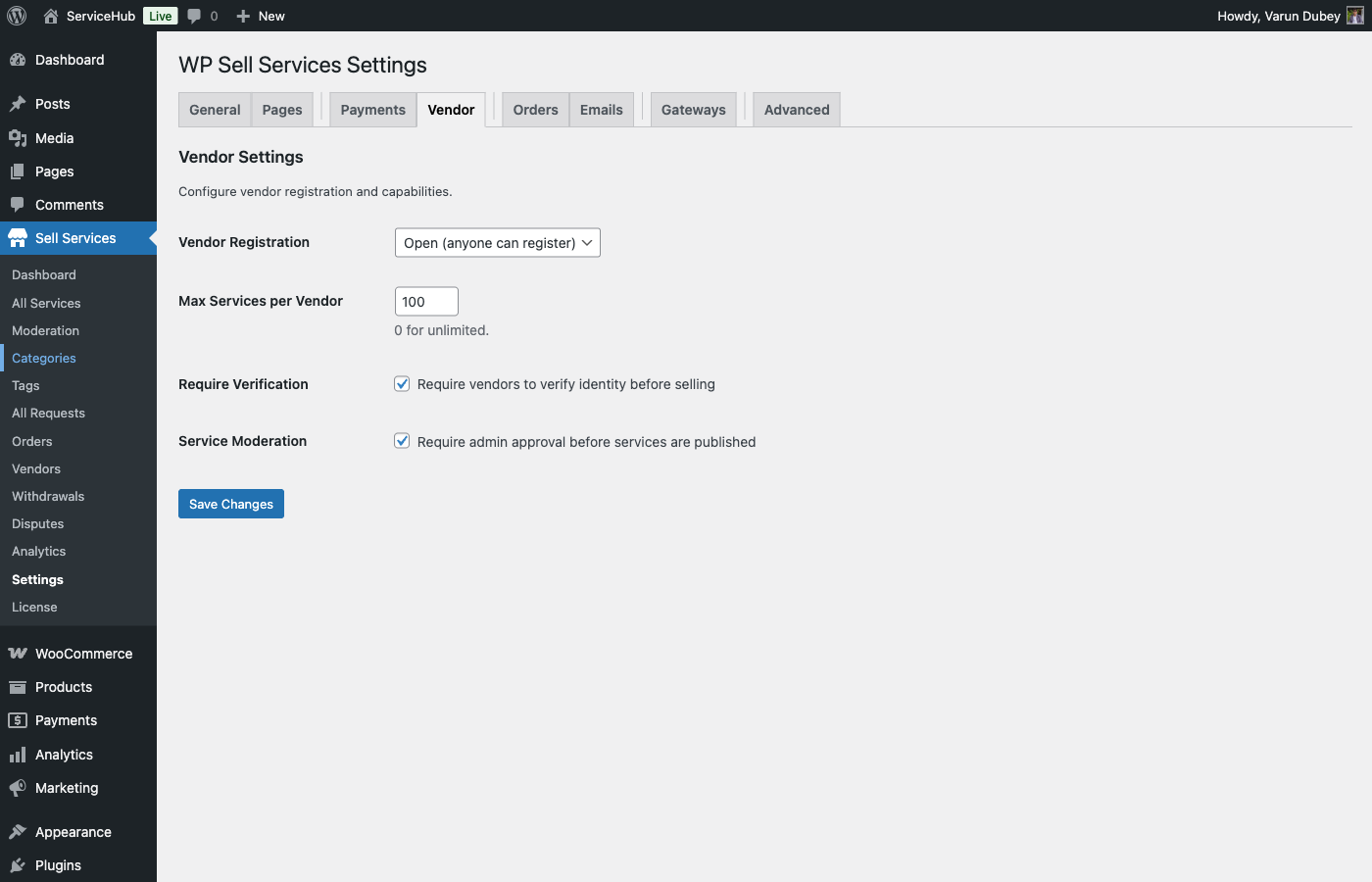
Can buyers request custom work?

Yes. The Buyer Requests feature lets buyers post detailed project descriptions with budgets and timelines. Vendors browse these requests and submit proposals. When a buyer accepts a proposal, an order is created automatically.

What payment gateways are supported?

The free version includes Stripe, PayPal, and Offline (manual) payment gateways, all built into the standalone checkout. [PRO] The Pro version adds Razorpay and integrates with payment gateways from WooCommerce, EDD, FluentCart, and SureCart.

Can I run multiple marketplaces on a multisite network?

Yes. WP Sell Services works on WordPress multisite. Each site in the network runs its own independent marketplace.


Common Issues and Fixes

Services not showing up

  1. Flush permalinks -- Go to Settings > Permalinks and click Save Changes
  2. Check service status -- Services must be published, not draft or pending
  3. Clear cache -- Clear your site cache and browser cache
  4. Assign categories -- Services need at least one category assigned

Vendor registration not working

  1. Enable WordPress registration -- Go to Settings > General and check "Anyone can register"
  2. Enable vendor registration -- Go to WP Sell Services > Settings > Vendors and enable it
  3. Check approval mode -- If admin approval is required, approve pending vendors at WP Sell Services > Vendors > Pending

Pages showing 404 errors

Go to Settings > Permalinks and click Save Changes. This refreshes URL routing. Also verify the page is published and assigned in WP Sell Services > Settings > Pages.

Orders not appearing in vendor dashboard

  • Verify the order exists and has the correct vendor assigned
  • Check that the order status is valid
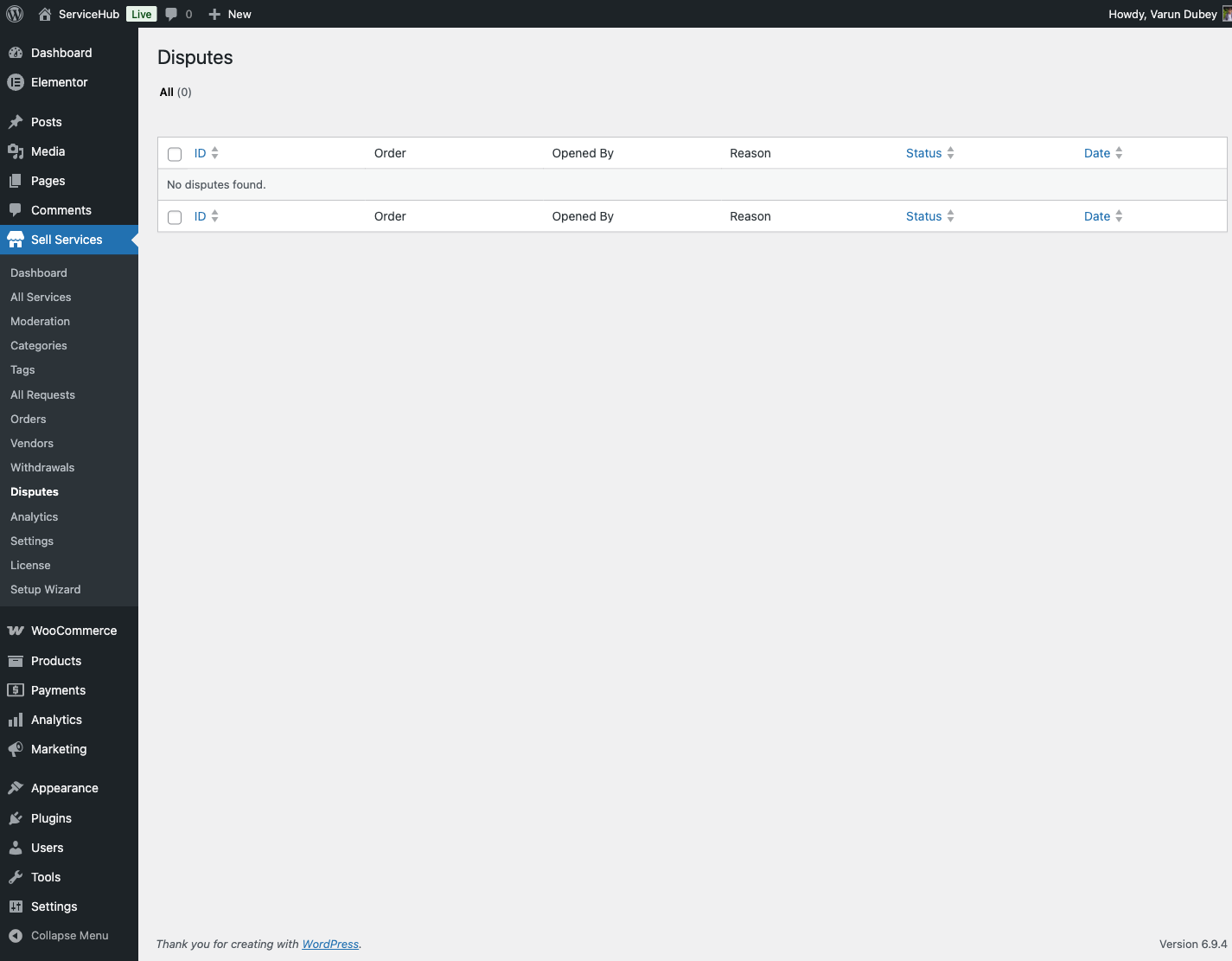
  • Look for errors in your WordPress debug log

Emails not arriving

  1. Test WordPress email -- Try resetting a password to see if any WordPress emails work
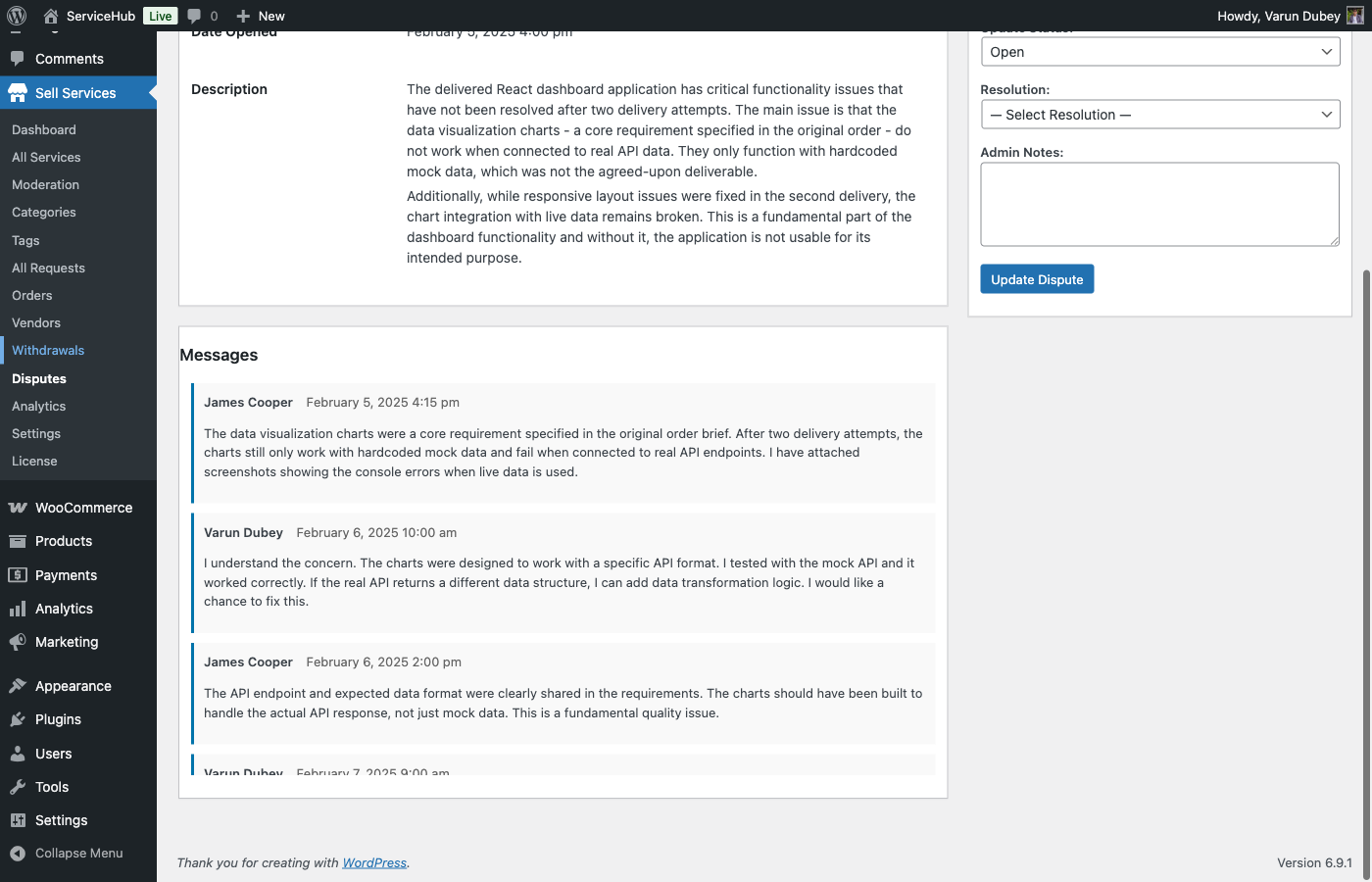
  2. Install an SMTP plugin -- WP Mail SMTP or FluentSMTP dramatically improves deliverability
  3. Check spam folder -- WordPress emails frequently land in spam without SMTP
  4. Verify notification settings -- Make sure the email type is enabled in Settings > Emails

Buyer requests not expiring automatically

Request expiration runs on WordPress cron, which requires site traffic to trigger. On low-traffic sites:

  1. Install the free WP Crontrol plugin to check scheduled tasks
  2. Set up a real server cron job to ping your site every 15 minutes

Delivery files not uploading

  1. Check file size limits -- The default max is 50MB. Increase in Settings > Advanced if needed
  2. Check allowed file types -- Make sure the file extension is permitted
  3. Check server limits -- Your hosting may have lower PHP upload limits than the plugin setting
  4. Verify disk space -- Make sure your server has available storage

Slow performance

  1. Install a caching plugin -- WP Super Cache, W3 Total Cache, or LiteSpeed Cache
  2. Use an object cache -- Redis or Memcached if your hosting supports it
  3. Optimize your database -- Regularly clean transients and optimize tables
  4. Consider a search plugin -- For large marketplaces, Relevanssi or ElasticSearch improves search speed

Getting Help

Enable debug mode for troubleshooting: Go to WP Sell Services > Settings > Advanced and enable Debug Mode. Check wp-content/debug.log for detailed error messages.

Have your details ready when contacting support:

  • WordPress version and PHP version
  • WP Sell Services version
  • Active theme name
  • List of active plugins
  • Error messages from the debug log
  • Steps to reproduce the issue

Support channels:

  • Free version -- WordPress.org support forum
  • Pro version -- Priority email support

Something unclear? Open a support ticket →

Buy WP Sell Services