
Video gallery plugin
Let members upload video, and watch it on your site.
Members upload MP4 or WebM from the front end. A poster is found for each one, the player plays the original file, and there is no FFmpeg to install and no encoding queue to babysit.
- 4.8/5 on Trustpilot
- Free Forever
- MP4 and WebM
- Poster Frames
- No FFmpeg Required
- Tested up to WordPress 7.0
- GPL Licensed
- Video types allowed by default
- MP4, WebM
- Default upload limit
- 100 MB, adjustable
- Poster image
- Embedded cover or captured frame
- CDN offload
- S3, BunnyCDN, R2, Spaces (Pro)
- Price
- Free, Pro from $69/yr
Upload to playback
What happens between dropping a video in and pressing play
Four steps, and not one of them is an encoding job. That is the reason this runs on ordinary WordPress hosting, and also the reason for the list further down.
-
A member uploads
MP4 and WebM are the two video types allowed out of the box, up to 100 MB. Both numbers are yours to change, and the size is measured on the server rather than taken from the browser.
-
A poster gets found, three ways
The video’s own embedded cover is used first. Failing that, the browser seeks to the one-second mark, draws that frame to a canvas and sends it with the file. Failing both, a bundled poster stands in, so a tile is never blank.
-
WordPress reads the file
Duration, width and height come from the same function core uses for its own media library. They are stored per video, so the player reserves the right box and a listing can show the length.
-
The player plays that file
A standard video element with controls, the poster, and the uploaded file as its only source. Nothing was re-encoded in between, and the view is counted once.
With Pro, the player reports back
What gets measured
- Five event types
- Play, pause, seek, complete and buffer, each tied to a viewing session.
- A heatmap of the timeline
- One hundred buckets across the video, so you can see which stretch actually gets watched.
- A retention curve
- The share of sessions still watching at each percentile of the runtime.
- Completion and average watch time
- How many finished, and how long the rest lasted.
- Drop-off points
- The moments viewers leave, ranked.
The free player sends nothing. Those events only leave the page when Pro is active.
Worth knowing before you commit
What it will not do
- No transcoding, in either version
- The file a member uploads is the file every viewer downloads. There is no FFmpeg to install and no encoding queue to watch, which is the whole trade: simple to run, and a 90 MB phone video stays a 90 MB phone video.
- No adaptive quality
- There is no HLS or DASH, so there are no quality rungs to drop to. A viewer on a weak connection gets the same file as everyone else.
- No captions in the web player
- Pro can generate caption files with Whisper, but the browser player does not display them. An app can read them over the API.
- No resume in the browser
- Pro stores resume positions and chapters for native apps through the API. On the web, a video starts at the beginning.
- No live streaming
- This is a library of uploaded files, not a broadcast tool.
If adaptive streaming for long video is the job, a hosted video service is the honest answer, and you can embed it on the same site.
A video library that pages, filters and plays
Add the Media Grid block to a page, set it to video, and choose columns and items per page. Each tile shows its poster with a play button and opens the video's own page.
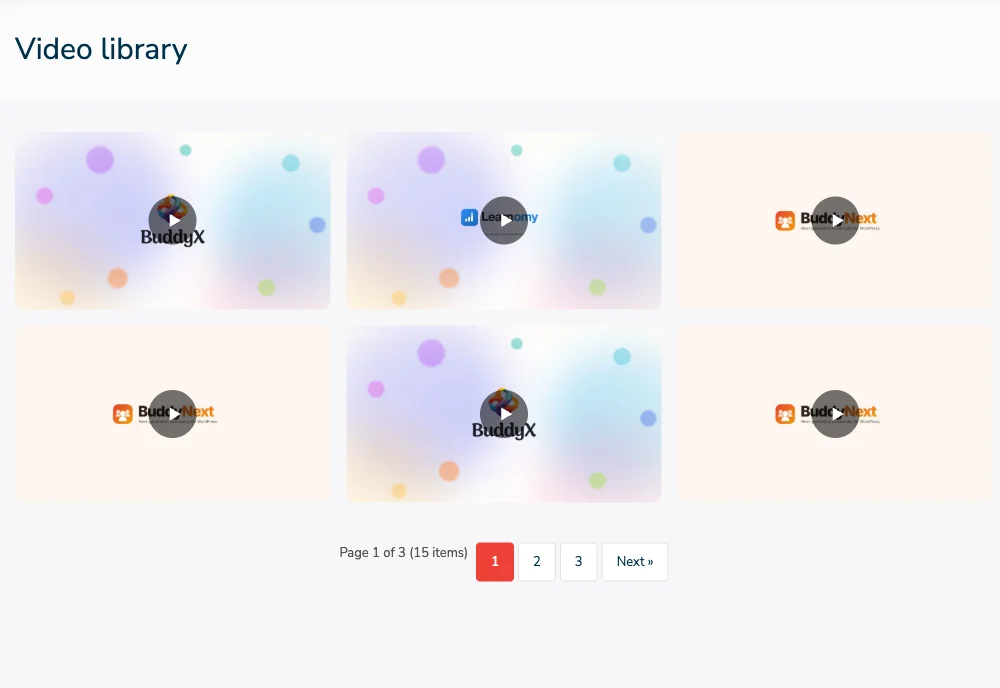
A Media Grid block set to video: six poster tiles with play buttons, and page 1 of 3 below.
VIDEO, FREE AND PRO
What video gets for free, and what Pro adds
Neither version transcodes. Pro adds storage, limits and viewing data around the same player.
Built for a site full of member video
Free unless marked Pro. All of it runs on ordinary WordPress hosting, with no shell access needed.
-
Front-end video uploads
Members upload from the upload page, their dashboard or a BuddyPress profile. You choose which roles can upload.
-
Poster frames without FFmpeg
An embedded cover is used first. Otherwise the browser captures a frame at upload, so tiles rarely sit blank.
-
Private videos stay private
Members pick who can watch. Non-public videos are served through signed links and never go to the CDN.
-
Albums and smart collections
Group a series in an ordered album, or build a collection that gathers every video with a given tag.
-
Views and reactions
Each video page counts views. The stats screen ranks top media by views, with a CSV export.
-
A queue and member reports
Members report a video and three reports hide it until you review. Holding every upload for approval is a filter a developer adds, not a setting.
-
Cloud offload (Pro)
Send public video to Amazon S3, BunnyCDN, Cloudflare R2 or DigitalOcean Spaces, and migrate an existing library in batches.
-
Storage limit per member
One optional storage limit for every member, with an override on a member's profile. It is in the free plugin.
-
Viewing heatmaps (Pro)
A Video Analytics tab shows which parts of each video get played. The player only sends those events when Pro is active.
Video uploads from both sides of the screen
The upload page: drop a video in, choose who can watch, then add a title and description.
A member's My Media dashboard, with an upload box above their own library.
Media Stats: views, reactions and storage used, with the most viewed items and a CSV export.
Host video free. Add Pro when storage matters.
Pay once and own it forever, or pick the annual plan. All features included in every plan, no hidden add-ons.
- Unlimited sites, no license key
- Photo, video and audio uploads
- Albums, smart collections and explore feed
- Lightbox, reactions, comments and follows
- Direct messages with media and voice
- Moderation queue, reports and OpenAI checks
- BuddyPress activity, profile and group media
- 9 blocks, 14 shortcodes and a REST API
- Forever free, no feature locks
- Everything in Free, plus:
- 1 site license
- Instagram, Pinterest, Flickr and Dribbble layouts
- Stories, boosts and upload streaks
- Photo challenges, battles and tournaments
- Cloud storage: S3, BunnyCDN, R2, Spaces
- Watermarking
- Flickr connector and rtMedia, MediaPress, BuddyBoss importers
- Member document drive
- Updates and support, annual or lifetime
- Everything in Pro Personal
- 5 site licenses
- Priority support
- Updates and support, annual or lifetime
- Everything in Personal, plus:
- Unlimited site licenses
- Priority email support
- 30-day money-back guarantee
The plugin keeps working. Updates and support stop until you renew.
Free forever. Annual licenses include a year of updates and support and renew at 30% off. Lifetime licenses are a one-time payment and never expire.
Video hosting questions before you start
Does it convert videos to other formats or resolutions?
Which formats should members upload?
How large can a video be?
Will video fill up my server?
Are captions shown in the player?
Can members keep a video private?
Does the player remember where a viewer stopped?
Can I build video playlists?
Plugins for a site built around video
- Want the whole plugin MediaVerse free Photos and audio alongside video, with albums, privacy, reactions and messages.
- Storage is the problem MediaVerse Pro Cloud offload to S3, BunnyCDN, R2 or Spaces, and viewing heatmaps.
- Mostly photos A gallery for photos The same library run as a photo gallery members fill.
Give members a place to share video on your own site.
Free on unlimited sites. Pro is the answer when storage or viewing data start to matter.