
bbPress alternative
Move off bbPress and keep every topic and reply
Jetonomy installs next to bbPress and imports your published forums, topics, replies and attachments. bbPress keeps serving pages until you switch.
- Free bbPress importer
- Dry run from WP-CLI first
- Wbcom rated 4.8/5 from 96 Trustpilot reviews
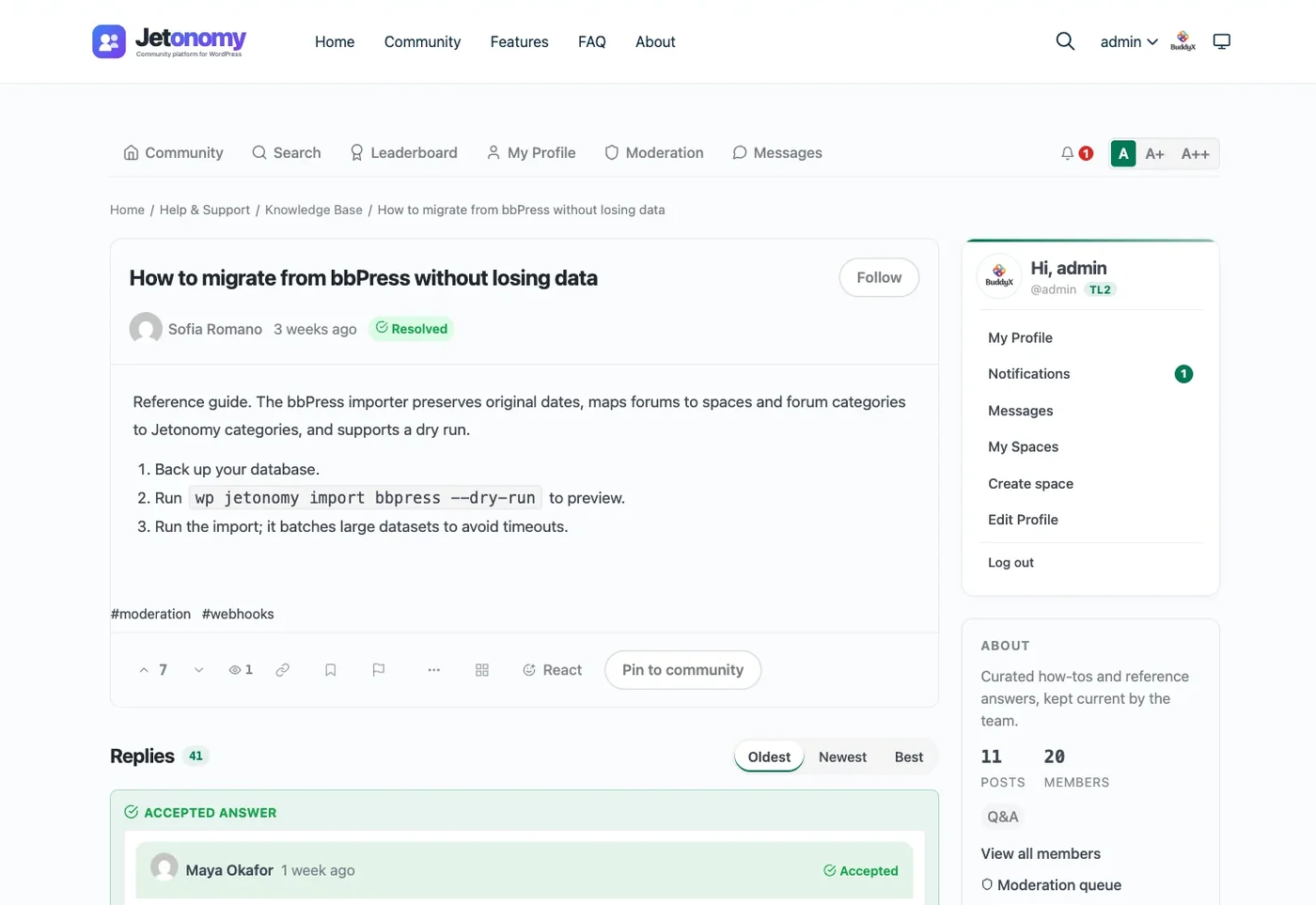
What your bbPress forum becomes
The importer reads bbPress straight from your database and writes to Jetonomy's own tables. Here is exactly what it carries and what it does not.
Comes across
- Published forums Spaces, with sub-forums nested under their parent
- Published topics Posts, with the original date and sticky topics still pinned
- Published replies Replies on the topic, with their original dates
- Topic and reply authors Linked to the same WordPress user accounts
- Inline images and attached files Media library items attached to the post
Stays behind
- Closed topics, and private or hidden forums
- Reply nesting (replies arrive flat on the topic)
- Topic tags and bbPress votes
- Forum moderator assignments
- Subscriptions and favorites
- bbPress templates, shortcodes and add-on data
The importer reads published content only. If closed topics or private forums matter to you, rehearse the import on a staging copy and count what arrives.
The move
Six steps, with bbPress installed until you are sure
The importer does not change your bbPress forums, topics or replies, so you can import, check and only then switch. For a large forum, rehearse on a staging copy.
$ wp jetonomy import bbpress --dry-run
[DRY RUN] Import complete. Imported: 1240, Skipped: 12, Errors: 0-
Back up the site
Take a full database and files backup with your host or backup plugin. The import screen asks for this too.
-
Install Jetonomy next to bbPress
Activate Jetonomy on the same site. It needs WordPress 6.7+ and PHP 8.1+, and stores data outside wp_posts.
-
Preview with a dry run (optional)
From a terminal, run wp jetonomy import bbpress --dry-run. It reports what would move without writing anything.
-
Run the import
Open Jetonomy > Import and start the bbPress import. It runs in batches with a progress bar. Keep the tab open; if it closes, resume from the last finished batch.
-
Redirect the links that matter
The importer does not create redirects. Map the old bbPress URLs that get search traffic or backlinks to their new Jetonomy topics with a redirect plugin or server rules.
-
Check, then deactivate bbPress
Spot check spaces, long threads, attachments and member profiles. When everything matches, deactivate bbPress.
Redirects are your job, and they are quick to plan
The importer moves content, not URLs. Old bbPress links will not forward on their own, so map the ones that bring visitors before you switch.
- Export the forum and topic URLs that get search traffic or backlinks.
- Find each topic in Jetonomy. Imported topics keep their slug unless it clashes in the space.
- Add 301 redirects with a redirect plugin or server rules, then test a sample.
Jetonomy topic URL
/community/s/space-slug/t/topic-slug/ Spaces take the slug of the bbPress forum they came from, where it is free. community is the default base, and you can rename it in settings.
What the forum gains after the move
bbPress details from its WordPress.org listing (version 2.6.17) and the official bbPress codex, read 2026-09-17. Jetonomy details from the 1.9.7 release.
Storage and speed
-
In bbPress today: Forums, topics and replies stored as WordPress custom post types
After the move:- 22 purpose-built MySQL tables
- Indexes and stored counters
Discussion data lives outside wp_posts, in tables shaped for threads and replies.
-
In bbPress today: Forum-wide search across forums, topics and replies
After the move:- FULLTEXT search as you type
- Tag pages
Results appear while members type, backed by FULLTEXT indexes.
-
In bbPress today: Paged topic and reply lists
After the move:- Stored counters on busy lists
- Redis or Memcached detected automatically
Topic and reply totals are kept on the row, so long lists do not count rows on every page load.
Moderation
-
In bbPress today: Roles: Keymaster, Moderator, Participant, Spectator, Blocked
After the move:- WordPress capabilities
- Per-space owner, moderator and member roles
- Trust levels 0 to 5
Three permission layers. Levels 1 to 3 are earned automatically; admins grant 4 and 5.
-
In bbPress today: Akismet support plus spam, trash and approval tools
After the move:- Akismet on member posts and replies
- Member flagging
- Moderator queue in wp-admin and at /community/mod/
Moderators can work the queue from the front end as well as wp-admin.
-
In bbPress today: Blocked role
After the move:- Ban (no login)
- Silence (no posting)
Two strengths of sanction, so a noisy member can still read without posting.
-
In bbPress today: Post throttling and an edit time limit
After the move:- Rate limits at trust level 0
- Keyword, regex and link-limit rules (Pro)
New accounts post less by default. Pro adds keyword, regex, link-limit and spam-score rules.
Q&A and ideas
-
In bbPress today: Threaded discussion topics
After the move:- Forum spaces
- Upvotes and downvotes
The same discussion format, with voting on posts and replies.
-
In bbPress today: Q&A with accepted answers: not among bbPress core forum settings
After the move:- Q&A spaces
- Accepted answers
- QAPage structured data
Solved questions show the accepted answer and carry QAPage markup for search.
-
In bbPress today: Idea voting: not among bbPress core forum settings
After the move:- Ideas spaces
- Status board: planned, in progress, shipped, declined
Members vote ideas up while you move them across a public status board.
-
In bbPress today: Favorites and subscriptions
After the move:- In-app bell with unread count
- Immediate email notifications
- Per-user preferences
Members see unread activity on the site and choose which emails they get.
Editor
-
In bbPress today: Formatting toolbar: bold, italic, links, images, lists, code
After the move:- Bold, italic, lists, code, headings
- Drag, drop or paste images
Images drop or paste straight into the post.
-
In bbPress today: Auto-embed links from YouTube, Twitter and others
After the move:- oEmbed for YouTube, X, Vimeo and more
Members keep the paste-a-link habit they already have.
-
In bbPress today: Reply threading
After the move:- Threaded replies, 3 levels deep, collapsible
- Quote-to-reply
- @mentions with autocomplete
Long threads fold away, and mentions autocomplete member names.
-
In bbPress today: Code in posts
After the move:- Prism syntax highlighting
- Emoji picker
Code blocks get colour highlighting, useful for technical forums.
Developer
-
In bbPress today: Shortcodes and a theme compatibility layer
After the move:- Template overrides in your-theme/jetonomy/
- RTL and translation-ready
Copy a template into your theme to change markup without editing the plugin.
-
In bbPress today: Import tools that convert other forums to bbPress
After the move:- Importers for bbPress, wpForo and Asgaros
- WP-CLI import commands
Your move is a supported path, not a one-off script.
-
In bbPress today: Custom code on bbPress templates and functions
After the move:- 86 REST API routes (jetonomy/v1)
- 225 hooks: 106 actions, 119 filters
- 19 WordPress Abilities (WP 6.9+)
Apps, bots and headless front ends can read and write the forum over REST.
The importer is free. Pro is optional.
Pay once and own it forever, or pick the annual plan. All features included in every plan, no hidden add-ons.
- Unlimited sites, no licence key
- Forum, Q&A, Ideas and Feed spaces
- Six trust levels and a moderation queue
- Voting, reputation and a leaderboard
- Search across posts, spaces and tags
- REST API, WP-CLI, 8 blocks and 8 shortcodes
- bbPress, wpForo and Asgaros importers
- MemberPress and Paid Memberships Pro gating
- Everything in Free, plus all 17 Pro extensions
- 1 site
- Private messaging, 1:1 and group
- Emoji reactions and polls
- Community analytics
- Email digest, web push and reply by email
- AI spam detection and advanced moderation
- Webhooks for Slack, Zapier or a CRM
- Updates and support, annual or lifetime
- Everything in Pro Personal
- 5 sites
- Priority support
- Updates and priority support, annual or lifetime
- Everything in Pro Developer
- Unlimited sites
- Priority email support
- Updates and priority support, annual or lifetime
The plugin keeps working. Updates and support stop until you renew.
Free forever. Annual licenses include a year of updates and support and renew at 30% off. Lifetime licenses are a one-time payment and never expire.
Migration questions from bbPress owners
Will my forum go offline during the import?
What happens to my search rankings and old links?
I use BuddyPress group forums. Does that change anything?
Will Jetonomy work with my current theme?
I customised bbPress templates. What happens to that work?
What does not come across?
Can I preview the import before it writes anything?
Do I need Pro to migrate?
Rehearse the move on a copy of your site today
Install Jetonomy on staging, run the dry run and the import, and compare the counts before you touch the live forum.